
The best dropbox alternatives in 2026 fix the three complaints Dropbox users repeat most: only 2 GB free, a Plus plan that costs about $120 a year for 2 TB, and no end-to-end encryption on personal plans. You do not have to accept that trade anymore. Google Drive gives you 15 GB free and real-time document editing. pCloud sells 2 TB for $99.99 a year, or $499 once for life. MEGA gives you 20 GB free with encryption on every file. Sync.com encrypts everything by default and still costs less than Dropbox.
The short answer is simple. Pick Google Drive if your week already runs on Gmail and Google Docs. Pick OneDrive if you already pay for Microsoft 365, because the storage is already included. Pick pCloud if you want to stop paying a monthly bill. Pick Sync.com or MEGA if privacy is the reason you are leaving.
We compared the services below the way a buyer should: we checked current vendor pricing pages, compared free plans against their real limits, looked at how each service handles sync, sharing, and encryption, and flagged where the headline price hides the plan you will actually need. Cloud storage is a crowded label, and vendors stretch it. Some services on this list are full collaboration suites. Others are simple, private file vaults that do one job well. Both kinds belong here, because a solo user backing up photos and a small team sharing client files do not need the same system.
Quick Picks: The Short Version
Google Drive
The biggest free tier among the big names, with document editing built in
Price Free 15 GB, 2 TB from $9.99/mo
Free plan available, no card to start
pCloud
2 TB for $99.99 a year, or $499 once for a lifetime licence
Price 2 TB from $99.99/yr, $499 lifetime
Up to 10 GB free
Sync.com
End-to-end encryption on every file by default, at a lower price than Dropbox
Price Free 5 GB, paid from $6/mo
Free plan available
Dropbox Alternatives at a Glance
| Service | Best for | Free storage | Paid from |
|---|---|---|---|
| Google Drive | Google Workspace users | 15 GB | $9.99/mo (2 TB) |
| Microsoft OneDrive | Microsoft 365 households and offices | 5 GB | $1.99/mo (100 GB) |
| pCloud | Paying once, not monthly | Up to 10 GB | $99.99/yr (2 TB) |
| Sync.com | Encrypted sync and sharing | 5 GB | $6/mo (1 TB) |
| MEGA | Biggest free tier with encryption | 20 GB | About 100 euros/yr (3 TB) |
| Proton Drive | Privacy inside the Proton ecosystem | 5 GB | $3.99/mo (200 GB) |
| Box | Business compliance and admin control | 10 GB | $5/user/mo (Business Starter) |
| Tresorit | Regulated work and client confidentiality | 3 GB trial | $11.99/mo (1 TB) |
| Internxt | Open-source encrypted storage | 1 GB | €1.99/mo (1 TB annual) |
| iCloud Drive | Apple households | 5 GB | $0.99/mo (50 GB) |
Prices are US list prices checked against vendor pricing pages. Confirm the checkout price before you buy, because free plans carry caps, paid tiers reprice often, and several services on this list charge extra for encryption add-ons, extra seats, or business features.
Why People Leave Dropbox
Dropbox earned its reputation on sync that just works. Block-level sync means a small edit to a big file uploads only the changed part, not the whole file again, and that still matters for large projects. What changed is the value around it. The free plan stopped at 2 GB years ago and never moved, while Google gives 15 GB and MEGA gives 20 GB. Dropbox Plus at about $120 a year for 2 TB now costs more than Google’s 2 TB and pCloud’s 2 TB, and both of those include more. And Dropbox still does not offer end-to-end encryption on its personal plans, so the company can read what you store, while Sync.com, MEGA, Proton Drive, and Tresorit encrypt files so only you hold the key.
None of that makes Dropbox bad. If your team already runs on Dropbox, if your clients send Dropbox links, or if you rely on its integrations, staying can be the right call. But if you are paying Plus mostly to store files and share links, one of the services below does the same job for less, or with privacy Dropbox does not offer.
How We Chose These 10 Services
We started from the services that show up again and again when people compare cloud storage, then filtered hard. A service made the list only if it is a real Dropbox replacement in 2026: desktop sync apps, mobile apps, file sharing links, and a published price. We checked each free plan against its real limit, noted where encryption costs extra instead of being standard, and flagged where the realistic plan costs more than the headline entry price. Services that only transfer files, with no storage and sync, did not make the list, because they solve a different problem.
1. Google Drive: Best Overall Dropbox Alternative
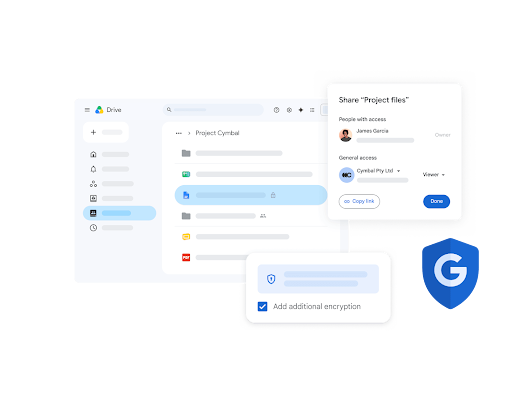
Google Drive is the easiest switch for most people, because it is already there. If you have a Gmail account, you have 15 GB of Drive storage, shared across Gmail, Drive, and Photos. That alone is more than seven times Dropbox’s free tier. The real advantage is what sits on top of the storage: Docs, Sheets, and Slides edit in real time in the browser, with comments, suggestions, and version history built in. A team can draft, review, and publish without ever downloading a file, which is something Dropbox only approximates with its own document tools.
The plan to budget from is Google One 2 TB at $9.99 a month, which undercuts Dropbox Plus for the same space and adds the Google storage bundle across your account. Sharing controls are strong, with link expiry and viewer, commenter, and editor roles, and Drive search is the best in this list, because it reads inside documents and images. The honest trade is privacy: Google does not offer end-to-end encryption on Drive, so your files are encrypted in transit and at rest on Google’s servers, but Google holds the keys. If that is a dealbreaker, the privacy picks below are the better fit.
Best for: Google Workspace users, students, and teams that edit documents together every day.
Official site: Google Drive
What we like
- 15 GB free, the largest free tier among the big providers
- real-time Docs, Sheets, and Slides editing in the browser
- file versions kept for 30 days, so an overwritten draft is recoverable
What could be better
- no end-to-end encryption, so Google holds the keys to your files
- storage is shared with Gmail and Photos, so a full inbox eats into your Drive space
Price: free 15 GB, Google One 2 TB from $9.99 per month.
2. Microsoft OneDrive: Best for Microsoft 365 Users
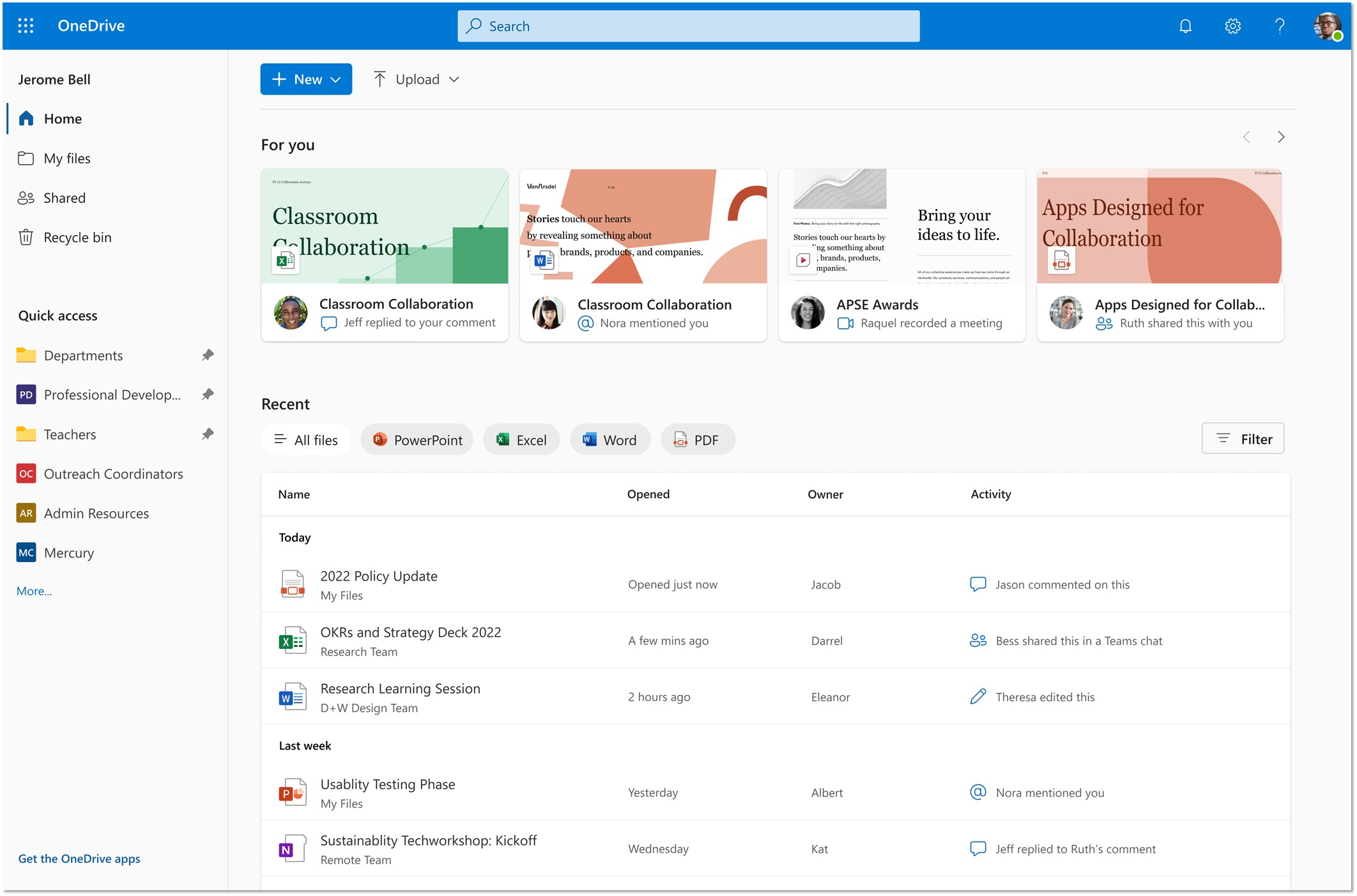
OneDrive wins on a simple argument: you may already be paying for it. Microsoft 365 Personal at $99.99 a year includes 1 TB of OneDrive storage per person plus Word, Excel, PowerPoint, and Outlook. If your household or office already runs on those apps, adding a separate Dropbox subscription on top is hard to justify. Files sync into Windows File Explorer as if they were local folders, and Office documents open for real-time co-authoring in the browser or the desktop apps.
The free tier is small at 5 GB, and the standalone 100 GB plan at $1.99 a month suits phone backup more than serious file storage. OneDrive’s strength is the Microsoft loop: a Word document edited on a laptop appears on the phone, a Teams meeting recording lands in OneDrive automatically, and ransomware detection watches for mass file changes. The weakness is the same as Google’s: no end-to-end encryption for general storage, and the experience is noticeably weaker outside Windows and Office, so Mac and Google households get less of the benefit.
Best for: Windows users, Office households, and offices already on Microsoft 365.
Official site: Microsoft OneDrive
What we like
- 1 TB included with Microsoft 365 Personal, so many buyers pay nothing extra
- deep Windows and Office integration, with files visible in File Explorer
- Personal Vault adds an extra verification step for sensitive files
What could be better
- free tier is only 5 GB, so it fills fast with photos
- no end-to-end encryption on general storage
- the experience outside Windows and Office apps is thinner than inside them
Price: free 5 GB, 100 GB from $1.99 per month, 1 TB included with Microsoft 365 Personal at $99.99 per year.
3. pCloud: Best Value Dropbox Alternative
pCloud is the pick for people who are tired of the monthly bill. The annual price for 2 TB is $99.99, already below Dropbox Plus, but the lifetime plan is the real story: $499 once for 2 TB, no subscription after that. Idia handling is the other strength: built-in audio and video players, image thumbnails, and slideshow views make it the most pleasant service on this list for photos and video libraries.
The free plan goes up to 10 GB, earned in steps as you complete setup tasks, and works on unlimited devices, unlike Dropbox’s three-device free limit. The honest trade is encryption: end-to-end encryption is a paid Crypto Folder add-on, not standard, so privacy buyers should price that in or pick Sync.com instead. Third-party integrations are also thinner than Dropbox’s, so teams that live on app connections should check their stack before switching.
Best for: individuals and families who want 2 TB without a forever subscription.
Official site: pCloud
What we like
- lifetime 2 TB for $499 once, the cheapest long-term price on this list >
- media players and photo views built in, with no extra app needed
What could be better
- end-to-end encryption is a paid Crypto Folder add-on at about $150, not included
- the full 10 GB free tier is earned in steps, not granted at signup
- fewer third-party app integrations than Dropbox
Price: free up to 10 GB, 2 TB from $99.99 per year, lifetime 2 TB $499 once.
4. Sync.com: Best Privacy Dropbox Alternative
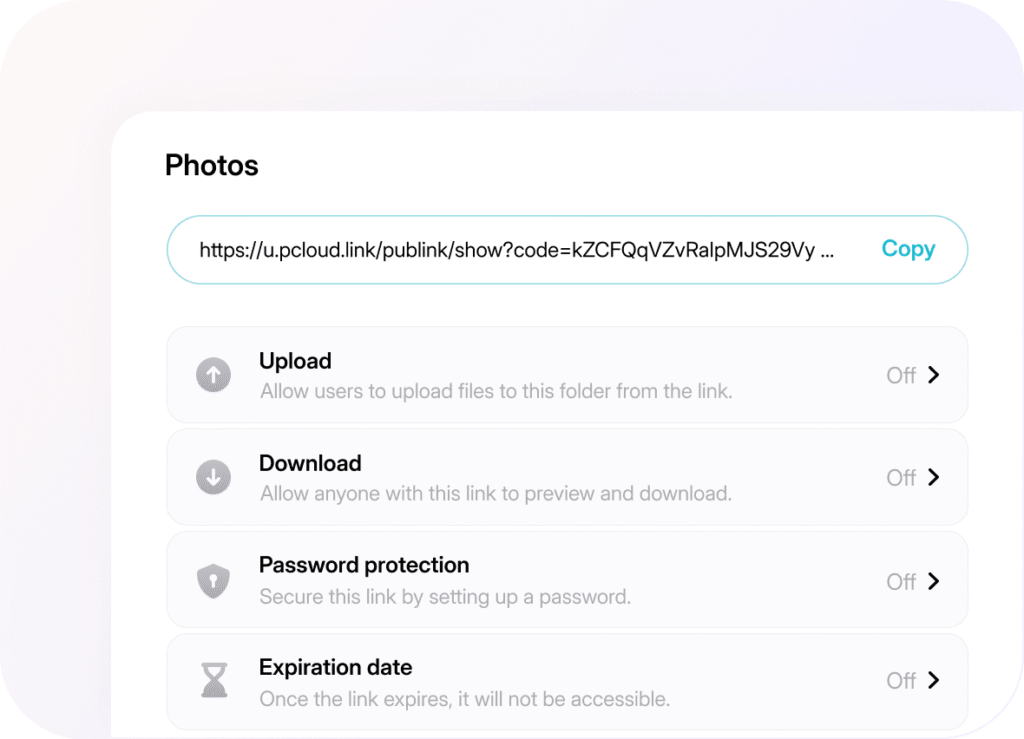
Sync.com is the service to pick when privacy is the whole reason for switching. Every file is end-to-end encrypted by default, on every plan including free, so neither Sync.com nor anyone else can read your stored files. That zero-knowledge design is the difference from Dropbox, Google, and OneDrive, which all hold the keys. Sharing still works: password-protected links, expiry dates, download limits, and granular permissions are all standard, and team plans add remote wipe and admin controls for shared folders.
The free plan is 5 GB, and the paid plans start low: 1 TB team plans from $6 per user per month, with a 3-user minimum. Sync.com is not the fastest service on this list, and its collaboration tools are thinner than Google’s or Microsoft’s, so it suits file storage and sharing more than live document editing. For lawyers, accountants, clinics, and anyone handling client files, that trade is usually the right one: the files are the work, and encryption is not optional.
Best for: professionals and small teams that handle sensitive client files.
Official site: Sync.com
What we like
- end-to-end encryption on every file by default, including the free plan
- password links, expiry dates, and download limits on paid plans
- team plans include remote wipe for lost devices
What could be better
Price: free 5 GB, 1 TB from $6 per month.
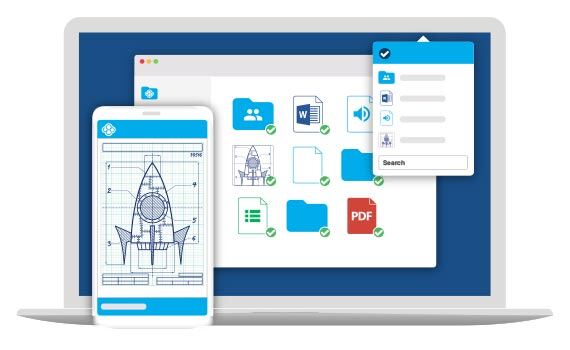
5. MEGA: Biggest Free Tier With Encryption
MEGA pairs the biggest free tier on this list with encryption on every file. You get 20 GB free, with end-to-end encryption standard, and paid plans scale up to 3 TB at about 100 euros a year. That combination is why MEGA tops several privacy-first roundups: no other service gives you this much free space with this level of encryption. Sharing includes password-protected links with expiry, and MEGAchat adds encrypted chat and calls inside the same account.
The catch is the one that comes with all zero-knowledge services: lose your password and your recovery key, and nobody, including MEGA, can restore your files. Sync speeds are respectable but not class-leading, and business features like admin controls and compliance reporting trail Box and Tresorit. For personal backup, photo storage, and private sharing, though, MEGA is the strongest free starting point on this list.
Best for: personal users who want maximum free storage with real encryption.
Official site: MEGA
What we like
- 20 GB free with end-to-end encryption on every file, the largest encrypted free tier here
- password-protected links with expiry dates
- encrypted chat and calls included in the same account
What could be better
Price: free 20 GB, paid plans up to 3 TB at about 100 euros per year.
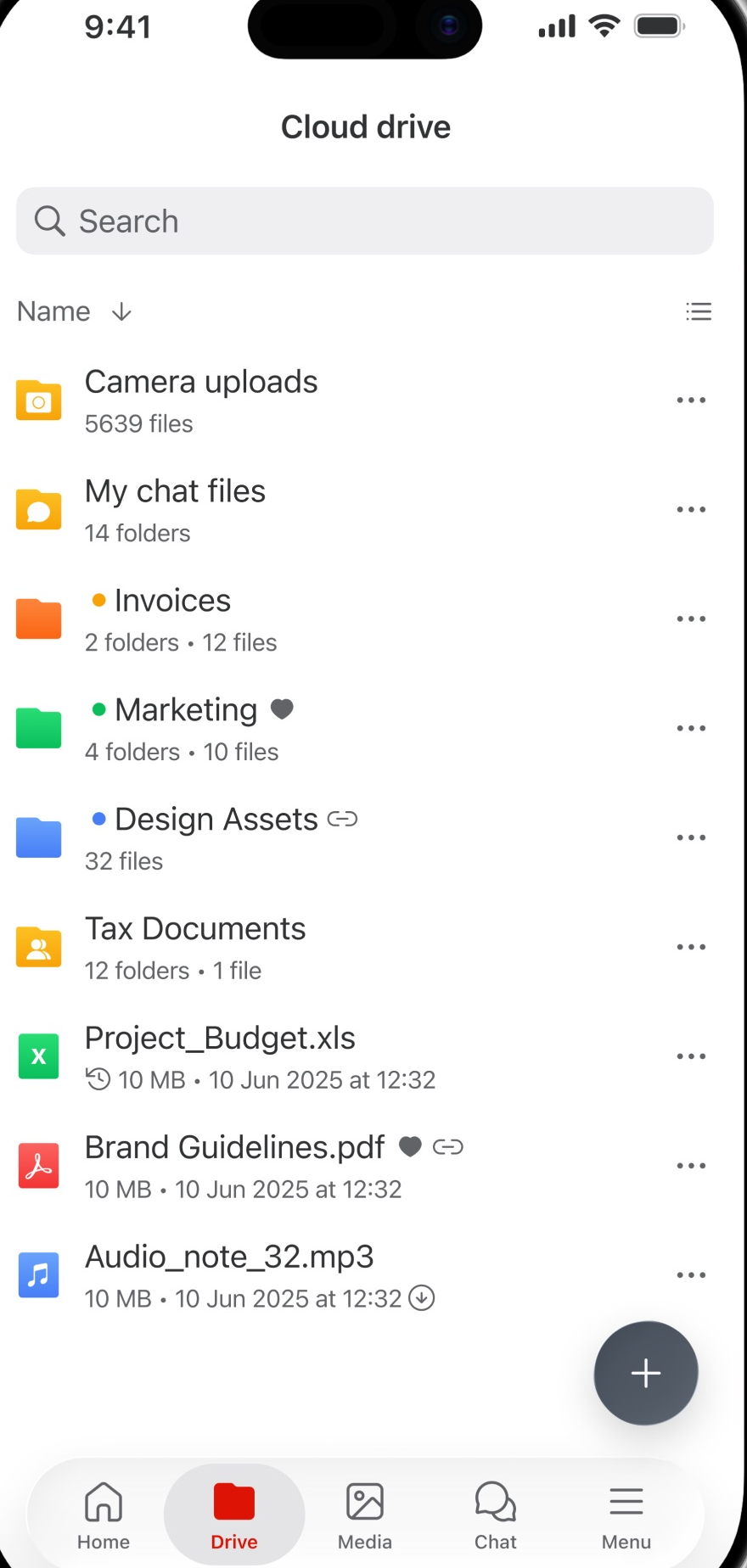
6. Proton Drive: Best Privacy Ecosystem Pick
Proton Drive suits people who already trust Proton with email, or who want one privacy company for the whole stack. Files are end-to-end encrypted by default, and the same account covers Proton Mail, Calendar, and VPN, so a privacy-minded user can move email, files, and browsing under one provider. Proton Drive also includes native Docs and Sheets collaboration, which is more than most encrypted services offer: you can edit a document with someone else without handing the file to Google or Microsoft.
The free plan is small, and the storage per dollar is lower than pCloud or MEGA, because encryption and the ecosystem cost money to run. Collaboration is still newer and simpler than Google Docs, and the desktop sync apps are less mature than Dropbox’s. Pick Proton Drive when the ecosystem matters: one account, one privacy policy, and no ad-based business model behind it.
Best for: Proton users and buyers who want email, files, and VPN from one privacy provider.
Official site: Proton Drive
What we like
- end-to-end encryption by default across the Proton ecosystem
- native Docs and Sheets editing without Google or Microsoft
- no advertising business behind the product
What could be better
- free tier is small compared with MEGA’s 20 GB
- collaboration features are newer and simpler than Google Docs
- desktop sync is less mature than Dropbox’s
Price: free plan available, paid from $3.99 per month for 200 GB.
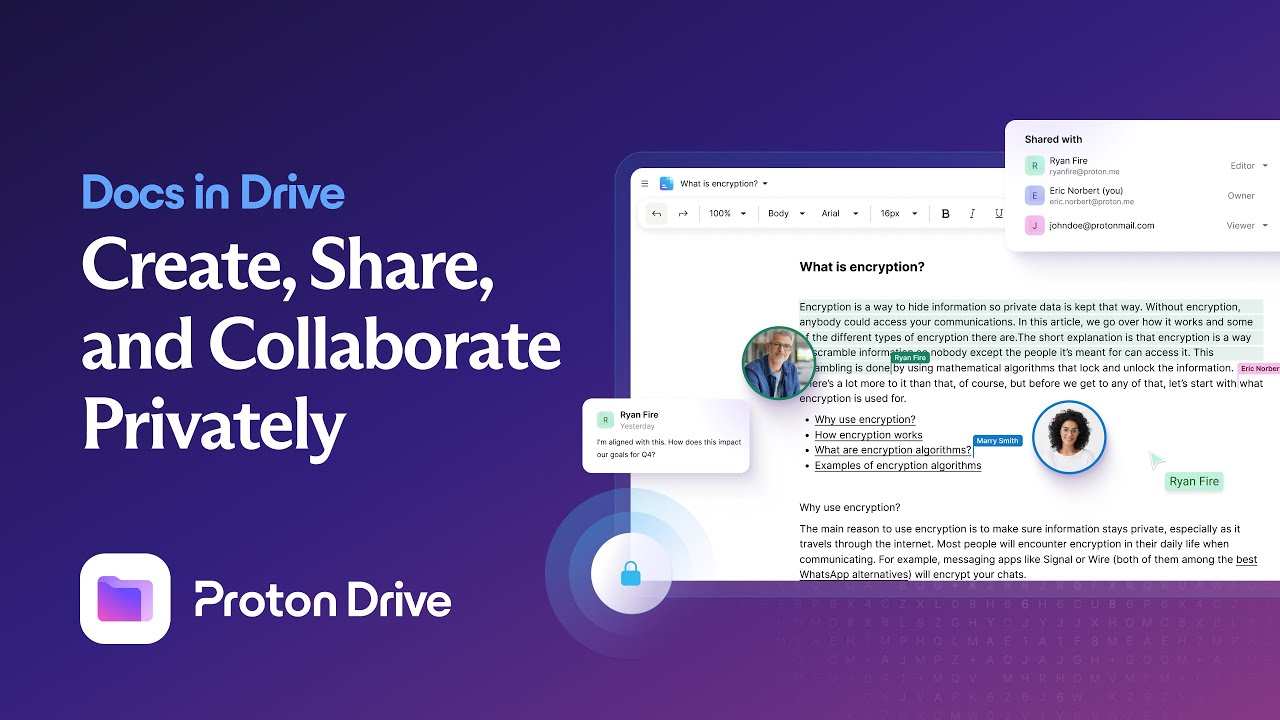
7. Box: Best for Business Compliance
Box is the business answer on this list. Where the other services sell storage, Box sells control: admin consoles, data loss prevention, encryption key management, and compliance coverage for HIPAA and FedRAMP that enterprises actually audit. Unlimited storage on business plans means a growing company never renegotiates its storage cap, and integrations with Microsoft 365, Google Workspace, Salesforce, and Slack keep Box inside the tools teams already use.
The personal free plan is 10 GB, but Box is not really a personal product. Small teams should budget from the Business plan at $15 per user per month, and solo users will find it heavy: the interface assumes an admin, the feature list assumes a company, and the price assumes a team. For a regulated business or a company with strict data rules, that weight is the point. For everyone else, Google Drive or pCloud is simpler and cheaper.
Best for: companies with compliance, audit, and admin control requirements.
Official site: Box
What we like
- strongest enterprise admin controls on this list, with data loss prevention and key management
- unlimited storage on business plans
- broad integrations with Microsoft 365, Google Workspace, and Slack
What could be better
- Box Sign and advanced workflow tools sit on higher tiers, not the entry business plan
- the interface assumes an admin and feels heavy for a solo user
- personal users get less value for the price than on pCloud or MEGA
Price: free 10 GB personal, Business from $15 per user per month with unlimited storage.
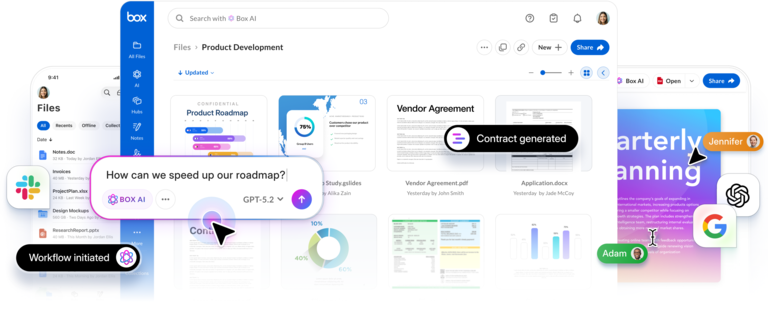
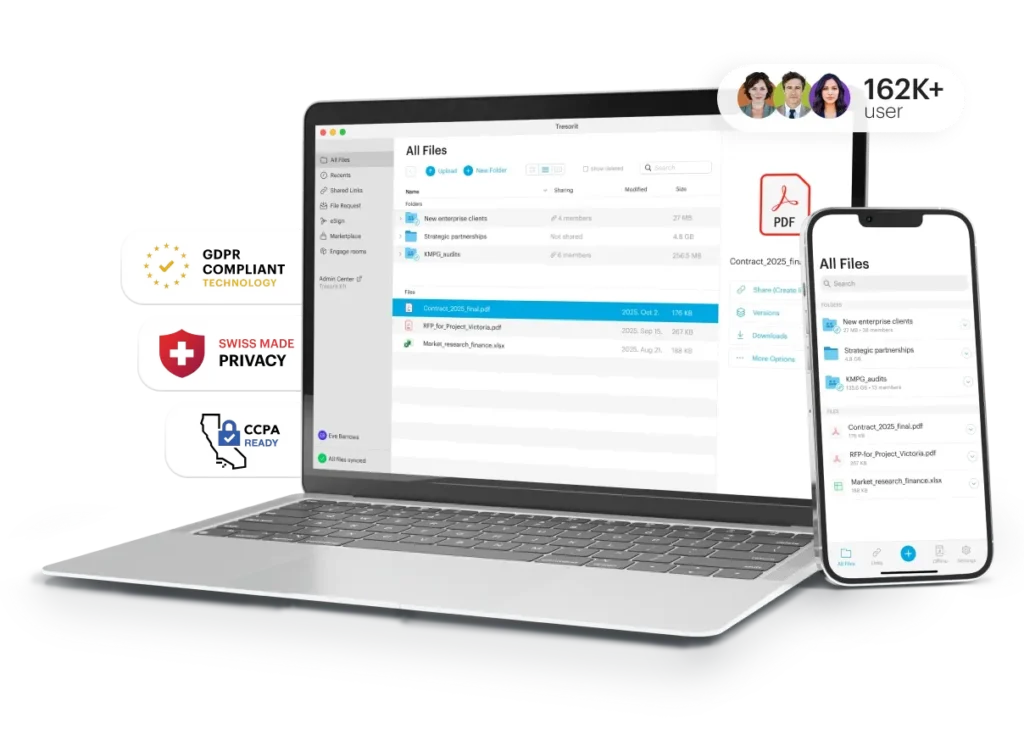
8. Tresorit: Best for Regulated Work
Tresorit is the most locked-down service on this list, built for lawyers, healthcare teams, and financial firms that treat confidentiality as a compliance requirement. Files are end-to-end encrypted, data stays in your chosen region, and every share, download, and permission change is logged for audit. Tresorit meets GDPR requirements by design, and its business plans are built around the controls an auditor asks about: access rules, device policies, and detailed activity reports.
The price reflects that positioning: 1 TB plans from $11.99 per month, with a small trial tier and no generous free plan. Collaboration is functional but not the reason to buy Tresorit; you buy it because a client, a regulator, or your own policy requires encryption and audit trails that Dropbox cannot provide. For a small firm handling sensitive matters, the premium is small compared with the risk it removes.
Best for: law firms, clinics, and financial teams with strict confidentiality rules.
Official site: Tresorit
What we like
- end-to-end encryption with data residency options and full audit logs
- eRooms for sharing sensitive files with outside parties under access controls
- GDPR compliance built into the design, not added later
What could be better
- no generous free plan, only a small trial tier
- collaboration tools cover the basics and trail Google Docs for live editing
- the price per terabyte is higher than pCloud or MEGA
Price: 1 TB from $11.99 per month.
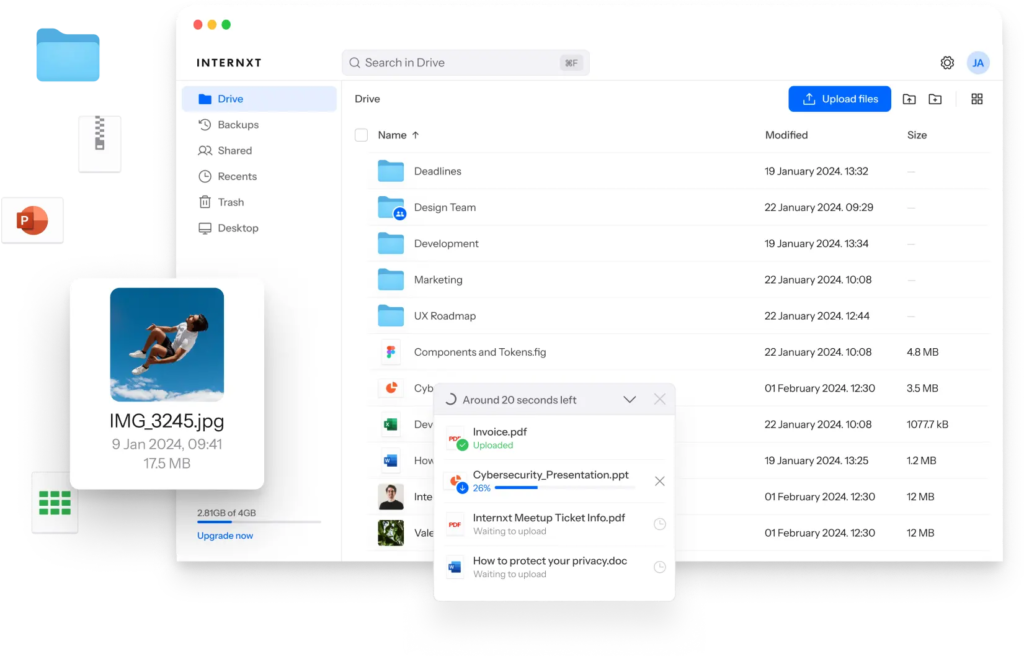
9. Internxt: Best Open-Source Encrypted Storage
Internxt is the open-source pick. Its client apps are open source, files are end-to-end encrypted and split across servers, and the pricing is aggressive: 1 TB from €1.99 per month on annual billing, with lifetime plans for buyers who never want another subscription. The free plan is only 1 GB, so Internxt is really a paid product with a taste-sized trial, but for the price it undercuts almost everything on this list except iCloud’s smallest tier.
The trade is maturity. Internxt is younger and smaller than Dropbox, Google, or pCloud, its feature list is narrower, and its team and business tooling is thinner. Pick Internxt when open source and price matter more than a deep integration library.
Best for: privacy buyers on a tight budget who prefer open-source software.
Official site: Internxt
What we like
- fully open-source clients with end-to-end encryption
- 1 TB from €1.99 per month on annual billing, among the cheapest paid plans here
- lifetime plans available for one-time buyers
What could be better
- free plan is only 1 GB, so it is really a paid productteam and business features trail Box and Google Drive
Price: free 1 GB, 1 TB from €1.99 per month on annual billing.
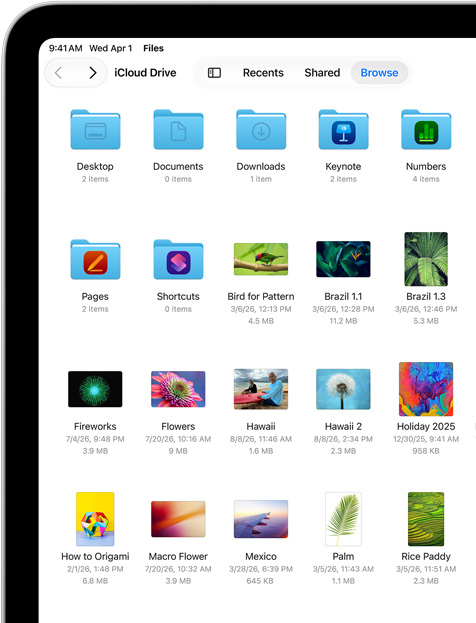
10. iCloud Drive: Best for Apple Households
iCloud Drive is the default for Apple households, and defaults win when they work. Files sync across iPhone, iPad, and Mac without setup, photos back up automatically, and documents edited in Pages, Numbers, or Keynote stay in sync everywhere. The 50 GB plan at $0.99 a month is the cheapest paid tier on this list, and family sharing lets a household pool storage under one plan.
The free tier is only 5 GB, which an iPhone photo library eats in weeks, so most Apple users end up paying. Outside Apple devices the experience drops sharply: the Windows app works, but Android support is web-only, and collaboration tools trail Google’s. iCloud Drive is the right pick when everyone in the house uses Apple gear, and a weak one when they do not.
Best for: households and individuals all-in on iPhone, iPad, and Mac.
Official site: iCloud Drive
What we like
- zero-setup sync across iPhone, iPad, and Mac, with automatic photo backup
- 50 GB from $0.99 a month, the cheapest paid tier here
- Shared Albums and family storage pooling included
What could be better
- free tier is only 5 GB, so most users pay within weeks
- Android support is web-only, with no real sync app
- document collaboration trails Google Docs
Price: free 5 GB, 50 GB from $0.99 per month.
Pick by Need, Not by Feature List
A solo user backing up photos should start free: MEGA’s 20 GB, Google’s 15 GB, or pCloud’s 10 GB all cover a phone library, and the right one is the interface you enjoy opening. Do not pay for storage until the free plan blocks something you actually do every week.
Small teams that edit documents together should shortlist Google Drive and OneDrive, and pick by the suite they already use. Privacy-first teams should shortlist Sync.com, MEGA, and Tresorit, and pick by how strict their confidentiality rules are. Individuals who hate subscriptions should look at pCloud lifetime and Internxt lifetime first, because one payment ends the bill forever. Apple households should just use iCloud Drive, and companies with compliance audits should use Box or Tresorit, because the audit trail is the product.
Dropbox vs the Alternatives: Sync, Privacy, and Price
Dropbox still leads on sync polish. Block-level sync, LAN sync on local networks, and a mature desktop app mean big files move faster and more reliably than on most alternatives, and Dropbox’s integration library is still the deepest. Google Drive answers with the best search and the best document editing. OneDrive answers with the Microsoft bundle. The privacy services answer with encryption Dropbox does not offer at all on personal plans.
On price, Dropbox Plus at about $120 a year for 2 TB is now the expensive option in this comparison, not the default. Google charges $9.99 a month for the same 2 TB, pCloud charges $99.99 a year or $499 once, and Sync.com, MEGA, and Internxt all undercut it on their own terms. The honest reason to stay on Dropbox is momentum: your team, your clients, and your integrations already live there, and moving costs more than the saving. If that momentum is not there, the saving is real.
Dropbox vs Other Business Software
Buyers often confuse cloud storage with the other systems a business runs, and the confusion costs money. Storage holds files. It does not track customers, send invoices, or manage employees, and buying more storage will not fix a broken sales or hiring process.
The other confusion is files versus customers. Storage organizes documents and media. A CRM organizes the people who buy from you, and tools like the ones in our best CRM software guide handle leads, deals, and follow-up that storage alone cannot. If you need both, buy both, and let each system do its own job.
If your week runs on Google Workspace, the storage question is tied to the assistant question too. For a closer look at how Google’s own AI assistant compares with its main rival, read our Gemini vs Claude guide, which covers where Google’s ecosystem fit stands against a broader set of tools. And for the other side of the comparison, our ChatGPT vs Gemini guide shows how Gemini’s Google fit stands against ChatGPT’s broader ecosystem.
Migration: Moving Without Losing Files
Moving cloud storage fails when teams copy everything at once and check nothing. Start by listing what you actually store: active project files, archives, photos, and shared folders owned by other people. Move active files first, keep Dropbox read-only for two weeks after the move, and check that shared links still work for clients before you cancel anything. Shared folders are the trap: a folder someone else owns does not move with your files, so re-share those from the new service and confirm the other side can open them.
Timing matters too. Migrate during a quiet week, not during a launch or a month-end close. Upload speeds vary a lot by service and connection, and a multi-terabyte library can take days, not hours, so start the upload early and let it run in the background. Verify a sample at the other end: open ten files of different types, check a shared link, and confirm version history survived where it matters.
Do not judge a cloud service by its marketing page. Run a real week inside the free plan: upload your actual photo library, share a folder with a colleague, open a file on your phone, and restore an older version of a document. A service that feels fast on an empty account and slow on your real files is the wrong service, and a week of real use reveals that before you pay.
Pricing Summary: What You Actually Pay
A solo user can pay nothing: MEGA’s 20 GB, Google’s 15 GB, and pCloud’s 10 GB all cover real use at no cost. A user who needs 2 TB should expect roughly $99 to $120 a year, with pCloud cheapest on annual billing and Google matching Dropbox’s space for less. A privacy buyer pays less than expected: Sync.com from $6 a month and Internxt from €1.99 a month both undercut Dropbox while adding encryption. At the top, Box Business at $15 per user per month and Tresorit at $11.99 per month are the expensive options, and both need a clear reason: compliance, audit, and admin control. Everything else on this list is quote-free and published, so the checkout price should match the figures above, apart from encryption add-ons and business seats that bill separately. Confirm the checkout price before you buy, because vendors reprice often.
Who Should Pick What
If you take one line from this guide, take this one: pick the storage that matches where your files already live and how private they need to be, not the one with the longest feature list.
Pick Google Drive if you live in Gmail and Google Docs and want 15 GB free with real-time editing. Pick OneDrive if you already pay for Microsoft 365, because the storage is included. Pick pCloud if you want 2 TB for one payment instead of a subscription. Pick Sync.com if every file must be encrypted and you share client files daily. Pick MEGA if you want the biggest free tier with encryption. Pick Proton Drive if you want email, files, and VPN from one privacy company. Pick Box if compliance and admin control are requirements, not nice extras. Pick Tresorit if confidentiality rules are strict and audited. Pick Internxt if open source and low price matter most. Pick iCloud Drive if your household runs on Apple devices.
FAQs
What is the best Dropbox alternative?
Google Drive is the best starting point for most people, because 15 GB free plus real-time document editing covers everyday use at no cost. pCloud is the best value paid pick, Sync.com is the best pick for privacy, and OneDrive is the best pick if you already pay for Microsoft 365. The right answer depends on how much you store, how private it must be, and which apps you already use.
Which Dropbox alternative gives the most free storage?
MEGA gives the most, with 20 GB free and end-to-end encryption on every file. Google Drive is next at 15 GB, and pCloud offers up to 10 GB. Dropbox itself gives only 2 GB free, so every service on this list beats it on free space.
Is there a Dropbox alternative with end-to-end encryption?
Yes, several. Sync.com, MEGA, Proton Drive, Tresorit, and Internxt all encrypt files so only you hold the key. Dropbox, Google Drive, and OneDrive encrypt files in transit and on their servers, but they hold the keys. pCloud offers encryption as a paid add-on; the privacy picks above include it in the base price.
Can I get cloud storage without a monthly subscription?
Yes. pCloud sells 2 TB for $499 once, and Internxt sells lifetime plans too. A one-time payment ends the bill, which suits buyers who plan to keep the same storage for years. Check what the lifetime plan covers before buying, because some features and future upgrades sit outside it.
Is Google Drive better than Dropbox?
For most people, yes. Drive gives 15 GB free against Dropbox’s 2 GB, charges less for 2 TB, and adds real-time Docs, Sheets, and Slides editing. Dropbox still leads on sync polish and integrations, so teams deeply embedded in Dropbox may prefer to stay. For a new buyer, Drive is the stronger default.
Is OneDrive better than Dropbox if I use Microsoft 365?
Yes, in most cases. Microsoft 365 Personal at $99.99 a year already includes 1 TB of OneDrive storage plus Office apps, so a separate Dropbox subscription buys storage you already own. Dropbox still wins on integrations outside Microsoft’s world, but inside it, OneDrive is the obvious pick.
Can I switch from Dropbox without losing my files?
Yes. Move active files first, keep Dropbox read-only for two weeks, and re-share any folders owned by other people from the new service. Uploads of a large library can take days, so start early, verify a sample of files at the other end, and cancel Dropbox only after shared links are confirmed working.
Do Dropbox alternatives work on all my devices?
Most do. Google Drive, OneDrive, pCloud, Sync.com, and MEGA all offer desktop apps for Windows and Mac plus mobile apps for iOS and Android. iCloud Drive is the exception: it works best on Apple devices, with Android limited to the web. Check your exact device mix before committing to any service.
Start free on MEGA or Google Drive, pay once for pCloud, or pick Sync.com for privacy
Start free on MEGA if encryption matters, or on Google Drive if documents and collaboration matter more. Pay once for pCloud if you want 2 TB without a subscription. Pick Sync.com if client files must be encrypted by default, OneDrive if Microsoft 365 is already paid for, and Box or Tresorit only when compliance rules demand them. Run a real week in the free plan before you pay, and let your real files settle the choice.
This kind of research, applied to your growth
If you run a SaaS business, SaaS Harvest can do this kind of digging in your market and turn it into search traffic that signs up.
