
Wayback Machine alternatives matter the moment the page you need turns up blank. You click a link to an old article, a deleted product page, or a homepage from five years ago, and the Wayback Machine has nothing for it. Or it has one capture from 2019, with the images missing and the layout broken. That empty result does not mean the page is gone forever. It means you looked in one archive, and you need a wider net, plus a way to save pages yourself from now on. This guide covers both jobs: finding an old version that already exists somewhere, and capturing a live page before it changes or disappears.
We compared the tools in this guide against the two jobs a real reader faces, using their official product and pricing pages. First, can it find a page you did not save yourself. Second, can it save a page you care about today, in a form you can open later and prove what it showed. The short answer first. Ghostarchive is the best free place to start for a public snapshot without an account. Perma.cc is the best choice when a link has to stand up in a paper or a brief. Browsertrix is the best choice for a whole site captured on a schedule. The rest of this guide shows the working behind those picks, with a card under each that adds data held back from the paragraphs.
Why the Wayback Machine Comes Up Empty
The Wayback Machine, run by the Internet Archive, is the largest public web archive in the world, and it deserves its reputation. It holds billions of captures, it is free to search, and for a huge number of pages it is the first and last stop. The problem is that its coverage is uneven by design. Crawlers visit popular pages often and obscure pages rarely, so a niche blog post, a small business homepage, or a page that only lived for a few weeks may never have been visited at all. When that happens, no amount of searching inside the Wayback Machine will produce a capture, because the capture was never made.
Even when a capture exists, it may not be the version you need. A page captured once a year tells you little about what it said in a specific month, and images or styles stored on other servers may be missing. And the Wayback Machine is not a personal saving service in the way most people assume. Its Save Page Now feature takes a one-off snapshot of a URL, but it does not enroll that URL in future crawls, so a page you save today will not be revisited next month unless a crawler happens to come back.
Google Cache links are gone, so there is no built-in fallback in search results anymore. So the practical approach has changed. You search more than one public archive, because each archive crawled different pages at different times. You save important pages yourself, in more than one place, at the moment you find them. And if the page matters for work, for a legal record, or for a citation other people will check, you save it in a form that carries proof of when and what was captured. The ten tools below cover that whole range, from a free public snapshot to a compliance-grade record with signatures and an audit trail.
Search the public archives before you try to save anything. If a capture already exists, you save yourself the work, and you get a version from the date you actually need. Only save a fresh copy when the archives come up empty, or when you need a copy from today onward.
Quick Picks: The Short Version
Ghostarchive
Free public snapshots with no account, including images and framed content
Price Free
Free, no account needed
Perma.cc
Citation links built for papers, briefs, and articles, backed by Harvard Library Innovation Lab
Price Trial 10 links free; individuals from $10/month for 10 links
Trial with 10 links; free for eligible academic and court users
Browsertrix
Hosted browser crawls on a schedule, with signed exports you can keep and share
Price Starter $30/month after a 7-day trial
7-day trial; self-hosting available
Wayback Machine Alternatives at a Glance
| Tool | Best for | Price | What you keep |
|---|---|---|---|
| Archive.today | Free on-demand public snapshots | Free | Public snapshot with screenshot and saved copy |
| Arquivo.pt | Finding a page when the URL is lost | Free | Public archive copy found by full-text search |
| Ghostarchive | Free public snapshots, no account | Free | Public snapshot including images and framed content |
| Perma.cc | Citations in papers and briefs | From $10/month for 10 links | Permanent citation link to the submitted page |
| ArchiveWeb.page | Recording your own browsing sessions | Free | WARC or WACZ export stored locally |
| Browsertrix | Scheduled crawls of whole sites | Starter $30/month | Signed WACZ export from a browser crawl |
| ArchiveBox | Self-hosted personal archive | Free software; you pay hosting | HTML, PDF, screenshots, media, text, WARC |
| Stillio | Scheduled screenshots on a timeline | From $29/month for 5 pages | Dated screenshots, up to 36 months while subscribed |
| Pagefreezer | Compliance-grade records | Quote-based | Signed record with hash, change reports, audit trail |
| SingleFile | Saving one page for offline reading | Free | One HTML file with images, styles, and fonts |
Prices are US list prices checked against vendor pricing pages. Confirm the checkout price before you buy, because vendors change plan limits and prices during the year.
How We Compared These Tools
We compared these tools on the same set of jobs, using their official product and pricing pages, so the comparison stays fair across free archives, paid services, and software you run yourself. The first job is finding: can a stranger find an old version of a page without having saved it first, and how do you search when you only remember the words on the page, not the address. The second job is saving: can you capture a live page on demand, can you schedule repeat captures, and does the saved copy include the images, styles, and interactive parts that make the page readable later.
The third job is keeping: what file or link do you end up with, where does it live, who controls it, and how long does it last. A public snapshot anyone can open is a different thing from a file on your own drive, and both differ from a signed record built for an audit. The fourth job is proof: if someone challenges what a page said on a given date, does the tool give you anything beyond your word, such as a permanent link, a timestamp, a hash, or a signature. Price is judged against those four jobs, not on its own.
1. Archive.today: The Free On-Demand Public Snapshot Service
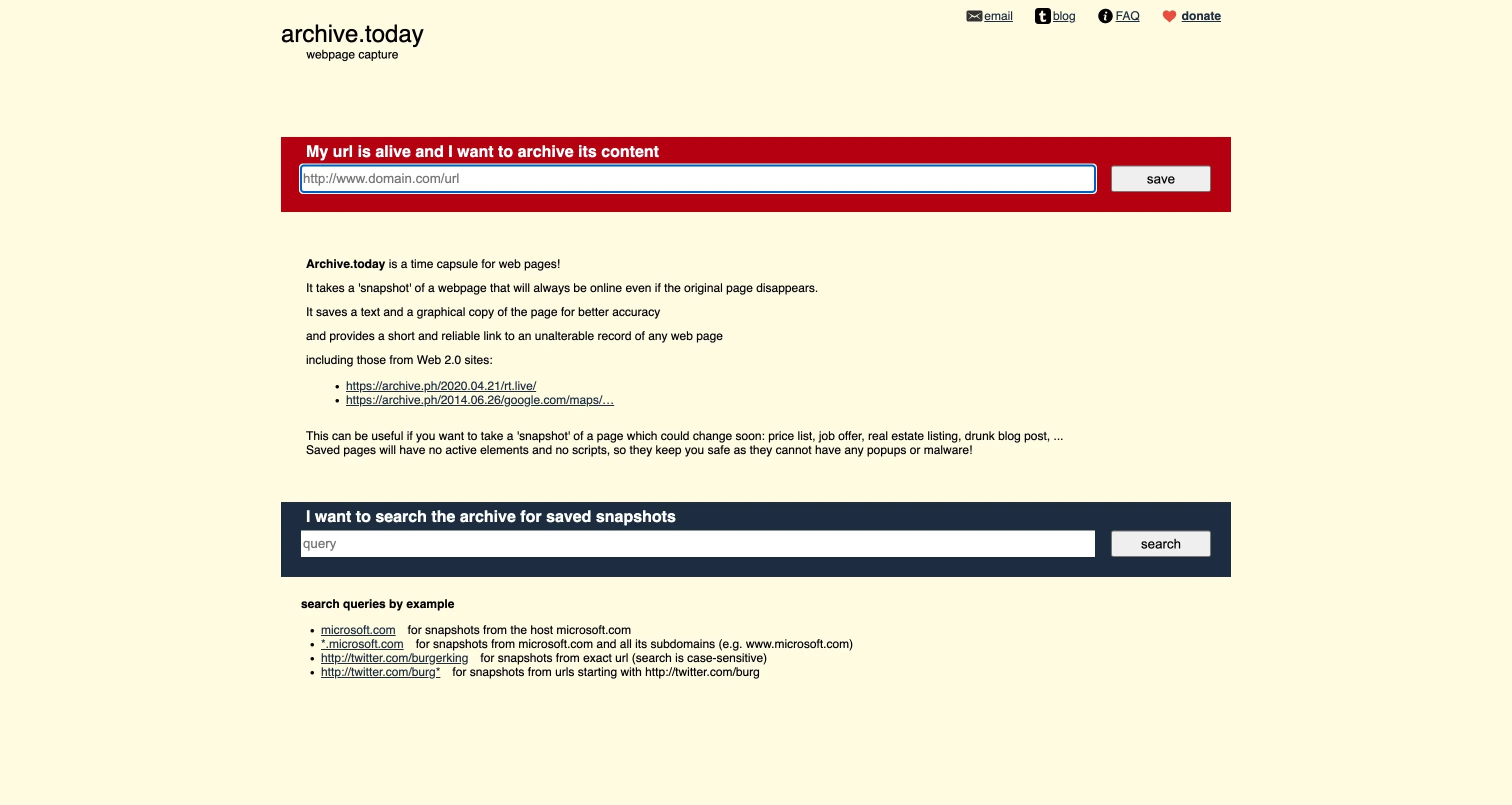
Archive.today is the first place to try when the Wayback Machine has no capture and you need one right now. You paste a live URL into the service, and it takes a snapshot on demand, saving both a copy of the page and a screenshot of how it looked. You can also search its existing archive for pages other people already saved, which often turns up captures the Wayback Machine never visited. There is no waiting for a crawler, and no subscription standing between you and the result.
There is one serious caveat to understand before you rely on it. In February 2026, English Wikipedia decided to stop using Archive.today after concerns about a denial-of-service attack and evidence of altered archived pages. Treat it as a fast public snapshot for finding and viewing old pages, and keep a second copy elsewhere when the page matters. For published work, Perma.cc, covered below, is the safer home for the link.
Used with that caution, Archive.today covers the exact moment when the Wayback Machine fails: a page that exists today but has no archive history yet. If the page later changes, you already hold a dated copy to check against another archive before you quote from it.
Best for: free on-demand public snapshots of live pages, and searching snapshots other people have already saved.
Official site: Archive.today
What we like about Archive.today
- The same service is reachable at archive.is and archive.ph, so one blocked address does not end the search
- Saved snapshots open for any reader, with no account or login step for the viewer
- Each snapshot pairs the saved page with a visual capture, giving two ways to check the same moment
What could be better
- Snapshots are public by design, so it is the wrong home for private or sensitive pages
- Heavy scripts on the original page can leave parts of a snapshot incomplete
- Citation use calls for a second independent copy, which adds a step for serious work
2. Arquivo.pt: The Archive That Finds Pages by Their Words
Arquivo.pt is a free public archive with a Portuguese-web focus and holdings that stretch well beyond Portugal. Its most useful trick is full-text search. If you remember what a page said but lost the address, search by words or by an exact phrase and let the archive find the page. The Wayback Machine asks for a URL first, and Arquivo.pt lets the words do the finding instead.
The search tools reward a little precision. You can narrow results with a site search to one domain, and you can filter by file type, including type:pdf, which is handy when the thing you lost was a report, a paper, or a brochure. A URL history view shows how one address changed over time, and an image search covers pictures saved in the archive. For live pages, ArchivePageNow captures a page at the moment you submit it, so Arquivo.pt covers both halves of this guide: finding what already exists, and saving what is still live.
Arquivo.pt also offers APIs for building archive search into a tool or workflow. When a URL search fails in one archive, try a phrase search here before you declare the page lost.
Best for: finding an archived page when you remember its words but not its URL, plus on-demand saves of live pages.
Official site: Arquivo.pt

What we like about Arquivo.pt
- A distinctive phrase in quotes narrows a word search to a small set of captures fast
- Capture dates shown beside results let you pick the version closest to the date you need
- The service suits classroom and newsroom use, with no payment step before searching
What could be better
- Coverage is strongest for pages its crawlers visited, so obscure pages may still be missing
- Word search works best with a memorable phrase, and vague terms return wide results
- Saved live pages still need a second copy elsewhere for citation-grade work
3. Ghostarchive: The Best Free Wayback Machine Alternative
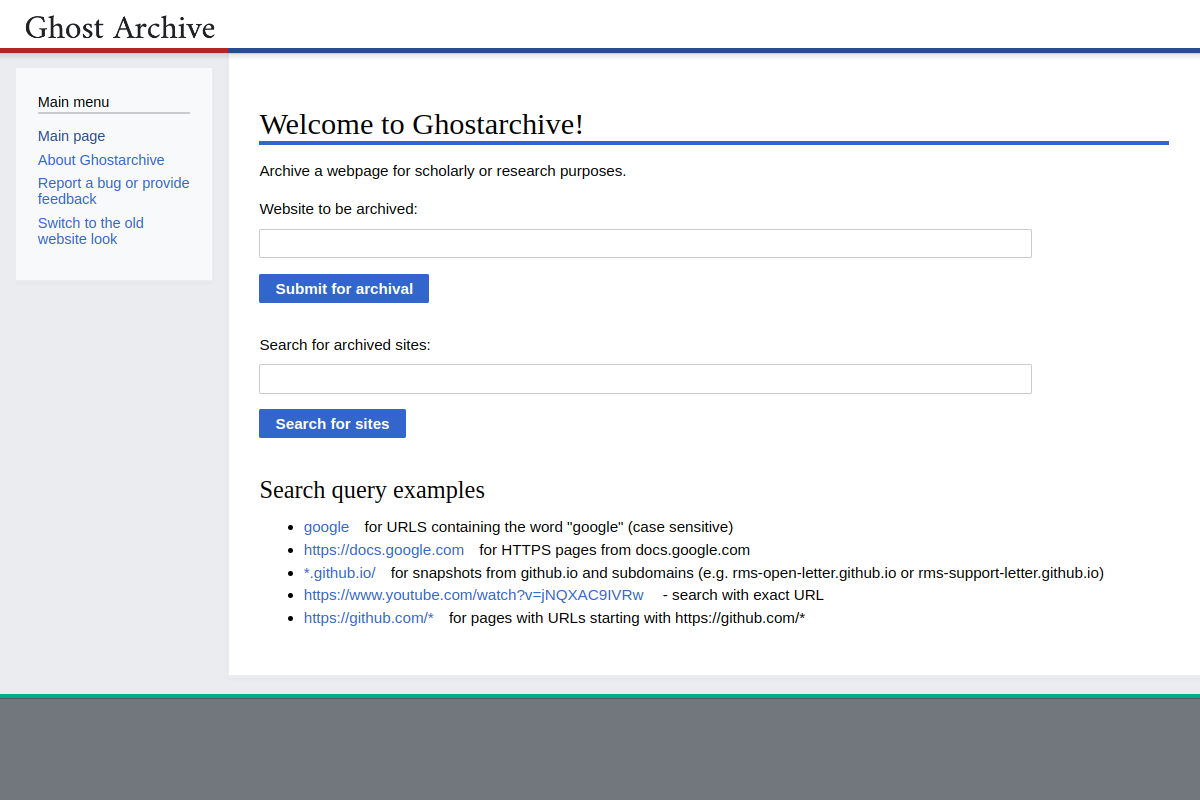
Ghostarchive is the free public snapshot service we would try first after the Wayback Machine, because it asks for nothing and gives you a complete-looking capture. There is no account to create and no payment step. You submit a live URL, and it saves a public snapshot that includes images and framed content, so the saved page reads much closer to the original than a text-only capture does. You can also search the archive by exact URL, by a fragment of a URL, or by a wildcard pattern, which helps when you remember part of an address but not the whole thing.
Video support has clear limits. Stored pages can go up to 50 MB, video up to 360p and under 100 MB, and livestreams plus videos longer than 30 minutes may fail. Playback uses ReplayWeb.page, a browser-based player, so you can view a saved page without installing archive software.
The trade is the same as with any free public archive: the snapshot is public, and the service keeps what its system can store within its size limits. Check the Wayback Machine first, check Ghostarchive second, and you will find pages that only one of them captured.
Best for: free public snapshots with no account, including images, framed content, and short video.
Official site: Ghostarchive
What we like about Ghostarchive
- Wildcard search finds captures when you remember a domain and a topic but not the full address
- Saved pages open in a standard browser, with no archive reader to install first
- The no-account setup makes it easy to save a page in under a minute
What could be better
- Very large pages can exceed the storage limit and save incompletely
- Long videos and livestreams are outside what the service handles well
- Public snapshots are the wrong choice for pages that must stay private
4. Perma.cc: The Best Wayback Machine Alternative for Citations
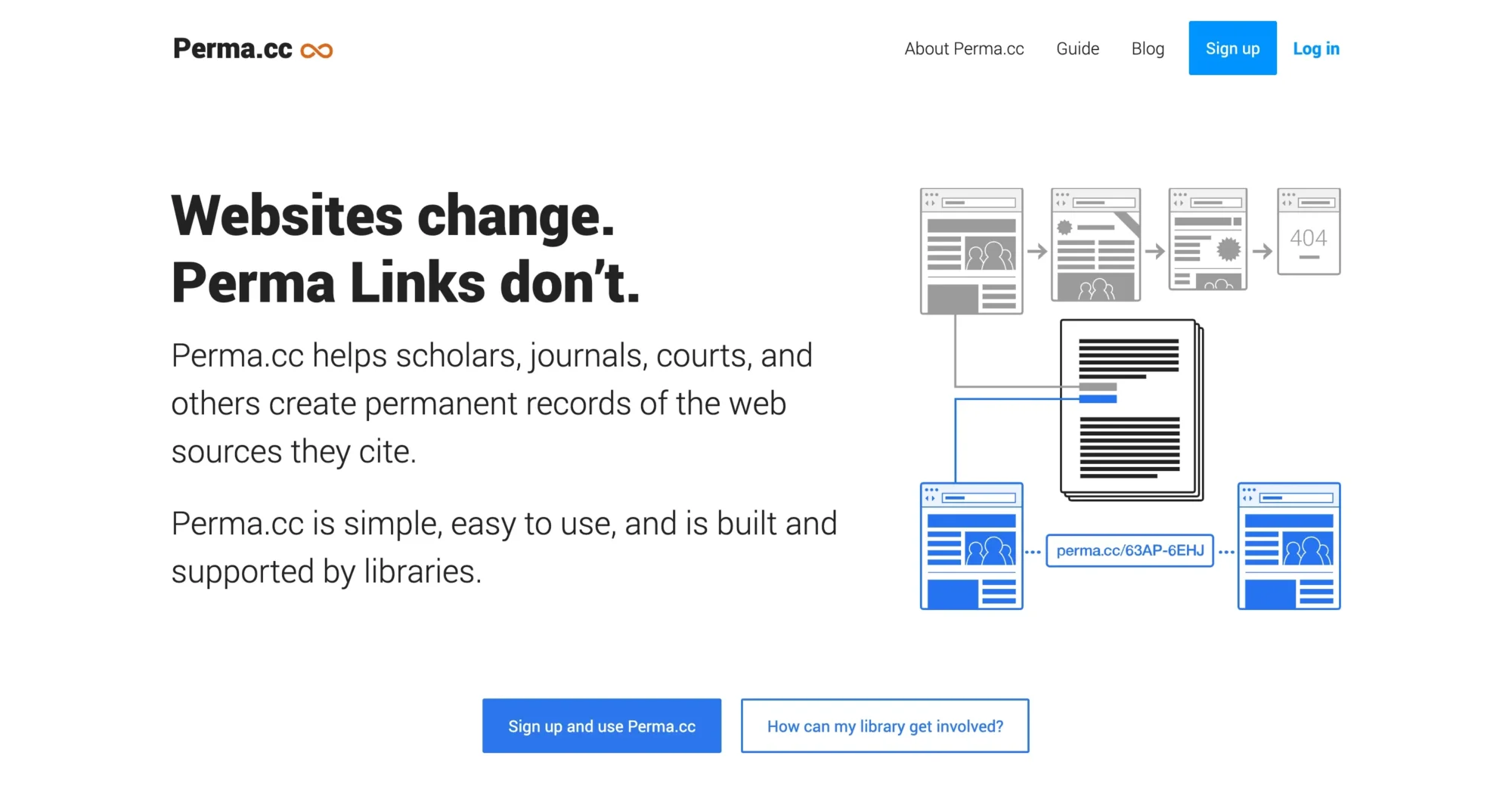
Perma.cc is built for a different problem from the free public archives. It creates citation links for papers, briefs, articles, and any published work where a reader must be able to open the exact source later. The service comes from the Harvard Library Innovation Lab, and that backing shapes how it works. You submit a page, Perma.cc captures it, and you get a permanent link designed to live in a footnote. After 24 hours, the link enters the permanent collection, which is the point of the service: a citation that still opens years after the original page has changed or vanished.
A trial gives you 10 links. Individuals pay $10 a month for 10 links, $25 a month for 100 links, or $100 a month for 500 links. One-time packs cost $15 for 10 links, $30 for 100 links, or $125 for 500 links. Eligible academic and court users can use the service free. Perma.cc prices that job by the link, because it keeps a small set of cited pages stable.
Perma.cc captures the submitted page only, not the pages linked from it. If your citation depends on a linked document, submit that document as its own link.
Best for: citation links in papers, briefs, and articles that must still open years later.
Official site: Perma.cc
What we like about Perma.cc
- Links are short and footnote-friendly, fitting cleanly into academic and legal writing
- The library backing gives readers confidence the collection is maintained for the long term
- One-time packs suit a single paper, with no monthly plan needed for a small set of links
What could be better
- Each linked document needs its own capture, which adds work for source chains
- Heavy link users can reach plan limits quickly during a large research project
- The service focuses on single pages, so it is not a whole-site archiving tool
5. ArchiveWeb.page: Record Your Own Browsing, Keep the File
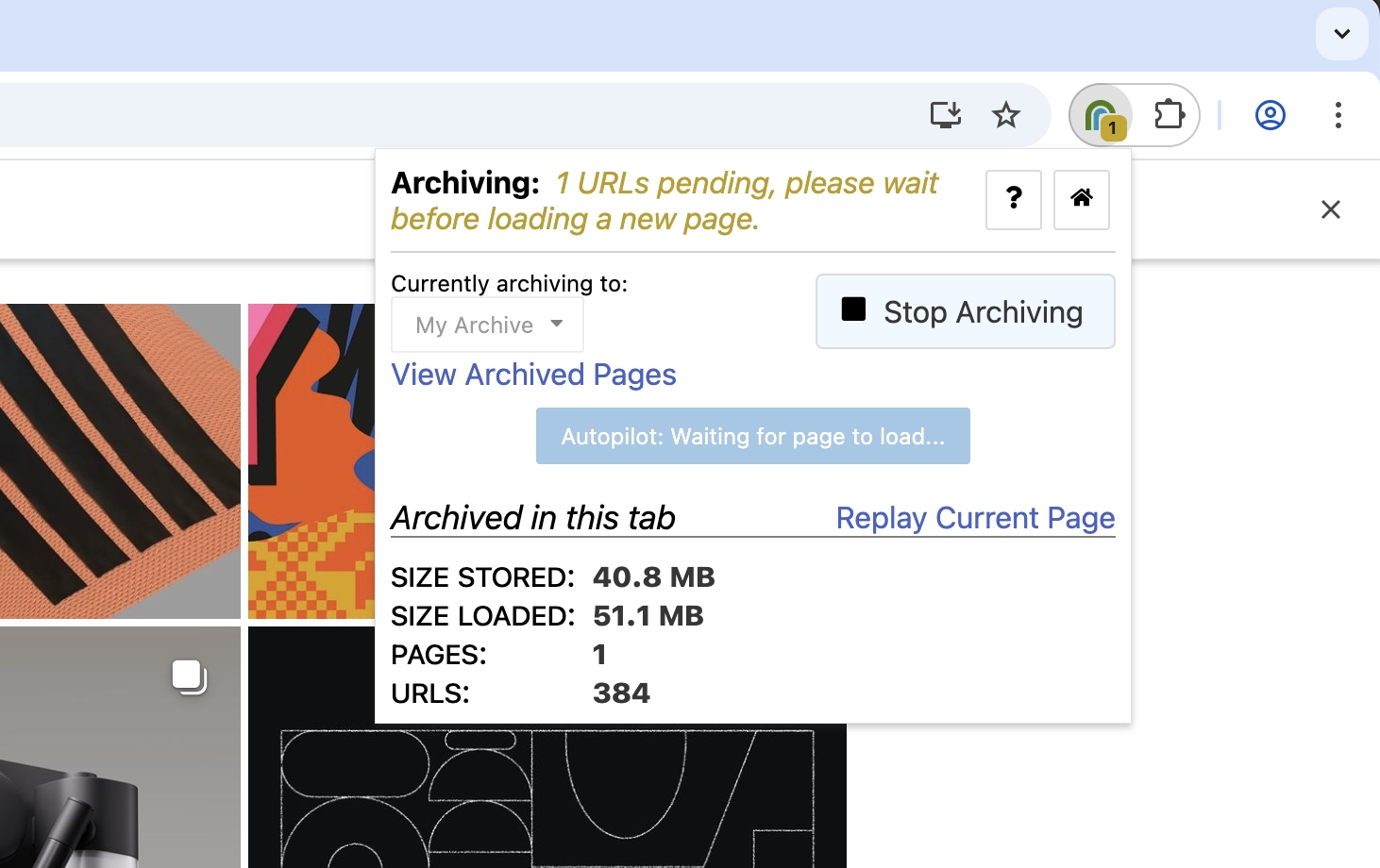
ArchiveWeb.page takes the opposite approach from the public archives. It does not publish your captures for strangers to browse. It records what you do in your own browser and keeps the result on your own machine unless you choose to share it. The tool is a free open-source extension from Webrecorder, with a desktop app alongside it, and it records browsing sessions including interactions: clicks, scrolling, and the steps that load content which a simple screenshot would miss. If a page only reveals its content after you click through a menu or load more results, a session recording captures that journey.
The output is a standard web archive file, exported as WARC or WACZ, which you can open later in a compatible player or share with someone else who needs the same record. Because the file stays local unless you share it, ArchiveWeb.page suits private research and pages you cannot publish publicly. The saved copy still behaves like a page, with its interactions preserved.
The honest trade is effort. You run the recorder, you drive the session, and you manage the files yourself. It works best as the second half of a routine: search the public archives first, then record your own session when nothing exists.
Best for: recording your own browsing sessions, including interactions, and keeping the archive file locally.
Official site: ArchiveWeb.page
What we like about ArchiveWeb.page
- Recordings capture multi-step pages, such as galleries that load on click, in one session
- Exported files open in standard archive players, so the copy is not locked to one app
- Local storage keeps sensitive research off public servers by default
What could be better
- You manage file names and folders yourself, so a large collection needs a naming habit
- Recording a session takes active attention, unlike a one-click snapshot service
- There is no public search over captures made by other users
6. Browsertrix: The Best Wayback Machine Alternative for Scheduled Site Archives
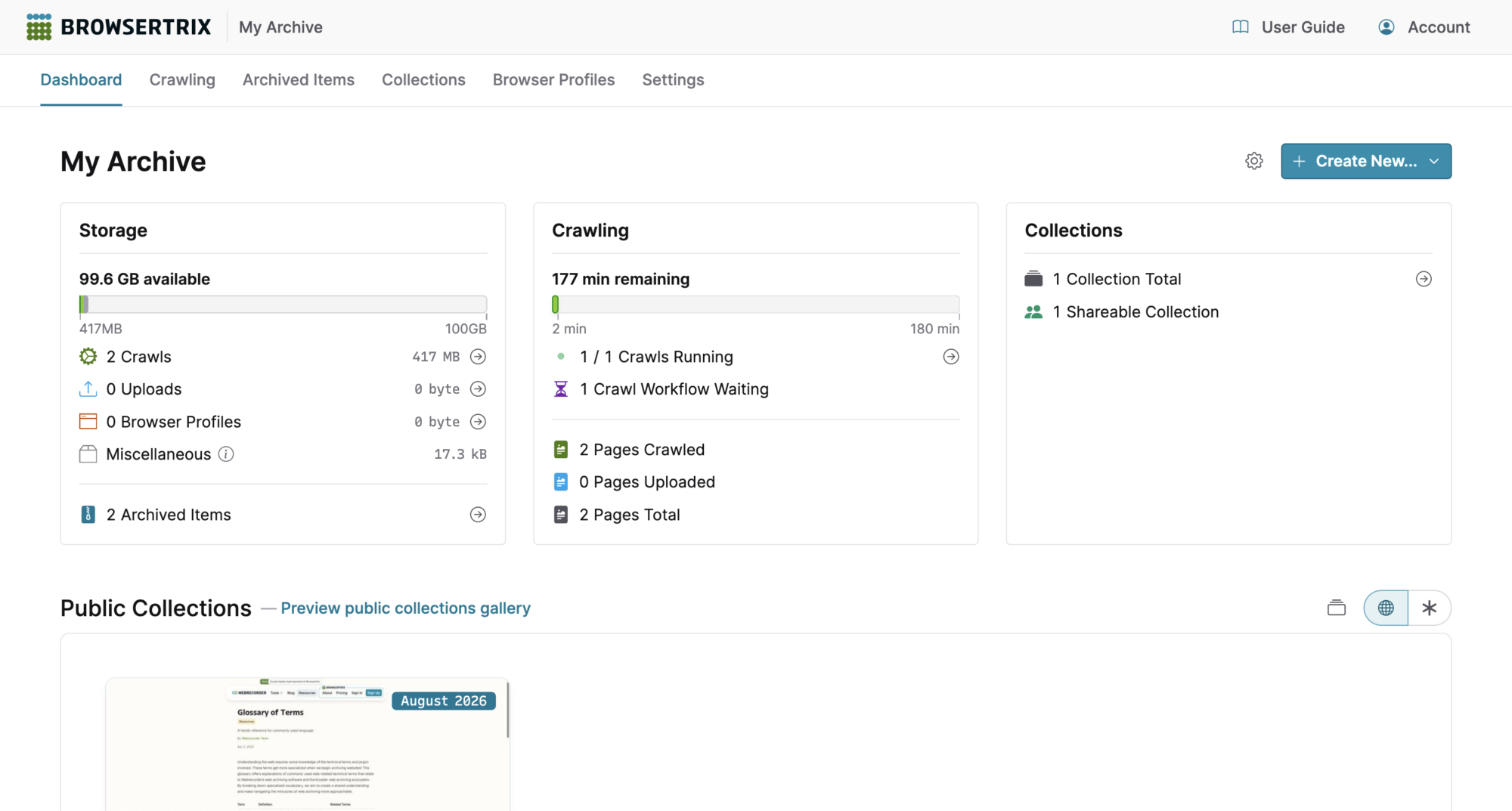
Browsertrix is Webrecorder’s hosted browser crawler, and it answers a need none of the free snapshot tools can meet: capturing a whole site, on a schedule, with a real browser doing the visiting. A normal crawler fetches page code and often misses content loaded by scripts. Browsertrix drives a browser, so it sees the page the way a reader sees it, including content that appears after scripts run. You set up a crawl, schedule it to repeat, and the service returns an archive you can browse, search, and share.
Exports are signed WACZ files, so a reader can check that the file is the one the crawler produced. Browser profiles let a crawl start from a saved state, so repeat crawls behave consistently. Pricing starts with a Starter plan at $30 a month after a 7-day trial, with 180 execution minutes, 100 GB of storage, and up to 2,000 pages per crawl. Standard costs $60 a month and Plus costs $120 a month, and self-hosting is available for teams that want to run the crawler on their own infrastructure.
Start small before you scale a crawl. Execution minutes are the real budget to watch on a busy schedule. If you need to automate parts of the routine around a scheduled crawl, our guide to Zapier alternatives covers automation tools that can trigger and connect scheduled jobs of this kind. Browsertrix is the pick when the job is ongoing, site-wide, and meant to be replayed later, not a one-off snapshot of a single page.
Best for: scheduled, browser-based crawls of whole sites, with signed exports for sharing and proof.
Official site: Browsertrix
What we like about Browsertrix
- Saved browser profiles let repeat crawls start from the same state, keeping results comparable
- Crawl settings can exclude thin sections, such as tag archives, to protect the page budget
- Hosted crawls run without a server of your own, so a small team can start in an afternoon
What could be better
- Large sites need careful scoping, or a crawl can use its minutes faster than expected
- Dynamic pages still need a playback check, since scripts can behave differently on replay
- Monthly pricing suits ongoing work better than a single one-off capture
7. ArchiveBox: The Free Self-Hosted Personal Archive
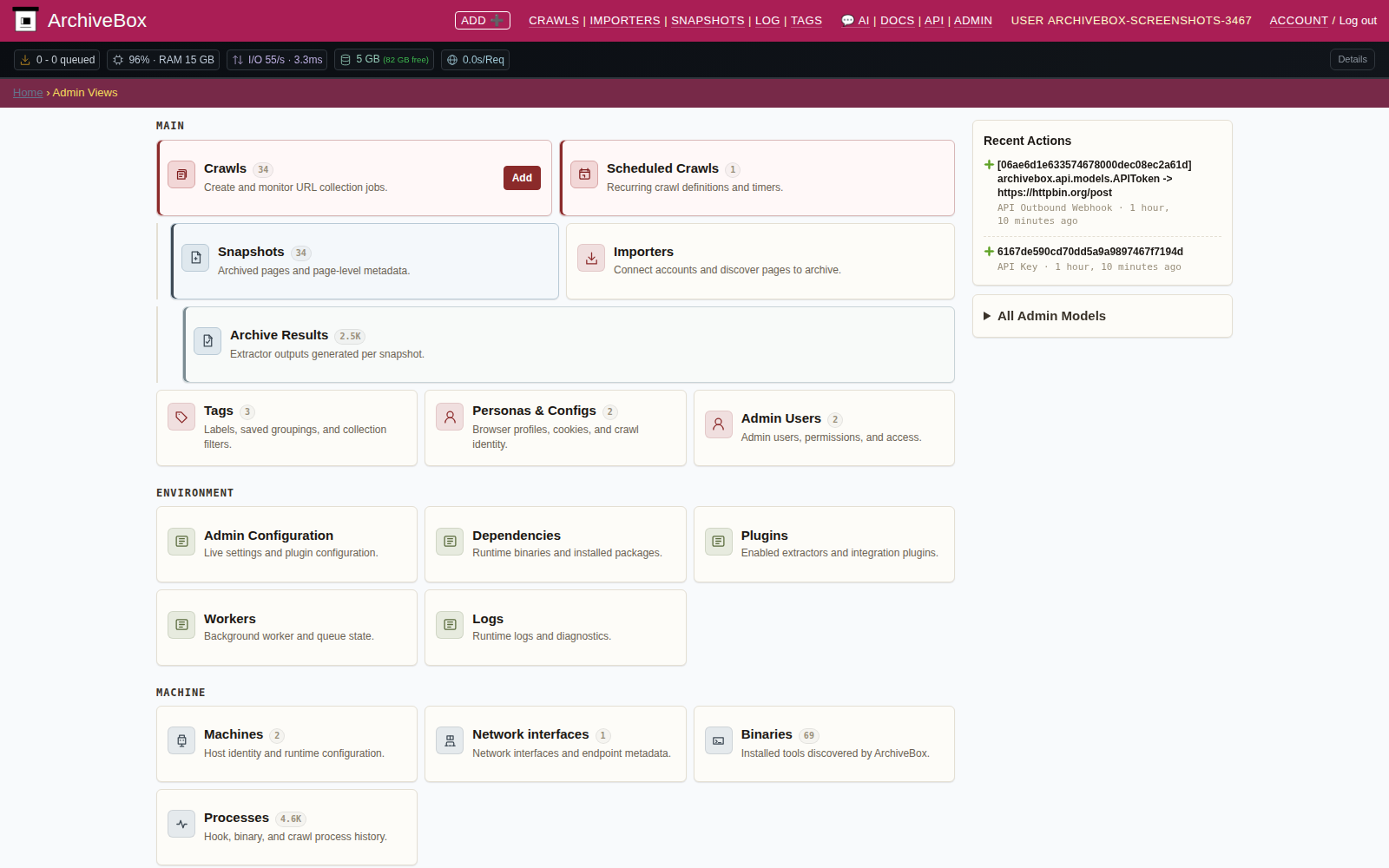
ArchiveBox is free open-source software you run yourself, and it turns a list of URLs into a personal archive you fully control. You feed it URLs directly, or import them from bookmarks, RSS feeds, and other lists, and it saves each page in several formats depending on the extractors you enable: HTML, PDF, screenshots, media files, extracted text, and WARC. That multi-format habit is the point. If one format fails on a tricky page, another one usually holds the content, and the extracted text keeps the archive searchable even when the visual copy is imperfect.
The software is free, and you pay for hosting and storage, plus the time to maintain the setup. You decide how long captures are kept, who can browse them, and how backups work.
ArchiveBox works best as part of a storage routine. Exported files and screenshots take space, so decide early where the archive lives and how it is backed up, because an archive with one copy on one drive is a single failure away from loss. If you export files for safekeeping and need a place to store them, our guide to Dropbox alternatives covers storage services that can hold exported archive files with room to grow. ArchiveBox is the pick when you want your archive on your own terms, in your own formats, with no monthly bill for the software itself.
Best for: a self-hosted personal archive from URL lists and imports, saved in several formats at once.
Official site: ArchiveBox
What we like about ArchiveBox
- Bookmark and feed imports turn an existing reading list into an archive with little manual entry
- Extracted text makes old captures searchable by words, even years after saving
- Running it yourself means no vendor can retire your archive or change its access rules
What could be better
- Setup and updates need comfort with running server software
- Storage grows with every format saved, so large lists need a storage plan
- Backups are your job, and an unbacked archive is a fragile one
8. Stillio: Scheduled Screenshots on a Timeline
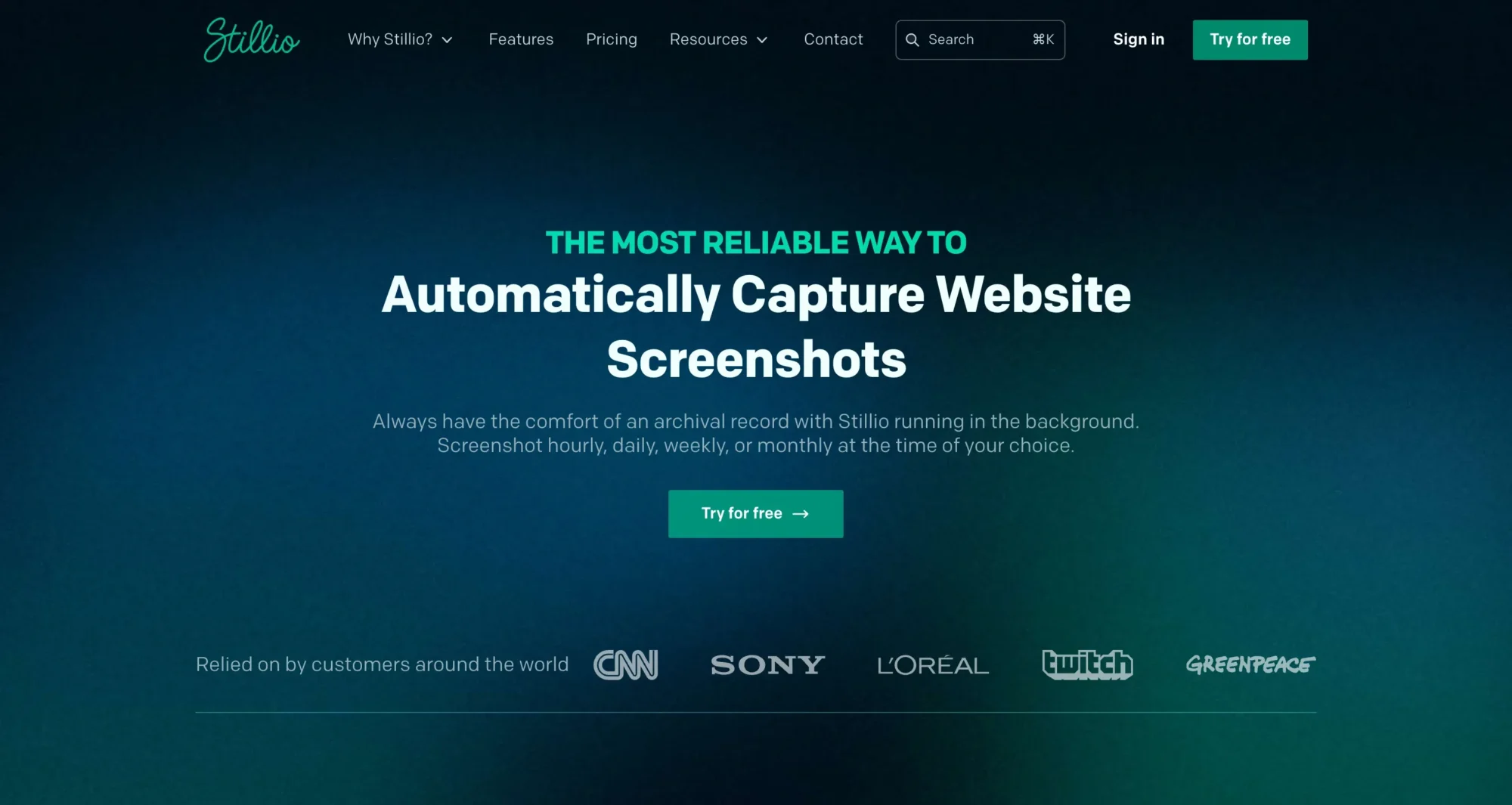
Stillio does one job, and it does it on a schedule: it takes screenshots of pages you choose and lines them up on a timeline. That makes it a visual record, not a replayable archive. You pick the pages, Stillio captures them at the interval you set, and you can scroll back through dated images to see when a price changed, when a headline was rewritten, or when a layout was redesigned. Captures can come from different countries, which matters when a page shows different content to visitors in different places.
Google Drive, OneDrive, Dropbox, and webhook delivery sit alongside the built-in timeline view. A 14-day trial lets you test the schedule before paying. Paid plans start with Snap Shot at $29 a month for up to 5 pages, then Hot Shot at $79 a month for 25 pages, and Big Shot at $199 a month for 100 pages. Captures are retained for 36 months while you stay subscribed, so the timeline is a rolling record tied to the subscription, not a permanent file you own outright.
Choose Stillio when the question is what a page looked like on a date. It is the wrong fit when you need to click through the saved page, search its text, or prove the record formally. Treat the screenshot timeline as evidence of appearance, not as a full archive.
Best for: scheduled screenshots of chosen pages, viewed as a dated visual timeline.
Official site: Stillio
What we like about Stillio
- Country choice helps when the same URL shows different content in different regions
- Drive and webhook delivery put new captures into existing folders and workflows automatically
- The timeline view makes a single changed element easy to spot across months
What could be better
- Screenshots cannot be clicked through or searched like a saved page
- Retention depends on staying subscribed, so stopping the plan ends the timeline
- Each added page raises the plan, so a long watchlist climbs in cost quickly
9. Pagefreezer: Compliance-Grade Records for Serious Stakes
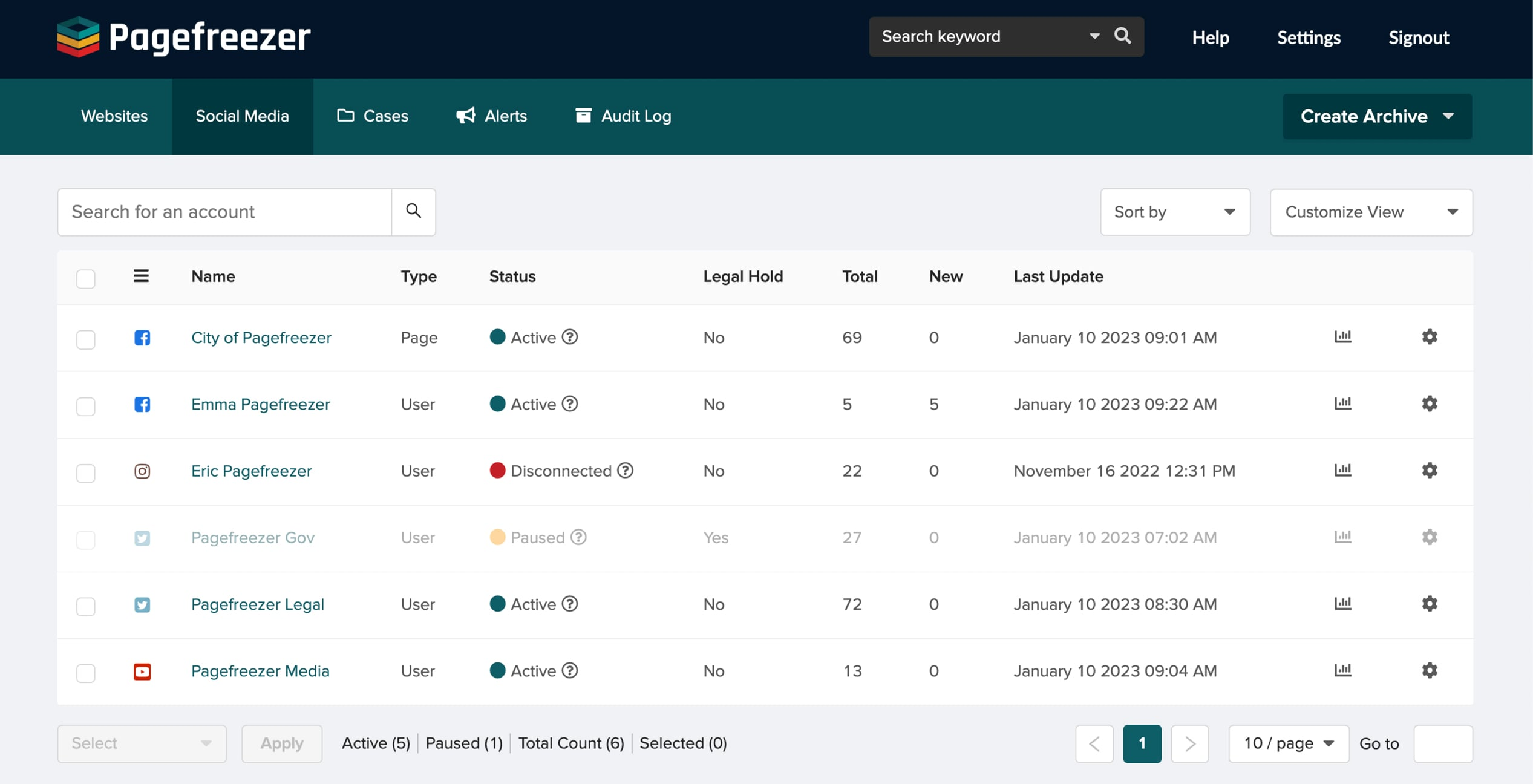
Pagefreezer sits at the formal end of this list. It is a compliance-grade records management service, built for organizations that must prove what a page, a post, or a profile showed on a given date, often for legal, regulatory, or audit reasons. Captures carry digital signatures and hashes, so the record can be checked for tampering. Change reports and notifications flag when a watched page moves, and an audit trail records how the capture was made and handled. That chain of evidence is what separates a compliance record from a screenshot saved on a desktop.
Pricing is quote-based, and the final scope depends on what you need captured and how often. The buyers are companies, agencies, law firms, and public bodies that face record-keeping duties.
If your need is personal research or a casual check, the free tools above will serve you well at no cost. If your need could end up in front of a regulator, a court, or an auditor, a casual snapshot will not carry the same weight, and a quote from Pagefreezer is the right next step before the record is needed, not after.
Best for: compliance-grade records with signatures, hashes, change reports, and an audit trail.
Official site: Pagefreezer
What we like about Pagefreezer
- Notifications on watched pages turn a silent change into an alert the same day
- The audit trail documents capture and handling, which supports formal review
- Coverage extends to social and web content, not only standard web pages
What could be better
- Quote-based pricing means no instant checkout for a quick test
- The starting price puts it beyond personal and small-project budgets
- Setup for a compliance workflow needs more planning than a snapshot tool
10. SingleFile: Save One Page as One File, Offline
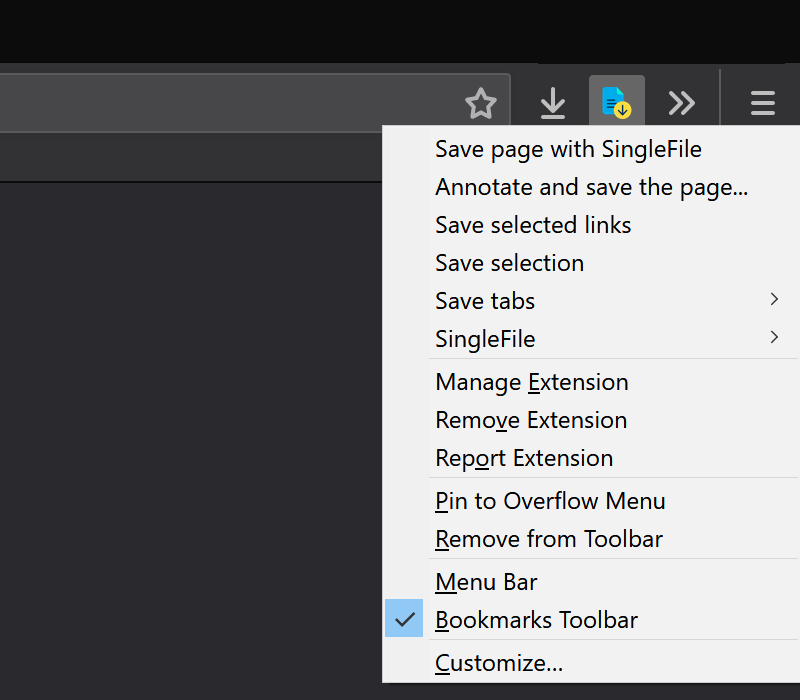
SingleFile is the simplest tool in this list, and for a single page it may be the most useful. It is a free open-source browser extension for Chrome, Firefox, Edge, and Safari, with a command-line version alongside it, and it saves a page with its images, styles, and fonts packed into one HTML file. Open that file later in any browser, with no internet connection, and the page reads much as it did when you saved it. There is no account, no subscription, and no hosted collection to browse. The file is yours, on your drive, from the moment you save it.
Autosave turns SingleFile from a manual tool into a habit. Set it to save pages automatically as you browse, so a page you read today is already stored before it changes. Optional Google Drive and GitHub destinations give you a second copy without thinking about it.
SingleFile saves one page at a time, and it does not crawl a site, schedule repeat captures, or search other people’s archives. A local file can be edited after saving, so it cannot prove a capture to a third party the way a signed record can. Keep a public or citation copy beside it when the page matters to anyone beyond you.
Best for: saving a single page as one offline HTML file, with images, styles, and fonts included.
Official site: SingleFile
What we like about SingleFile
- Saved files open in any browser, with no special reader or app needed
- Autosave captures pages during normal browsing, before they change
- The command-line version suits batch saving for users comfortable with a terminal
What could be better
- One page at a time means whole-site saving needs a different tool
- A local file alone carries no tamper proof for formal disputes
- Very heavy pages can produce large single files that are slow to open
How to Pick the Right One
Start with the job, not the price list, because the same tool can be perfect for one job and useless for another. If you need an old version that already exists, start with the public archives: the Wayback Machine first, then Ghostarchive and Archive.today, then a phrase search on Arquivo.pt when the URL is lost. That search order finds most surviving pages, and it costs nothing. Move to saving tools when the search comes up empty.
If you need to save pages from now on, split the choice by how often and how formally. A single page you want offline belongs in SingleFile or ArchiveWeb.page. A page you want watched over time belongs in Stillio for screenshots, or Browsertrix for a replayable crawl. A page you must cite belongs in Perma.cc, with a local copy as backup. A collection you want under your own control belongs in ArchiveBox. A record that may face a regulator belongs in Pagefreezer.
Two related tools are worth a brief mention here, because readers often confuse them with archiving. Visualping monitors a page from now on and alerts you when it changes, with a free plan covering 5 monitors and 150 checks, and a Personal 1K plan at $14 a month. That is change monitoring, not an archive: it tells you something moved, but it does not keep a replayable copy of the old version. HTTrack downloads a whole site to your drive for offline browsing, which is useful for keeping a local copy of a site, but it is a download tool, not a dated archive with playback and proof. Use monitoring to learn when to save, and use an archiving tool to keep what you saved.
Keep two copies of any page that matters: one public or citation copy someone else can open, and one local file on your own drive. If one service changes its rules or closes, the other copy still holds the record.
Starting Checklist: Find It, Then Save It, Then Schedule It
Work through this order and you will waste less time than jumping straight to a paid plan. First, search existing archives. Try the Wayback Machine by URL, then Ghostarchive and Archive.today, then a phrase search on Arquivo.pt if the URL is gone. Note the capture date of anything you find, and save the archive link with your notes, because a capture you cannot find again is no better than no capture at all.
Second, save the live page while it is still up. Use Ghostarchive or Archive.today for a quick public snapshot, SingleFile or ArchiveWeb.page for a private local copy, and Perma.cc when the page will be cited. Check the saved copy before you close the tab. Open it, scroll it, and confirm the images and the key text survived. A capture you never opened is an assumption, not a record.
Third, schedule the pages that keep changing. Put a pricing page, a competitor homepage, or a policy page on Stillio for screenshots or on Browsertrix for replayable crawls, and review the first scheduled capture before you trust the schedule. Store results with a folder per project, a filename with the page name and date, and a backup copy elsewhere.
FAQs
What is the best free Wayback Machine alternative?
Ghostarchive is the best free starting point, with public snapshots, no account, and support for images, framed content, and short video. Archive.today is a strong second choice for on-demand snapshots, with the caution noted above about citation use. Arquivo.pt is the best free backup search when you lost the URL and only remember the words on the page.
Can I find a page the Wayback Machine never captured?
Sometimes, yes. Other archives crawled different pages at different times, so a page missing from the Wayback Machine may exist on Ghostarchive, Archive.today, or Arquivo.pt. Search by URL on each service, then try a phrase search on Arquivo.pt if you do not have the address. If no archive holds it, a privately saved copy, such as a SingleFile export, is the only remaining option.
Is Archive.today safe to cite?
Use it with caution for citations. English Wikipedia stopped using Archive.today in February 2026 after concerns about a denial-of-service attack and evidence of altered archived pages. For published work, cite Perma.cc instead, and keep an independent local copy as backup.
What is the difference between saving a page and monitoring it?
Saving keeps a copy of the page as it looked on a date. Monitoring watches a live page and alerts you when it changes, without necessarily keeping a full replayable copy. Visualping monitors; the tools in this guide save.
Which tool is best for citing a source in a paper or legal brief?
Perma.cc, because it creates permanent citation links backed by the Harvard Library Innovation Lab, and links enter the permanent collection after 24 hours. Submit each cited page, and each linked document it depends on, as its own link. Keep a local SingleFile copy alongside the citation link for extra safety.
Can I archive a whole website, not a single page?
Yes. Browsertrix crawls whole sites on a schedule with signed WACZ exports. ArchiveBox works through URL lists and saves each page in several formats. HTTrack downloads a whole site for offline browsing, but it lacks dated replay and proof, so pair it with an archiving tool when the record matters.
Do I need to pay for a good web archive?
Not for most personal use. The free tools here cover finding, saving, and personal archiving well. Pay for citation links in volume, scheduled site crawls, screenshot timelines, or signed compliance records.
Why did Google Cache disappear, and what replaces it?
Google removed its cache links from search results. The replacement is a habit: search the public archives for an old version, and save important live pages yourself before they change.
Search the public archives first, then save with Ghostarchive and Perma.cc
Search the public archives first, then save with Ghostarchive for a fast public snapshot, SingleFile or ArchiveWeb.page for a private copy, and Perma.cc whenever the page will be cited. Choose Browsertrix for scheduled site crawls, ArchiveBox for a self-hosted collection, Stillio for a screenshot timeline, and Pagefreezer when the record may face a regulator. Save important pages the day you find them, keep two copies, and check every capture before you trust it.
This kind of research, applied to your growth
If you run a SaaS business, SaaS Harvest can do this kind of digging in your market and turn it into search traffic that signs up.
