
Zapier alternatives exist for one main reason: the task bill. Zapier is still the easiest automation tool most teams start with, and it still connects more apps than anything else in this guide. But Zapier charges for every successful action step, so a busy workflow with five actions firing a few hundred times a month turns into thousands of tasks, and the plan that looked cheap in January needs an upgrade by March. If that maths is why you are here, this guide compares the 10 tools people actually move to, what each one charges for, and where each one beats the tool it replaces.
We researched and compared the tools below the way a buyer should: we checked current vendor pricing pages, worked out what the same workflow costs on each billing meter, and looked at how each builder handles branching, loops and errors. One fairness note before we start. Zapier changed its maths in 2026, and its built-in tools like Filter, Paths and Formatter no longer consume tasks. The gap is narrower than old comparison posts claim. It has not closed.
Quick Picks: The Short Version
Make
A visual canvas and cheaper units make it the closest full Zapier replacement
Price Core from $9/mo billed annually (10,000 credits)
Free plan with 1,000 credits a month, no card required
Pabbly Connect
Flat task pricing, free internal steps, and a lifetime deal for meter-weary teams
Price Standard from $16/mo billed annually, lifetime deal available
Free plan with 100 tasks a month
n8n
Per-execution pricing and a free self-hosted edition for teams with a developer
Price Cloud Starter EUR 20/mo billed annually, self-hosting is free
Free self-hosted Community Edition
Zapier Alternatives at a Glance
| Tool | Best for | Free plan | Paid from |
|---|---|---|---|
| Make | Visual multi-step workflows | Yes, 1,000 credits/mo | From $9/mo (annual) |
| Pabbly Connect | Flat-rate budgets, lifetime deals | Yes, 100 tasks/mo | From $16/mo (annual) |
| n8n | Technical teams, self-hosting | Self-hosted edition free | EUR 20/mo cloud (annual) |
| Integrately | Beginners, one-click setups | Yes, 100 tasks/mo | From $19.99/mo (annual) |
| Activepieces | Open source without developer overhead | Yes, 1,000 credits/mo | $20/mo flat |
| Microsoft Power Automate | Microsoft 365 teams | With eligible M365 plans | $15/user/mo (annual) |
| IFTTT | Simple personal and smart-home automations | Yes, 1,000 credits/mo | From $2.09/mo (annual) |
| Albato | Agencies and white-label client work | Yes, 100 transactions/mo | From $15/mo (annual) |
| Pipedream | Developers building product integrations | Free for development | Paid in production |
| Workato | Enterprise automation programs | No, trial via sales | Quote only |
Prices are US list prices checked against vendor pricing pages. Confirm the checkout price before you buy, because several vendors rebuilt their pricing in 2026 and older comparison posts still show retired plans.
Why People Look for a Zapier Alternative
Start with the meter. On Zapier, a task is one successful action step. A lead flow that adds a CRM contact, posts a Slack message, appends a spreadsheet row and fires a webhook is four tasks every time it runs. Five hundred leads a month is 2,000 tasks, which is already past the 750 tasks on the entry Professional plan. The plan ladder is built so that growth means a bigger task tier, and pay-per-task billing charges a higher rate when you overshoot. It is a meter that punishes exactly the workflows that save the most time.
Then there is the shape of the tool. Zapier’s editor is linear at heart. Paths add branching, but looping over a list of records, reshaping messy data and handling errors gracefully all feel bolted on next to the canvas builders in this list. Code steps run with tight runtime ceilings. And there is no self-hosted edition at all, which rules Zapier out for any team that has to keep automation data on its own servers.
The counterweight matters too. For simple two-app jobs at low volume, Zapier is still the fastest tool to set up, its catalog of 9,000+ apps covers obscure tools nobody else connects, and the 2026 pricing change means built-in steps no longer burn tasks. People rarely leave Zapier because it is bad. They leave because their volume, their logic or their hosting rules outgrew the meter.
How We Chose These 10 Tools
We started from the tools that show up again and again when companies compare automation platforms, then filtered hard. A tool made this list only if it connects mainstream business apps, states its billing unit clearly, and offers at least one thing Zapier does not: a cheaper unit, self-hosting, real code, enterprise governance, or a setup simple enough for a complete beginner. We also flagged every place where a headline price hides a second meter underneath.
1. Make: Best Overall Zapier Alternative
Make is where most Zapier users land first, and its canvas is easy to understand from the vendor’s demos and documentation. A scenario is drawn as a flowchart on a visual canvas, with the trigger on the left and modules branching, looping and merging across the screen. You can watch a run move through the diagram and see exactly which module failed. For workflows that outgrew Zapier’s straight line, that picture is the upgrade.
The pricing is the other half of the appeal. Make bills in credits, and most module runs cost one credit, so a scenario that would burn five Zapier tasks usually costs about five credits too, but the allowances are far bigger for the money. Core starts at $9 a month billed annually with 10,000 credits, where Zapier’s entry paid plan allows 750 tasks. The free plan carries 1,000 credits a month, which is enough to run real automations while you learn the canvas.
Make now connects 3,500+ apps and has leaned into AI hard: you can build scenarios by prompt, from a chat with Claude or ChatGPT, or by hand, and its Maia agent features sit on the same canvas. The learning curve is real, though. Routers, iterators, aggregators and error handlers have to be learned before the canvas power is usable. Budget an afternoon, not an hour.
Best for: teams whose workflows have outgrown Zapier’s linear editor and want visual branching at a lower per-unit price.
Official site: Make
What we like about Make
- Routers and error-handler modules consume no credits, so defensive design is free
- Extra credits can auto-purchase in 10,000 bundles on Core, Pro and Teams plans
- Startups with under 20 employees get 50% off the Business plan
What could be better
- The free plan holds 1 MB of data storage and a single data store
- Credits expire at the end of the term, so unused allowance does not roll over
- Enterprise apps such as Workday and ServiceNow modules sit on higher tiers
Price: Core from $10.59/mo billed monthly, or $9/mo billed annually with 10,000 credits; Pro and Teams scale the credit allowance up from there.

2. Pabbly Connect: Best Value for High Task Volumes
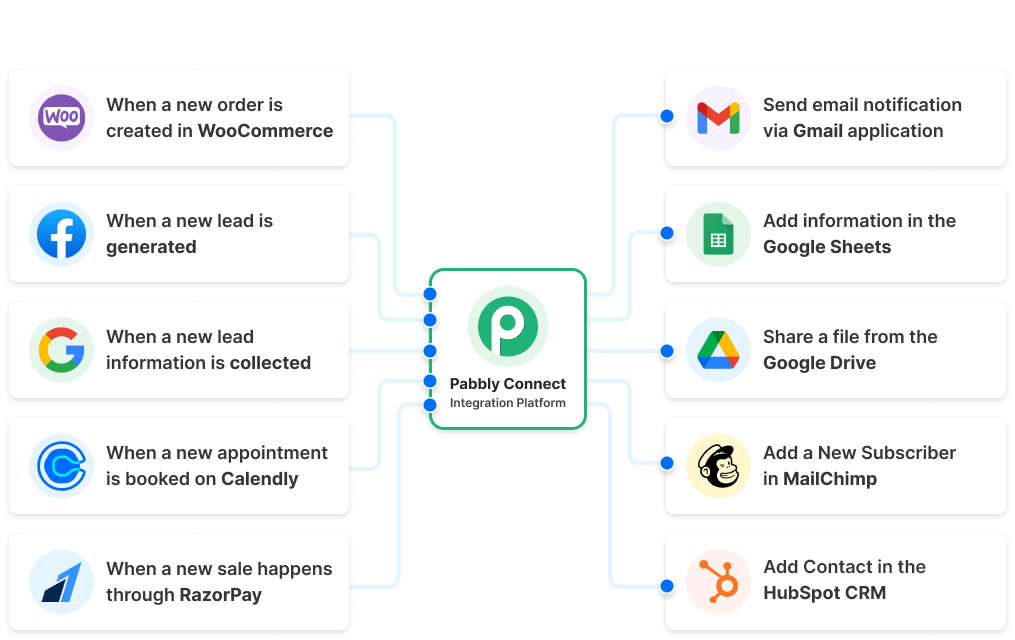
Pabbly Connect is the budget answer, and it wins on one simple rule: only action steps in an external app consume your tasks. Triggers are free, and so is the whole toolbox of internal steps, filters, routers, formatters, iterators, schedulers and parsers. A workflow that leans on a lot of internal logic, the exact shape that gets expensive elsewhere, barely touches the allowance here. For a small business syncing a CRM, a store and a spreadsheet all day, that rule is worth more than any feature list.
The plans are priced to undercut. Standard starts at $16 a month billed annually for a task allowance in the thousands, where the same volume on Zapier needs a mid-tier plan. There is also a one-time lifetime deal, pay once and keep the plan, which is why Pabbly shows up in so many agency stacks. An Unlimited plan removes task counting altogether for the heaviest users. The free plan gives 100 tasks a month to test with, no card required.
The trade is polish and depth. Pabbly connects 2,000+ apps, a solid catalog that covers the marketing, CRM, payments and form tools small businesses live on, and the company says 14,099+ businesses use it. The builder is a clean step list in the Zapier style, not a canvas, which makes it easy to learn and a little plain next to Make. If your automations are straightforward and your task count is not, that trade is usually worth taking.
Best for: small businesses and agencies with high task volumes, simple workflows and no patience for monthly meters.
Official site: Pabbly Connect
What we like about Pabbly Connect
- 30-day money-back guarantee takes the risk out of switching
- 12,274+ vendor video tutorials cover most app pairings you will build
- A built-in human-in-the-loop step can pause a workflow for approval
What could be better
- The app library leans toward marketing and CRM staples, and developer tooling is thinner than n8n
- The builder and some naming feel dated next to Make’s canvas
- Lifetime-deal task allowances are fixed at purchase, so heavy growth still means a bigger tier
Price: Standard from $19/mo billed monthly, or $16/mo billed annually; one-time lifetime pricing is offered on the same plans, and an Unlimited tier removes task counting.
3. n8n: Best for Technical Teams and Self-Hosting
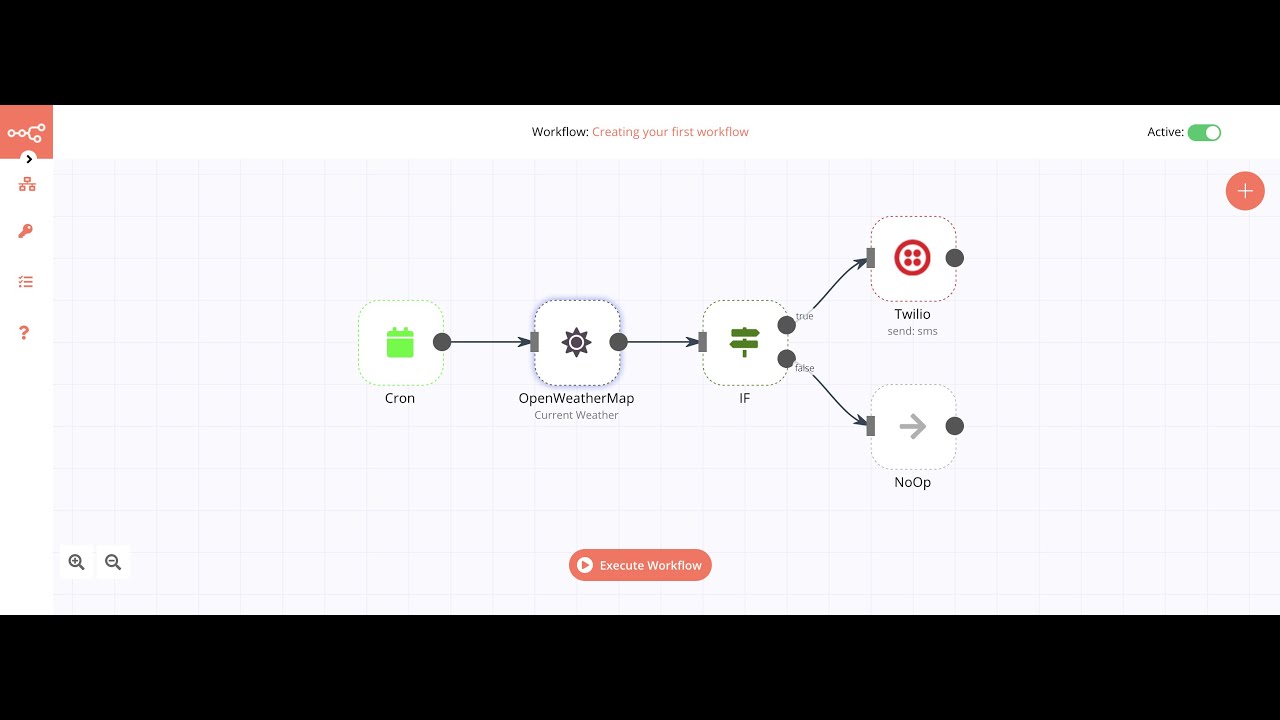
n8n is the tool developers pick, and its pricing model explains the loyalty. n8n bills per execution: one full workflow run costs one execution whether it has three steps or thirty. Long, branchy workflows that would eat a task budget alive on Zapier cost the same as a two-step sync here. If it does not run, you do not pay. For teams building AI agents and multi-step data pipelines, that single rule changes the entire cost conversation.
The second draw is control. The Community Edition is free to self-host under a fair-code license, so your workflows and credentials can live on your own servers, inside your own network rules. The cloud plans exist if you would rather not run infrastructure: Starter at EUR 20 a month billed annually with 2,500 executions, Pro at EUR 50 with more room and collaboration. The editor mixes visual nodes with real code, JavaScript and Python in a Code node, and its AI nodes wire language models, memory and tools into agents you can inspect step by step.
The honest costs are skill and upkeep. The native catalog covers 400+ apps well, and anything else is an HTTP request or a community node away, but you are expected to be comfortable with APIs, JSON and the odd credential problem. A non-technical team that found Zapier friendly will find n8n demanding. Give it to a team with one technical builder, though, and it becomes the most capable tool in this list.
Best for: technical teams, AI agent builders, and any company that needs automation on its own servers.
Official site: n8n
What we like about n8n
- 13,777 community workflow templates give you a starting point for most jobs
- 208,889 GitHub stars make it one of the largest communities in the category
- The self-hosted Community Edition runs with no per-execution meter at all
What could be better
- The cloud Starter plan keeps execution history for 7 days only
- The Business tier is self-hosted only, so cloud teams jump from Pro to Enterprise
- Self-hosting means your team owns updates, backups and uptime
Price: Cloud Starter EUR 20/mo billed annually (EUR 24 monthly) with 2,500 executions, Pro EUR 50/mo billed annually; the self-hosted Community Edition is free.
4. Integrately: Best for Beginners and One-Click Setups
Integrately sells one thing: speed to your first working automation. Instead of a blank builder, you get a library of more than 20 million ready automations across 1,500+ apps. Pick the pair of apps you use, choose the prebuilt automation that matches, connect your accounts, and its SmartConnect maps the fields for you. The company claims 42,000+ customers, and the whole experience is aimed at people who found even Zapier’s setup a bit much.
The pricing is gentle and unusually generous with tasks. The free plan includes 100 tasks a month. Starter, at $19.99 a month billed annually, includes 2,000 tasks and 20 automations, roughly 2.7 times the tasks Zapier allows at the same price point. Professional at $39 a month billed annually raises that to 10,000 tasks and unlocks branching, iterators and auto-retry. The company positions the tool as three to ten times cheaper than the big names, which the task maths mostly supports.
The ceiling is the point to understand. Integrately is built for standard, well-defined automations between popular apps. When a workflow needs heavy data transformation, several branching paths or an unusual app, Make and n8n have more to give. Buy Integrately when your list of automations is ordinary and your priority is having them live this afternoon.
Best for: beginners, solo operators and small teams with standard automations and no technical help.
Official site: Integrately
What we like about Integrately
- The vendor team will build your automations for you at no extra cost
- 24/5 live chat support is included even on the free plan
- Failed actions do not consume tasks, so errors do not eat the allowance
What could be better
- The free plan is single-step only and checks for new data every 15 minutes
- Branching and auto-retry wait for the Professional plan
- The Starter plan caps premium apps at 3
Price: Starter from $29.99/mo billed monthly, or $19.99/mo billed annually with 2,000 tasks; Professional $39/mo and Growth $99/mo billed annually scale tasks to 10,000 and 30,000.
5. Activepieces: Best Open-Source Option Without the Developer Overhead
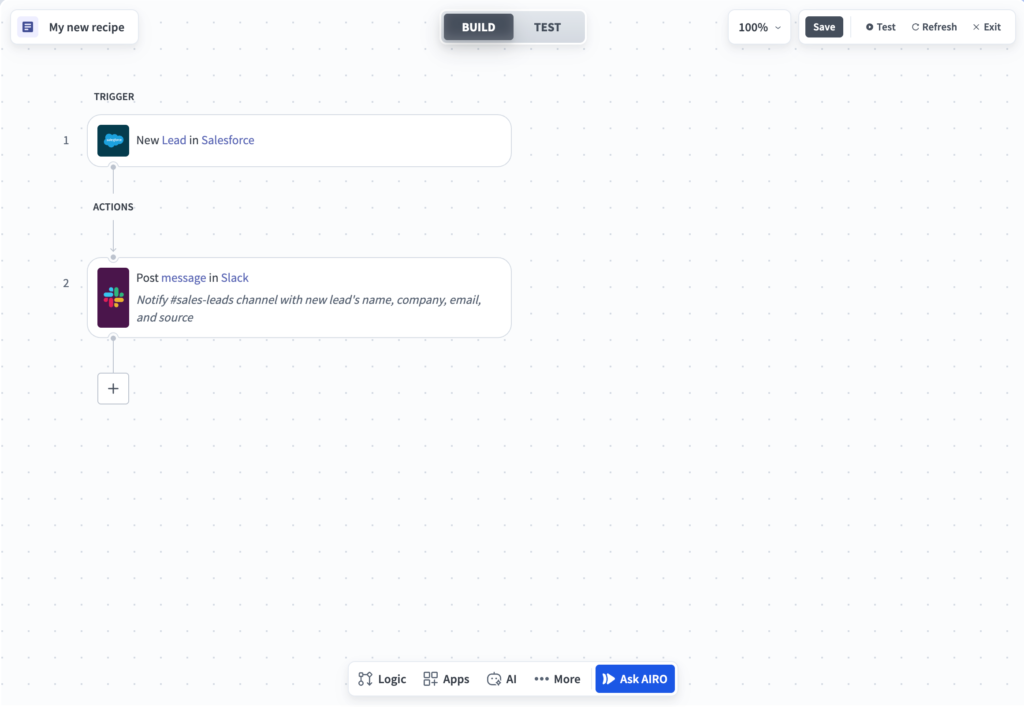
Activepieces is the open-source option for teams that like n8n’s freedom but not its learning curve. The core is MIT-licensed, every integration piece is open source, and you can run it on the vendor’s cloud or on your own servers, including fully air-gapped on the top tier. The builder is friendly in a way n8n is not: chat drafts most flows from a plain description, and you drop into the visual builder or a TypeScript code step only when a flow gets hard.
The billing unit is the cleanest in this list. One run of a flow costs one credit, however many steps the flow has, and logic inside the flow is free. The free plan includes 1,000 credits a month and unlimited flows for up to five users, which is a genuinely usable starting point. Plus is a flat $20 a month with 10,000 credits. Team is a flat $200 with 50,000 credits and SSO. There are no per-user games on the entry tiers and no task ladder to climb.
The catalog is the compromise. There are 770+ pieces, all community-built in the open. That covers the mainstream apps and grows fast, but it is a fraction of Zapier’s 9,000+ list. Check your critical apps before you commit. For teams whose flows are getting long, Activepieces is the quiet value pick of this guide.
Best for: teams that want open source, flat pricing and AI-assisted building without hiring a developer.
Official site: Activepieces
What we like about Activepieces
- Overage runs at $0.007 per credit, so a busy month cannot produce a shocking bill
- Bring your own AI keys and hosted AI steps drop to 1 credit each
- The cloud runs from Frankfurt, which settles the EU region question for many teams
What could be better
- Hosted AI steps cost up to 20 credits each on frontier models
- SSO and SCIM wait for the Team and Ultimate tiers
- The piece library is community-built, so niche apps vary in quality
Price: Plus is $20/mo flat with 10,000 credits, Team is $200/mo flat with 50,000 credits; the free plan includes 1,000 credits a month and the self-hosted Community Edition is free.

6. Microsoft Power Automate: Best for Microsoft 365 Teams
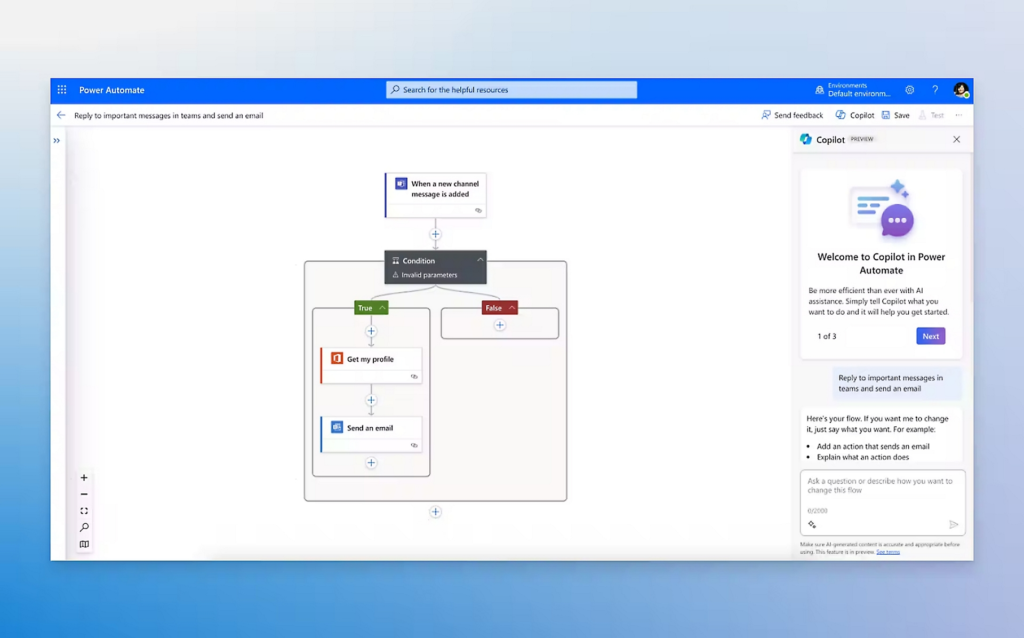
Power Automate is the alternative many companies already own. Standard connectors are bundled with a wide range of Microsoft 365 licenses, so if your team lives in Outlook, SharePoint, Teams and Excel, the tool may already be sitting in your app launcher with no new contract to sign. The Premium plan, at $15 per user per month billed annually, unlocks premium and custom connectors and attended desktop flows.
The catalog is enterprise-grade: more than 1,400 prebuilt, certified connectors, including Salesforce, SAP and Dynamics 365, plus a template library for the approvals, notifications and document flows every office runs. Desktop flows are the differentiator nobody else in this list matches well. They drive Windows applications directly, which means the old desktop program with no API can still join an automation, clicking and typing like a person would.
The limits are the ecosystem walls. Step outside Microsoft’s world and Power Automate feels heavier than the canvas tools, and licensing needs care, because a flow that serves a whole department can pull several people into needing licenses. For a company standardized on Microsoft 365 it is the default answer. For everyone else it is a guest in someone else’s house.
Best for: companies standardized on Microsoft 365 that want cloud and desktop automation under one license.
Official site: Microsoft Power Automate
What we like about Microsoft Power Automate
- The on-premises data gateway reaches internal systems sitting behind a firewall
- Process and task mining are bundled, which helps you find automation candidates
- Dataverse capacity and managed environments come with the Premium plan
What could be better
- Desktop flows run on Windows only, so Mac-based teams are out
- Per-user licensing gets expensive when one flow serves the whole company
- The Microsoft 365 inclusion covers standard connectors, not most of the connectors businesses actually want
Price: Premium is $15 per user/mo billed annually for premium connectors and attended desktop flows; standard connectors are included with many Microsoft 365 licenses, and a 30-day trial is available.
7. IFTTT: Best for Simple Personal and Smart-Home Automations
IFTTT is the oldest name in this category, and it has settled into the niche it was always best at: simple automations for individuals, homes and phones. Its Applets connect more than 1,000 services, and the catalog leans where Zapier does not: robot vacuums, wearables, smart lights, location triggers and social apps. If the automation you want involves your house, your car or your wrist, IFTTT probably has the trigger and Zapier probably does not.
The pricing was rebuilt around credits, and the entry point is the lowest in this guide. The free plan includes 1,000 credits a month and unlimited Applets with every feature unlocked. Starter costs $2.09 a month billed annually for 5,000 credits, Pro $5.49 for 20,000, and Pro+ $13.99 for 100,000. Paid tiers add multi-action Applets, queries and filters, faster trigger checks and AI tools that can draft an Applet from a sentence. The mobile apps remain the best in the business; this is a platform designed to be run from a phone.
Keep business expectations in check. An Applet is a trigger with actions, and while filters and queries add some judgment, there is no real branching, no looping over records and no serious data work. Teams do use IFTTT for light notifications and social cross-posting, and it does those jobs well for pocket money. The moment a workflow becomes a business process, you have outgrown it.
Best for: individuals, smart-home setups and anyone who wants simple personal automations for a few dollars a month.
Official site: IFTTT
What we like about IFTTT
- Support replies carry a response-time promise, with 200 bonus credits if they miss it
- Applets can be generated from a plain-language description of what you want
- The mobile apps are the strongest in this list, with automation that starts from your phone
What could be better
- The free plan checks services once an hour, which is too slow for anything urgent
- Multiple accounts per service sit on the Pro+ plan only
- Logic stays shallow: filters and queries, with no true branching paths
Price: Starter from $2.09/mo billed annually (5,000 credits), Pro $5.49/mo (20,000 credits), Pro+ $13.99/mo (100,000 credits); the free plan includes 1,000 credits a month.
8. Albato: Best for Agencies and White-Label Client Work
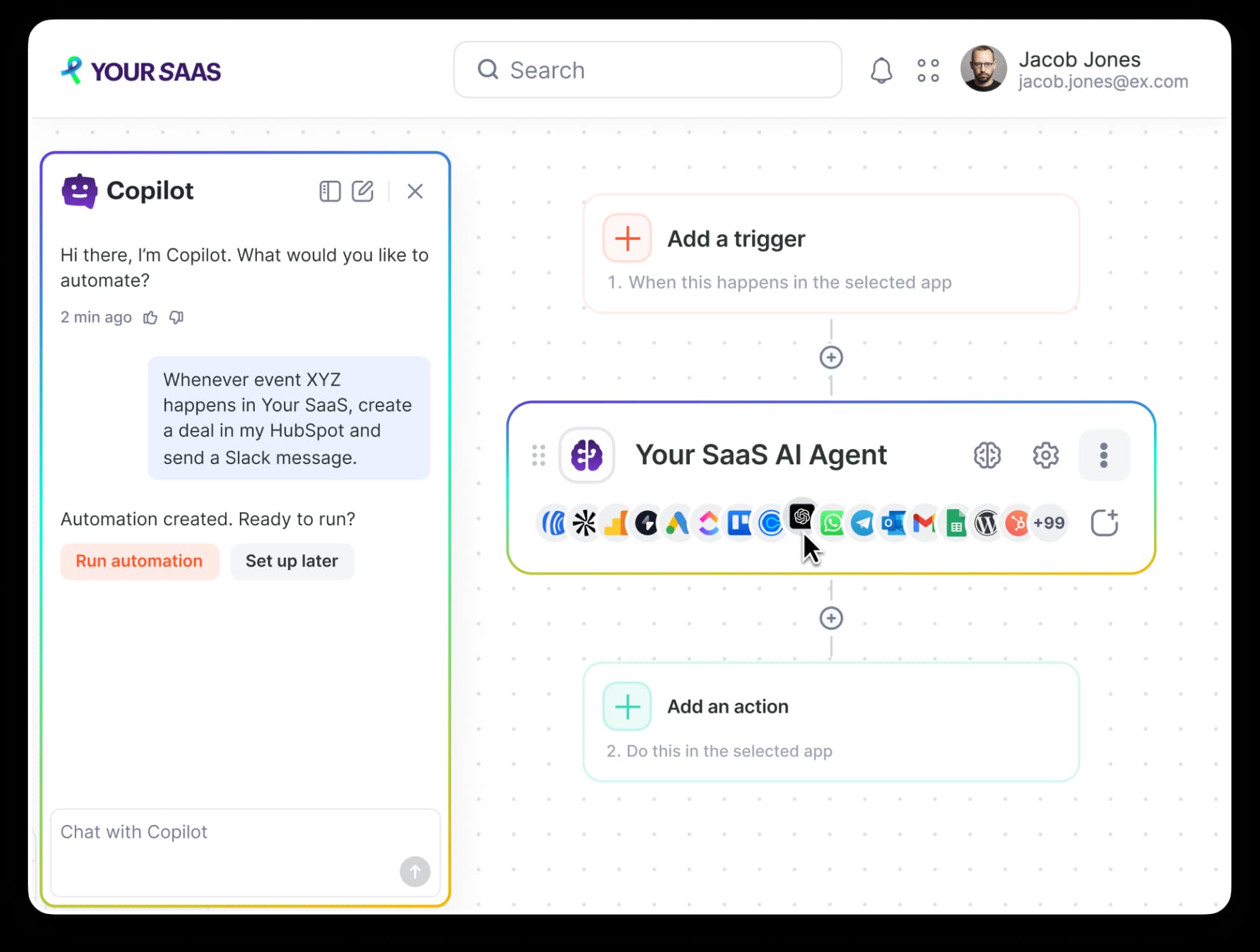
Albato built its name with agencies, and its two standout abilities both serve that world. The first is white-label embedding: a SaaS product or an agency can put Albato’s integration builder inside its own product, under its own brand, so clients connect their apps without ever seeing a third-party logo. The second is the everyday automation product itself, which connects 1,000+ apps with a no-code builder, ready-made Solutions templates and an AI copilot that assembles integrations from a chat description.
Billing runs on transactions: each step after the trigger that completes successfully counts one, and triggers themselves are free. Plans and transaction packages are bought separately, so you choose a plan for the collaboration features you need, Pro for solo work or Teams for client work, and then size the transaction package to your real volume. There is also a free plan with 100 transactions a month, and paid plans start at $15 a month billed annually ($22 a month billed monthly), with a 14-day trial to test the builder against your app list before you pay.
Albato is a smaller platform than Make or Zapier, and you feel it in the catalog depth and the pace of the standalone product, which shares a roadmap with the embedded business. For an end-user team that just needs its own automations, Make is usually the safer default. For an agency that wants integrations to be part of what it sells, Albato does a job nobody else in this list is really attempting.
Best for: agencies, consultants and SaaS products that want integrations under their own brand.
Official site: Albato
What we like about Albato
- Overage transactions cost 50% more, but workflows keep running instead of pausing mid-month
- A no-code App Integrator lets you add a missing app yourself
- Historical data migration is built in for moving old records across
What could be better
- Plan and transaction package are bought separately, so the real price is a two-part calculation
- Entry tiers check for new data on slower intervals than the top plans
- Pricing was restructured recently, so confirm the current package maths at checkout
Price: Free plan with 100 transactions/mo; paid plans from $15/mo billed annually ($22/mo monthly) plus a transaction package sized to your volume; a 14-day trial is available, and embedded white-label plans are priced separately.
9. Pipedream: Best for Developers Building Product Integrations
Pipedream has changed shape, and it is worth knowing what it is now before you shortlist it. The product leads with Pipedream Connect: an integration layer for developers building apps and AI agents. It offers managed authentication and 10,000+ prebuilt tools across 3,000+ APIs, so your product can act inside your users’ Slack, Salesforce or HubSpot accounts without your team babysitting OAuth for each one. The audience is now engineers, full stop.
The pricing follows the new shape. Building is free, with full access in development and no credit card. You pay when integrations go to production: the Startup plan includes 100 end users and 10,000 usage credits a month, then charges per additional user and per extra credit, with usage measured in 30-second compute blocks. Business adds SSO, SCIM, HIPAA support and dedicated support channels on custom terms. A customer quote on their site says the quiet part plainly: one team spent over $1M building about 250 integrations over two years and could offer 2,500 on day one with Pipedream.
If you are a non-technical buyer looking for a Zapier replacement to run your own office automations, this is no longer aimed at you, and the remaining workflow experience assumes you write code. If you are building a product that needs to connect to your customers’ tools, especially an AI agent that needs to take actions in them, Pipedream is one of the most credible options anywhere.
Best for: developers and AI product teams that need managed auth and API actions inside their own product.
Official site: Pipedream
What we like about Pipedream
- Extra usage credits cost $0.012 each on the Startup plan, so scale pricing is transparent
- Managed auth stores and refreshes end-user credentials, so your team never touches refresh tokens
- Dedicated static egress IPs on the Business plan cover APIs that require allow-listing
What could be better
- The free tier is development only, so production use needs a paid workspace
- Pricing counts end users, which does not map to the task meters most teams compare
- The platform now leads with its developer API, so pure no-code buyers get less attention
Price: Free for development with every feature; the Startup plan takes integrations to production with 100 end users and 10,000 usage credits included, then per-user and per-credit charges apply.

10. Workato: Best for Enterprise Automation Programs
Workato is the enterprise end of this list, and it prices and sells like it. There is no public price list. Every engagement starts with sales, is sized on recipes and task volume, and lands in territory that only makes sense when automation is a governed company program, with IT owning the platform and business teams building inside guardrails. In return you get the strongest governance story here: centralized identity, policy, approvals, audit and observability across integrations, workflows and the AI agents the platform now leads with.
The platform itself is deep. Workato connects SaaS apps, on-prem systems, databases, data warehouses and mainframes, and its current pitch adds Genies, prebuilt AI agents for sales, support, HR and IT work, built in an Agent Studio on top of the same recipe engine. The recipe model will feel familiar to anyone who has used Zapier, scaled up: reusable, versioned building blocks that become governed company assets. Its embedded edition is what several SaaS products use to offer integrations to their own customers.
None of this is for a five-person team connecting a form to a spreadsheet. Companies graduate from Zapier to Workato when automation stops being a side tool and becomes infrastructure, with compliance reviews and SLAs attached. If that describes your next budget cycle, shortlist it. If not, everything above it in this list is cheaper and faster to start.
Best for: mid-market and enterprise companies running automation as a governed, IT-led program.
Official site: Workato
What we like about Workato
- Rated 4.7/5 on G2 across 756 reviews, the strongest review profile in this list
- A public predictable-pricing commitment page sets out how quotes are built
- The embedded edition lets SaaS products ship integrations under their own brand
What could be better
- There is no public price list, so every deal starts with a sales call
- It is built for IT-led programs and is heavy machinery for a five-person team
- Recipe and task packaging makes small pilots hard to scope before you sign
Price: Quote only. Pricing is built per company on recipes, task volume and platform scope, with a free trial available through sales.
How to Choose by Team and Budget
Solo operators and very small teams should buy simplicity. Integrately if your automations are standard app-to-app jobs, IFTTT if they are personal, and Zapier itself is still fine if your task count stays in the low hundreds. Your time is worth more than the price gap at this size.
Growing teams with real workflow volume should buy a cheaper meter. Make is the default: it covers the widest range of logic at the lowest mainstream price. Pabbly Connect wins when the workflows are simple but the task count is huge, and Activepieces wins when you want flat pricing and an open-source escape hatch in the same product.
Technical teams should buy control. n8n gives you executions instead of tasks, code when you need it and a server you own. Pipedream is the pick when the automation is not for your office at all, but for your product and its users.
Companies should buy governance. Power Automate if Microsoft runs your office, Workato if automation has become infrastructure with owners, budgets and compliance reviews attached. At that level the platform price is the small line in the spreadsheet; implementation and change management are the real costs.
Moving Off Zapier Without Breaking Anything
Start with an inventory, not a signup. List every live Zap, the apps it touches, roughly how many tasks it burns each month and what breaks if it stops for a day. That list is your migration order: revenue and customer-facing flows first, internal notifications last. You will usually find a handful of Zaps do most of the work, and the long tail can be rebuilt in an afternoon or retired.
Rebuild the top flows in the new tool and run both platforms in parallel for at least a week. Watch the new tool’s usage counter against your old task reports. Counts never match perfectly across meters, and the parallel week is when you find the workflow that fires ten times more often than anyone believed. Only cancel Zapier once the new platform has carried a full normal week, including month-end jobs if you have them.
Screenshot every Zap before you rebuild it, including each step’s field mapping and filters. No platform exports a portable version of your Zap logic that a rival can import, so those screenshots are your rebuild spec. The ten minutes per Zap saves hours of guessing what the old flow actually did.
AI Steps, Agents and MCP: The New Layer
Every serious tool in this list now sells an AI layer, and it is changing what an automation is. Make lets you build scenarios from a prompt or a chat and runs agent features on the same canvas. n8n wires language models, memory and tools into agents whose steps you can open and inspect. Activepieces runs agents beside flows and exposes them over MCP. Albato’s copilot assembles integrations from a description. Pipedream’s whole business is now giving AI agents managed access to thousands of APIs. Even Zapier sells Agents and an MCP server, though an MCP tool call there costs two tasks.
The practical advice is boring and important: the platform matters less than the model and the guardrails. An agent step that reads the wrong record or sends the wrong email costs more than any subscription in this guide. If you are choosing which model to plug into these steps, start with our ChatGPT vs Claude comparison, then see how the third option stacks up in our Gemini vs Claude test. Pick the platform for its meter and its builder; pick the model for the work it will actually do.
Pricing Summary: What You Actually Pay
A four-action workflow that fires 1,000 times a month is the clearest way to feel the meters. On Zapier it uses about 4,000 tasks, which puts you on a task tier well above the entry plan. On Pabbly Connect it also uses 4,000 tasks, but the tiers are priced far lower per task. On Integrately it fits inside the Professional plan’s 10,000 tasks. On Make, the trigger plus four modules comes to roughly 5,000 credits, inside the Core plan’s 10,000. On n8n it is simply 1,000 executions, inside the cloud Starter allowance. On Activepieces it is 1,000 credits, inside even the free plan’s monthly allowance. Same workflow, six meters, six different bills.
The other models price a different thing entirely: Power Automate per user, Albato a plan plus a transaction package, Pipedream production end users, Workato whatever the quote says. Always convert back to the same workflow and the same monthly volume, because headline prices in this category are close to meaningless on their own.
Who Should Pick What
If you take one line from this guide, take this one: buy the meter that matches your busiest workflow, not the logo you recognize.
Pick Make if you want the closest Zapier replacement with visual power and room to grow. Pick Pabbly Connect if your task count is the problem and your workflows are simple. Pick n8n if you have a technical builder and want executions, agents and self-hosting. Pick Integrately if your team is new to automation and wants it running today. Pick Activepieces if you want flat pricing and open source in one product. Pick Power Automate if Microsoft 365 runs your office. Pick IFTTT if the automations are personal or involve your home. Pick Albato if you sell integrations to clients under your own brand. Pick Pipedream if you are building a product that connects to your users’ tools. Pick Workato if automation has become a governed program with IT in charge.
FAQs
What is the best free Zapier alternative?
Make is the strongest free starting point for business workflows, with 1,000 credits a month and the full canvas. Activepieces matches it with 1,000 credits and unlimited flows, and its self-hosted edition is free without a meter. IFTTT’s free plan suits simple personal automations. Zapier’s own free plan, at 100 tasks and two-step Zaps, is the tightest of the group.
Which Zapier alternative is cheapest at high volume?
Pabbly Connect is usually the cheapest cloud option, because only external action steps count as tasks and a lifetime deal removes the monthly bill entirely. Self-hosted n8n undercuts everything if you have the skills to run it, since the Community Edition has no per-execution charge. The right answer depends on whether you would rather pay money or maintenance time.
What is the difference between tasks, credits and executions?
A task is one successful action step in another app, which is how Zapier and Pabbly Connect count. A credit is Make and Activepieces’ unit: on Make it is roughly one module run, on Activepieces it is one full flow run. An execution is n8n’s unit, one complete workflow run however many steps it contains. The same workflow can cost 4,000 tasks, 5,000 credits or 1,000 executions depending on the platform, which is why the meter matters more than the sticker price.
Can I import my Zaps into another tool automatically?
Not in any complete way. No platform offers a one-click importer that faithfully converts Zapier logic, field mappings and filters. Some vendors provide template libraries and migration help, and AI builders can draft a version from a description, but the reliable route is to rebuild your busiest flows by hand and run both platforms in parallel for a week before cancelling anything.
Which Zapier alternative is best for beginners?
Integrately. Its library of ready automations and automatic field mapping mean a first automation can be live in minutes, and live chat support is included on every plan. IFTTT is the beginner pick for personal and smart-home automations. Make is the better long-term home once the beginner starts wanting branching and loops.
Which Zapier alternatives can I self-host?
n8n and Activepieces. n8n’s Community Edition is free under a fair-code license, and Activepieces’ core is MIT-licensed open source. Both also sell cloud plans if you want the software without the server work. Everything else in this guide is cloud-only, including Zapier itself.
When does it make sense to stay on Zapier?
More often than comparison posts admit. If your task count fits comfortably in your current plan, your apps include obscure tools that only Zapier connects, and your team already knows the builder, switching buys you little. The 2026 change that made built-in tools free also closed part of the cost gap. Move when the meter, the logic ceiling or a hosting rule starts costing you real money or real time.
Do these tools work with AI models like ChatGPT and Claude?
Yes. Make, n8n, Activepieces, Albato and Zapier itself can all call AI models inside a workflow, and several expose MCP servers so assistants like Claude and ChatGPT can trigger your automations. Expect AI steps to cost extra units on most meters: Zapier charges two tasks for an MCP tool call, and Activepieces charges up to 20 credits for a hosted frontier-model step unless you bring your own API keys.
Pick Make for most teams, Pabbly for budget, n8n for control
Pick Make if you want the closest Zapier replacement with room to grow. Pick Pabbly Connect if your task count is the problem and your workflows are simple. Pick n8n if you have a technical builder and want executions, agents and self-hosting. For the rest, the routing above holds: Integrately for beginners, Power Automate for a Microsoft house, Activepieces for flat open-source pricing, Workato when automation becomes a governed company program. Rebuild your three busiest Zaps first, run both tools side by side for a week, and let the real usage counts settle it.
This kind of research, applied to your growth
If you run a SaaS business, SaaS Harvest can do this kind of digging in your market and turn it into search traffic that signs up.
