

DocuSign alternatives matter the moment the envelope counter starts running your budget. You send a contract, a client takes a week to sign it, and that envelope still counts. You send five in a month on the Personal plan, and you are done until next month. You move to Standard, and you get 100 envelopes per user per year, which sounds generous until a busy sales month eats a quarter of it. If that counting is why you are here, this guide compares the 10 tools people actually move to, what each one charges, where each one removes a DocuSign limit, and where each one adds a limit of its own.
We checked current vendor pricing pages, compared free plans against their real monthly caps, and looked at how each tool handles templates, signing order, reminders, and audit trails. One fairness note before we start. DocuSign is still the name most clients recognize, and a client who has signed in DocuSign before will sign faster in DocuSign again. Leaving it saves money and removes caps, and it costs you that familiarity.
Start with volume, then pick the tool. A freelancer who sends three contracts a month needs a free plan that stays free. A sales team that sends fifty proposals a month needs templates and a CRM connection. Read the Quick Picks first, check the table, then read only the two or three sections that match your volume.
Quick Picks: The Short Version
PandaDoc
Proposals, quotes and contracts in one document, with signing built in
Price Starter from $19/seat/mo billed annually
Free plan with 60 documents a year
SignNow
Straightforward per-user pricing, easy for a whole team to adopt
Price Business from $8/user/mo billed annually
Free trial, no permanent free plan
BoldSign
A real free plan for early contracts, with unlimited envelopes on Business
Price Growth from $5/user/mo billed annually, Business $15/user/mo
Free Essential plan, 25 envelopes a month with a business email
DocuSign Alternatives at a Glance
| Tool | Best for | Free plan | Paid from |
|---|---|---|---|
| PandaDoc | Sales proposals and quotes | Yes, 60 documents/yr | From $19/seat/mo (annual) |
| Dropbox Sign | Simple signing, Dropbox users | Yes, 3 requests/mo | From $15/user/mo (annual) |
| SignNow | Budget teams, many users | Trial only | From $8/user/mo (annual) |
| Adobe Acrobat Sign | PDF workflows, Acrobat users | Trial only | From $19.99/mo (Acrobat Pro, annual) |
| Zoho Sign | Zoho CRM and Books users | Yes, 5 documents/mo | From $10/user/mo (annual) |
| SignWell | Freelancers, plain affordable signing | Yes, 3 documents/mo | From $10/mo (annual) |
| Signeasy | Mobile and field signing | Trial only | From $10/user/mo (annual) |
| BoldSign | Free start, unlimited envelopes | Yes, 25 envelopes/mo (business email) | From $5/user/mo (annual) |
| DocuSeal | Self-hosting, developers | Yes, free cloud and self-hosted | From $20/user/mo (Pro, annual) |
| Oneflow | Live contracts, European teams | Yes, free plan | From about 50 euros/user/mo (Business, annual) |
Prices are US list prices unless a euro price is stated, checked against vendor pricing pages. Confirm the checkout price before you buy, because several vendors price annual plans three ways, upfront, billed monthly on an annual commitment, and month to month, and the monthly figure changes with the billing choice.
Why People Look for a DocuSign Alternative
Start with the envelope. DocuSign counts an envelope when you send it, whether the recipient signs it or not. Personal costs $10 a month when you pay a year upfront, or $11 a month on an annual plan billed monthly, and it allows one user and 5 envelopes a month. Standard costs $25 per user a month upfront annually, or $30 on an annual plan billed monthly, and it allows 100 envelopes per user per year. Business Pro costs $40 per user a month upfront annually, or $45 billed monthly on an annual commitment, and it keeps the same 100 envelope annual cap per user. Only the higher, quote based plans remove the cap in a way a small team can rely on.
Then there is the shape of the product. DocuSign sells signing as the core, and document creation, contract management, and advanced workflow tools sit in separate products or higher tiers. A sales team that also needs a proposal builder ends up building the proposal somewhere else and importing a PDF to sign.
The counterweight matters too. DocuSign has the widest recognition among clients and a signing experience most recipients already trust. For a team whose volume fits comfortably inside 100 envelopes a year, staying is a reasonable call. People usually leave when the envelope cap, the per seat price at five or ten users, or the missing proposal tools start costing real money each month.
How We Chose These 10 Tools
We started from the tools that show up again and again when companies compare eSignature platforms, then filtered hard. A tool made this list only if it is still available in 2026, publishes a price or a clear free plan, produces legally binding signatures with an audit trail, and lets a recipient sign without buying a seat. We also flagged every place where a headline price hides a second limit underneath, such as a template cap or a per document API charge.
1. PandaDoc: Best Overall DocuSign Alternative
PandaDoc is the pick when the document itself is the sale. You build the proposal inside PandaDoc, add a pricing table the client can adjust, add a payment step, and send it for signature from the same document. The client does not download a PDF, sign it somewhere else, and email it back. They open one link, read the proposal, pick options, and sign. For a sales team, that single flow removes the two most common delays in closing: the proposal version that lives in email, and the signed copy that lives in a different inbox.
The free plan gives you 60 documents a year, which is enough to test the builder on real deals. Starter, at $19 per seat a month billed annually, adds the document editor in full, unlimited documents through the interface, tracking and notifications. Business, at $49 per seat a month billed annually, adds the workflow automation and the CRM integrations that pull client details into the proposal instead of retyping them.
The trade is scope. PandaDoc is a document platform first and a signing tool second. If you only need to collect signatures on PDFs someone else prepared, you pay for a proposal builder you will rarely open. The editor is heavier than a plain signing tool, so a first document takes longer to build than a first send in Dropbox Sign or SignWell.
Best for: sales teams that build proposals, quotes, and contracts before they collect a signature, and want the whole deal in one document.
For the sales side of this workflow, see our guide to the best CRM software for small business, because a proposal tool works best when the client record behind it is clean.
Official site: PandaDoc
What we like about PandaDoc
- Deal rooms keep negotiation comments inside the document, so terms stop living in email threads
- Usage credit packs cover API document creation once the included allowance runs out
- SOC 2 certification and HIPAA compliance are included on paid plans for regulated buyers
What could be better
- Starter caps reusable templates at 5, so a team with many standard documents outgrows it fast
- Automatic reminders wait for the Business plan, so Starter users chase slow signers by hand
- Enterprise pricing is quote only, so larger teams cannot budget it from the pricing page
Price: Free plan with 60 documents a year; Starter from $35/seat/mo billed monthly, or $19/seat/mo billed annually; Business $49/seat/mo billed annually.

2. Dropbox Sign: Best Simple DocuSign Alternative
Dropbox Sign, formerly HelloSign, is the closest straight swap for most teams. Upload a document, drag signature and date fields onto it, send it, and watch the status change. Signers need no account, the signing page works cleanly on a phone, and the completed copy lands back in your storage automatically. There is no proposal builder to learn and no contract lifecycle to configure. If DocuSign feels like too much product for the job, Dropbox Sign is the smaller product that still feels professional to the client.
The free plan covers 3 signature requests a month, which suits an occasional sender, a landlord, or a freelancer between deals. Essentials, at $15 per user a month billed annually, removes the request cap on paid plans and adds the templates and branding a small business uses every week. Standard, at $25 per user a month billed annually, adds the team controls and advanced fields that a team with several senders needs. The pricing step from Essentials to Standard is the decision point: buy Essentials while one person sends, move up when several people send under one brand.
The honest limit is depth. Dropbox Sign does not build proposals, does not run a contract repository, and does not replace a CRM. Buy it for clean, fast signing, and keep your proposal and storage tools where they already are.
Best for: teams that already store files in Dropbox, and anyone who wants the simplest credible signing flow with no envelope counting on paid plans.
If storage is part of the reason you are here, our Dropbox alternatives guide compares the storage services themselves, so you can judge the signing tool and the storage bill separately.
Official site: Dropbox Sign
What we like about Dropbox Sign
- The API plan starts at $75 for 50 requests a month billed annually, a clear entry point for embedded signing
- In-person signing lets a client sign on your device at a counter or a site visit
- Native connections cover Dropbox, Google Drive, OneDrive, and Salesforce without a middleware tool
What could be better
- Standard starts at a two user minimum, so a solo sender pays $600 a year for that tier
- Standard allows 15 templates, and unlimited templates wait for the Premium plan
- Qualified electronic signatures are only on the API Premium plan, not on the standard web plans
Price: Free plan with 3 signature requests a month; Essentials from $20/user/mo billed monthly, or $15/user/mo billed annually; Standard $25/user/mo billed annually.

3. SignNow: Best Value DocuSign Alternative
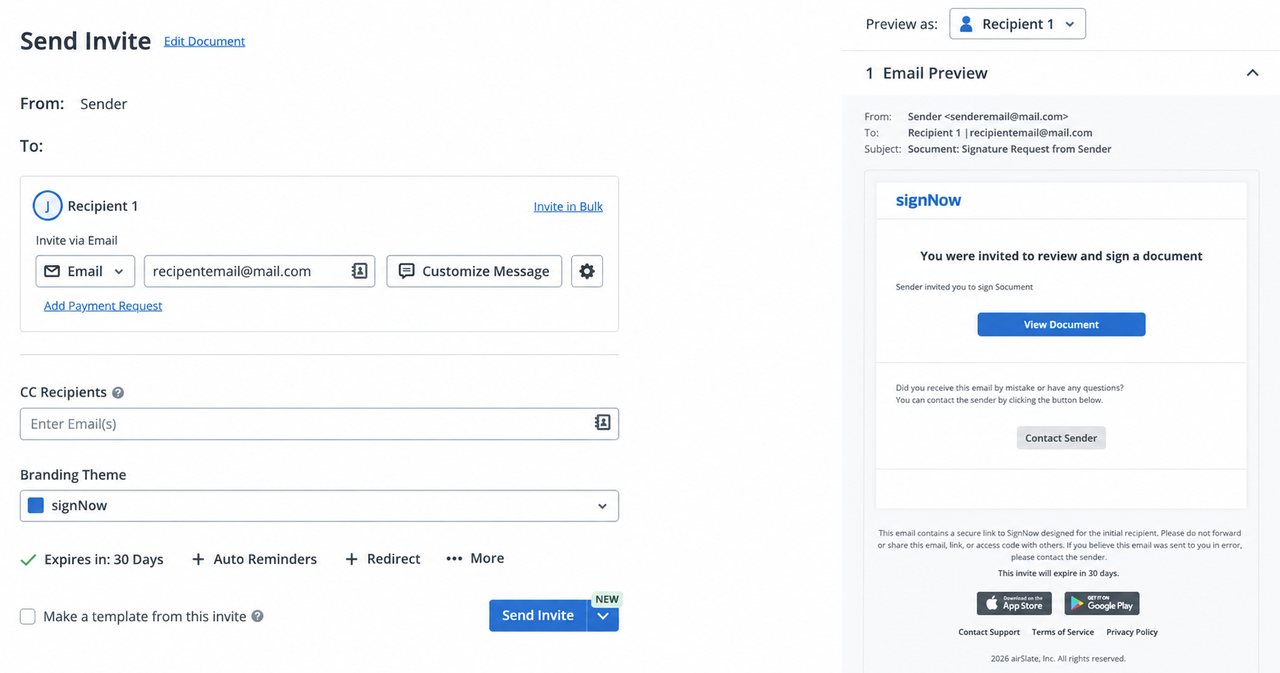
SignNow, from airSlate, wins on value: its per user pricing starts lower than most rivals in this guide. Most rivals charge per seat, which quietly discourages company wide adoption, because every new sender adds a monthly fee. SignNow charges per user too, but the entry price is low enough that a whole office can send and sign without a manager counting seats too closely. For a team of eight or ten people who all send documents sometimes, that low entry price can cut the annual bill sharply compared with a per seat rival at a higher headline price.
Business starts at $8 per user a month billed annually, with unlimited templates, role based signing order, custom branding, and a solid API. Business Premium, at $15 a month billed annually, adds bulk sending, conditional logic, and the advanced fields a team with structured forms needs. Enterprise, at $30 a month billed annually, adds the workflow tools that turn signing into part of a sales or onboarding process. The builder is a clean step list in the DocuSign style, so a team moving from DocuSign learns it in an afternoon.
The trade is polish at the edges. SignNow covers the core signing workflow completely, and it covers it cheaply, but its document generation and AI features are thinner than PandaDoc, and its contract management is thinner than Oneflow. Buy SignNow when the job is signing, at volume, across many people, and the budget is the deciding factor.
Best for: budget teams with many senders, and any company that wants to stop paying per seat for a tool everyone uses occasionally.
Official site: SignNow
What we like about SignNow
- Native integrations cover NetSuite, SharePoint, Dynamics, and Salesforce without an extra connector fee
- Live chat support runs around the clock on all paid plans, not only on enterprise tiers
- SMS delivery is available as a paid add-on for signers who rarely check email
What could be better
- Business caps invites at 100 per year per workspace, so high volume teams must step up a tier
- Past that cap, the Site License plan charges per invite, which changes the value maths
- Payment collection starts on Business Premium, and the full advanced workflow set waits for the Enterprise plan
Price: Business from $20/user/mo billed monthly, or $8/user/mo billed annually; Business Premium $15/user/mo billed annually; Enterprise $30/user/mo billed annually. Free 7 day trial.
4. Adobe Acrobat Sign: Best for PDF Workflows
Adobe Acrobat Sign is the pick when the PDF is already the work. If your team edits PDFs in Acrobat every day, redacts, compares versions, and then needs a signature on the finished file, signing inside Acrobat removes a whole export and upload step. The signature request starts from the document you just edited, the signer signs in a familiar Adobe flow, and the completed PDF comes back with a certificate and an audit trail attached. For legal, finance, and operations teams that live in PDFs, that closeness to the file matters more than a cheaper standalone signer.
Acrobat Standard, at $14.99 a month on an annual plan billed monthly, and Acrobat Pro, at $19.99 a month on an annual plan billed monthly, both include eSignature sending, with Pro adding the editing depth most teams actually want. Larger companies buy Acrobat Sign Solutions, priced by quote, for higher volume sending and regulated team needs. The entry point looks higher than SignNow or BoldSign, because you are buying a PDF editor and a signer together.
The honest limit is price for signing alone. If you never edit a PDF, Acrobat Sign is an expensive way to collect a signature, and a plain signer from this list does the same job for less. Buy Adobe when Acrobat is already in your stack, or when PDF editing and signing need to stay in one file, under one audit trail.
Best for: teams that already pay for Acrobat, PDF heavy offices, and companies that need enterprise signature controls under an Adobe contract.
Official site: Adobe Acrobat Sign
What we like about Adobe Acrobat Sign
- Editing, comparing, and redacting a PDF happen in the same app as signing it
- Sign Solutions adds enterprise controls and high volume sending under one Adobe agreement
- The Acrobat mobile app lets signers review and sign away from a desk
What could be better
- Acrobat Pro for teams lists at $23.99 per license a month, well above the cheapest signers here
- Qualified electronic signatures sit on the quote based Solutions tier, not on Acrobat Pro
- There is no permanent free plan, only a trial, so occasional senders cannot stay free
Price: Acrobat Standard $14.99/mo, Acrobat Pro $19.99/mo on an annual plan billed monthly; Acrobat Pro for teams $23.99/license/mo; Sign Solutions by quote.

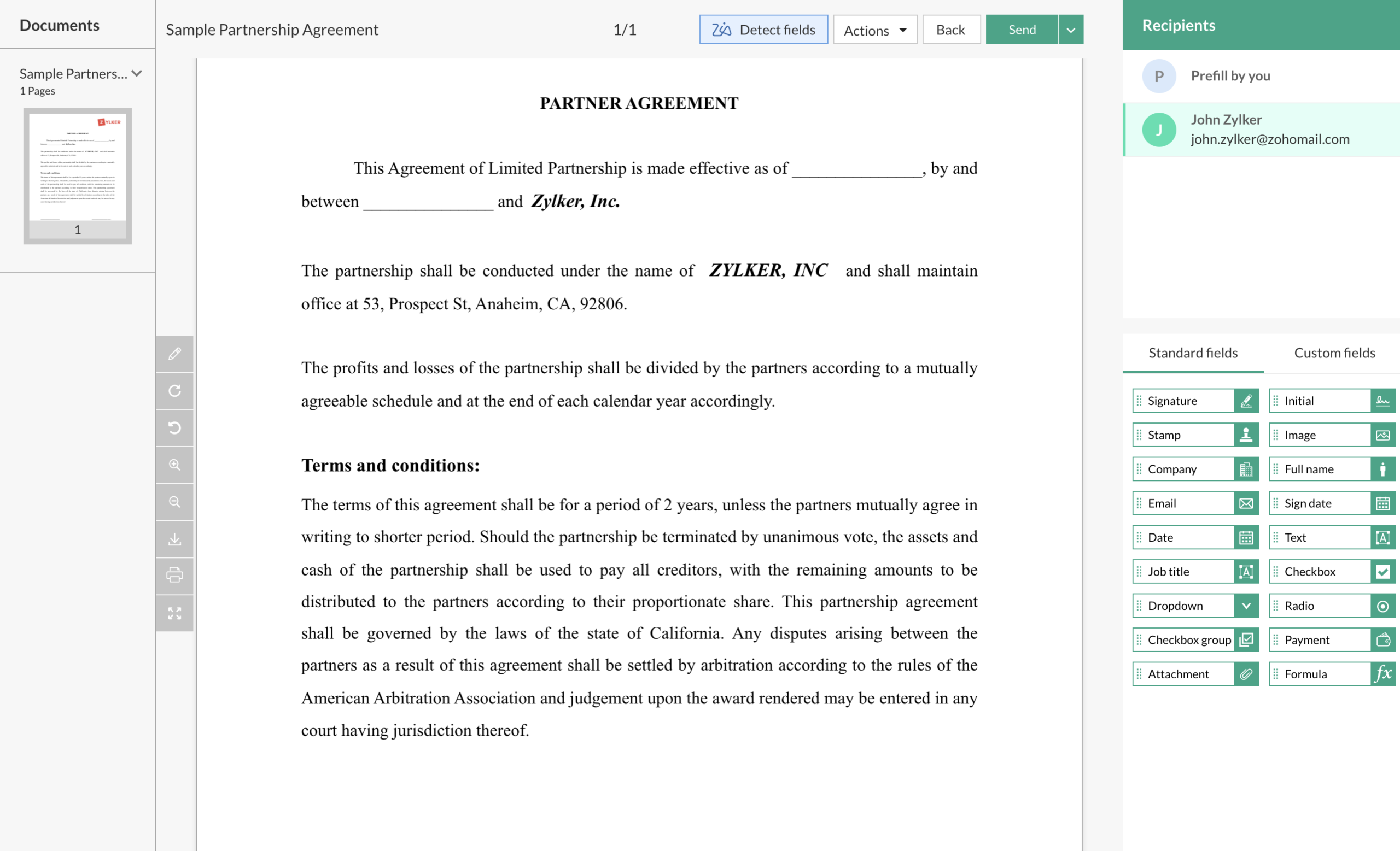
5. Zoho Sign: Best for Zoho Users
Zoho Sign is the natural pick inside a Zoho office, and a strong budget pick outside one. If your CRM, Books, and People records already live in Zoho, Zoho Sign pulls contact and deal details into documents, sends for signature, and files the completed copy back against the right record. That loop is the whole argument: no retyping names, no hunting for the signed copy in email, no separate storage folder that drifts out of date. For a small business already paying for Zoho One or a Zoho bundle, the signing tool can feel close to free.
The free plan allows 5 documents a month for one user, which covers a freelancer or a tiny team between deals. Standard, at $10 per user a month billed annually, adds the templates, reminders, and team features a growing business needs. Higher tiers add the advanced workflow, bulk sending, and compliance controls that a larger Zoho shop uses. The pricing stays in the budget band throughout, which is why Zoho Sign shows up in so many small business shortlists.
The trade is ecosystem depth. Zoho Sign works fine as a standalone signer, and it signs the same PDFs as anyone else, but its deepest value shows up beside other Zoho apps. Buy Zoho Sign when Zoho runs your office, or when a $10 entry price and a real free plan matter more than a proposal builder.
Best for: small businesses already on Zoho CRM, Books, or People, and budget buyers who want certificate based signing without an enterprise price.
Official site: Zoho Sign
What we like about Zoho Sign
- Blockchain timestamping gives a completed document an extra public verification record
- SignForms let anyone sign through a shared link, with no account and no email invite step
- Certificate based digital signatures use PKI, so identity proof is stronger than a drawn image
What could be better
- API documents carry a per document charge on top of the seat price
- Professional at $16 and Enterprise at $22 per user a month add up fast for a large sending team
- Outside the Zoho suite, third party depth is thinner than PandaDoc or BoldSign
Price: Free plan with 5 documents a month; Standard from $10/user/mo billed annually; Professional $16/user/mo; Enterprise $22/user/mo billed annually.
6. SignWell: Best Cheap and Simple DocuSign Alternative
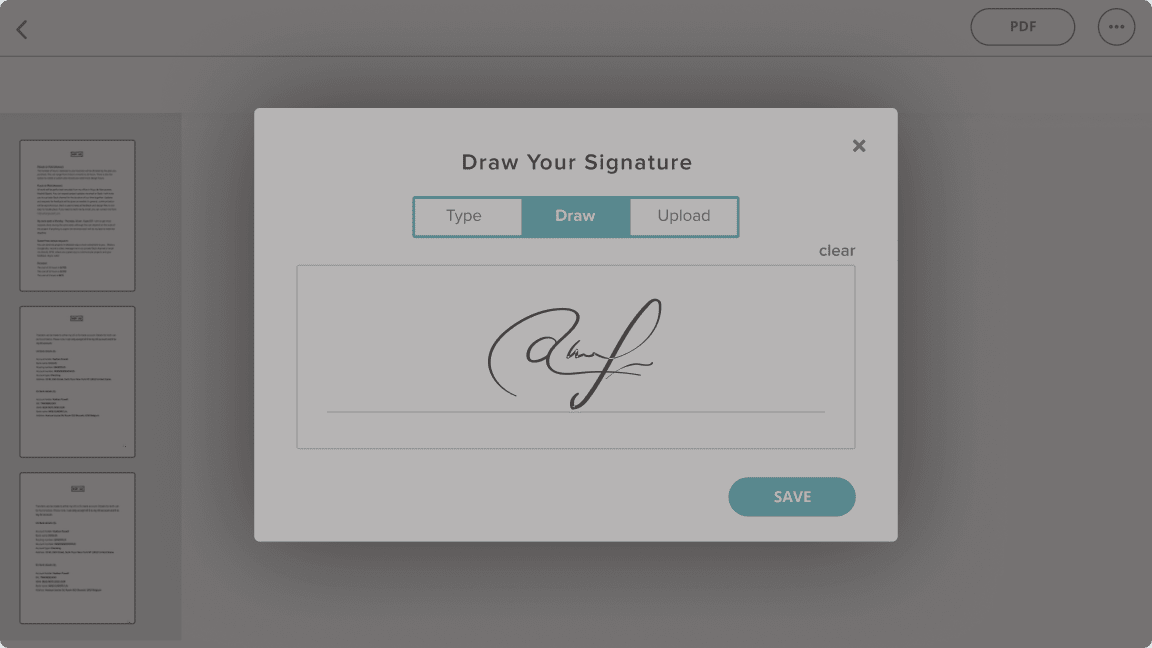
SignWell, formerly SignRequest, is the tool for people who want signing to stay boring. Upload a document, drag on signature and date fields, send it, and get a notification when it comes back signed. The home screen is a plain document list, not a dashboard full of charts, and a first time signer finishes in a couple of minutes with no account and no tutorial. For a freelancer, a coach, or a small agency that sends a handful of contracts a week, that plainness is the feature.
The free plan covers 3 documents a month for one sender, with reminders and status notifications included. Light, at $10 a month billed annually, removes the document cap for a single sender and adds the templates and sending options a regular sender needs. Business, at $30 a month billed annually, is built for a small team that sends together, with shared templates, custom branding, and the controls that keep a growing document list tidy. The step from free to Light is the cheapest credible upgrade in this guide for a solo sender who has outgrown three documents a month.
The limit is ambition. SignWell does not build proposals, does not manage a contract lifecycle, and does not offer the workflow automation a larger team eventually wants. Buy SignWell when the job is simple, the budget is tight, and the client experience matters more than a feature list.
Best for: freelancers, coaches, and micro businesses that send a few documents a week and want the cheapest credible signing tool.
Official site: SignWell
What we like about SignWell
- Bulk send on Light lets one sender push the same document to many recipients at once
- Template links let recipients start a document themselves, with no email invite needed
- Business adds data validation and request attachments for forms that must come back complete
What could be better
- Business starts at a three sender minimum, so a two person team pays for a third seat
- API documents are metered separately after the free allowance, so embedded volume costs extra
- The free plan allows only one reusable template, so template heavy senders upgrade fast
Price: Free plan with 3 documents a month; Light from $12/mo billed monthly, or $10/mo billed annually; Business $30/mo billed annually.
7. Signeasy: Best Mobile DocuSign Alternative
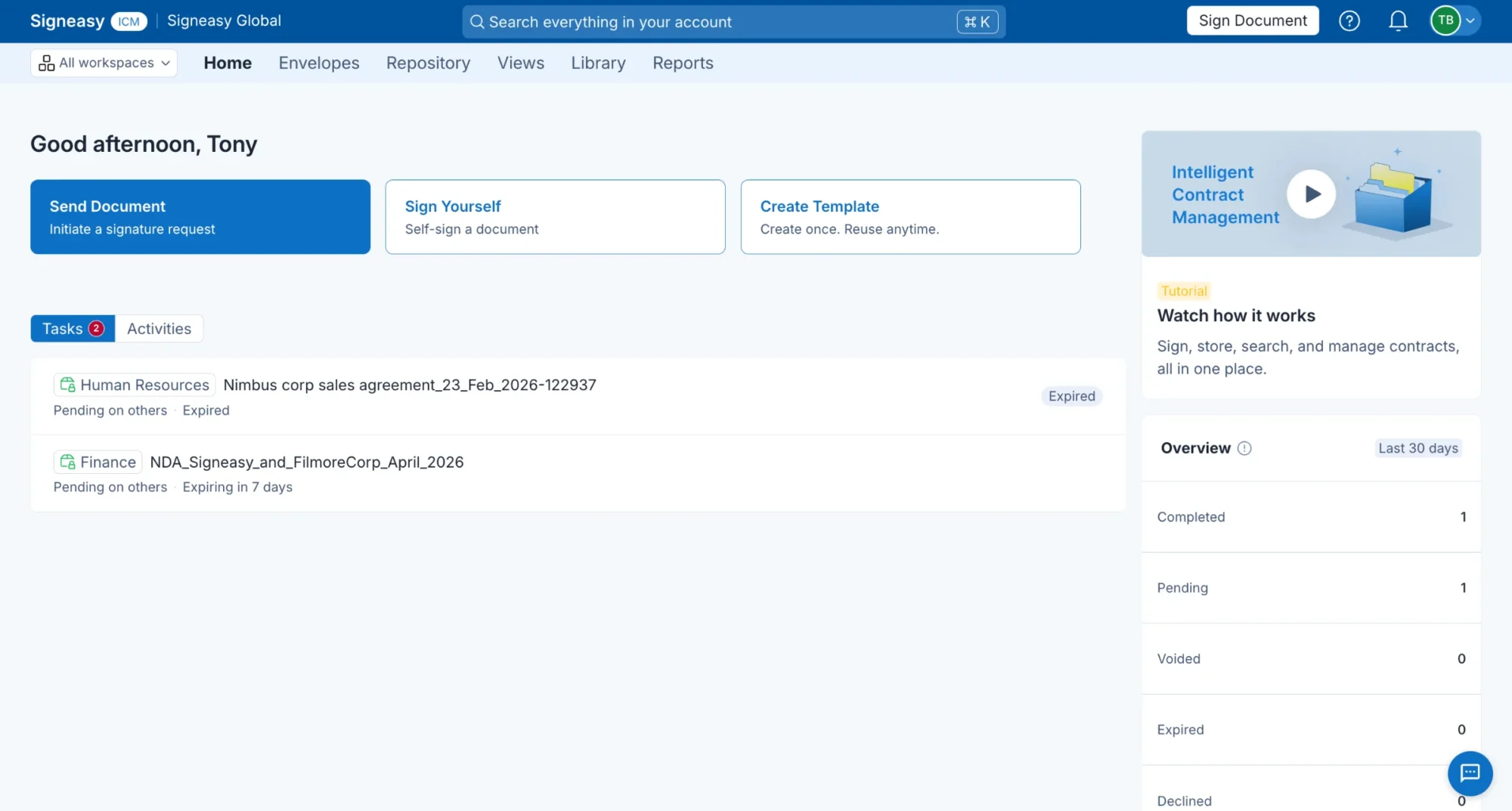
Signeasy is built for signing away from a desk. Real estate agents, field sales reps, logistics teams, and anyone who closes a deal at a kitchen table or a site office will feel the difference in the first week. The mobile apps are the product, not an afterthought: prepare a document on a phone, send it, track it, and store the completed copy, all without opening a laptop. Signing on a phone screen is clean, with large fields and a clear signing order, so a client who rarely uses a computer still finishes without a support call.
Personal, at $10 per user a month billed annually, suits a solo operator with a steady but modest sending rhythm. Business, at $20 per user a month billed annually, removes the sending cap and adds team collaboration and the contract storage a growing team needs. Business Pro, at $30 per user a month billed annually, adds the advanced contract management, role permissions, and priority support that a team handling sensitive agreements wants. The step up from Personal to Business is the one most field teams make.
The trade is desktop depth. Signeasy covers signing and contract storage well, and it covers mobile better than anyone else here, but its proposal building and workflow automation are lighter than PandaDoc and Oneflow. Buy Signeasy when most of your signing happens on a phone or a tablet, and pick a desktop first tool when most of it happens at an office desk.
Best for: field teams, real estate agents, and mobile first small businesses that sign on the go.
Official site: Signeasy
What we like about Signeasy
- Offline signing keeps a deal moving when the connection drops, with a sync when you are back online
- In-person signing on your own device suits counters, showrooms, and site visits
- AI contract summaries and renewal reminders surface the dates a busy team usually misses
What could be better
- Personal is capped at 5 sends a month, so a busy solo sender outgrows it quickly
- Business includes 5 reusable templates, and unlimited templates wait for Business Pro
- The free plan, where offered, covers only 3 documents, so it is a trial in practice
Price: Personal from $15/user/mo billed monthly, or $10/user/mo billed annually; Business $20/user/mo billed annually; Business Pro $30/user/mo billed annually. 14 day trial.
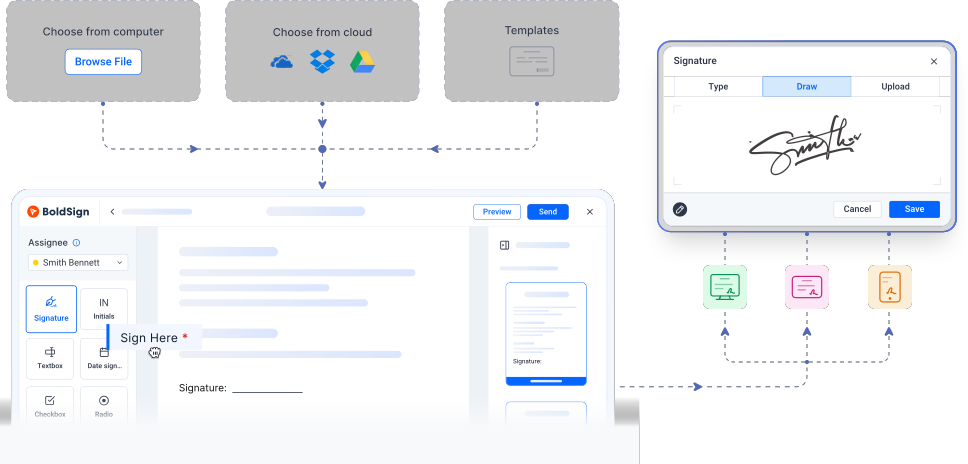
8. BoldSign: Best Free DocuSign Alternative
BoldSign is the strongest free start in this guide, and it stays cheap when you grow. The free Essential plan covers early contracts with no card, and the paid plans keep the same plain pricing logic: pay per sender, send as much as the plan allows, and add features only when you need them. Growth, at $5 per user a month billed annually, is the cheapest paid signing plan here for a small team. Business, at $15 per user a month billed annually, removes the envelope cap entirely, which is the point where BoldSign beats DocuSign Standard on both price and volume at once.
The product itself is deliberately plain. Templates, audit trails, and team management are all present, and the signing page is clean enough that a first time client finishes without instructions. BoldSign is built by Syncfusion, a software company with decades behind it, and that shows in the support: free support on every plan, with no support fee gated behind an enterprise tier. For a startup or a small business that needs a credible signer this week, BoldSign is the lowest risk way to start.
The trade is scope again. BoldSign signs documents very well, and it does not build proposals, run a full contract lifecycle, or replace a CRM. Buy BoldSign when the budget is the first filter and signing is the whole job.
Best for: startups, freelancers, and small teams that want a real free plan and unlimited envelopes without an enterprise price.
Official site: BoldSign
What we like about BoldSign
- WhatsApp delivery reaches signers who answer messages faster than email
- ID verification is available as an add-on for agreements that need stronger signer proof
- The Salesforce integration is a paid add-on on Business, at $10 per user per month
What could be better
- Growth caps envelopes at 50 per sender a month, so busy teams must step up to Business
- Premium caps shared envelopes at 250 a month, with extra envelopes at $0.50 each
- Bulk links are a paid add-on at $0.25 per envelope, not part of the base plans
Price: Free Essential plan; Growth from $5/user/mo billed annually; Business $15/user/mo billed annually; Premium $99/mo billed annually for unlimited users. 30 day trial, no card.
9. DocuSeal: Best Open Source DocuSign Alternative
DocuSeal is the only tool here you can own outright. The core software is open source, so a technical team can run it on its own servers, keep documents inside its own network, and skip the per seat and per envelope maths entirely. The hosted cloud plan is free for individuals, and Cloud Pro, at $20 per user a month billed annually, adds the company branding, automation, and API access a business team needs. For a developer, a privacy focused company, or a team building signing into its own product, that choice between hosted and self hosted is the whole appeal.
The signing experience is deliberately simple. Create a template from a PDF, place fields on it, send it to one or several signers in order, and collect a completed, tamper evident copy with an audit trail. There is no proposal builder or contract lifecycle layer to learn, which is why a non technical signer finishes it without help. The API and embedding options let a SaaS product put signing inside its own onboarding flow, instead of sending users out to a separate signing site.
The honest cost is not the license, it is the running. Self hosting suits a team that wants documents inside its own network, and it frustrates a team that just wants to send a contract today. Buy DocuSeal when data control or embedding matters more than a polished sales suite, and buy a hosted tool from this list when you want someone else to run the servers.
Best for: developers, privacy focused teams, and companies that want signing on their own infrastructure or embedded in their own product.
Official site: DocuSeal
What we like about DocuSeal
- More than 229,900 businesses and individuals have signed with DocuSeal, a large base for an open source tool
- Drag and drop PDF form building places fields without a separate design tool
- Ten field types cover signatures, dates, checkboxes, and text in one template builder
What could be better
- Self hosting means your team owns updates, backups, and uptime, with no vendor to call
- API and embedding documents cost $0.20 each in production, on top of a Pro seat
- Company branding, custom emails, SSO, and identity verification wait for the Pro plan
Price: Free cloud Basic plan; Cloud Pro $20/user/mo billed annually; self hosted open source free; On-Premises Pro $240/user/year; API production $0.20 per signed document.

10. Oneflow: Best Contract Platform DocuSign Alternative
Oneflow is the pick when a contract is not a PDF to sign, but a living document to negotiate. Sales, HR, and procurement teams build contracts as digital documents, collaborate on them in real time, collect signatures, and keep the signed version in a searchable repository. Negotiation, approval, and signing happen around one contract record, instead of across scattered email attachments, and the signed contract stays in a searchable repository.
The free plan is enough to test the signing flow, with comments and an audit trail included. Business, at 50 euros per user a month billed annually, with a five-user minimum, adds digital contracts, templates, and the collaboration features a small team uses daily, plus approvals, advanced workflows, and Salesforce and HubSpot connections that keep contract data in sync with the CRM.
The trade is price and geography. Oneflow prices in euros, its strongest compliance story is European, and its entry paid plan costs more than a plain signer. Buy Oneflow when contracts drive revenue and renewals across departments, and when a static PDF no longer describes how your deals actually close.
Best for: European and mid market teams that manage contracts end to end, from drafting and negotiation to signing and storage.
Official site: Oneflow
What we like about Oneflow
- BankID and MitID signing give European signers a familiar, high trust identity check
- Live contract editing during negotiation avoids a new version for every price change
- Post-sign obligation tracking keeps renewal and commitment dates visible after signing
What could be better
- Business lists at about 250 euros a month for five seats, so small teams cannot buy a single cheap seat
- The free plan covers PDF contracts only, and digital contracts wait for a paid plan
- Enterprise pricing is quote only, so larger teams cannot budget it from the pricing page
Price: Free plan; Business 50 euros/user/mo billed annually (minimum 5 users, so 250 euros a month for five seats); Enterprise by quote. 14 day trial of full features.

Pricing Summary: What You Actually Pay
A freelancer who sends five documents a month pays nothing on PandaDoc, Zoho Sign, or BoldSign free plans. A team of five that sends fifty documents a month pays about $95 a month on PandaDoc Starter, $75 a month on Dropbox Sign Essentials, $40 a month on SignNow Business at the entry rate, and $75 a month on BoldSign Business. The same team on DocuSign Standard pays $125 a month upfront annually, or $150 on an annual plan billed monthly, and still watches a 100 envelope annual cap per user.
Watch three hidden costs before you buy. First, the billing method: annual upfront, annual billed monthly, and month to month can differ by $5 or more per user per month on the same plan. Second, the feature gate: the cheapest plan often lacks the branding or reminders a real team uses daily, so budget from the second tier, not the first. Third, the API charge: embedded signing and extra envelopes can add a per document fee on top of the seat price.
Who Should Pick What
If you take one line from this guide, take this one: buy the tool that matches your busiest month, not the logo your clients recognize.
Pick PandaDoc if you build proposals and quotes and want signing at the end of the sale. Pick Dropbox Sign if you want the simplest swap with no envelope counting on paid plans. Pick SignNow if you have many users and a tight budget. Pick Adobe Acrobat Sign if Acrobat already runs your PDF work. Pick Zoho Sign if Zoho runs your office. Pick SignWell if you send a few documents a week and want the cheapest credible tool. Pick Signeasy if most signing happens on a phone or in the field. Pick BoldSign if you want a real free plan and unlimited envelopes on Business. Pick DocuSeal if you want to self host or embed signing in your own product. Pick Oneflow if contracts are a lifecycle to manage, not a PDF to sign.
Moving Off DocuSign Without Breaking Anything
Start with an inventory, not a signup. List every live template, the documents you send most, roughly how many envelopes you send each month, and what breaks if a signature stalls for a day. That list is your migration order: revenue contracts and client agreements first, internal forms last. You will usually find a handful of templates do most of the work.
Rebuild the top templates in the new tool and run both platforms in parallel for at least two weeks. Send a real contract through the new tool, watch the signer experience on a phone, and check that the completed copy lands where your team expects it. Keep your DocuSign account read only for a month after the switch, so an old template or signed copy is still reachable.
Export every template and every completed agreement before you cancel anything. No platform exports a portable version of your template logic that a rival can import cleanly, so the exported PDFs and field lists are your rebuild spec. The hour spent exporting saves days of guessing what the old template actually asked each signer to do.
Automating Signing Workflows
Signing rarely lives alone. A new deal in a CRM should create a contract, a signed offer should trigger onboarding, and a completed NDA should file itself in the right folder. Most tools here connect to CRMs and storage through native integrations or automation platforms, and the setup is usually a trigger plus a signing action, not custom code.
If your signing flow needs steps beyond the signing tool itself, our Zapier alternatives guide compares the automation platforms that sit beside these tools, so you can price the workflow and the signer separately instead of buying one tool to do both jobs badly.
Are These Signatures Legally Binding
In the United States, electronic signatures are generally legally binding under the ESIGN Act and the state UETA laws, and in the European Union, eIDAS sets the framework for electronic, advanced, and qualified signatures. Every tool in this guide produces an audit trail with timestamps and signer records, which is the evidence that supports a signature if it is ever questioned. That general picture is not legal advice for a specific document, and some documents, such as certain wills and notarized deeds, carry special rules that vary by state and country.
FAQs
What is the best free DocuSign alternative?
BoldSign has the strongest free plan for a small business, with 25 envelopes a month on a business email signup. PandaDoc allows 60 documents a year free, Zoho Sign allows 5 documents a month free, and SignWell and Dropbox Sign allow 3. DocuSign itself has no permanent free sender plan, only a trial.
Which DocuSign alternative is cheapest for a team?
SignNow is usually a cheap option for a team with many senders, because its per user price stays low as the team grows. BoldSign Growth, at $5 per user a month billed annually, is the cheapest per seat paid plan here. For a solo sender, SignWell Light and Signeasy Personal, both $10 a month billed annually, are the cheapest credible upgrades.
Can I sign a document without an account?
Yes, as a recipient. On every tool in this guide, the person signing does not need a paid seat or, in most cases, any account at all. They open the link, sign, and receive a completed copy. Only the sender needs an account and a plan.
Do I need to pay for each envelope I send?
It depends on the tool. DocuSign, Signeasy Personal, and BoldSign Growth all cap envelopes or sends per month. Dropbox Sign and BoldSign Business remove the envelope cap on paid plans, so volume stops being a monthly worry. Always check whether the cap counts documents, envelopes, or invites, because vendors use different words for the same limit.
Are electronic signatures legal?
Generally yes in the US under ESIGN and UETA, and in the EU under eIDAS, with an audit trail as supporting evidence. Some document types carry special rules, and qualified signatures, the highest eIDAS level, need an identity check through a trust service. This guide is general information, not legal advice for a specific agreement.
Can I import my DocuSign templates into another tool?
Not in any complete way. No platform offers a one click importer that faithfully converts DocuSign template fields and routing. Most teams rebuild their top templates by hand and run both tools in parallel for two weeks.
Which alternative is best for sales proposals?
PandaDoc, because it builds the proposal, the pricing table, and the payment step in the same document as the signature. Oneflow is the pick when the contract needs negotiation and post-sign management. A plain signer like SignWell or BoldSign is better when the proposal already exists as a PDF.
Which alternative can I self-host?
DocuSeal. Its open source edition runs on your own servers for free, and the Pro plan adds branding, API access, and advanced controls. Every other tool in this guide is cloud only, including DocuSign itself.
Pick PandaDoc for sales, SignNow for budget, BoldSign for free
Pick PandaDoc if proposals and quotes are the work, and signing is the finish. Pick SignNow if many people send and the budget is tight. Pick BoldSign if you want a real free plan today and unlimited envelopes on Business tomorrow. For the rest, the routing above holds: Dropbox Sign for simple signing, Adobe for PDF offices, Zoho for Zoho offices, SignWell for freelancers, Signeasy for field teams, DocuSeal for self hosting, Oneflow for contract lifecycles. Rebuild your three busiest templates first, and let the real sending volume settle it.
This kind of research, applied to your growth
If you run a SaaS business, SaaS Harvest can do this kind of digging in your market and turn it into search traffic that signs up.
