

ChatGPT vs Gemini is the question we get asked most, and it is the hardest one to answer honestly. They are the two AI assistants most people already have installed, both cost about twenty dollars a month at the level most people buy, and both got noticeably better in the last few months.
This guide compares the pair the way a buyer would: current plans and pricing pages checked against the official pages, and the stuff the marketing pages skip, like what the free plans really give you now and where the limits sit. The comparisons draw on vendor pricing pages, user reviews and demo videos.
The short answer surprised us. For research, live information and anything inside Google’s apps, Gemini is the better tool, and the gap is not small. For images and video, Gemini takes it. ChatGPT’s ground is voice and creative writing, where it still feels a step ahead.. Same price, two different tools, and the right pick depends on where your work actually happens.
But the features are not what decides this. What decides it is that the free tiers flipped this month: ChatGPT’s free plan got better while Gemini’s got worse. It is that Gemini’s big context window is gated by which plan you buy, not which model you pick. It is what the $20 plans really bundle, because they bundle completely different things. That is the stuff a few weeks of using both teaches you, and it is all below, round by round.
If you are choosing between all three big assistants, we compared ChatGPT vs Claude in detail last time. This one is about the Google rivalry. For the company-level rivalry behind ChatGPT and Claude, see our Anthropic vs OpenAI comparison.
ChatGPT vs Gemini at a Glance
| ChatGPT | Gemini | |
|---|---|---|
| Best for | Everyday versatility, images, voice, agents | Research, Google Workspace, live data |
| Flagship models | GPT-6 family (GPT-6 Astra on Pro) | Gemini 4 Argon |
| Free plan | GPT-6 Luna, unlimited text chats, may include ads | Auto routing, most prompts go to Flash-Lite |
| Main paid plan | Plus, $20/mo | AI Pro, $19.99/mo |
| Cheapest paid entry | Go, $8/mo | AI Plus, from $4.99/mo |
| Top individual plan | Pro, from $100/mo | Ultra, $99.99 or $199.99/mo |
| Image generation | GPT Image 2.5, a core strength | Nano Banana 2, the quality leader |
| Video generation | None (Sora discontinued) | Veo 3.1 |
| Voice mode | Yes, very natural | Yes, works, less polished |
| Context window | Varies by plan and mode | 1M tokens on AI Pro and Ultra |
| Biggest weakness | Cheaper plans may include ads | Free tier demoted, context gated by plan |
Quick Picks: The Short Version
Short on time? Start here.
ChatGPT
Images, voice, creative writing and agents in one subscription
Paid from $8/mo
Free plan: GPT-6 Luna with unlimited text chats
Gemini
Research with sources, Gmail, Docs and Drive built in
Paid from $4.99/mo
Free plan: Auto routing to Gemini 3.5 Flash-Lite
In this guide, the prices and plan details are checked against the vendors’ official pricing pages, and the comparisons are based on vendor pricing pages, user reviews and demo videos.
The Models You Are Actually Comparing
Model names change every few months, so this is the picture as of late 2026, and it is worth pinning down because a lot of comparisons online are reviewing older versions.
ChatGPT runs on the GPT-6 family. The free plan gives unlimited text chats with GPT-6 Luna and puts caps on the extras like image creation, voice and Deep Research. Plus unlocks the stronger reasoning models. Pro adds GPT-6 Astra for reasoning, an always-on agent, and the largest memory and context OpenAI offers.
Gemini’s top model is Gemini 4 Argon, which reached the Gemini app in mid-October 2026. Below it sit Gemini 3.1 Pro, the workhorse most paid users will spend their time with, and the fast Flash models for everyday questions. One thing to get right, because most posts gloss over it: on Gemini, the context window follows your plan, not your model. The free tier gets a small window, AI Plus gets more, and the full 1 million tokens only arrive on AI Pro and above. We will come back to this, because it changes the value math.

The Scorecard: Task by Task
The whole comparison on one table, based on the plans, prices and features compared in this guide.
| Task | Winner | Why |
|---|---|---|
| Creative writing and long-form | ChatGPT | Warmer, more natural prose |
| Structured and SEO writing | Gemini | Follows outlines, factual, clean headings |
| Writing code from scratch | ChatGPT | Codex plans multi-step tasks well |
| Reading a large codebase at once | Gemini | 1M-token context on AI Pro |
| Generating images | Gemini | Nano Banana 2 leads on quality |
| Generating video | Gemini | Veo 3.1, ChatGPT has no video tool since Sora shut down |
| Deep research with sources | Gemini | Scholar and Books results, Workspace files |
| Voice conversation | ChatGPT | The most natural voice mode |
| Raw response speed | Gemini | Near-instant streaming |
| Google Workspace work | Gemini | Native Gmail, Docs and Drive |
| Long documents | Gemini | 1M tokens on AI Pro |
| Memory and personalization | ChatGPT | Builds itself from daily use |
| Free plan value | ChatGPT | GPT-6 Luna with unlimited text chats |
Eight for Gemini, five for ChatGPT. Read your own job into those rows before you treat it as a final score. Someone who makes images and videos all day will look at this table and correctly pick the other tool.
Round 1: Writing
This was the most interesting result of the whole comparison, because each tool won a different kind of writing.
ChatGPT is the better creative writer. Its drafts have a warmer, more natural rhythm, and for blog posts, newsletters and marketing copy it needs less editing. Ask for something with personality, a story, an opinionated take, and ChatGPT delivers it. The drafts still needed a human pass, but the voice was closer to ours.
Gemini is the better structured writer. Give it an outline and it follows it exactly, headings in the right order, facts checked against live search as it goes. For SEO articles, documentation and anything where accuracy matters more than flair, Gemini saves more editing time. Its sentences are clean and factual. They are also a little flat. Creative pieces came out sounding careful, and never quite came alive.
One pattern other writers report: people draft in ChatGPT and fact-check in Gemini. That is a sensible workflow if you have both open.
If your job is creative writing with your name on it, ChatGPT wins this round. If it is structured content that has to be right, Gemini does.
What we like about ChatGPT for writing
- Canvas lets you edit one paragraph inline without regenerating the whole draft
- Custom GPTs hold your house style for repeat client work
- Gives three alternate headlines when you ask for one outline
What could be better
- First drafts run long; we ask it to shorten almost every time
- Reuses the same transitions across long pieces
What we like about Gemini for writing
- Follows a numbered outline exactly as written
- SEO headings land in correct H2 and H3 order with no fixing
- Catches a wrong date in your draft against live search
What could be better
- Creative openings feel formulaic
- Short creative pieces come out flatter than ChatGPT’s
Round 2: Coding
Simple coding tasks were a draw. Ask either tool to write a small script or fix an obvious error and you get something usable back.
The difference showed up on bigger jobs. For changes planned across several files, ChatGPT’s Codex agent breaks the task into steps and works through them. It explains what it changed in plain language, which matters when the code is yours and you have to maintain it later. Its terminal tools and computer-use features make it the stronger product for developers who live in their editor.
Gemini’s strength is reading, not writing. With a million tokens of context on AI Pro, it can take in an entire folder of project files in one go and answer questions about how the pieces connect. For understanding a codebase you inherited, or finding where a bug could be hiding across many files, that context window is a genuine superpower. It also has a CLI tool for the terminal and an IDE built for vibe coding, so Google is clearly serious about developers.
For someone who codes every day, this round is close. ChatGPT is the better pair programmer. Gemini is the better code reader. Pick based on which of those you do more.
What we like about ChatGPT for coding
- Codex terminal agent breaks big tasks into planned steps
- Explains each diff in plain language
- Runs code snippets in-chat to verify output
What could be better
- Struggles with very large codebases in a single pass
- Lighter models write noticeably weaker code
What we like about Gemini for coding
- Reads whole repositories at once on AI Pro
- Gemini CLI works straight from the terminal
- Antigravity IDE built for vibe coding
What could be better
- Over-explains simple fixes
- Planning lags Codex on multi-file refactors
Round 3: Images and Video
This round is the surprising one, because the common wisdom is out of date. Most comparisons still say ChatGPT wins images. Gemini’s Nano Banana 2 produces the better-looking images, and public quality rankings agree. The generations had cleaner composition, better lighting, and fewer of the small glitches that give AI images away.
That is not the whole story, though. ChatGPT’s GPT Image 2.5 is the more practical image tool for daily work. It edits: upload a photo and describe the change, and it does it. It keeps a character consistent across a series of images, which matters for brands and stories. For social posts, thumbnails and article art, ChatGPT is the stronger pick, because editing beats raw quality in real workflows.
Video is not a contest anymore. OpenAI discontinued Sora in 2026, first the product in April and then the API in September, so ChatGPT no longer generates video at all. Gemini’s Veo 3.1 wins this round by default. If video generation is part of your week, this round alone might decide the subscription. If you need a talking avatar presenter rather than a short video clip, see our HeyGen alternatives.
Neither tool replaces a designer. For that job, a dedicated tool still wins, and our Canva alternatives guide covers fourteen of them. But for AI-generated visuals inside a chat, Gemini takes image quality and ChatGPT takes everything else.
What we like about ChatGPT for visuals
- Keeps a character consistent across a series of images
- Edits an uploaded photo from a text description
- Aspect controls inside the prompt
What could be better
- Text inside generated images still slips
- Generations queue during peak hours
What we like about Gemini for visuals
- Nano Banana 2 leads public image-quality rankings
- Style transfers keep the original composition
- Generous generation allowances on paid tiers
What could be better
- Photorealistic faces get a samey look
Round 4: Research and Deep Research
For questions that depend on what is true today, Gemini is the stronger tool. Its web search is built on Google Search, which means fresher results and better grounding than ChatGPT’s browsing. Gemini’s answers also tend to hold up well on factual claims, and its citations point at sources you can actually open.
The Deep Research modes tell the same story from two directions. ChatGPT’s Deep Research consults more sources per run, up to two hundred, and produces the most polished long reports. It asks clarifying questions before it starts, which saves wasted runs. But it is slow, runs can take half an hour, and the quota on the $20 tier is tight. Gemini’s Deep Research pulls in your own files, searches your Gmail, Drive and Docs in the same pass as the open web, and lets you edit the research plan before it executes. It also surfaces Google Scholar and Google Books results that the other tools miss entirely, which researchers will notice immediately.
The honest caveat, and it matters: independent testing found Gemini the weakest of the big research tools on news-citation accuracy, and even the best tools fail to properly cite sources more than a third of the time. The important claims in a research brief still need checking before use, on both tools. You should too, whatever the marketing says.
For research you can trust after checking, this round goes to Gemini. For the longest, most exhaustive reports where the wait is acceptable, ChatGPT has a case.
What we like about ChatGPT for research
- Asks clarifying questions before a Deep Research run
- Structures reports like executive summaries
- Scheduled tasks can rerun a research brief weekly
What could be better
- Deep runs can take up to 30 minutes
- Tightly metered quota on the $20 tier
What we like about Gemini for research
- Searches your Gmail, Drive and Docs in the same pass
- Lets you edit the research plan before it starts
- Surfaces Google Scholar and Books results others miss
What could be better
- Weakest news-citation accuracy in independent tests
- Deep Research still runs the older 3.1 Pro
Round 5: Speed, Voice and Everyday Use
Open both tools and ask the same question, and Gemini answers first. Its responses stream almost instantly, noticeably faster than ChatGPT. For the hundred small questions of a workday, that speed adds up, and it is one of the reasons Gemini feels lighter to use.
Voice is where ChatGPT takes it back. Its voice mode is the most natural of any current AI tool, good enough that you forget you are talking to software. Gemini has voice too, and it works fine for quick questions, but it feels like a feature on the side of the product, not the product itself.
The phone apps follow the same split. ChatGPT’s app is the better all-round mobile assistant. Gemini’s advantage on mobile is being built into Android, where it can act across your apps and data. If you are on a Pixel or a Samsung, that integration is hard to give up.
Speed goes to Gemini. Voice goes to ChatGPT. For everyday use, most people will feel the speed more often and the voice more deeply. Decide which of those is your week.
What we like about ChatGPT for daily use
- Voice mode stays natural on long conversations
- Remembers your voice preference across sessions
- Voice available in the free tier with limits
What could be better
- Voice uses the extras allowance, not the chat allowance
- Slower to start answering than Gemini
What we like about Gemini for daily use
- Near-instant response streaming
- Stronger support for Asian languages like Malay and Thai
- Built into Android phones
What could be better
- Voice feels like a feature, not the product
- Fewer voice personalities to choose from
Round 6: Google Workspace Integration
This is the round that is not close, and for a lot of readers it will be the whole comparison.
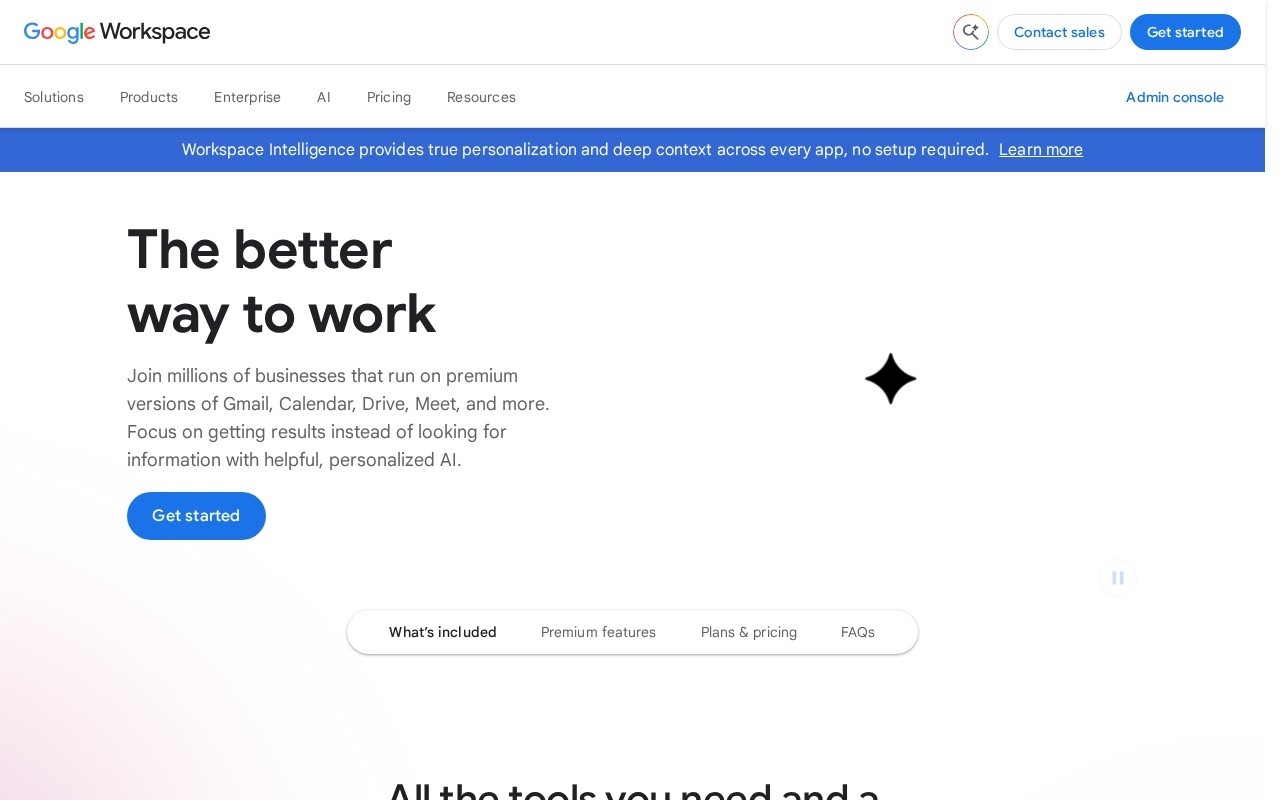
Gemini lives inside Gmail, Docs, Sheets, Drive and Meet. It drafts email replies in your inbox, summarizes long threads, pulls numbers from a spreadsheet without you opening it, and writes meeting notes from a call. The clearest example of what that means: a client inbox with fifty unread emails can become a one-page brief with the three that need replies, drafted and ready. That is not a chatbot trick. That is hours back every week.
ChatGPT has no equivalent. It connects to third-party tools through integrations, and its Projects feature keeps client work organized, but it cannot reach into your Gmail or your Drive the way Gemini can. If your workday runs through Google’s apps, Gemini is not slightly better here. It is a different category of tool.
The catch is the plan. The full Workspace integration needs a paid Google AI plan, and the free tier gives you a taste, not the meal. But at $19.99 a month with 5 TB of storage included, AI Pro is priced against ChatGPT Plus while bundling things Plus cannot offer at any price.
Workspace AI is not only a Google story. If your notes and projects live in Notion, our guide to the best Notion alternatives compares Notion AI with the AI features of Coda, ClickUp and the other tools on that list.
What we like about ChatGPT for integrations
- Connects to third-party tools like Slack through integrations
- Projects keep client work organized in one place
- No Google account required
What could be better
- No native Gmail or Docs integration
- Getting Drive files in means manual uploads
What we like about Gemini for Workspace
- Drafts email replies inside Gmail itself
- Summarizes a Drive folder without opening files
- Meeting notes write themselves after a call
What could be better
- Full Workspace features need the paid AI plan
- Only works inside Google’s apps
Round 7: Long Documents and Memory
We gave both tools the same long document and a week of questions about it. Gemini won, and the reason is the context window. With a full million tokens on AI Pro, a long report is nothing to it, and it was still pulling details from the early pages accurately days later. Whole books, long contracts, research archives: this is the job Gemini was built for.
There is a trap here, and it is the plan-gating we mentioned earlier. That million tokens is an AI Pro and Ultra feature. On the free tier the window is small, and on AI Plus it sits in the middle. If long documents are your reason for choosing Gemini, the free plan will disappoint you, and you should know that before you sign up for nothing.
Memory is the one part of this round ChatGPT wins. Its memory builds up on its own as you use it, across conversations, without you managing anything, and after a few weeks the answers start to feel personalized in a way that is hard to give up. Gemini has memory too, but it is thinner. If you switch from ChatGPT to Gemini, expect the new tool to feel like it knows you less for the first couple of weeks. It catches up, but not all the way.
Documents go to Gemini. Memory, the set-and-forget kind, goes to ChatGPT.
What we like about ChatGPT for memory
- Memory builds automatically from normal use
- Recalls project details across months
- Scheduled summaries keep past work fresh
What could be better
- Memory controls are buried in settings
- Context size varies by plan and is not one clean number
What we like about Gemini for long documents
- 1M-token context on AI Pro reads whole books
- Keeps early-page details accurate after long sessions
- Handles video and audio in the same chat
What could be better
- Memory is thinner than ChatGPT’s
- Free tier context is only 32K
Pricing: What the Plans Actually Cost
The plans look like twins. Free at the bottom, about $20 a month in the middle, $100 and above at the top, on both sides. Spend five minutes with the details and the twins disappear, because the $20 buys completely different things.
ChatGPT plans
| Plan | Price | What you get |
|---|---|---|
| Free | $0 | GPT-6 Luna, unlimited text chats; caps on images, voice, Deep Research and memory; may include ads |
| Go | $8/mo | More messages, uploads and images than Free; may include ads |
| Plus | $20/mo | Stronger reasoning, Projects, scheduled tasks, custom GPTs, Codex, more of everything |
| Pro | From $100/mo | GPT-6 Astra reasoning, always-on agent, maximum memory and context; top tier $500/mo |
| Business | $20/seat/mo annual | Team workspace, admin controls, no training on your data |
Gemini plans
| Plan | Price | What you get |
|---|---|---|
| Free | $0 | Auto model routing, most prompts go to Gemini 3.5 Flash-Lite; 32K context |
| AI Plus | From $4.99/mo (US; varies by region) | 400 GB storage, double usage limits, Flash models; 128K context |
| AI Pro | $19.99/mo | 5 TB storage, Gemini in Gmail and Docs, Gemini 4 Argon, Deep Research; 1M context |
| AI Ultra | $99.99 or $199.99/mo | Highest limits, priority access, earliest new features |
| Workspace/Enterprise | From $21/seat/mo | Gemini inside Workspace apps for teams |

Since the main plans cost the same $20 a month, the choice is not about money. It is about what the $20 gets spent on. ChatGPT Plus buys the broadest single AI subscription: images, voice, agents, code tools, memory. Google AI Pro buys depth in Google’s world: the best Gemini model, Workspace integration, Deep Research, a million-token window, and 5 TB of storage on top. One habit decides how big each plan feels, by the way. On ChatGPT, the free tier is now good enough that many people never need to upgrade. On Gemini, the free tier was just made worse, and AI Plus, Google’s cheaper answer to that complaint, starts from $4.99 a month in the US (pricing varies by region).
A few other things worth knowing. ChatGPT’s free and Go plans may include ads, which is new and worth knowing before you pick the cheapest tier. Neither company publishes hard usage numbers, so treat every “unlimited” as fair use. And if you are choosing for a team, ChatGPT Business is easier to budget at a fixed per-seat price, while Gemini’s team pricing starts at $21 a seat with the Workspace bundle doing some of the selling.
If you are not sure which paid plan to buy, start with the free tiers for two weeks and watch which app you open without thinking. Most people already know the answer by day ten. Upgrade only the one you kept opening.
What we like about ChatGPT’s plans
- Broadest feature bundle at $20
- Go tier at $8 is a cheap entry point
- Business seats at fixed per-seat pricing
What could be better
- Free and Go plans may include ads
- Top Pro tier costs up to $500 a month
- Plan names and limits keep changing
What we like about Google’s AI plans
- AI Plus is the cheapest paid entry of the two
- Storage bundled: 400 GB and 5 TB with the AI plans
- Workspace integration included in the $19.99 plan
What could be better
- Free tier now routes most prompts to Flash-Lite
- Context window gated by plan, not by model
- Ultra at $199.99 prices out individuals
The Thing Nobody Warns You About: Usage Limits
This is the section to read before paying for either tool.
Neither company publishes hard numbers. Both sell “generous” usage and define it later. ChatGPT Plus does not stop mid-task under normal daily use, though heavy users report that allowances feel smaller than they used to. But heavy users report that allowances feel smaller than they used to, and the plans keep shifting underneath people, so treat the $20 tier as comfortable, with real edges you will find by using it.
Gemini’s limits are clearer in structure and murkier in practice. The free tier is the tightest, and after the October change it is also the least capable, since most prompts now route to the lightest model. AI Plus doubles the free limits, AI Pro multiplies them again, and Ultra is for people who hit Pro’s ceiling. The gotcha is not the message count. It is the context gating: a free user asking about a long document gets a small window and a light model, while the same question on AI Pro gets the flagship and a million tokens. Same app, very different tool.
One more thing, if you are counting costs. ChatGPT’s free and $8 plans may show ads. Gemini’s plans do not. If an ad-free experience matters to you at the cheapest tier, that is a point for Google.
A Note for Non-English Users and Global Teams
A lot of people reading this do their work in another language, so this is worth a section of its own. Gemini is the stronger pick for Asian languages: Malay, Thai and other Southeast Asian languages work noticeably better, which makes sense given where Google’s data comes from. ChatGPT handles the major European languages well, and its voice mode is the better traveler.
If your team works in two or three languages, do not decide from English reviews. Take one real document in your own language, run it through both, and compare. Ten minutes of that tells you more than this whole section can.
Switching Is Easier Than You Think
If you have read this far and you are leaning towards the tool you do not currently pay for, switching is less painful than it used to be. Your old chats stay behind, that part is true. But the memory the tool has built about you, your style, your projects, the way you like things formatted, that can move. There are import tools between the assistants now, and people who have used them say the new tool feels familiar within a day or two.
The slow part is not the data. It is the habits: saved projects, custom GPTs you have built up, the Workspace workflows you have tuned over months. Give it an afternoon. If the tool is central to your work, overlap the two subscriptions for a month and cancel the old one when you stop opening it.
Which One Should You Choose?
Choose Gemini if your work lives in Google’s apps. Gmail, Docs, Drive, research with real sources, long documents. AI Pro at $19.99 is the plan that unlocks all of it, and it costs the same as Plus while including 5 TB of storage.
Choose ChatGPT if your work is a bit of everything. Images, voice, creative writing, code tools and agents. Plus at $20 is the broadest single subscription in this comparison, and the free plan is the one to pick for people who are not going to pay for any of this.
Choose the free plans if you are a student or you only use AI a few times a week. ChatGPT’s free plan is the better all-round free tool now. Gemini’s free plan still makes sense if your files and email live in Google’s apps. There is no rule that says you have to pick one free plan. Use both, with your real work, for a couple of weeks.
Choose both if AI is part of how you make a living. This is where a lot of heavy users end up: Gemini open for research and Workspace, ChatGPT for images, voice and creative work, $40 a month for the pair. It sounds indulgent until you price the alternative, which is doing a job with the wrong tool because the right one is in another subscription you cancelled.
For teams: ChatGPT Business is easier to budget, a fixed price per seat. Gemini’s business offering starts at $21 a seat and sells itself inside Workspace. Either way, give three people both tools for a month and watch what they actually open before you buy seats for everyone.
Final Verdict
After comparing both, the split is clean: keep both. Gemini stays open for research, Workspace work and long documents, because it is better at all three and the $19.99 plan bundles storage as well. ChatGPT gets opened for images, voice and creative writing, and on the phone.
If that is not an option and you have to cancel one, cancel based on your week, not on a features list. If your work lives in Gmail and Docs and your research needs real sources, keep Gemini. If your days are mixed and you need a tool that does a bit of everything without stopping you, keep ChatGPT Plus.
Gemini for research and Workspace, ChatGPT for everything else
After comparing both, the split is clean. Gemini wins research, Google Workspace work, long documents and raw speed. ChatGPT wins images, voice, creative writing and agents. The free-tier reversal means ChatGPT is now the better free tool, while Gemini’s paid plans bundle storage and Workspace depth that ChatGPT cannot match at any price. Most heavy users will end up keeping both. Everyone else should pick the one that matches their week.
This kind of research, applied to your growth
If you run a SaaS business, SaaS Harvest can do this kind of digging in your market and turn it into search traffic that signs up.
Looking for more comparisons like this one? If you run a SaaS business and want this kind of research applied to your growth, see our SaaS SEO services or get in touch.
FAQs
Which is better overall, ChatGPT or Gemini?
There is no overall winner that survives contact with a real job. Gemini is better at research, Google Workspace work and long documents. ChatGPT is better at images, voice and creative writing. The useful question is which of those lists looks like your week.
Is Gemini really free?
There is a free tier, but it got weaker in October 2026. Free users now get Auto model routing, which sends most prompts to Gemini 3.5 Flash-Lite, the lightest model. For the full models and the big context window, you need a paid plan starting at $4.99 a month.
Which AI has the better free plan in 2026?
ChatGPT, for most people. Its free plan runs GPT-6 Luna with unlimited text chats. Gemini’s free plan is fine for quick questions inside Google’s apps, but the model downgrade this month changed the math. Try both free for two weeks and see which one you open more.
Can Gemini generate images like ChatGPT?
Yes, and its Nano Banana 2 model produces the better-looking images. ChatGPT’s GPT Image 2.5 is the more practical tool, though, because it edits uploaded photos and keeps characters consistent across a series. For video, Gemini wins by default, because OpenAI discontinued Sora in 2026 and ChatGPT no longer offers video generation, while Gemini has Veo 3.1.
Which is better for coding, ChatGPT or Gemini?
ChatGPT is the better pair programmer: its Codex agent plans multi-step tasks and explains its changes. Gemini is the better code reader: its 1M-token context window on AI Pro swallows whole repositories at once. Daily coders lean ChatGPT, people inheriting large codebases lean Gemini.
Which is better for research and citations?
Gemini. Its search is built on Google Search, its Deep Research pulls in your Gmail, Drive and Docs alongside the web, and it surfaces Google Scholar and Books results the others miss. Verify important claims yourself on either tool, because citation accuracy is still imperfect everywhere.
Does Gemini work inside Gmail and Google Docs?
Yes, on the paid Google AI plans. It drafts replies in Gmail, summarizes threads, pulls data from Sheets and writes meeting notes. This integration is Gemini’s biggest advantage over ChatGPT and the main reason Google-centric teams choose it.
Should I pay for both ChatGPT and Gemini?
If AI is part of how you earn a living, yes, and many heavy users do: about $40 a month for the pair. Use Gemini for research and Workspace, ChatGPT for images, voice and creative work. If you only pick one, pick the one that matches your week, not the features list.
