

Zendesk alternatives are on every support leader’s mind this year, and the reason is simple: the bill keeps growing while the product stays the same. You sign up for a helpdesk, you add a few agents, you switch on the AI add-on, and suddenly the renewal quote looks nothing like the price you first agreed to. Sound familiar? If your Zendesk invoice has started to feel like a subscription you need a spreadsheet to understand, you are not alone, and you are not stuck with it either.
My direct opinion is this: Zendesk is still a strong helpdesk for large teams with complex routing and reporting needs. But for most small and mid-sized teams, it is more tool than they need, at a price they did not budget for. The good news is that the alternatives have caught up. In the last two years, Freshdesk, Intercom, Help Scout, and the rest have closed the gap on features while keeping their pricing far easier to explain to a finance team.
In this guide, we checked the vendor pricing pages for every price in this article and worked out what a real five-agent team actually pays each month, based on vendor pricing pages, user reviews and demo videos. You will find a side-by-side table, an exact pricing breakdown with AI costs called out separately, a worked monthly cost example, a migration checklist, and clear guidance on who should pick each tool. Every price here is a US list price checked against the vendor pricing page.
Quick Picks: The Short Version
Freshdesk
Best for most teams that want a full helpdesk without the Zendesk price tag, with strong ticketing, automation, and AI.
Price From $19 per agent per month, billed annually. No free plan on the public pricing page.
14-day free trial to start on.
Zoho Desk
Best free plan in this list for small teams already using Zoho tools, with a full helpdesk behind it.
Price Free for up to three agents. Paid plans from $7 per agent per month, billed annually.
Free plan for up to 3 agents, plus a 15-day trial of any paid plan.
Help Scout
Best value for small teams that want shared inbox simplicity and a per-user price that does not punish growth.
Price From $25 per user per month, billed annually.
Free plan for up to five users, plus a 15-day free trial.
Zendesk Alternatives at a Glance
| Tool | Best for | Free plan | Paid entry point (annual billing) | AI |
|---|---|---|---|---|
| Freshdesk | Most teams, best all-rounder | No, 14-day trial | $19 per agent/month, Growth | Freddy AI Copilot $29/agent/mo add-on |
| Intercom | Live chat and AI-first support | No, 14-day trial | $29 per seat/month, Essential | Fin AI Agent $0.99 per outcome |
| Help Scout | Small teams, shared inbox simplicity | Yes, up to 5 users | $25 per user/month, Standard | Envoy AI $0.75 per resolution |
| Zoho Desk | Budget teams, Zoho users | Yes, up to 3 agents | $7 per agent/month, Express | Zia AI bundled by tier, no per-resolution charge |
| HubSpot Service Hub | Teams already on HubSpot CRM | Yes, up to 2 users | $7 per seat/month, Starter | Breeze Customer Agent about $0.50 per resolved conversation |
| Front | Shared inboxes at scale | No | $25 per seat/month, Starter, max 10 seats | Copilot $20/seat/mo, Autopilot from $0.39 per conversation |
| Gorgias | Ecommerce support (Shopify etc.) | No, 7-day trial | $10/month Starter, 50 tickets | AI Agent $0.90 per automated interaction |
| LiveChat | Live chat first | No, 14-day trial | $19 per user/month, Essential | AI Agent included, 10 resolutions/month |
| HappyFox | Ticketing with strong automation | No, 14-day trial | $24 per agent/month, Basic, max 5 agents | AI add-on from $14/agent/mo |
| Kayako | Simple, affordable helpdesk | No | $1 per resolved ticket, no seat fee | AI is the pricing model: $1 per AI-resolved ticket |
Prices are US list prices checked against vendor pricing pages.
How We Compared These Zendesk Alternatives
We compared these tools as a working support team would use them, from the first week to the twelfth month. Setup speed mattered, and so did the quiet costs that show up later: an agent added mid-year, an AI add-on that seemed optional until it was not, and a reporting feature locked behind a higher tier. A tool that looks cheap on day one can become expensive by month six, and a simple-looking tool can save hours every week once the team learns it.
Our criteria were simple and practical. First, how good is the agent workspace for a full shift of tickets, chats, and calls? Second, what does a real month cost for a five-agent team, counting the billing unit honestly and calling out AI costs separately? Third, how strong are the automation and AI features, and are they included or sold as an add-on? Fourth, how many channels does it cover, email, chat, phone, social, and messaging apps, without extra tools? Fifth, how easy is it to leave Zendesk and move your tickets, customers, and macros across? A good helpdesk should make support faster, not add admin work.
We checked the vendor pricing pages for every price in this article. Prices are US list prices checked against vendor pricing pages. Where a price depends on your choices, for example your AI usage or your ticket volume, we give you the range and a worked example, so you can adjust the maths for your own team. If a figure was uncertain, we left it out or told you to check the live page. That matters in support software, because a per-agent price that hides a per-resolution AI charge can turn a tidy budget into a surprise.
One more point on method. We did not judge any tool by its marketing page alone, because support teams live with the ordinary version: the macro that needs rebuilding, the report that only exists on the expensive plan, the chat widget that takes an afternoon to style. This article stays close to that ordinary experience, because that is where most buying regret comes from. If your team also uses a CRM alongside its helpdesk, our guide to the best CRM software for small business is a useful companion read before you commit.
Why Teams Look for a Zendesk Alternative
Zendesk earned its position. It handles high ticket volumes, it routes well, and its reporting is deep. So why do so many teams leave? In the conversations support leaders have in public, three complaints come up again and again.
The first is price. Zendesk Suite starts at a per-agent price that looks reasonable, then the features most teams actually need sit on the higher tiers. AI is the sharpest example: the AI agents and advanced automation that Zendesk now markets heavily are add-ons with their own pricing, and the renewal quote can jump far beyond the first-year figure.
The second is complexity. Zendesk can do almost anything, and that power comes with admin screens, triggers, and settings that take real time to learn. A five-person team does not need an enterprise routing engine. It needs a clean inbox, fast replies, and a knowledge base customers can actually find.
The third is the feeling of being locked in. Long contracts, add-on pricing, and a setup that takes weeks to rebuild elsewhere make switching feel risky. That is exactly why the migration section later in this article exists: moving is a project, but it is a project most teams finish in days, not months, once they have a checklist.
None of this means Zendesk is a bad product. It means the right helpdesk depends on your team size, your ticket volume, and how much admin you want to own. The ten tools below cover every shape of team, from a two-person startup to an ecommerce brand answering hundreds of chats a day.
1. Freshdesk: The Best All Round Zendesk Alternative
Freshdesk is the closest thing to a straight swap for Zendesk, and that is why it tops this list. It is a full helpdesk from Freshworks: shared inbox, ticketing, automation, knowledge base, live chat, and phone, all in one place. If your team knows Zendesk, it will feel at home in Freshdesk within a day. The layout is cleaner, the setup is faster, and the price is easier to defend.
The agent workspace is the strongest part. Tickets arrive from email, chat, phone, and social in one queue, and the agent sees the customer history beside the reply box. Collision detection stops two agents answering the same ticket, and the ticket views and filters are simple enough that a new hire can learn them without a training session. For a team moving off Zendesk, this familiarity matters: you change the tool, not the way your team works.
Automation is where Freshdesk earns its keep. Ticket assignment rules, canned responses, and workflow automations handle the routine work, and the AI layer, Freddy, can suggest replies, summarise tickets, and triage incoming mail. The catch is that the deeper AI features sit on the higher plans, so check the plan table before you assume Freddy is included in the price you are looking at.
The knowledge base is solid and easy to run. You can build help articles, organise them into categories, and let customers find answers before they write in. The reporting covers the basics well, first response time, resolution time, customer satisfaction, and agent workload, and the higher plans add the deeper reports and custom dashboards.
Freshdesk also scales better than most tools in this list. A small team can start with a 14-day free trial, move to the paid tiers as ticket volume grows, and add field service or advanced automation later without changing tools. That path is exactly what a growing team wants: one move now, not another move in a year.
Freshdesk pricing is per agent per month, billed annually: Growth at $19, Pro at $55, and Enterprise at $89. There is no free plan on the public pricing page, only the 14-day trial. Freddy AI Copilot, the agent-assist AI, costs $29 per agent per month as an add-on on Pro and Enterprise. The Freddy AI Agent includes its first 500 sessions free, then costs $49 per 100 sessions. Check the live figures on the Freshdesk pricing page before you commit, because Freshworks changes plan limits from time to time.

What we like about Freshdesk
- A marketplace with more than 1,000 apps, so the tools your team already uses usually connect without custom work.
- Parent-child ticket linking, which keeps a big incident and its follow-up tickets tied together in one place.
- Custom objects on Enterprise, letting larger teams track their own record types inside tickets.
What could be better
- Report exports are limited on the lower plans, so deeper analysis needs Pro or Enterprise.
- Phone minutes are billed separately from the seat price, which adds a second line to the bill.
- The mobile app lacks some admin settings, so managers still need a desktop for setup changes.
2. Intercom: The Best Zendesk Alternative for AI-First Support
Intercom is the Zendesk alternative for teams that want support to feel like a conversation, not a ticket queue. It started as a messaging platform, and that DNA still shows: the chat-first experience is the best in this list, the AI agent Fin answers a large share of routine questions on its own, and the whole product is built around talking to customers in the moment.
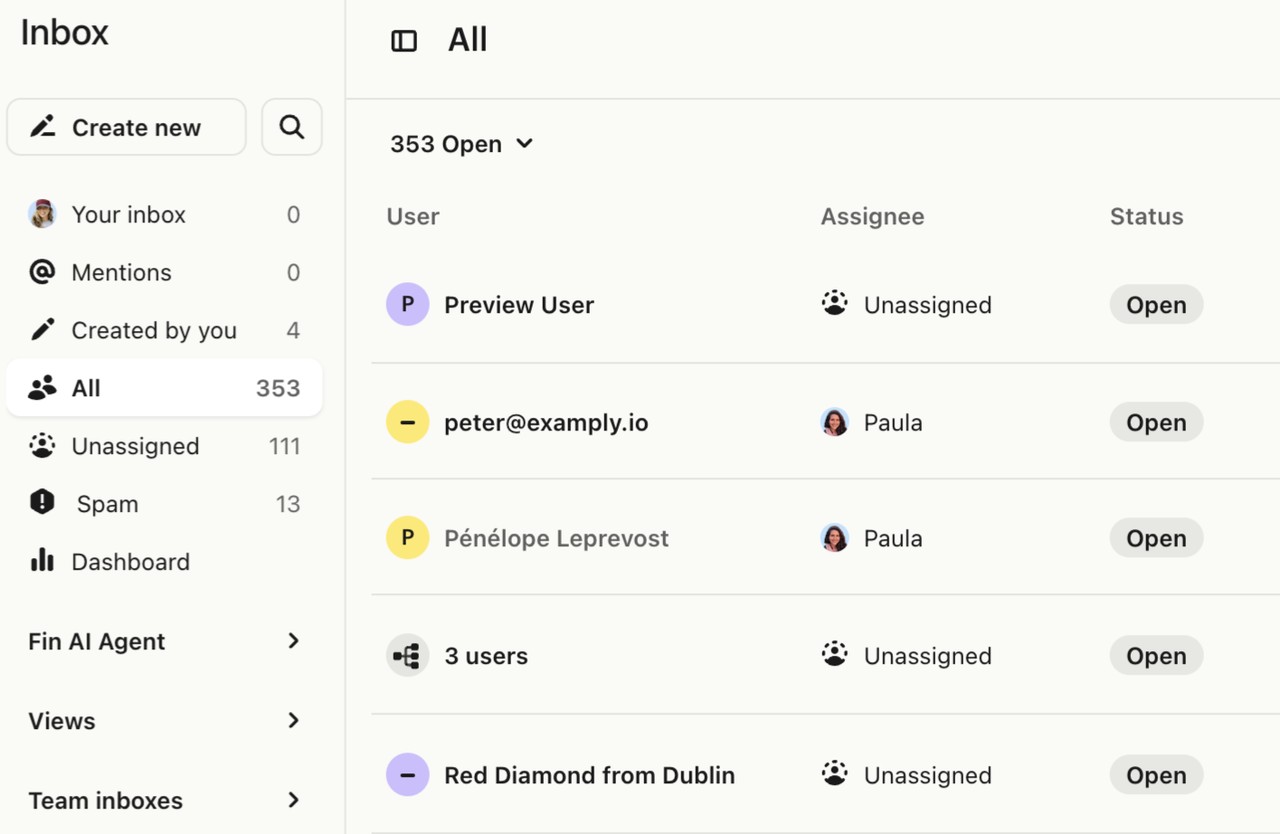
The Inbox is where agents spend their day. Conversations from chat, email, and social arrive in one place, with customer data, past conversations, and company details beside the reply. Macros and shortcuts speed up common answers, and the team inbox shows who is working on what, so nothing gets answered twice. For a SaaS team whose customers live in the product, this is a natural fit: help appears inside the app, exactly when the customer needs it.
Fin is the reason many teams pick Intercom now. It is an AI agent that answers from your help centre and past conversations, and it resolves a real share of incoming questions without an agent touching them. That changes the maths of support: instead of hiring the next agent, you let Fin take the repetitive questions and keep your people for the conversations that need a human. The cost model matters here, because Fin is priced per resolution, so a busy month costs more, and the pricing section below breaks that out.
Intercom also covers the whole customer journey, beyond support alone. Outbound messages, product tours, surveys, and onboarding flows live in the same platform, which suits teams that want support and marketing to share one view of the customer. The trade-off is price and complexity: Intercom is not the cheapest tool here, and the full platform takes time to set up well.
If your support is mostly live chat, if your customers are inside your product, and if you want AI to carry real volume, Intercom is the strongest pick in this list. If your support is mostly email tickets and you want the lowest per-agent price, look at Freshdesk or Help Scout first.
Intercom pricing is per seat per month: Essential at $29, Advanced at $85, and Expert at $132, with a $19 new-customer price shown for Essential at the time we checked. There is no free plan, but there is a 14-day free trial with no credit card required. Fin, the AI agent, costs $0.99 per outcome on every plan, and an outcome counts only when the customer confirms resolution or Fin completes the work. Copilot, the agent-assist AI, costs $29 per agent per month billed annually. Check the live figures on the Intercom pricing page before you commit.
What we like about Intercom
- An app store with more than 400 integrations, covering the CRM, billing, and product tools SaaS teams use most.
- Product tours and Series messages, so support and onboarding share one platform instead of two.
- Skill-based assignment in the Inbox, routing conversations to the agent best placed to answer them.
What could be better
- Seats and Fin outcomes are priced separately, so the monthly total moves with AI volume.
- Deeper reporting needs the higher plans, which pushes the price up for data-hungry teams.
- There is no phone support built in, so voice teams need a separate tool.
3. Help Scout: The Best Zendesk Alternative for Small Teams
Help Scout is the simplest tool in this list, and for many small teams, simple is the point. It is a shared inbox for email and live chat, built around the idea that support should look like email, not like a ticketing system. There are no ticket numbers in the customer view, no heavy admin screens, and nothing to configure for a week before you can answer a customer.
The shared inbox is clean and fast. Conversations arrive, agents assign them, reply, and close them. Collision detection stops two people replying at once. Saved replies handle the common answers, and workflows can auto-assign and tag incoming mail. It does not try to be a CRM or a marketing platform, and that focus is why small teams love it: there is nothing to learn that you will never use.
The knowledge base, Docs, is a strong extra. It is simple to write in, looks good without design work, and customers can find answers fast. Beacon, the help widget, puts the knowledge base and a contact form on your site, so customers can self-serve before they write in. For a small team, that combination, shared inbox plus Docs plus Beacon, covers most of what support needs.
Help Scout’s pricing is per user, and it is honest. You pay for the people who answer support, and the plans include the features a small team needs without a long list of add-ons. The limits are real too: there is no phone support built in, reporting is lighter than Zendesk, and very large teams will outgrow the shared inbox model. But for a team of two to twenty people answering email and chat, Help Scout is hard to beat on value and ease.
Help Scout pricing is per user per month, billed annually: a free plan for up to five users, then Standard at $25, Plus at $45, and Pro at $75. The free plan covers one inbox, one Docs site, and 100 contacts a month, which is enough for a very small team to run real support. Envoy, the AI agent add-on, costs $0.75 per resolution, with a three-month free trial of unlimited resolutions for new accounts. AI drafts and summaries are included in the paid plans. Check the live figures on the Help Scout pricing page before you commit.

What we like about Help Scout
- More than 100 integrations, including the CRM and ecommerce tools small teams already run on.
- Workflows with dozens of conditions, so incoming mail can be tagged and assigned without an agent touching it.
- Customer profiles with custom fields, keeping order history and plan details beside every conversation.
What could be better
- There is no built-in phone channel, so voice support needs a separate service.
- Service level agreements are not on the lower plans, which limits teams with response-time promises.
- Docs search is limited on the free plan, so larger help centres need a paid tier.
4. Zoho Desk: The Best Free Zendesk Alternative
Zoho Desk is the budget pick that still feels like a real helpdesk. It is part of the Zoho suite, and it brings proper ticketing, automation, a knowledge base, live chat, and phone into a package that costs far less than Zendesk. For a small team, the free plan alone is a serious offer: up to three agents, with ticketing and a knowledge base included.
The agent workspace is more powerful than the price suggests. Tickets come in from email, chat, phone, social media, and web forms, and the multi-department setup lets different teams handle their own queues. Blueprint, the workflow builder, maps out how a ticket should move from new to resolved, step by step, which is useful for teams that want a consistent process without building complex automations by hand.
Zia, Zoho’s AI assistant, adds reply suggestions, sentiment detection, and ticket triage on the higher plans. It is not as prominent as Intercom’s Fin, but it is included in the plan price, with no per-resolution billing, which makes the cost easier to predict. The reporting is solid for the price, with dashboards for response times, agent performance, and customer satisfaction.
The trade-off is polish. Zoho Desk does not feel as refined as Freshdesk or Help Scout, and some settings take digging to find. The setup is quick, though, and the integration with the rest of Zoho, especially Zoho CRM, is a real advantage if your team already lives in that world. If your budget is tight and you want a full helpdesk instead of a shared inbox, Zoho Desk is the value choice.
Zoho Desk pricing is per agent per month, billed annually: a free plan for up to three agents, then Express at $7, Standard at $14, Professional at $23, and Enterprise at $40. One honest note: the Zoho pricing page we checked on 2026-11-07 rendered its price cards with JavaScript, so the paid-tier figures above come from guides citing the official page, and you should confirm them on the live page before you buy. The free plan is confirmed on the official page itself. Zia AI is bundled by tier, with no separate AI bill to budget for. Check the live figures on the Zoho Desk pricing page before you commit.

What we like about Zoho Desk
- More than 200 extensions in the Zoho Marketplace, covering telephony, chat, and reporting add-ons.
- Multi-brand help centres, so one account can serve several products with separate branding.
- Team feeds for internal chat, letting agents discuss a ticket without leaving the workspace.
What could be better
- The interface takes extra clicks to reach settings, and new admins will spend time hunting for options.
- Live chat (Business Messaging) is included from the Standard plan, and full live chat through Zoho SalesIQ is included in Enterprise; it is not a separate paid add-on.
- Onboarding help is limited on the free plan, so small teams set it up on their own.
5. HubSpot Service Hub: The Best Zendesk Alternative for HubSpot Teams
HubSpot Service Hub is the Zendesk alternative for teams already running on HubSpot. If your sales and marketing data lives in HubSpot CRM, Service Hub turns that data into support context: the agent sees every deal, email, and page visit beside the ticket, without switching tools or paying for an integration.
The ticketing system is built on the shared CRM, which is its biggest strength. A ticket is linked to a contact and a company, so the agent knows whether the customer is a trial user, a paying customer, or an account at risk. Ticket pipelines, automation, and service level agreements handle the routing, and the customer feedback tools, surveys and satisfaction scores, feed straight back into the same record.
The knowledge base and customer portal are easy to build, and the live chat connects to the same inbox as email, so a conversation that starts on chat can become a ticket without losing context. Breeze, HubSpot’s AI layer, drafts replies, summarises conversations, and helps agents find answers inside the knowledge base.
The free plan is genuinely useful for a small team, with ticketing, live chat, and a basic knowledge base included. The paid tiers add automation, reporting, and the customer portal, and the price rises with the tier, so check the plan table before you commit. The main limit is that Service Hub is at its best inside the HubSpot world; if your CRM is elsewhere, much of the advantage fades, and a standalone helpdesk like Freshdesk may fit better.
HubSpot Service Hub pricing is per seat per month, billed annually: a free tier for up to two users, then Starter starts at $7, Professional at $90, and Enterprise at $150. One honest note: the HubSpot pricing page we checked on 2026-11-07 did not render its seat prices in the page text, so the paid-tier figures above come from HubSpot’s own pricing guide and guides citing the official page, and you should confirm them on the live page before you buy. Professional carries a $1,500 one-time onboarding fee, and Enterprise carries a $3,500 one-time onboarding fee. Breeze Customer Agent runs on HubSpot Credits, at about $0.50 per resolved conversation, with credits included in each paid plan. Check the live figures on the HubSpot Service Hub pricing page before you commit.

What we like about HubSpot Service Hub
- An app marketplace with more than 1,500 integrations, so the tools around support connect in a few clicks.
- Ticket pipelines with custom stages, letting teams shape the workflow around their own process.
- Feedback surveys built in, so satisfaction scores land on the same customer record as the ticket.
What could be better
- The one-time onboarding fee on Professional and Enterprise adds $1,500 or $3,500 before the first month.
- Ticket automation is limited on Starter, so smaller teams hit the ceiling sooner than expected.
- Reporting depth is locked by tier, and the fuller dashboards need Professional or above.
6. Front: The Best Zendesk Alternative for Shared Inboxes
Front is the shared inbox for teams that live in email and chat and want to run support, sales, and operations from one place. It is not a traditional helpdesk, and it does not try to be. Instead, it turns your inboxes, support, sales, partnerships, into shared team workspaces where anyone can see, assign, and reply.
The workspace feels like a modern email client, and that is deliberate. Conversations arrive from email, chat, SMS, and social, and the team works through them together, with assignments, internal comments, and shared drafts. The rules engine auto-assigns and tags incoming mail, and the analytics show response times and workload per teammate. For a team that answers most support by email and wants a shared view of every inbox, Front is fast and pleasant to use.
Front’s AI features focus on the practical side: drafting replies, summarising long threads, and suggesting the next step. They sit as an add-on on some plans, so check the pricing section before you budget for them. The knowledge base is lighter than a dedicated helpdesk, and the reporting is built for team operations, staying lighter on support analytics.
The main trade-off is price and scope. Front costs more than a simple shared inbox, and it is not the best pick if you need heavy ticket automation or a big self-service portal. But for a team that wants one shared workspace for every customer conversation, and a tool the whole company can learn in an afternoon, Front is a strong choice.
Front pricing is per seat per month, billed annually: Starter at $25, Professional at $65, and Enterprise at $105. There is no free plan. Two limits matter for budgeting: Starter caps at 10 seats, so an 11th seat forces the whole team to Professional, and Copilot, the agent-assist AI, costs $20 per seat per month as an add-on on Starter and Professional, while it is included in Enterprise. Autopilot, the AI agent, starts at $0.39 per conversation. Check the live figures on the Front pricing page before you commit.

What we like about Front
- More than 100 integrations, including the CRM, project, and messaging tools operations teams use daily.
- Shared drafts and internal comments, so two teammates can shape one reply before it goes out.
- A rules engine with auto-assignment, keeping every inbox sorted without manual triage.
What could be better
- The Starter plan caps at 10 seats, and the 11th seat pushes the whole team to Professional pricing.
- The knowledge base is basic next to a dedicated helpdesk, with fewer self-service options.
- There is no built-in voice channel without an add-on, so phone teams pay extra.
7. Gorgias: The Best Zendesk Alternative for Ecommerce
Gorgias is the Zendesk alternative built for ecommerce, and it shows in every part of the product. If you run a Shopify, BigCommerce, or Magento store, Gorgias connects to your store and puts order data beside every ticket: what the customer bought, where the order is, whether it shipped, and whether a refund is possible. That context turns a five-minute ticket into a thirty-second reply.
The helpdesk covers email, live chat, social media, SMS, and voice in one queue, and the automation, called Flows, handles the repetitive ecommerce work: order status questions, return requests, and shipping updates can be answered or resolved automatically. Macros pull order data straight into the reply, so the agent does not have to open the store admin to check a tracking number.
The AI Agent is the headline feature. It answers common ecommerce questions on its own, from where is my order to how do I return this, and it is priced per conversation it handles. That model suits ecommerce well, because support volume follows sales volume, and the AI cost rises and falls with the season. The pricing section below breaks out the AI pricing so you can budget for a busy month.
The limits are about scope. Gorgias is built for ecommerce, and teams outside retail will find less to love. The pricing is based on ticket volume, with no per-agent charge, which changes the maths: a small team with high volume can pay more than it expects, so run your own numbers with the worked example below before you decide.
Gorgias pricing is per billable ticket per month, not per agent: Starter at $10 a month for 50 tickets, Basic at $50 a month billed annually for 300 tickets, Pro at $300 a month billed annually for 2,000 tickets, and Advanced at $750 a month billed annually for 5,000 tickets. One honest note: the Gorgias pricing page we checked on 2026-11-07 did not render its plan-card prices in the page text, so the figures above come from guides citing the official page, and you should confirm them on the live page before you buy. The AI Agent costs $0.90 per automated interaction on annual plans, or $1.00 on monthly plans, and each automated interaction also counts as a helpdesk ticket, so it is billed twice. There is no free plan, but there is a 7-day free trial. Check the live figures on the Gorgias pricing page before you commit.

What we like about Gorgias
- More than 100 ecommerce integrations, covering store platforms, shipping, and loyalty tools.
- Revenue stats on every ticket, showing what each conversation is worth to the store.
- One-click macros that pull live order data into the reply, cutting the back-and-forth on tracking questions.
What could be better
- Ticket-based pricing punishes high volume, so a busy sales month raises the bill sharply.
- SMS and voice are add-ons with volume-scaled pricing, not part of the base plan.
- There is no free plan, and the 7-day trial is shorter than the 14 days most rivals offer.
8. LiveChat: The Best Zendesk Alternative for Live Chat
LiveChat is the Zendesk alternative for teams whose support starts with a chat window. It is a focused live chat platform first, with ticketing and a help centre added around it, and it does one thing very well: it puts a fast, customisable chat widget on your site and gives agents the tools to handle many conversations at once.
The agent app is built for speed. Canned responses, chat tags, file sharing, and visitor tracking sit beside the conversation, and the agent can see what page the visitor is on and what they did before they wrote in. Chat routing sends conversations to the right team, and the reports show response times, chat satisfaction, and agent workload in real time.
LiveChat connects to the tools teams already use, including the helpdesk and CRM platforms in this list, so it can sit alongside a ticketing system and leave it in place. That flexibility is useful: a team that wants best-in-class chat without changing its whole helpdesk can add LiveChat to the site and keep its existing ticketing.
The trade-off is that LiveChat is not a full helpdesk on its own. Email ticketing is lighter than Freshdesk or Zendesk, and the knowledge base is offered as an add-on, outside the core feature set. For a team that answers most support by chat, or a sales team that wants to talk to visitors before they buy, LiveChat is the strongest chat-first pick here. For a team that needs deep ticketing, pair it with a helpdesk or pick a fuller platform.
LiveChat pricing has changed for new buyers, and this matters. The livechat.com pricing page now sells Text plans, the new product from the team behind LiveChat: Essential at $19 per user per month, Growth at $79, and Enterprise at a custom price, all billed annually. Existing LiveChat customers keep the old plans, but a new buyer today gets Text. There is no free plan, but there is a 14-day free trial with no credit card. The AI Agent is included in both paid plans: Essential includes 10 AI resolutions a month, Growth includes 200, and extra resolutions cost $49.50 for a pack of 50. AI Copilot is included on all plans. Check the live figures on the LiveChat pricing page before you commit.

What we like about LiveChat
- More than 200 integrations, including the CRM, helpdesk, and ecommerce tools teams already use.
- Chat surveys and ratings built in, so satisfaction is measured on the conversation itself.
- Visitor tracking with page history, showing what the visitor did before they started chatting.
What could be better
- Email ticketing is light next to a full helpdesk, so ticket-heavy teams will feel the gap.
- The knowledge base is an add-on, not a core part of the platform.
- The Text rebrand may confuse buyers who expect the classic LiveChat plans and pricing.
9. HappyFox: The Best Zendesk Alternative for Reliable Ticketing
HappyFox is a solid, no-drama helpdesk that does the ticketing job well without the Zendesk price or the Zendesk learning curve. It covers email, chat, phone, and social in one queue, with automation, a knowledge base, and reporting that suit a mid-sized support team.
The agent workspace is straightforward: tickets arrive, get assigned by rules, and move through statuses until they close. Smart rules handle the routing and tagging, and canned actions let agents apply a set of steps to a ticket in one click. The self-service portal and knowledge base are easy to run, and customers can check ticket status and find answers without writing in.
HappyFox also covers the wider business: the same platform can run internal IT and HR tickets alongside customer support, which suits companies that want one ticketing system for the whole organisation. Asset management and task management sit beside the helpdesk, so a team that handles hardware requests and customer tickets in one place gets real value.
The limits are about modern polish and AI. HappyFox is less chat-first than Intercom or LiveChat, and its AI features are newer and lighter than the leaders in this list. But for a team that wants reliable ticketing, strong automation, and a price that stays predictable, HappyFox is a dependable choice.
HappyFox pricing is per agent per month, billed annually: Basic at $24 for teams of up to five agents, Team at $49, and Pro at $99, with Enterprise Pro priced on request. There is no free plan, but there is a 14-day free trial, and every annual subscription includes free white-glove migration. Flat-rate plans with unlimited agents are also available for larger teams, starting at $1,999 a month for 20,000 tickets a year. The HappyFox AI add-on starts from $14 per agent per month, according to HappyFox’s own site, while the pricing page itself lists no AI price, so confirm it on the live page before you budget for it. Check the live figures on the HappyFox pricing page before you commit.

What we like about HappyFox
- Flat-rate plans with unlimited agents, so a growing team pays for tickets, not for headcount.
- Asset management included, keeping hardware and software records beside support tickets.
- Free white-glove migration with every annual subscription, which takes the move off your team’s plate.
What could be better
- The AI add-on is priced separately, so the full AI setup costs more than the headline plan price.
- The interface feels dated next to Freshdesk and Help Scout, with fewer modern touches.
- Live chat is a separate product, so chat-first teams pay for two tools instead of one.
10. Kayako: The Best Cheap Zendesk Alternative
Kayako is the veteran of this list, and its pitch is simple: a clean helpdesk at a low price. It covers email, live chat, social, and self-service in one place, with a shared inbox that a small team can learn in an hour.
The agent workspace keeps the focus on the conversation. Tickets and chats arrive in one queue, customer history sits beside the reply, and the team can collaborate with internal notes. The knowledge base is straightforward to build, and the customer portal lets people track their own tickets. It is not the deepest tool here, but it covers the core job well.
Kayako’s low entry cost is why it appears in so many alternative lists. The trade-off is that the product moves more slowly than the leaders: AI features are lighter, integrations are fewer, and the interface feels older than Freshdesk or Help Scout. For a small team on a tight budget that wants a simple helpdesk and does not need advanced AI, Kayako is still a fair pick. For a team that wants the newest AI and the widest integrations, the tools above it in this list are a better fit.
Kayako pricing is unlike anything else in this list: it charges $1 per resolved ticket, with no seat fees, no setup fees, and no per-agent price at all. Kay, the AI agent, is the product: a ticket counts as resolved only when Kay solves it with no human involvement. That model suits a team that wants AI to carry the load and does not want to pay for seats that sit idle. The catch is the maths: at $1 per resolved ticket, a team that resolves 1,000 tickets a month pays $1,000, which is the most expensive outcome in this list if every ticket counts. Older guides still quote per-agent tiers of $15 to $60, but the current official pricing page shows none of those, so treat the old tiers as retired. Check the live figures on the Kayako pricing page before you commit.

What we like about Kayako
- No seat fees at any volume, so adding agents never raises the bill on its own.
- A self-service portal included, letting customers track their own tickets without writing in.
- A unified inbox for every channel, keeping email, chat, and social in one queue.
What could be better
- One dollar per ticket adds up fast, so a busy month can cost more than a per-agent plan.
- AI features are lighter than the leaders, with less depth than Fin or Freddy.
- Fewer integrations than Freshdesk, so niche tools may need a workaround to connect.
Pricing Deep Dive: What a 5-Agent Team Actually Pays
The headline price is rarely the real price. A helpdesk bill has three parts: the per-agent seat price, the plan tier that unlocks the features you need, and the AI cost, which is often billed separately. Here is the full picture for a five-agent team, using annual billing and the entry paid plan that a real team would start on.
Zendesk itself is the benchmark. Suite Team costs $55 per agent per month, so five agents cost $275 a month. Support Team, the cheaper tier, costs $19 per agent, or $95 a month for five, but it leaves out the omnichannel features most teams need. Suite Professional costs $115 per agent, or $575 a month for five. There is no free plan.
Freshdesk Growth costs $19 per agent, so five agents cost $95 a month. Pro, the plan most teams land on, costs $55 per agent, or $275 a month for five. Enterprise costs $89 per agent, or $445 a month for five. There is no free plan.
Intercom Essential costs $29 per seat, so five seats cost $145 a month. Advanced costs $85 per seat, or $425 a month for five. There is no free plan, and the AI cost sits on top, which we break out below.
Help Scout Standard costs $25 per user, so five users cost $125 a month. Plus costs $45 per user, or $225 a month for five. The free plan covers up to five users, so a five-person team can genuinely start at $0 and pay only when it needs the paid features.
Zoho Desk Express costs $7 per agent, so five agents cost $35 a month. Standard costs $14 per agent, or $70 a month for five. Professional costs $23 per agent, or $115 a month for five. The free plan covers three agents.
HubSpot Service Hub Starter costs $7 per seat, so five seats cost $35 a month. Professional costs $90 per seat, or $450 a month for five, plus a $1,500 one-time onboarding fee. The free tier covers two users.
Front Starter costs $25 per seat, so five seats cost $125 a month, and the 10-seat cap still leaves room to grow. Professional costs $65 per seat, or $325 a month for five.
Gorgias does not charge per agent at all. It charges per ticket: Basic costs $50 a month billed annually for 300 tickets, and Pro costs $300 a month billed annually for 2,000 tickets. A five-agent team with 1,000 tickets a month would need Pro, at $300 a month, before AI costs.
LiveChat, now sold as Text for new buyers, charges $19 per user on Essential, so five users cost $95 a month. Growth costs $79 per user, or $395 a month for five.
HappyFox Basic costs $24 per agent for teams of up to five agents, so five agents cost $120 a month. Team costs $49 per agent, or $245 a month for five.
Kayako charges $1 per resolved ticket, with no seat fee. A team that resolves 1,000 tickets a month pays $1,000, no matter how many agents it has. That is the most expensive outcome in this list at high volume, and the cheapest at very low volume, because a quiet month costs almost nothing.
The pattern is clear. Zoho Desk and HubSpot Starter are the cheapest per-seat options. Freshdesk, Help Scout, Front, and LiveChat cluster in the middle. Intercom and HubSpot Professional are the premium options. And Gorgias and Kayako change the maths entirely, because they charge for tickets and resolutions, not for people.
AI Pricing: The Cost Nobody Puts in the Headline
AI is where Zendesk alternatives differ most, and where the bill surprises people. Every vendor prices AI differently, and the model matters more than the headline number.
Zendesk sells its agent-assist AI, Copilot, as an add-on at $50 per agent per month, paid yearly, on Professional plans and above. For a five-agent team, that is $250 a month on top of the seat price. Zendesk’s AI agent resolutions are priced on its own site: each plan includes automated resolutions (5 per agent per month on Support Team and Suite Team, 10 on Suite Professional), then $1.50 committed or $2.00 pay-as-you-go per additional resolution. You pay $1.50 per automated resolution, not per conversation.
Freshdesk splits its AI in two. Freddy AI Copilot costs $29 per agent per month as an add-on on Pro and Enterprise, which is $145 a month for five agents. Freddy AI Agent, the tool that resolves tickets on its own, includes its first 500 sessions free, then costs $49 per 100 sessions.
Intercom charges for Fin per outcome: $0.99 for each conversation Fin resolves. Five hundred Fin resolutions in a month cost $495, which can be more than the seat price itself. Copilot costs $29 per agent per month billed annually. Intercom is transparent about this model, and it rewards teams whose AI resolves a lot, but a busy month costs more, so budget for your busiest month, not your average one.
Help Scout charges $0.75 per resolution for Envoy, its AI agent. Five hundred resolutions cost $375 a month. AI drafts and summaries are included in the paid plans, and new accounts get a three-month free trial of unlimited Envoy resolutions.
Zoho Desk bundles its AI by tier. Zia AI is included from the Professional plan, and there is no per-resolution charge at all. That makes Zoho the easiest AI cost to predict: the price is the plan price, and nothing else.
HubSpot runs Breeze on credits. Customer Agent costs about $0.50 per resolved conversation, and each paid plan includes a monthly credit allowance: 500 credits on Starter, 3,000 on Professional, and 5,000 on Enterprise. Extra credits cost $0.01 each.
Front charges $20 per seat per month for Copilot, or $100 a month for five seats, and it is included in Enterprise. Autopilot, the AI agent, starts at $0.39 per conversation.
Gorgias charges $0.90 per automated interaction on annual plans, and each interaction also counts as a helpdesk ticket, so it is billed twice: once as an AI interaction and once as a ticket. That double billing is the single most important detail in Gorgias pricing, and it is easy to miss.
LiveChat includes its AI Agent in both paid plans: 10 resolutions a month on Essential, 200 on Growth, with extra resolutions at $49.50 for a pack of 50. AI Copilot is included on all plans.
HappyFox sells its AI add-on from $14 per agent per month, or $70 a month for five agents, according to HappyFox’s own site. Its chatbot costs $0.33 per resolution.
Kayako is the purest form of this model: the $1 per resolved ticket price is the AI price, and there is no seat fee at all. A resolution counts only when Kay solves the issue with no human involvement.
Before you pick a tool, decide how much AI you want and how you want to pay for it. A per-resolution model rewards a team with low AI volume and punishes a team with high volume. A bundled model costs the same every month. An add-on model sits in the middle. Work out your monthly ticket volume, guess how many of those tickets AI can resolve, and multiply before you commit.
A Worked 5-Agent Team Monthly Cost Comparison
Take a team of five agents that handles about 1,000 tickets a month and wants AI help on the routine half. Here is what that team pays each month, on annual billing, with the AI cost included.
| Tool | Seat cost (5 agents) | AI cost | Total per month |
|---|---|---|---|
| Zoho Desk Professional | $115 | $0, AI bundled | $115 |
| Help Scout Standard | $125 | Envoy, 500 resolutions at $0.75, $375 | $500 |
| Freshdesk Pro | $275 | Freddy Copilot, 5 agents at $29, $145 | $420 |
| Front Starter | $125 | Copilot, 5 seats at $20, $100 | $225 |
| LiveChat Essential | $95 | AI Agent, 10 resolutions included, 490 extra as 10 packs of 50 at $49.50, $495 | $590 |
| HubSpot Service Hub Professional | $450 | Breeze, 3,000 credits included cover 60 resolutions, 440 more need 22,000 extra credits at $0.01, $220 | $670 |
| HappyFox Team | $245 | AI add-on, 5 agents at $14, $70 | $315 |
| Intercom Essential | $145 | Fin, 500 outcomes at $0.99, $495 | $640 |
| Zendesk Suite Professional | $575 | Copilot, 5 agents at $50, $250 | $825 |
| Gorgias Pro | $300 for 2,000 tickets | AI Agent, 500 interactions at $0.90, $450, plus ticket counting | $750 |
| Kayako | $0 seat fee | 500 AI-resolved tickets at $1, $500 | $500 |
Two things stand out. First, Zoho Desk Professional is the cheapest full helpdesk with AI included, at $115 a month for five agents, because its AI is bundled, with no per-use billing. Second, per-resolution AI pricing can double the bill: Intercom at $640, LiveChat at $590, and Gorgias at $750 all cost more than Zendesk Suite Team at $275 without Copilot, once the AI volume is counted honestly. Kayako at $500 for 500 AI resolutions looks steep per ticket, but a quiet month with few resolutions costs almost nothing, which is the trade that model offers.
Run the same maths for your own numbers before you decide. Write down your agent count, your monthly ticket volume, and how many tickets you expect AI to resolve. Then price each tool on those three numbers, not on the headline per-agent price. The cheapest headline is rarely the cheapest month.
Migration from Zendesk: What Moving Actually Looks Like
Moving off Zendesk is the part teams worry about most, and it is usually simpler than they fear. The work is mostly a checklist, not a project. Here is the order that works.
First, export your data. Zendesk lets you export tickets, users, organisations, and macros. Take a full export before you change anything, and keep a copy somewhere safe. Most of the tools in this list have an import wizard that takes a Zendesk export, or a migration service that does it for you. Freshdesk, Help Scout, and Zoho Desk all offer guided imports, and several offer a free migration service on paid plans.
Second, rebuild your core setup. List your ticket fields, your macros, your automations, and your knowledge base articles. You will not need all of them: a migration is a good moment to drop the macros nobody uses and the articles nobody reads. Rebuild the ones that matter, and test them with real tickets before you switch over.
Third, move the knowledge base. Export your help centre articles, clean up the titles and categories, and import them into the new tool. This is the slowest step, because articles need a human eye, but it is also the step that pays off most: a good knowledge base answers questions before they become tickets.
Fourth, run both tools in parallel for a week. New tickets go to the new tool, old tickets close out in Zendesk, and the team learns the new workspace on live work. At the end of the week, check the numbers: first response time, resolution time, and customer satisfaction. If they hold steady, you are done. Cancel Zendesk at the end of the billing period, not mid-month.
One warning: check your contract first. Some Zendesk plans have a notice period or an annual commitment, and the renewal date decides your migration date more than anything else. Plan the move for a quiet week, tell your customers nothing has changed for them, and keep the old help centre live until the new one is indexed and linked.
How to Choose the Right Zendesk Alternative
The right pick depends on your team, not on a ranking. Work through these questions in order, and the answer usually appears on its own.
How many agents answer support? A team of two to five can use almost anything in this list. A team of twenty needs proper routing, reporting, and permissions, which points to Freshdesk, Intercom, or HubSpot Service Hub.
What channels do your customers use? If most support arrives by email, a shared inbox like Help Scout or Front is enough. If it arrives by live chat, Intercom or LiveChat leads. If it arrives everywhere at once, you need a true omnichannel helpdesk, which is Freshdesk, Zoho Desk, or Gorgias for ecommerce.
How much AI do you want, and how do you want to pay for it? Some tools include AI in the plan price, some sell it as an add-on, and some charge per resolution or per conversation. The AI pricing callout in the pricing section above breaks this out, because the model matters more than the headline price. If your team also coordinates its work in chat tools, our Slack vs Teams comparison is a useful companion read, because the chat tool you pick shapes how support and the rest of the team talk to each other.
How much admin can you own? Zendesk’s complexity is a real cost, and the tools in this list differ in how much they ask of you. Help Scout and Kayako ask the least. Freshdesk and Zoho Desk ask a moderate amount. Intercom and HubSpot ask the most, and they give the most in return.
What does your stack already look like? A team on Zoho CRM should look at Zoho Desk first. A team on HubSpot should look at Service Hub first. An ecommerce team on Shopify should look at Gorgias first. The best helpdesk is often the one that already knows your customers.
Who Should Pick Each Tool
Small teams that want simple, honest support should pick Help Scout or Zoho Desk. Help Scout suits a team that lives in email and wants the cleanest shared inbox. Zoho Desk suits a team that wants a full helpdesk on a small budget, especially if it already uses Zoho tools.
Growing SaaS teams that want AI to carry real volume should pick Intercom or Freshdesk. Intercom suits a product-led team whose customers are inside the app and whose support is chat-first. Freshdesk suits a team that wants the full helpdesk, ticketing, chat, phone, and knowledge base, at a price the finance team will accept.
Ecommerce brands should pick Gorgias. No other tool in this list puts order data beside the ticket the way Gorgias does, and the AI Agent pays for itself on order status and returns questions.
Teams already on HubSpot should pick HubSpot Service Hub. The shared CRM is the advantage, and it disappears if your CRM lives elsewhere.
Teams that live in email and want one shared workspace for every inbox should pick Front. It is the best fit for support, sales, and operations sharing one view of the customer.
Teams that want chat-first support without changing their whole helpdesk should pick LiveChat. It is the strongest chat widget in this list, and it connects to the tools you already use.
Teams that want reliable ticketing at a low price, without chasing the newest AI, should pick HappyFox or Kayako. HappyFox suits a mid-sized team that wants strong automation and internal ticketing too. Kayako suits a small team on a tight budget that wants a simple helpdesk and nothing more.
And when should you stay with Zendesk? If your team is large, your routing is complex, your reporting needs are deep, and the price is already budgeted, Zendesk is still a strong tool. Switching saves money only if the new tool fits your team. If Zendesk fits and the bill is the only complaint, renegotiate the renewal before you migrate. If you want to see what else exists in the automation world first, our guide to Zapier alternatives shows how the same buy-or-switch thinking applies beyond support.
Final Thoughts
Zendesk alternatives are not hard to find. The hard part is picking the one that fits your team, your channels, and your budget, and then moving without breaking support for a week. For most teams, Freshdesk is the safest move: a full helpdesk, a familiar workspace, and a price that stays reasonable. For small teams that want simple, Help Scout is the value pick. For chat-first SaaS teams that want AI to do real work, Intercom is the strongest choice. For ecommerce, Gorgias is in a class of its own.
Our recommendation is practical. Shortlist two tools from this guide, run a free trial with real tickets for two weeks, and measure first response time, resolution time, and agent feedback. The trial will tell you more than any article can, including this one. Pick the tool your agents like using, because they will live in it every day, and the tool they like is the tool your customers will feel.
FAQs
What is the best Zendesk alternative?
Freshdesk is the best all-round Zendesk alternative for most teams, because it covers ticketing, chat, phone, and a knowledge base at a lower price than Zendesk. Small teams that want simplicity should look at Help Scout. Chat-first SaaS teams should look at Intercom. Ecommerce brands should look at Gorgias.
Is there a free Zendesk alternative?
Yes. Zoho Desk has a free plan for up to three agents, Help Scout has a free plan for up to five users, and HubSpot Service Hub has a free tier for up to two users. Freshdesk has no free plan, only a 14-day trial. Free plans cover the basics, and most teams move to a paid plan as ticket volume grows.
Why do teams leave Zendesk?
The most common reasons are price, complexity, and AI add-on costs. Zendesk Suite starts at a per-agent price that looks reasonable, then the features most teams need sit on higher tiers, and the AI features are sold as add-ons. Smaller teams also find Zendesk harder to administer than a simpler helpdesk.
How much does a Zendesk alternative cost?
It depends on the tool and the plan. Entry-level paid plans in this list start at $7 per agent per month on Zoho Desk Express and HubSpot Service Hub Starter, and rise to $29 per seat per month on Intercom Essential. The pricing section above lists the verified starting price for each tool, and the worked example shows what a five-agent team pays each month.
Can I migrate my tickets from Zendesk?
Yes. Zendesk lets you export tickets, users, organisations, and macros, and most of the tools in this list have an import wizard or a migration service that takes a Zendesk export. Plan for a week of parallel running, rebuild your macros and knowledge base in the new tool, and cancel Zendesk at the end of the billing period.
Which Zendesk alternative has the best AI?
Intercom’s Fin is the strongest AI agent in this list for resolving routine questions without a human. Freshdesk’s Freddy and HubSpot’s Breeze are strong for drafting replies and summarising tickets. Gorgias AI Agent is the best fit for ecommerce questions like order status and returns. Check the AI pricing callout in the pricing section, because the cost model differs by vendor.
Is Freshdesk really cheaper than Zendesk?
For most small and mid-sized teams, yes. Freshdesk’s paid plans start lower than Zendesk Suite, and the 14-day trial lets a small team test it before paying. The gap narrows on the higher tiers, so compare the plan that has the features you need, not the entry price alone.
Do I need a helpdesk, or is a shared inbox enough?
If your team answers support by email and chat and handles a modest volume, a shared inbox like Help Scout or Front is enough. If you need ticket routing, service level agreements, a knowledge base, reporting, and automation across channels, you need a full helpdesk like Freshdesk, Zoho Desk, or HubSpot Service Hub.
Start with Freshdesk unless chat, ecommerce, or your CRM points elsewhere
For most teams, Freshdesk wins on breadth, familiarity, and price, and its cost stays fair while ticket volume is moderate. Help Scout wins for small teams that want simple. Intercom wins for chat-first SaaS teams that want AI to do real work. Gorgias wins for ecommerce. HubSpot Service Hub wins for teams already on HubSpot. Pick the fit that matches your team, trial it with real tickets, and let the numbers decide.
This kind of research, applied to your growth
If you run a SaaS business, SaaS Harvest can do this kind of digging in your market and turn it into search traffic that signs up.
