

Notion alternatives are the first thing people search for when their workspace starts fighting them. Maybe pages load slowly once the database grows. Maybe the free plan feels tight the moment a second teammate joins. Maybe you want your notes on your own hard drive, with no account standing between you and your own words. Whatever pushed you here, the fix is not a longer list of apps. It is picking the one tool that matches the job you actually do in Notion every day.
We researched and compared the tools below the way a buyer should: we checked current pricing pages, compared free plans against paid plans, reviewed how each tool handles notes, databases, tasks, and wikis in vendor documentation and published user reviews, and looked at where each one breaks down in real use. Notion is four tools wearing one coat: a note app, a wiki, a database, and a task tracker. No single replacement beats it at all four jobs. The right question is which of those four you live in, and this guide answers it tool by tool, with honest prices and clear trade-offs.
Quick Picks: The Short Version
Coda
Closest direct swap for Notion, with stronger tables and formulas
Price Free, Pro from $12 per Doc Maker/mo
Free plan, editors use docs free
Obsidian
Local-first notes you own forever, as plain files
Price Free for personal and work use
Full core app free, sync optional
Anytype
Local-first, end-to-end encrypted, open source
Price Free, Plus from $4/mo
Generous free plan for one person
Short on time? Start here.
Notion Alternatives at a Glance
| Tool | Best for | Free plan | Paid from |
|---|---|---|---|
| Obsidian | Personal notes you own | Yes, full app | Sync from $4/mo |
| Coda | Docs that work like apps | Yes | $12 per Doc Maker/mo |
| ClickUp | Tasks and projects | Yes | $7 per user/mo |
| Anytype | Private, encrypted notes | Yes | $4/mo |
| Capacities | A personal knowledge base | Yes, core free forever | $9.99/mo |
| AppFlowy | Open source Notion lookalike | Yes | $12 per member/mo |
| Evernote | Capture and search everything | Yes, tight limits | Starter from $14.99/mo |
| Confluence | A company wiki | Yes, small teams | Standard from $5.78 per user/mo |
| xTiles | Visual planning | Yes | Plus from $8.25/mo |
| Asana | Structured team work | Yes, small teams | Paid plans per user |
Prices are US annual billing list prices, checked against vendor pricing pages in October 2026. Confirm the checkout price before you buy, because these tools reprice often.
Why People Leave Notion
Notion earned its fans honestly. It is flexible, it looks good, and one workspace can hold a blog calendar, a client CRM, a reading list, and a team wiki without much setup. The complaints start later, and they follow a pattern.
First, performance. Big workspaces with heavy databases feel slower than a simple note app should. Second, offline access. Notion works offline in its desktop and mobile apps, but the browser version needs a connection, and people who write on planes and trains notice. Third, data ownership. Your pages live on Notion servers in a proprietary format. Export exists, in HTML, Markdown, and CSV, but a clean export is not the same as owning plain files. Fourth, price at team scale. Notion charges per seat, so a team of 25 on Business pays for 25 seats even if half the team only reads pages. Fifth, AI pricing. Full Notion AI now sits on the Business plan, so a small team that wants the AI features has to upgrade every seat to get them.
None of that makes Notion bad. It makes Notion a specific trade: polish and flexibility in exchange for a cloud home you rent by the seat. If any part of that trade bothers you, one of the tools below fixes exactly that part, and usually nothing else. Pick by the part that bothers you most.
How We Chose These 10 Tools
We started from the tools that show up again and again when people compare workspaces, then filtered hard. A tool made the list only if it covers at least one of Notion’s four jobs well: notes, wikis, databases, or tasks. We checked each vendor’s current pricing page, compared the free plan against the first paid plan, and noted where the free plan stops being useful. Read the section that matches your job first, then check the price table before you commit.
1. Obsidian: Best for Personal Notes You Own
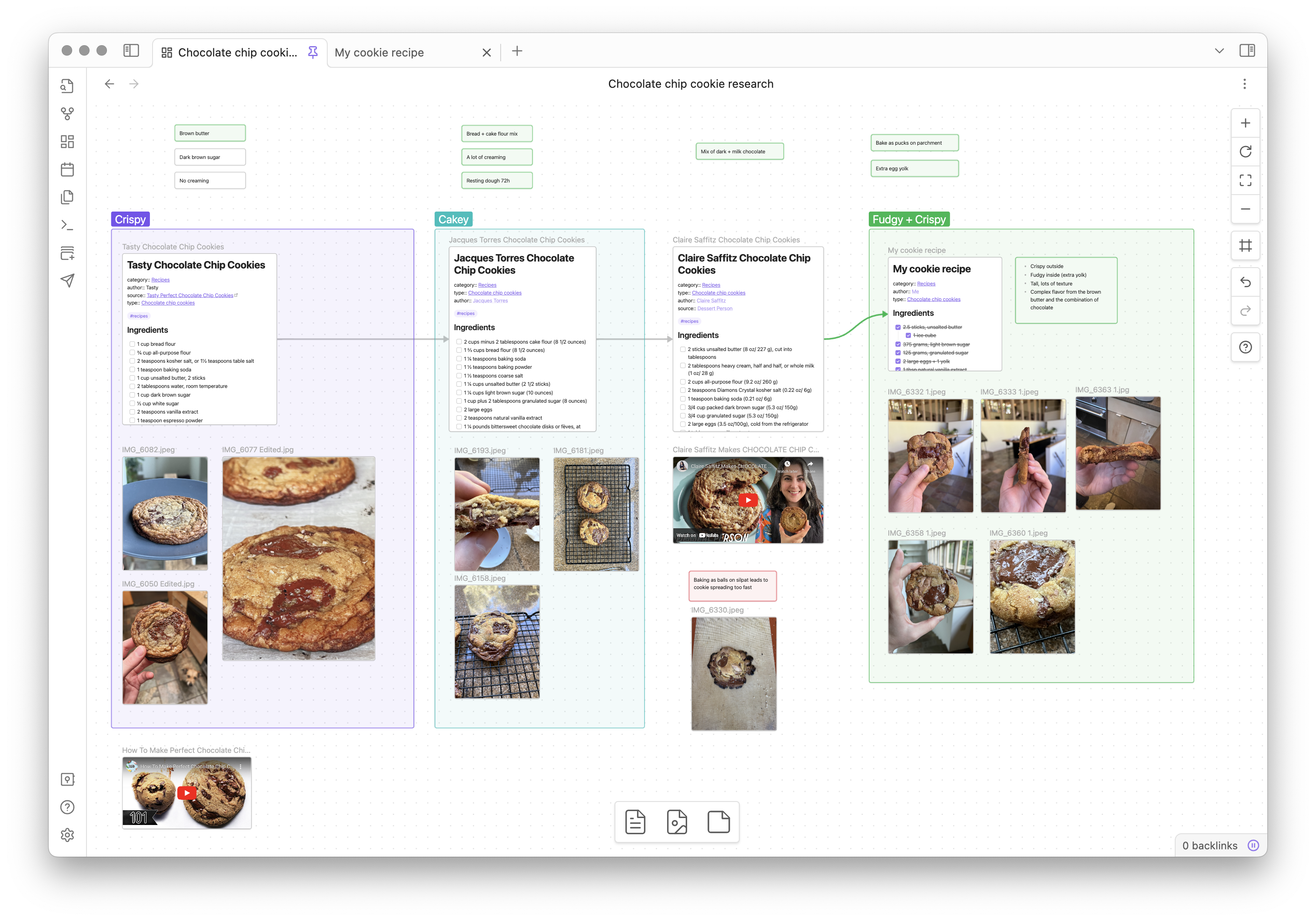
Obsidian is the tool people move to when they decide their notes should outlive every app they will ever use. Your notes are plain Markdown files in a folder on your own computer, inside a vault you name and place yourself. There is no account requirement to start, no subscription wall on the core app, and no database format standing between you and your words. If Obsidian shut down tomorrow, your notes would still open in any text editor, and that fact alone explains most of its fan base.
Inside the app, the experience is built around links. Type two brackets around a phrase and you have a link to another note, whether that note exists yet or not. Backlinks show you every note that points at the one you are reading, and the graph view draws your whole collection as a web of connected ideas. For researchers, writers, and students building a second brain, that web is the point. Daily notes, templates, bookmarks, and a quick switcher for jumping between notes are all built in, so the core app already covers serious note taking before you touch a plugin.
The plugin system is where Obsidian turns from a good note app into a personal system. Community plugins add calendars, kanban boards, task dashboards, spaced repetition, and database style table views of your notes. Themes and custom CSS let you reshape the whole interface. The honest cost of that power is setup time. A fresh vault is plain, and turning it into a polished system takes an evening of choosing plugins and learning how they fit together. People who enjoy that evening love Obsidian. People who want a finished product on day one should look at Capacities or Anytype instead.
Collaboration is the real limit. Obsidian is a personal tool first. Shared vaults exist through the paid sync service, but there are no live cursors and no real time co-editing in the core app. If your Notion workspace is a team wiki, Obsidian is the wrong replacement, no matter how good the notes feel.
Best for: solo writers, researchers, students, and anyone who wants full ownership of their notes.
Official site: Obsidian
What we like about Obsidian
- Local notes you own forever, as plain Markdown files
- Graph view and backlinks connect ideas across your whole vault
- More than 4,300 community plugins and hundreds of themes
- Core app free for personal and work use, no account needed to start
What could be better
- No real time co-editing in the core app, shared vaults need paid sync
- Sync Standard gives 1 GB of storage for 1 vault, and Sync Plus gives 10 GB across 10 vaults, not unlimited
- Publish costs $8 per month per site
- Commercial license is optional at $50 per user per year, not required for work use, Catalyst one-time $25
Price: free for personal and work use, with optional paid add-ons for sync and publishing.
2. Coda (Superhuman Docs): Best for Docs That Work Like Apps
Coda is the closest thing to a direct Notion replacement on this list, and since July 2026 it has a new name on the box: Superhuman Docs. The product underneath is the same one long time users know. Docs hold tables, and tables behave like small apps, with formulas, buttons, lookups, and automations wired straight into the page. Where Notion asks you to build a system out of blocks, Coda gives you the spreadsheet brain first and lets the document grow around it.
That difference shows up in real work. A content pipeline doc can hold the calendar view, the status table, the writer assignments, and a button that moves a draft to the next stage, all in one place. A project tracker can calculate budgets from its own rows instead of linking out to a spreadsheet. Packs connect docs to Slack, Gmail, Jira, and dozens of other tools, so a Coda doc can pull live data instead of holding a stale copy of it. For teams that liked Notion but kept hitting the ceiling of its database logic, Coda removes that ceiling.
The pricing model is the other big difference, and it can save real money. Coda bills only Doc Makers, the people who create and structure docs. Editors and viewers use the doc for free. A team with a few builders and many readers pays for the builders only, while Notion charges every seat the same. Run the maths on your own team before you compare headline prices, because a higher per maker price can still mean a much lower monthly bill.
The trade is learning curve and polish. Coda formulas reward people who think in spreadsheets, and casual note takers may find the interface busier than Notion. The template library is smaller, and mobile editing is weaker than desktop. But for a team whose workspace is really a set of working tools, not a set of pages, Coda is the strongest swap available.
Best for: teams that need real database logic, formulas, and automations inside their docs.
Official site: Coda
What we like about Coda
- Only Doc Makers pay, editors and viewers use docs free
- Formulas, buttons, and automations beat Notion database logic
- Packs pull live data from Slack, Gmail, Jira, and more
What could be better
- Shared docs on the free plan cap at 50 objects and 1,000 table rows
- Over the free cap starts a 14-day grace period, then the doc locks read-only
- Pro version history covers 30 days, not unlimited
Price: free plan, Pro from $12 per Doc Maker per month on annual billing, with editors free.

3. ClickUp: Best for Tasks and Projects
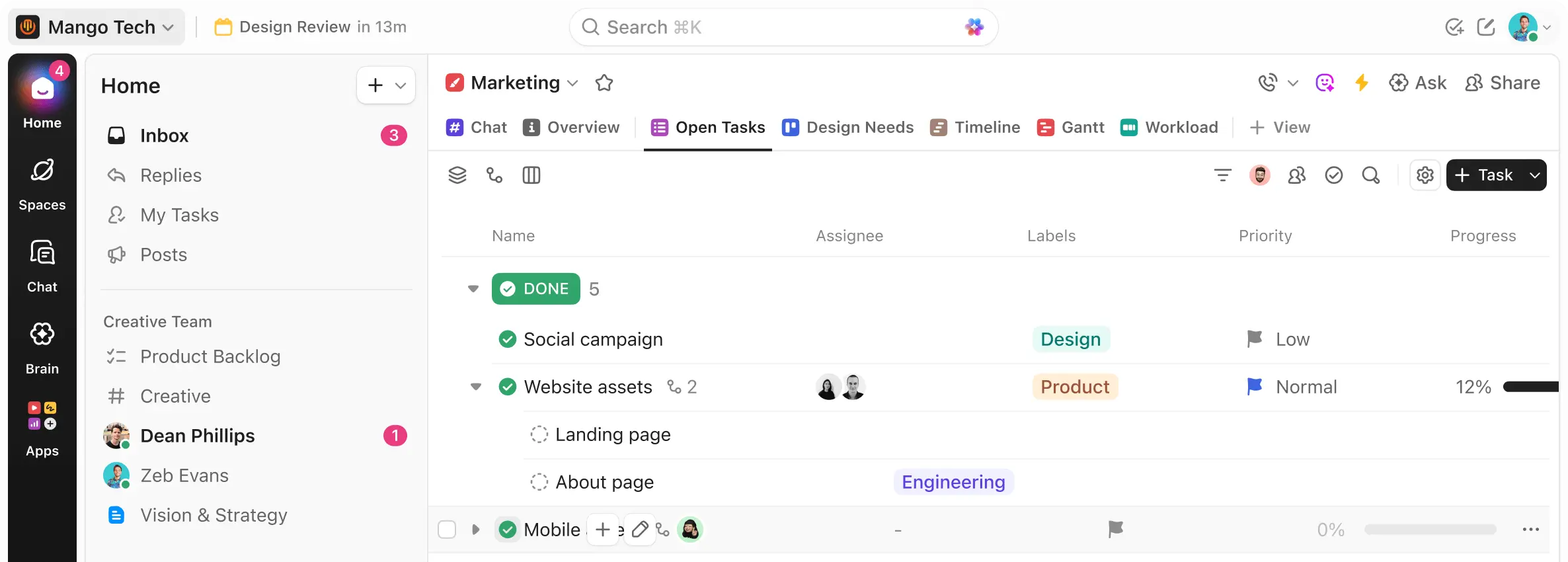
ClickUp is the answer for people whose Notion workspace quietly turned into a project tracker. If your databases are mostly task lists with owners and due dates, a dedicated work tool will serve you better than a flexible doc tool, and ClickUp is the deepest of the affordable options. Tasks carry custom fields, dependencies, time tracking, goals, and more than a dozen views, from lists and boards to Gantt charts, mind maps, and workload views that show who is overloaded this week.
Docs and whiteboards sit next to the tasks, so a project can hold its brief, its brainstorm, and its delivery plan in one workspace. ClickUp imports Notion workspaces, which softens the move, and the template library covers marketing, product, HR, and operations without much setup. For a small team that outgrew Notion’s task features, ClickUp feels like moving from a notebook with task lists into a control room.
The honest warning is complexity. ClickUp has a setting for everything, and new users often spend their first week turning things off. The interface rewards a team that appoints one person to set up spaces, folders, and lists properly, then lets everyone else work inside that structure. Teams that skip the setup phase end up with a messy workspace and blame the tool. Take the setup seriously and ClickUp pays it back daily.
Pricing is competitive. The free plan covers real work for small teams, and the first paid tier stays cheaper per seat than most project tools. AI features cost extra as an add-on, so price them separately if your team actually wants them, and skip them if it will not use them daily.
Best for: teams whose Notion use is mostly projects, tasks, and deadlines.
Official site: ClickUp
What we like about ClickUp
- More than 15 views, from lists and boards to Gantt and workload
- Native time tracking, goals, and docs next to tasks
- Notion importer softens the move
What could be better
- Free plan storage caps at 60 MB, with 100 automation runs
- Free plan caps at 40 lists per Space and 100 folders per Space
- Unlimited plan automation caps at 1,000 runs per month
Price: free plan, Unlimited from $7 per user per month on annual billing.
4. Anytype: Best for Private, Encrypted Notes
Anytype is the privacy pick for people who want Notion’s flexibility without Notion’s servers. It is local-first, so your data lives on your device first and syncs second. It is end-to-end encrypted, so only you hold the keys. It is open source, so the code can be inspected. That combination is rare, and it is the whole reason to choose Anytype over a simpler note app.
Inside, Anytype organizes everything as objects: notes, tasks, people, books, projects, and any custom type you define. Objects link to each other, form sets you can filter, and show up in a graph view. The result feels closer to Notion than Obsidian does, because you get structured pages and databases alongside plain files. Shared spaces let small teams collaborate with the same encryption, which Obsidian cannot offer in the core app.
The trade is maturity. Anytype is younger than the tools around it, integrations are thinner, and the learning curve is real. The object model clicks after a few days of use, but the first day can feel abstract if you arrive expecting folders and pages. Mobile apps exist for the major platforms, and sync runs peer to peer between your devices, which keeps your data off a central server but means sync behavior differs from the instant cloud sync people expect.
For a solo user or a small privacy minded team, the free plan is generous enough to live on. Paid plans mostly buy more network space and larger shared spaces, not core features, which is a refreshing pricing shape in this market.
Best for: privacy focused users and small teams who want encrypted, local-first workspaces.
Official site: Anytype
What we like about Anytype
- Local-first storage with end-to-end encryption, you hold the keys
- Open source code, peer to peer sync between your devices
- Shared spaces keep collaboration encrypted too
What could be better
- Free plan network space caps at 1 GB
- Free plan allows 3 shared spaces, with 3 members per shared space
- Smaller integration library than older rivals
Price: free plan, Plus from $4 per month on annual billing.
5. Capacities: Best for a Personal Knowledge Base
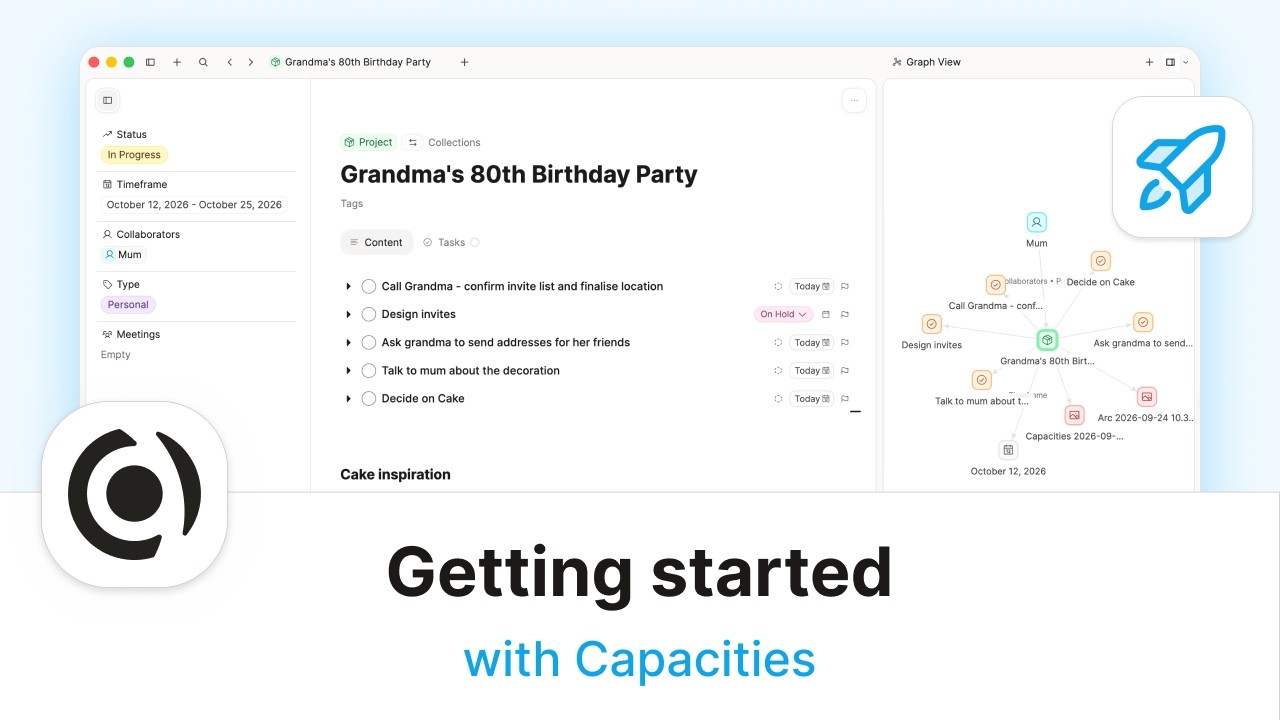
Capacities is built for one person with a growing collection of ideas, and it refuses to pretend otherwise. There is no team plan dressed up as a personal tool here. You get objects instead of folders: people, books, meetings, projects, and ideas, each with its own properties, templates, and backlinks. A daily note pulls the day’s objects together, and on the Pro plan a calendar view shows your week and smart queries surface notes you forgot you wrote. It is the most opinionated personal knowledge tool on this list, and that opinion is its strength.
The experience feels calm. Pages look good without theming work, the mobile apps cover capture on the go, and offline access works across devices. Integrations with Readwise, Kindle, calendars, and task apps mean highlights and events flow into your space without manual copying. The AI assistant, media analysis, and smart queries sit on the paid plan, while the core product, unlimited spaces, objects, and custom types, stays free forever, a promise the vendor has put in writing.
The limit to know before you commit is collaboration. You can share individual objects for viewing, but real time collaborative editing is not supported. Capacities is a studio for one mind, not a team wiki. It also has no plugin ecosystem, so if your system depends on a specific Obsidian plugin, you will need to rebuild that workflow from built-in features.
For writers, researchers, students, and founders who collect ideas for years, Capacities is the easiest serious knowledge base to live in. It asks less setup than Obsidian, it looks better out of the box than Anytype, and its free plan is honest.
Best for: individuals building a structured second brain from notes, books, meetings, and daily pages.
Official site: Capacities
What we like about Capacities
- Unlimited spaces, objects, blocks, and custom types on the free plan
- Daily notes, calendar, and queries built for one person
- Readwise and Kindle highlights flow in automatically
What could be better
- Free plan media uploads cap at 5 GB total, then 100 MB per month
- No real time collaborative editing, view-only sharing only
- No plugin ecosystem, workflows must use built-in features
Price: free plan with core features free forever, Pro from $9.99 per month.
6. AppFlowy: Best Open Source Notion Lookalike
AppFlowy is the pick for people who want the Notion layout with none of the lock-in. Pages, databases, boards, and calendars look familiar from the first minute, which makes the move gentle. The code is open, the data model is yours to control, and a self-hosted option lets a team run the whole workspace on its own server. For privacy minded teams and for companies with data rules that forbid another cloud vendor, that control matters more than any single feature.
The cloud version covers the same ground with a free plan for personal use and a paid plan for teams. AI features include meeting notes, search with traceable sources, and a local AI option that keeps processing on your own machine, a genuinely different answer from cloud AI that sends your notes to a provider. Publishing, custom namespaces, and team spaces sit on the paid side, which is where most growing teams will land.
AppFlowy is younger than Notion, and it shows in places. The ecosystem of templates and integrations is smaller, and some advanced database features are still catching up. Teams that need deep automations today may find Coda or ClickUp further along. But the trajectory is strong, the interface is clean, and for a team that values ownership over polish, AppFlowy is the open option that feels most like a finished product.
Best for: open source fans, self-hosters, and teams that need data control without giving up a Notion style interface.
Official site: AppFlowy
What we like about AppFlowy
- Open code with a free self-hosted option on your own server
- Local AI option keeps processing off cloud providers
- Familiar Notion style pages, boards, and calendars
What could be better
- Cloud free plan storage caps at 100 MB, file uploads at 7 MB
- Cloud free plan version history covers 7 days only
- Pro version history covers 90 days, and the template library is smaller
Price: free cloud plan, Pro from $12 per member per month on annual billing, plus free self-hosting.
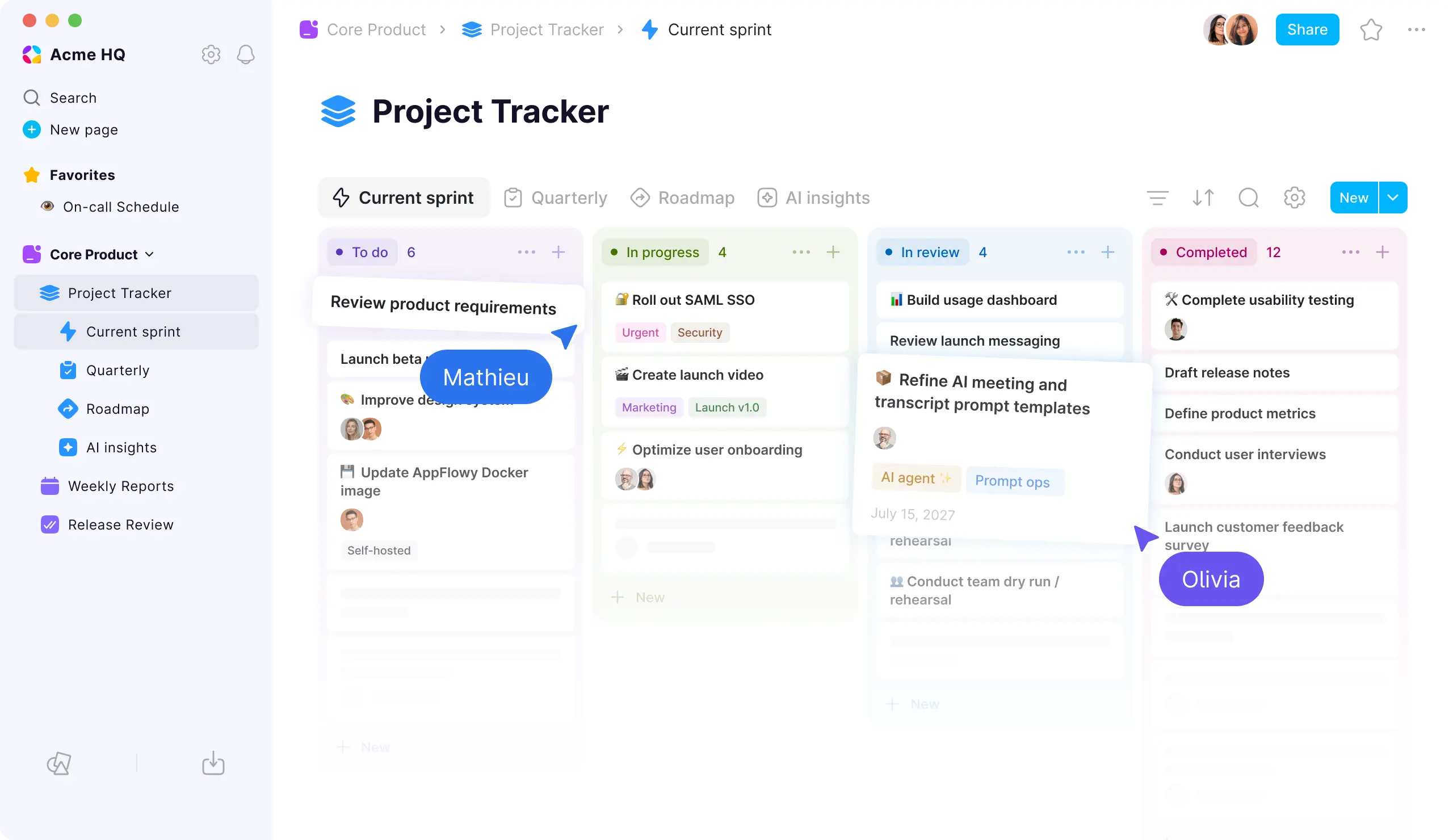
7. Evernote: Best for Capture and Search
Evernote is the oldest name on this list, and it survives for one reason: nothing else captures and finds stuff quite like it. The web clipper saves full articles with formatting intact. The mobile camera scans receipts, whiteboards, and handwritten notes, straightens them, and makes the text inside searchable. Search covers text inside PDFs, images, and scanned documents, so a receipt from two years ago turns up from one keyword. If your Notion use is really a giant filing cabinet, Evernote is still the best cabinet.
The modern app under Bending Spoons ownership is faster than the bloated version long time users remember, with real time collaborative editing and a rebuilt sync engine. Notebooks, tags, tasks, and reminders cover daily organization, and the Home dashboard gathers recent notes and shortcuts in one place.
The problem is price and the free plan. The free tier is now an evaluation tool, not a daily driver, with a single notebook and a small monthly upload allowance. Paid plans cost more than Notion Plus while offering a narrower tool, which is a hard sell for anyone who does not lean on clipping and OCR every day. Long time users also carry trust scars from years of price rises, and that history is fair to weigh.
Choose Evernote if capture and search are your daily work: researchers clipping sources, founders archiving receipts and contracts, students scanning handouts. Choose anything else on this list if you mostly write and organize original notes.
Best for: heavy clippers, archivists, and anyone whose notes start as paper, PDFs, or web pages.
Official site: Evernote
What we like about Evernote
- Web clipper saves full articles with formatting intact
- OCR search finds text inside PDFs, images, and handwritten scans
- Mobile camera straightens and scans receipts and whiteboards
What could be better
- Free plan allows 1 notebook, 50 notes, and 60 MB of uploads per month
- Starter plan caps at 1,000 notes, 20 notebooks, and 3 devices
- Advanced is the top plan, at $24.99 per month billed monthly or $249.99 a year
Price: free plan with tight limits, Starter from $14.99 per month billed monthly or $99 a year; Advanced $24.99 per month billed monthly or $249.99 a year.

8. Confluence: Best for a Company Wiki
Confluence is the wiki pick for teams that already live in Atlassian’s world. Spaces hold page trees, templates, permissions, and comments, and the Jira connection means a project page can show live issue status without anyone pasting screenshots. For software, IT, and operations teams, that integration alone can justify the move. Rovo, Atlassian’s AI layer, adds search, chat, and agents across your Atlassian tools on paid plans.
The free plan covers small teams well, with unlimited pages and spaces. Standard adds permissions, more storage, and insights. Premium adds analytics, heavier automation, and round the clock support. Enterprise adds multi-site management and data residency controls for regulated companies. The pricing shape is per seat, like Notion, so run the headcount maths before you commit.
The trade is scope. Confluence is a wiki, not an all-in-one workspace. Personal note taking feels clunky, databases are weaker than Notion or Coda, and the interface carries an enterprise feel that small creative teams may dislike. It also rewards teams that already use Jira; a team without Jira gets a good wiki and misses the best integration.
Pick Confluence when the job is a shared company brain: onboarding docs, policies, project knowledge, and decisions that the whole company must find later. Pick a personal tool when the job is your own notes.
Best for: companies and product teams that need a structured, permissioned wiki, especially with Jira.
Official site: Confluence
What we like about Confluence
- Live Jira issues inside project pages, no pasted screenshots
- Spaces, permissions, and templates built for company knowledge
- Rovo AI search and agents across Atlassian tools
What could be better
- Free plan storage caps at 2 GB, for up to 10 users
- Standard plan storage caps at 250 GB, with 100 automation runs
- Premium plan automation caps at 1,000 runs per user, with 70 Rovo AI credits
Price: free for up to 10 users, Standard from $5.78 per user per month.
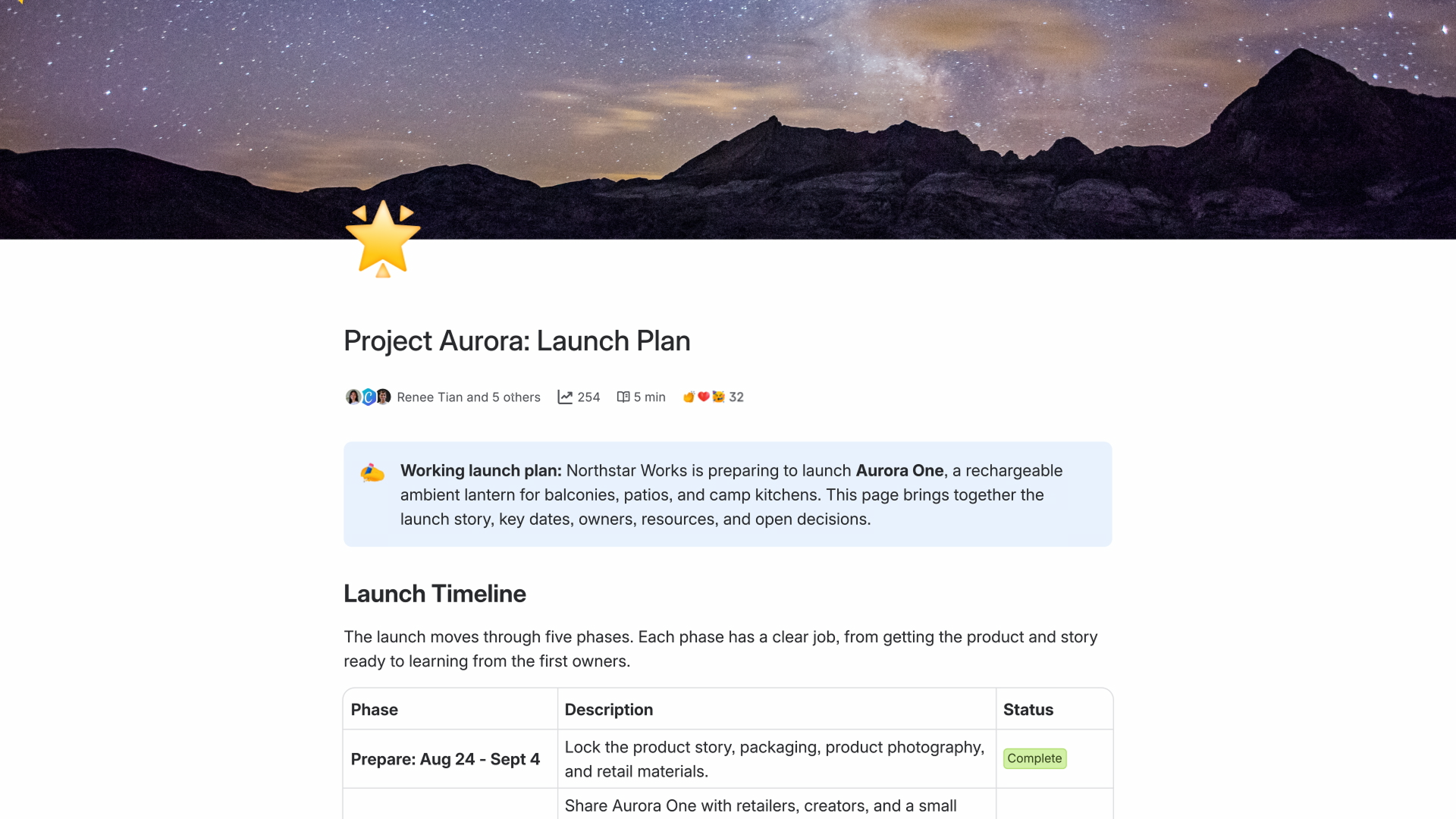
9. xTiles: Best for Visual Planning
xTiles is the odd one out, and that is its appeal. Instead of pages and databases, you get a canvas of tiles you drag, resize, and arrange. Notes, tasks, images, and links sit side by side in a layout you can see at a glance, somewhere between Notion and a whiteboard. For visual thinkers, students planning a semester, and content creators mapping a launch, that canvas clicks faster than any table view.
Built-in tasks, a task panel, and calendar connections cover planning without plugins. Daily brief, weekly review, and reflection templates give structure to people who like routines. Capture works offline on mobile and syncs when you reconnect, and the free plan covers personal use with unlimited blocks and projects.
The limit is depth. xTiles will not replace a serious database tool or a company wiki. Collections exist, but they are lighter than Notion databases or Coda tables, and teams with complex workflows will outgrow it. Think of xTiles as a visual layer for personal and small team planning, not as an enterprise workspace.
If every other tool on this list felt like a spreadsheet wearing a friendly face, try xTiles first. Your brain may simply be visual, and no amount of database power fixes a layout you cannot see.
Best for: visual thinkers, students, content creators, and ADHD friendly planning.
Official site: xTiles
What we like about xTiles
- Canvas of draggable tiles suits visual thinkers instantly
- Built-in tasks, task panel, and calendar connections
- Daily brief and weekly review templates for routines
What could be better
- Free plan allows 3 AI Assistant suggestions per day
- Free plan Planner history covers 2 weeks, with 3 personal spaces
- Free plan file uploads cap at 5 MB
Price: free plan for personal use, Plus from $8.25 per user per month on annual billing.

10. Asana: Best for Structured Team Work
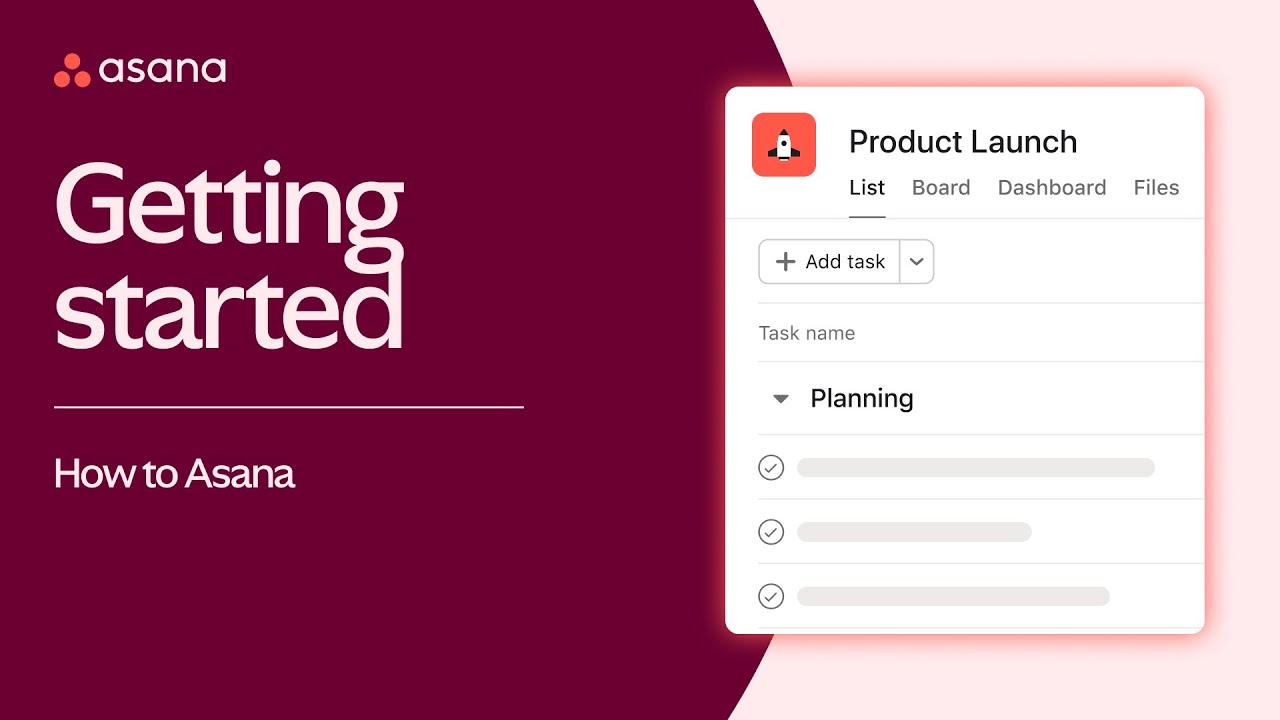
Asana earns the last slot because some Notion workspaces are really just projects with extra steps. Asana turns work into lists, boards, timelines, and portfolios with clear owners and due dates, and it does that one job with less setup than ClickUp. Teams adopt it fast, managers see workload at a glance, and goals connect to the projects that deliver them. For a head-to-head work management comparison, see our Asana vs Monday guide.
The trade against Notion is documentation. Asana has no real wiki or database engine, so long form docs and knowledge bases still need a second home. Pair it with a note tool if your team writes a lot, or accept that Asana covers delivery while docs live elsewhere. For teams that already separate those jobs, Asana is the cleanest project layer on this list, and our Asana alternatives guide compares ten alternatives side by side.
Best for: teams that want structured project delivery with fast adoption and minimal setup.
Official site: Asana
What we like about Asana
- Lists, boards, timelines, and portfolios with clear owners
- Goals connect to the projects that deliver them
- Fast team adoption with minimal setup
What could be better
- Free plan caps at 2 users, so small teams outgrow it fast
- No real wiki or database engine, docs need a second home
- Starter plan costs $10.99 per user per month on annual billing, Advanced $24.99
Price: free Personal plan for small teams, with paid plans for larger teams and portfolios.
AI Features: Which Alternative Handles AI Best
AI is now a pricing question, not a feature checkbox. Notion bundles full AI into Business, which means small teams pay for a seat upgrade to get it. The alternatives split three ways, and the split should shape your choice.
Coda and ClickUp sell AI as part of their platform story, with AI inside tables and tasks, but metered or added on, so heavy users pay more. Obsidian takes the opposite route: no native AI, but community plugins let you bring your own model key, which keeps costs low and your notes local. AppFlowy offers a local AI option for teams that refuse to send notes to a cloud provider. Anytype and Capacities keep AI on paid plans, aimed at solo users and small teams.
Before you pay for any AI tier, ask what the AI will actually do daily. Summarizing meeting notes and drafting first versions are the two jobs most teams use. If your team only needs those, a cheaper plan plus a standalone AI tool may beat upgrading every seat. Our comparison of two leading AI assistants can help you judge the standalone route: read our ChatGPT vs Claude guide, and our ChatGPT vs Gemini guide, before you buy an AI add-on for your whole team.
Migrating From Notion: A Practical Checklist
Moving tools is a weekend job, not a button press, and a little planning saves a lot of rework. Work through this list in order.
- Export first, decide second. Export your Notion workspace as Markdown and HTML before you cancel anything, and keep that export somewhere safe. Markdown imports cleanly into Obsidian, Capacities, and AppFlowy.
- Move one space, not the whole workspace. Pick your most used space, migrate it fully, and live in the new tool for a week. Problems found in one space are cheap. Problems found in twenty spaces are not.
- Rebuild databases by hand where it matters. Importers move pages well and formulas badly. Your most important tracker deserves a manual rebuild in the new tool, even if the import looks fine.
- Fix links and embeds. Notion page links break on export. Walk your ten most used pages and repair internal links, then check embedded files and images.
- Tell your team the new rules. Who can create spaces, who owns templates, and where decisions get recorded. A new tool with old habits turns into the old mess within a month.
- Keep Notion read only for a month. Do not cancel on migration day. A read only month catches the one database everyone forgot, and it costs nothing if you drop to the free plan.
- Publish what should be public separately. If part of your workspace is public documentation, a website builder may serve it better than a wiki export. Our Wix vs Squarespace guide covers the two simplest publishing routes.
Do not cancel Notion on migration day. Drop to the free plan, keep the workspace read only for a month, and only cancel once you are sure no database was left behind. The one tracker everyone forgot always turns up in week two.
Pricing Summary: What You Actually Pay
A solo user pays nothing serious anywhere. Obsidian, Anytype, Capacities, and AppFlowy all offer genuinely usable free plans for one person, and Obsidian’s core app never charges at all. A small team that mostly reads pays least on Coda, where only Doc Makers are billed, or on Confluence’s free tier if the team stays small. A team that all creates content pays per seat everywhere, and ClickUp or Asana usually land cheapest for task heavy work.
Two costs surprise buyers most. First, AI add-ons, which stack on top of seat prices on several tools. Second, storage and history limits on free plans, which push growing teams to paid tiers earlier than expected. Price the plan you will need in six months, not the plan that fits today.
Who Should Pick What
If you take one line from this guide, take this one: match the tool to the job, not to the loudest review.
Pick Obsidian if your notes are yours and you want them to stay that way. Pick Coda if your docs need to behave like apps. Pick ClickUp if your workspace is really a project tracker. Pick Anytype if privacy is non negotiable. Pick Capacities if you are building a personal knowledge base for years. Pick AppFlowy if you want open source control with a familiar interface. Pick Evernote if you capture and search more than you write. Pick Confluence if your company needs a wiki with permissions. Pick xTiles if you think in layouts, not tables. Pick Asana if your team needs structured delivery with fast adoption.
And if you honestly use all four of Notion’s jobs every day, consider keeping Notion for the team wiki and pairing it with a personal tool for your own notes. Two tools that each do their job well beat one tool that does four jobs adequately, and the combined cost is often lower than a full team upgrade.
Final Thoughts
Notion became popular because it lets anyone build a workspace without asking IT for permission. The tools above exist because that freedom comes with trade-offs, and different people feel different ones. Slow pages, weak offline access, rented data, per seat pricing, and AI locked behind a higher tier are all real complaints, and each one has a tool that fixes it directly.
Start with the free plan of your top two picks. Move one real project into each, not a demo page, and use both for a week. The right tool will feel obvious by day three, because it will match the way you already work instead of asking you to change.
FAQs
What is the best free Notion alternative?
Obsidian is the strongest free option for personal use, because the full core app costs nothing and your notes stay as plain files on your own device. Anytype and Capacities also offer genuinely usable free plans, with Anytype winning on privacy and Capacities winning on structured personal knowledge.
Which Notion alternative is best for teams?
Coda is the best direct team swap, because docs, tables, and automations live together and only Doc Makers are billed. ClickUp wins if the team work is mostly projects and tasks, and Confluence wins if the team needs a permissioned company wiki, especially alongside Jira.
Can I import my Notion workspace into these alternatives?
Yes, most of them offer a Notion importer, including ClickUp, Confluence, Capacities, and AppFlowy, and Obsidian accepts Markdown exports. Pages usually import cleanly, but databases, formulas, and linked relations often need a manual rebuild, so migrate your most important space first and check it before moving the rest.
Is Obsidian really free?
Yes, for personal and work use. The core app, including local notes, backlinks, graph view, and community plugins, costs nothing. Paid add-ons cover sync across devices and publishing notes to the web, and an optional commercial license exists for business use, but the core app is free either way.
Which Notion alternative works best offline?
Obsidian and Anytype lead here, because both are local-first and work fully without a connection. Capacities also offers offline access across devices. Notion itself works offline in desktop and mobile apps, but not in the browser, which is a common reason people switch.
Which alternative is best for privacy?
Anytype, because it is local-first, end-to-end encrypted, and open source, with only you holding the encryption keys. Obsidian is the other strong answer, because your notes are plain files on your own device and nothing needs to leave it unless you choose a sync service.
Should I replace Notion completely or use two tools?
If you use all four of Notion’s jobs daily, a hybrid often works best: keep Notion or a wiki for shared team docs, and use Obsidian, Anytype, or Capacities for your personal notes. Two tools that each fit their job beat one tool stretched across four jobs, and the combined cost is often lower than upgrading every seat.
Pick Coda for teams, Obsidian for ownership, Anytype for privacy
Pick Coda if you want the closest Notion replacement for a team, Obsidian if your notes are personal and must stay yours, and Anytype if privacy matters more than anything else. For task heavy teams, ClickUp is the practical pick, and for a company wiki, Confluence is the safe one. Start free, move one real project, and let a week of real use settle it.
This kind of research, applied to your growth
If you run a SaaS business, SaaS Harvest can do this kind of digging in your market and turn it into search traffic that signs up.
