

Airtable alternatives are the first thing most teams search for when a database that once felt light starts feeling expensive, and that moment usually arrives with the renewal email. One day the base has a few hundred records and everything is free or cheap. A few months later the team has grown, the record count has grown faster, and the plan that used to fit now costs real money. Airtable is still a lovely tool. It is fast, it is flexible, and a new person can understand a grid in five minutes. But Team costs $20 per user per month billed annually, Business costs $45, and the features growing teams ask for first, more records, more automations, better permissions, sit on the higher tier.
Then, in September 2026, Bending Spoons completed its $1.285 billion acquisition of Airtable, and a lot of teams started asking a question they had been putting off: if we are going to pay this much, is there a tool that fits us better? My direct opinion is that most teams leaving Airtable should land on SmartSuite, because it keeps the grid and the views Airtable users love and adds the project structure, reporting, and automation depth that Airtable holds back. But the honest answer depends on your team, and this guide covers ten tools so you can find the one that fits your work, your budget, and your patience for setup.
This guide compares the tools the way a buyer would: prices are checked against the vendors’ official pricing pages wherever the page shows them, setup, views, automations, AI features, and team controls are compared from vendor pricing pages, user reviews and demo videos, and a typical month is worked out for a ten-person team on each one. A few figures, Notion, monday.com and Softr, come from figures verified days earlier and cross-checked against other current sources, as the pricing note below explains. You will find a side-by-side table, a pricing deep dive, a worked monthly cost example, a migration section, and clear guidance on who should pick each tool. One honest note: three vendors render their prices with JavaScript, so the text of their pricing pages showed no dollar figures on our check. For Notion, monday.com, and Softr we use figures verified days earlier and cross-checked against other current sources, and the pricing note at the top of this article says exactly which figures those are.
One thing to know before you start comparing: there is no single best Airtable alternative, only a best one for your kind of work. A small business that tracks clients needs something very different from a software team that runs projects, and a privacy-minded team that wants to self-host needs something different again. The ten tools below cover that whole range, from a free grid you can set up in ten minutes to an open-source database you can run on your own server.
Quick Picks: The Short Version
SmartSuite
Best for most teams leaving Airtable, with the same grid habit, plus Gantt charts, linked records, and reporting that Airtable keeps on its dearer tier.
Price No free plan, 14-day trial. Team from $15 per seat per month billed annually.
No free plan, 14-day free trial of Professional, no credit card required.
Grist
Best free option for small teams that want a real database at $0, with unlimited documents and a generous record allowance on the free plan.
Price Free plan at $0. Pro from $8 per user per month billed annually.
Free plan available, plus a free open-source edition for self-hosting.
Stackby
Best value for small teams that want Airtable-style stacks at the lowest honest paid price on this list.
Price Free plan available. Economy from $4.20 per user per month billed annually.
Free plan available for up to 5 users.
Airtable Alternatives at a Glance
| Tool | Best for | Free plan | Paid from (per user/month, annual) | Standout strength |
|---|---|---|---|---|
| SmartSuite | Most teams leaving Airtable | No, 14-day trial | $15 Team | Gantt charts and linked records |
| Notion | Docs plus databases | Yes | $10 Plus | One workspace for notes and data |
| Baserow | Open-source Airtable clone | Yes | $10 Premium | Self-hosting and low-code apps |
| Grist | Free relational database | Yes | $8 Pro | Python formulas and fine permissions |
| ClickUp | Projects plus docs plus chat | Yes | $9 Core | Views, docs, and dashboards in one place |
| monday.com | Visual boards and dashboards | Yes | $9 Basic, $12 Standard | Flexible boards and dashboards |
| Coda | Docs that act like apps | Yes | $12 Pro per Doc Maker | Buttons, formulas, and Packs |
| Softr | Client portals and apps | Yes | $19 Basic per workspace | Portals built on Airtable data |
| Stackby | Cheapest Airtable-style stacks | Yes | $4.20 Economy | Lowest paid price on this list |
| NocoDB | Spreadsheet front end for real databases | Yes | $12 Plus | Works on MySQL and PostgreSQL |
Prices are US list prices checked against vendor pricing pages. Softr charges per workspace per month, not per user. Coda charges per Doc Maker, not per user. Stackby charges only for editors and creators, so read-only collaborators are free. Check the live figures on each vendor pricing page before you commit, because vendors change prices and limits.
How We Compared These Airtable Alternatives
These tools are compared as a working team would use them, from the first hour to the twelfth month, based on vendor pricing pages, user reviews and demo videos. Setup speed mattered, and so did the quiet costs that appear later: a record limit that arrives mid-project, a feature that only exists on the tier above the one you bought, and a view your team needs that turns out to be an add-on.
Our criteria were simple and practical. First, how quickly can a non-technical person build a base and invite the team? Second, what does a real month cost for ten people, counting the plan a team would actually buy? Third, how good are the views: grids, Kanban boards, calendars, timelines, galleries, and forms? Fourth, how much busywork can automations and AI take away? Fifth, how well does the tool fit the kind of work you do: client tracking, content pipelines, project work, or data-heavy operations?
Prices in this article are checked against the vendors’ official pricing pages wherever those pages show them, as the pricing note in the introduction explains. Where a price depends on your choices, for example your seat count or your billing cycle, we give you the annual billing figure and note the monthly figure beside it, so you can adjust the maths for your own team. If a figure was uncertain, we left it out or told you to check the live page.
Why Teams Look Beyond Airtable
Airtable earned its place. It turned the spreadsheet into a database that normal people could use, and teams that track content, clients, inventory, or projects often love it for years. The problems start when a team grows, or when its data gets more complicated than a grid with a few linked fields. Team at $20 per user per month billed annually is the first paid tier, and it is dearer than the entry price of every tool on this list. Business at $45 per user per month is more than double Team, and that is the tier that carries the permissions, the sync, and the admin controls a growing team actually needs.
Price is only half the story. Airtable is deliberately a database first, and that shape does not suit every team. A team that runs projects wants Gantt charts, dependencies, and workload views as first-class citizens, not as views bolted onto a base. A team that lives in documents wants its notes and its data in the same place. A team that builds client portals wants a front end its clients can use without seeing the raw tables. And a team that cares about data ownership wants the option to host its own database, which Airtable does not offer at any price. The acquisition adds a second question. Bending Spoons, the company behind Evernote and WeTransfer, agreed to buy Airtable for $1.285 billion in August 2026 and closed the deal on 4 September 2026. Airtable said in October 2026 that plans, prices, and service offerings would not change, and no price change had been announced by late October, but a change of owner is a fair reason to look at what else exists while you still have time to choose calmly.
The ten tools below each solve a different version of this problem. Some are stronger. Some are cheaper. Some are simpler in a different way. None of them is Airtable with a different logo, and that is the point. The right alternative is the one that matches the work you actually do, at a price you can defend in a budget meeting, with a learning curve your team will survive. Start with the Quick Picks, then read the two or three sections that match your team, and use the worked cost example near the end to see what each one really costs at ten people.
1. SmartSuite: Best Overall Airtable Alternative
SmartSuite leads this list because it is the most direct Airtable replacement here: it keeps the grid and the views and adds the project structure Airtable holds back. The grid is familiar to any Airtable user, with records as rows, fields as columns, and views that switch between grid, Kanban, calendar, timeline, and Gantt with one click. The difference is what sits behind the grid. Records link across Solutions, so a project can pull in its client, its budget, and its tasks without copying anything, and the Gantt view ties schedules to those linked records, which is the view Airtable users ask for most.
Reporting is where SmartSuite pays for itself for managers. Dashboards pull numbers from several Solutions into one view, so a team lead can see workload, overdue work, and progress without opening every base. The reporting feels grown up in a way Airtable’s interfaces do not, because it was built for people who run many projects at once, not one base at a time.
Automations and AI are built into the daily flow. You can set a rule that assigns a record, sends a reminder, or changes a status when something happens, and the rule builder reads like plain English, so a non-technical manager can build one without help. If your team spends its Fridays updating statuses and chasing owners, SmartSuite automations pay for themselves quickly.
Read the pricing page closely before you commit. There is no free plan, only a 14-day free trial of the Professional tier, with no credit card required. Team costs $15 per seat per month billed annually, or $20 billed monthly, and it covers the core views, automations, and AI features a working team needs. Professional costs $32 per seat per month billed annually, or $36 billed monthly. Enterprise is custom priced. For a ten-person team, Team costs $150 a month, which is less than Airtable Team at $200 a month, so SmartSuite wins on price as well as on fit. Check the live figures on the SmartSuite pricing page before you commit, because the plan limits change with team size.
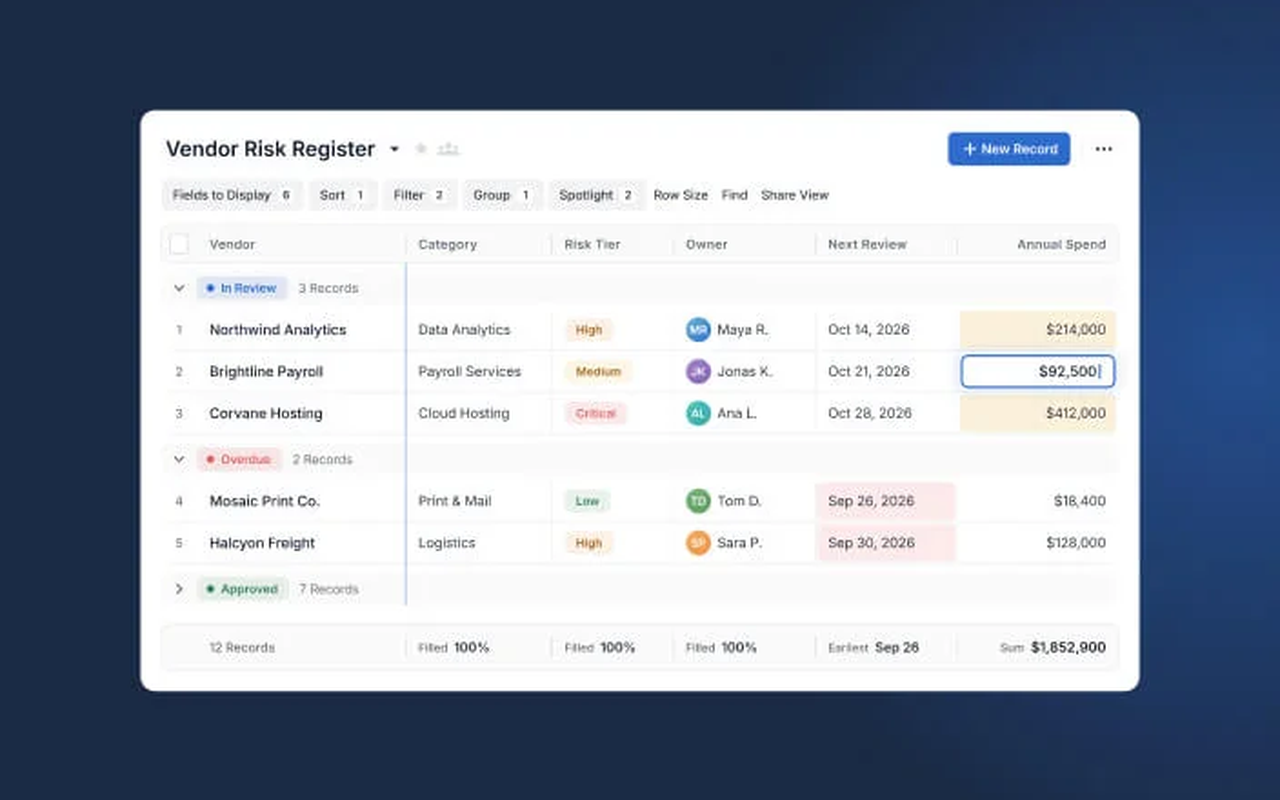
What we like about SmartSuite
- Team plan covers 5,000 records per Solution with unlimited Solutions, so a small team can grow without hitting a wall early.
- Team includes 50 GB of file storage for the workspace and a 30-day recycle bin for deleted records.
- SmartSuite AI is included on the Team plan, not held back for the top tier.
What could be better
- No free plan, only a 14-day trial, so a team cannot run real work free for months before paying.
- Team needs a minimum of 3 billable users, and Professional needs a minimum of 5.
- Enterprise pricing is custom, so bigger organisations must talk to sales to budget it.
2. Notion: Best Airtable Alternative for Docs Plus Databases
Notion is a different kind of tool from the rest of this list, and that difference is why it belongs here. It is not a database first. It is a workspace where documents, wikis, databases, and tasks live together, and a team that writes a lot will feel at home in minutes. A project page can hold the brief, the meeting notes, the task database, and the launch checklist in one place, and every record is a page you can open, comment on, and link to from anywhere.
Databases are the engine underneath it all. A database can show as a table, a board, a calendar, a timeline, or a gallery, and each view can filter and sort differently, so the same project looks like a sprint board to developers and a content calendar to marketers. You can link databases together, so a task can pull in its project, its owner, and its deadline from other pages without copying anything. The learning curve is real: a team that opens Notion for the first time will spend a week building before it feels natural, and a team that wants a ready-made database today may find that week annoying. But once the setup is done, Notion bends further than any other tool here.
AI is now woven through Notion in a way that suits writing-heavy teams. The workspace AI can draft, summarise, and search across your pages, and the newer agent features can triage feedback and automate reporting. For a team that already keeps its knowledge in Notion, that AI has context no other tool can match, because it reads the same pages your team reads.
Pricing is clean. The Free plan costs $0 and suits one person or a team trying the tool. Plus costs $10 per member per month billed annually, or $12 billed monthly. Business costs $20 per member per month billed annually, or $24 billed monthly. Enterprise is custom priced. For a ten-person team, Plus costs $100 a month, which is half of Airtable Team at $200 a month, and Business costs $200 a month. If Notion feels close but you want to see what else exists in its category, our guide to Notion alternatives is a useful next read. One honest note: Notion renders its plan prices with JavaScript, so the dollar figures did not appear in the text of its pricing page when we checked on 9 November 2026. The figures here were verified days earlier and match the monthly figure shown in other current sources.

What we like about Notion
- Students and educators get Plus free with a school email address.
- Guests are free of charge, so clients and contractors can view pages without a paid seat.
- Plus extends page history to 30 days and raises file uploads to 5 GB, against 7 days and 5 MB on Free.
What could be better
- Free workspaces with two or more members hit a block limit and must upgrade to keep adding content.
- Full Notion AI, with Agent, AI Meeting Notes, and Enterprise Search, needs the Business tier.
- Custom Agents cost extra credits at $10 per 1,000 Notion credits.
3. Baserow: Best Open-Source Airtable Alternative
Baserow is the tool Airtable users pick when they want the same grid experience and full control over where their data lives. It is open source, which means the code is public, the hosted cloud version is only one way to run it, and a technical team can self-host it on its own server and keep its data entirely in house. The interface will feel familiar in minutes: a grid with fields, filters, sorting, grouping, and views for grid, Kanban, calendar, form, survey, and gallery. A content team can track articles, an ops team can track inventory, and a product team can track features, all in bases that look and behave much like Airtable.
The app builder is the part that sets Baserow apart from a plain grid. It turns a database into a small application with pages, forms, and dashboards, so a manager or a client sees a clean front end instead of raw tables. That is the piece Airtable charges its dearest tier for, and Baserow includes it in its paid cloud plans and in the self-hosted edition.
The cost is the learning curve and the setup. Baserow is friendly for a spreadsheet user, but self-hosting needs someone comfortable with servers, updates, and backups, and a non-technical team should use the hosted cloud version instead.
Pricing is friendly. The Free plan costs $0 and covers the basics for a small team trying the tool. Premium costs $10 per user per month billed yearly, or $12 billed monthly, and it covers all views, automations, and AI features. Advanced costs $18 per user per month billed yearly, or $22 billed monthly. Enterprise is priced on request. For a ten-person team, Premium costs $100 a month, which is half of Airtable Team at $200 a month. Check the live figures on the Baserow pricing page before you commit, because the hosted and self-hosted editions price differently.
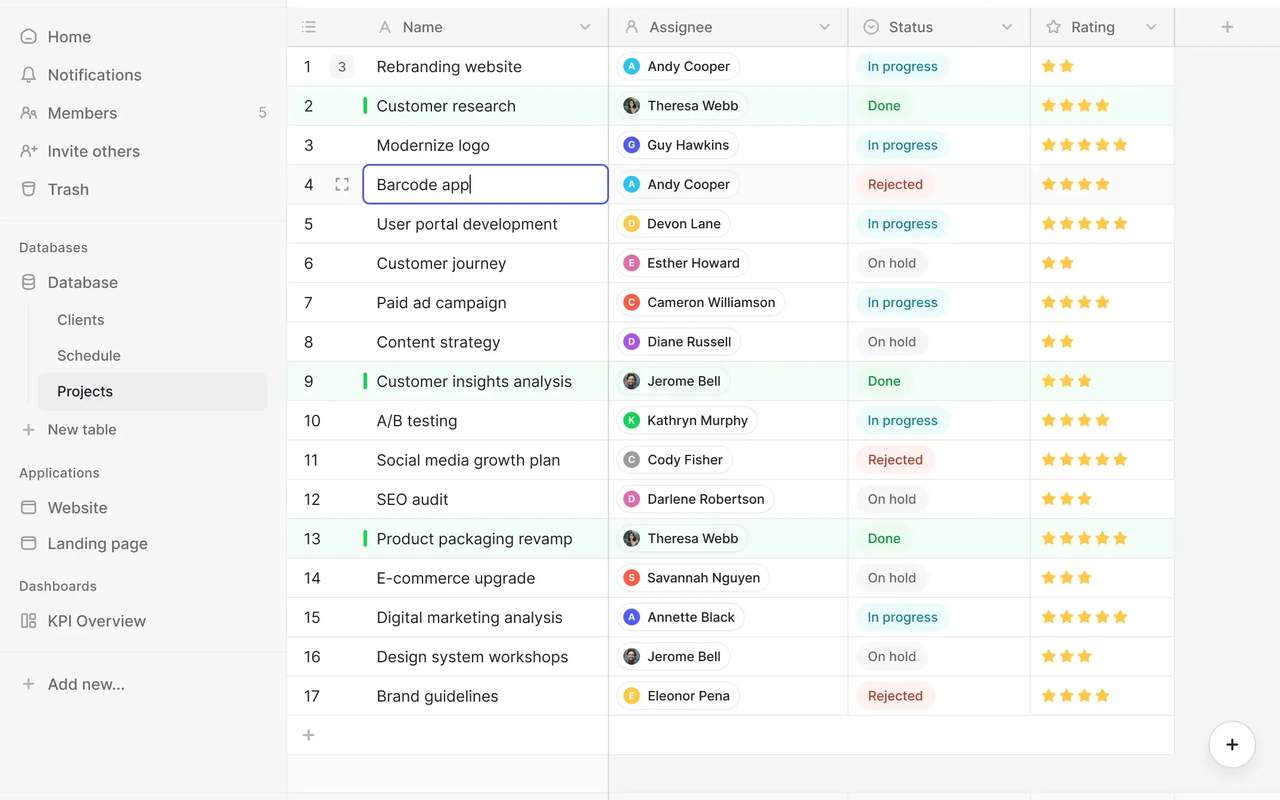
What we like about Baserow
- Free plan covers 3,000 rows per workspace with 2 GB of storage, enough to test a real workflow.
- Premium raises the limits to 50,000 rows and 20 GB of storage per workspace.
- Premium includes 100,000 automation credits a month, so routine work starts running itself early.
What could be better
- Role-based permissions sit on Advanced, so Premium teams miss the finer access controls.
- Self-hosting needs a technical owner for setup, updates, and backups.
- Row-change history on the free plan only goes back 14 days.
4. Grist: Best Free Airtable Alternative
Grist is the tool Airtable users pick when they want a real relational database and a free plan they can actually run a team on. It is open source, like Baserow, and it was built by people who wanted spreadsheet ease with database power. Tables link to each other with proper relationships, formulas run in Python, which gives them far more power than the formula language in most no-code tools, and views cover grid, card, calendar, and charts.
Permissions are where Grist quietly beats Airtable. Access rules can reach down to individual cells, so a manager can let a contractor see one column and hide the rest, or let a team edit its own rows and nothing else. That kind of control usually sits on an enterprise tier elsewhere, and here it is part of the everyday product. The AI Assistant helps with formulas and document changes, and it is available on all plans, including the free one, which is rare at this price.
The price is the learning curve and the community. Grist is less well known than Airtable, so there are fewer templates, fewer tutorials, and fewer people to ask when you get stuck. A beginner will spend a few days learning how relationships and Python formulas work before the tool feels natural.
Pricing is the cheapest honest database pricing here. The Free plan costs $0 and suits a small team running real work. Pro costs $8 per user per month billed annually, or $10 billed monthly. Business costs $24 per user per month billed annually, or $30 billed monthly, with a minimum of 5 users. Enterprise is custom priced. For a ten-person team, Pro costs $80 a month, which is less than half of Airtable Team at $200 a month. Check the live figures on the Grist pricing page before you commit, because the record and storage limits change by tier.
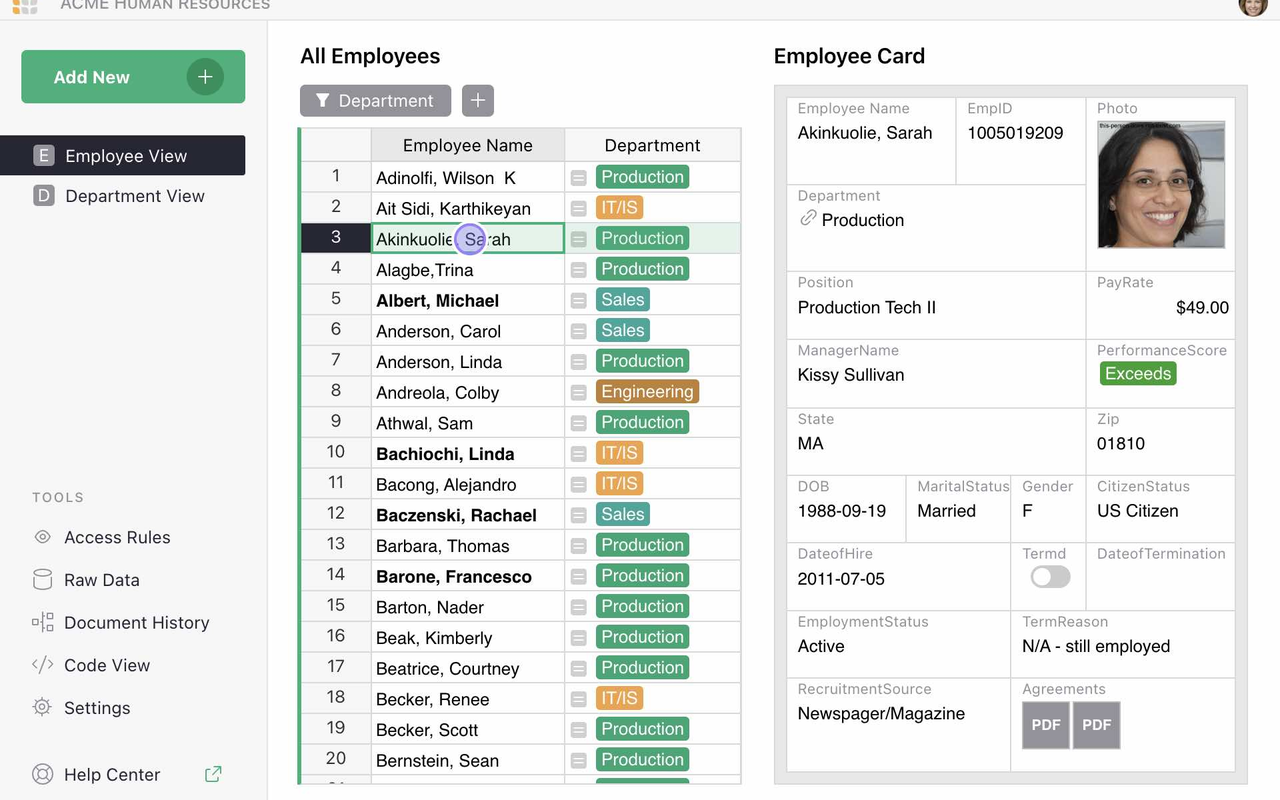
What we like about Grist
- Free plan covers unlimited documents with up to 5,000 records per document and 10 team members.
- Pro raises the limit to 100,000 records per document with 3-year snapshot history.
- The open-source Community edition is free forever for self-hosting, with no seat count.
What could be better
- Automations start on Business, so Pro teams must do routine work by hand or with the API.
- Business needs a minimum of 5 users, so a smaller team pays for five seats.
- AI Assistant credits start at 100 a month on Pro, so heavy AI use needs an add-on.
5. ClickUp: Best Airtable Alternative for Projects Plus Data
ClickUp sets out to be the one workspace for projects and data, and more than most tools that make that promise, it gets close. Tasks, docs, chat, dashboards, goals, and time tracking all live under one roof, which means a team can stop paying for three or four separate tools and stop losing work between them. A task can hold a doc, a doc can hold tasks, and a chat thread can turn into a task with one click.
Views are the other reason ClickUp wins on value. List, board, calendar, Gantt, timeline, workload, mind map, and table views all come from the same data, and switching between them takes one click. A manager can look at the workload view on Monday, a developer can look at the board on Tuesday, and nobody has to rebuild anything.
The free plan deserves a real mention, because it is the most generous free plan on this list for project work. You get unlimited tasks and members, docs, kanban boards, calendar view, sprint management, and time tracking without paying anything, which means a small team can run real work on ClickUp for months before it needs to pay. The catch, and there is always one, is that ClickUp packs so much in that new users can feel lost for the first week.
Pricing is simple to read. The Free Forever plan costs $0. Core costs $9 per user per month billed annually, with a regular price of $12 shown struck through on the pricing page. Business costs $17 per user per month billed annually, with a regular price of $25. Enterprise is custom priced, and the MAX plan, which bundles the full AI engine with enterprise controls, costs $100 per user per month billed annually. For a ten-person team, Core costs $90 a month, which is less than half of Airtable Team at $200 a month, and it covers far more ground. If your team also needs a proper CRM on top of its projects, our guide to the best CRM software for small business is a useful next read.
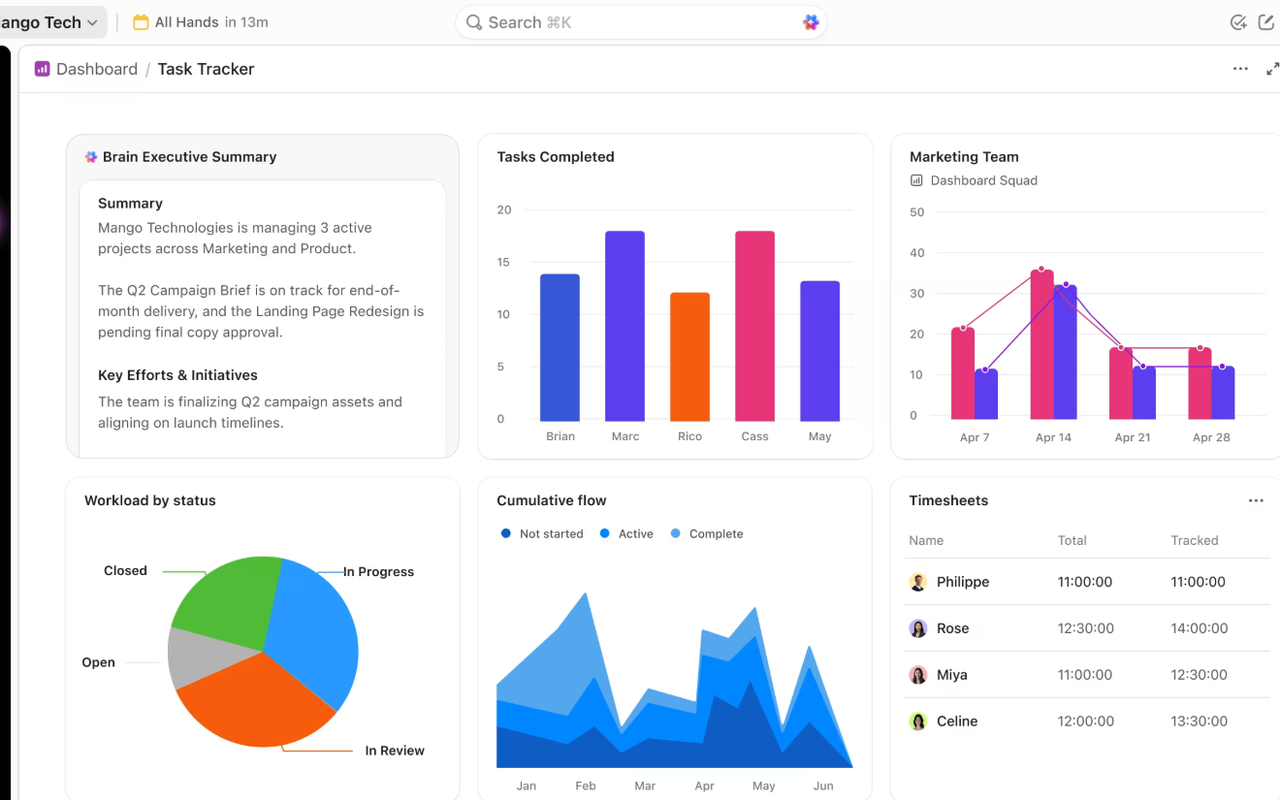
What we like about ClickUp
- Free plan includes 60 MB of storage with unlimited tasks, subtasks, and members.
- Core includes 1,000 automations a month, so routine work starts running itself early.
- Support runs 24/7 even on the free plan, which is rare at this price.
What could be better
- Paid plans add guest seats in fixed bundles, so inviting many outside collaborators gets fiddly.
- Business is needed for advanced dashboards, timesheets, and private views.
- The MAX plan is a steep jump from Business, so the full AI engine is a big budget step.
6. monday.com: Best Airtable Alternative for Visual Boards
monday.com is the most visual board on this list, and that is why Airtable users often love it at first sight. The board is the heart of the tool, with tasks as rows, columns for status, owner, dates, and priorities, and colour everywhere so a board reads at a glance. The difference is how much you can shape it. Columns can be almost anything: a dropdown, a number, a formula, a file, a timeline, a person.
Dashboards are where monday.com pulls ahead of Airtable for managers. You can pull numbers from several boards into one dashboard, chart them, and see workload, budget, and progress in one place. The dashboard builder is visual and forgiving, and it is the kind of thing a team lead can set up in an afternoon and then rely on every Monday morning.
Automations and AI are built into the daily flow. You can set a rule that moves a task, notifies an owner, or changes a status when something happens, and the rule builder reads like plain English, so a non-technical manager can build one without help. The newer AI side adds agents that triage tickets and draft updates, plus a Sidekick assistant that answers questions about your boards.
The pricing page deserves a close read before you choose a tier. The free plan is small and suits a solo user trying the tool. Paid work management plans start at $9 per seat per month for Basic on annual billing, $12 for Standard, and $19 for Pro, with Enterprise priced on request. Standard is the honest starting point for a team, because Basic leaves out automations and integrations, which are the reason most teams pick monday.com at all. Monthly billing costs more: $12, $14, and $24 for the same three tiers. For a ten-person team, Standard costs $120 a month, which is less than Airtable Team at $200 a month. One honest note: monday.com renders its price cards with JavaScript, so the dollar figures did not appear in the text of its pricing page when we checked on 9 November 2026. The figures here were verified days earlier, and the vendor FAQ confirms the free plan, the 14-day Pro trial, the 3-seat minimum on paid plans, and the 18% yearly discount. For a head-to-head on two of the most popular project tools, read our Trello alternatives guide, which compares monday.com against the wider field.

What we like about monday.com
- Free plan covers up to 2 seats with 3 boards, so a solo user can try the real product.
- Unlimited free viewers on paid plans mean stakeholders can look without taking a paid seat.
- Standard includes 250 automation actions and 250 integration actions a month.
What could be better
- Paid plans need a minimum of 3 seats, so a one or two person team still pays for three.
- Basic has no automations and no integrations, so it is too thin for a working team.
- Annual billing is charged as one upfront payment, which is a bigger single hit to the budget.
7. Coda: Best Airtable Alternative for Docs That Act Like Apps
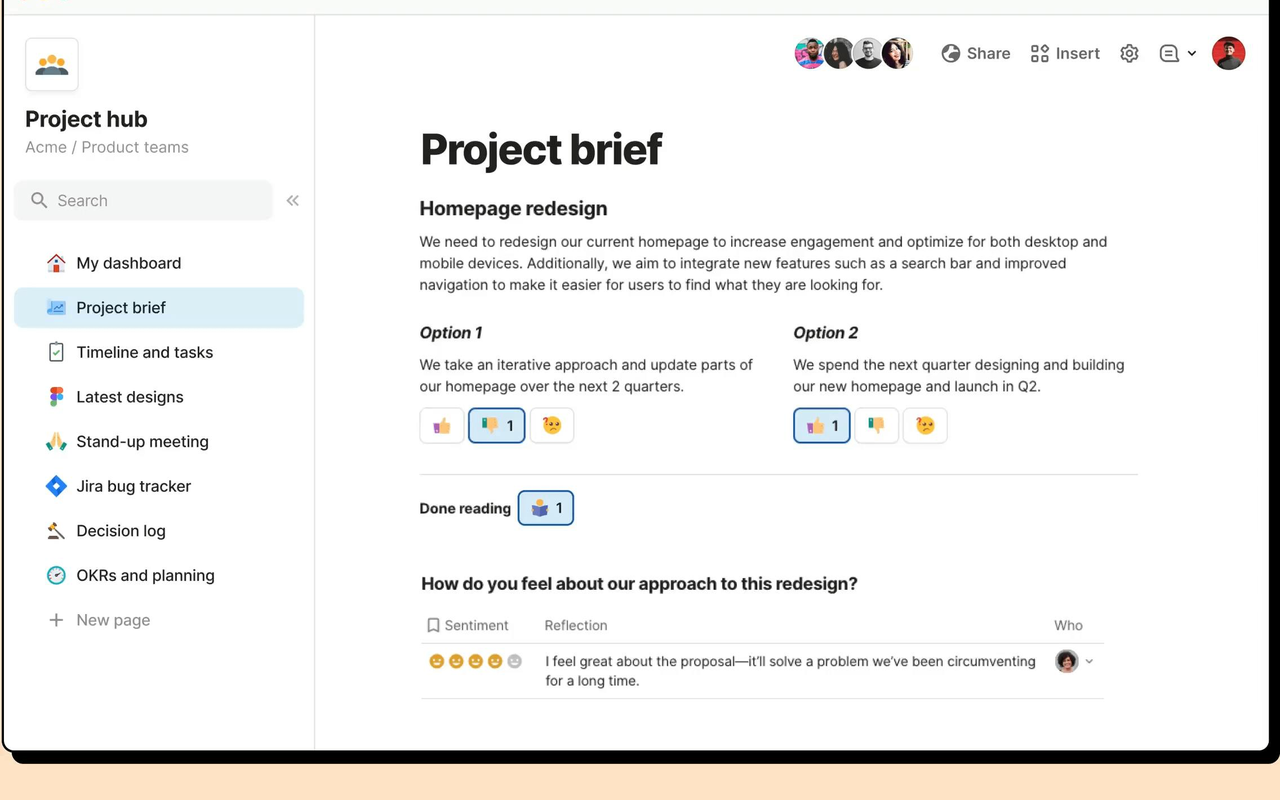
Coda is the tool Airtable users pick when their work lives in documents that need to do things. A Coda doc looks like a page, but it behaves like an app: tables live inside the doc, buttons run actions, formulas calculate across tables, and Packs connect the doc to hundreds of other tools.
The formula language is the quiet power of the tool. It reads like plain English, with functions that reference tables, rows, and columns by name, so a non-technical person can build logic that would need a developer elsewhere. Buttons turn a doc into a workflow: approve a request, send a notification, update a status, all with one click.
The catch is the learning curve and the price model. Coda is the most complex tool on this list to learn well, because a good doc needs thought: which tables, which buttons, which formulas, which Packs. The price model is also unusual: you pay per Doc Maker, not per user, which is generous for teams with many viewers and a few builders. Check your Maker count before you budget.
Pricing is clean once you understand the Maker model. The Free plan costs $0 and suits a team trying the tool. Pro costs $12 per Doc Maker per month billed annually, or $15 billed monthly. Business costs $33 per Doc Maker per month billed annually, or $40 billed monthly. Enterprise is custom priced. For a ten-person team where all ten people build docs, Pro costs $120 a month, which is less than Airtable Team at $200 a month, and most teams pay for far fewer Makers than members. Note that Coda has been rebranded as Superhuman Docs, so the pricing page now carries that name. Check the live figures on the Coda pricing page before you commit.
What we like about Coda
- Free plan costs $0 with unlimited users, so a whole team can read and comment without paying.
- Pro raises attachments to 5 GB per doc with 30-day version history, against 1 GB and 7 days on Free.
- Only Doc Makers are billed, so viewers and editors do not take a paid seat.
What could be better
- Databases, private folders, and doc locking need Business at $33 per Doc Maker a month.
- Connector refresh is daily on Pro and only hourly on Business, so synced data can lag.
- Docs AI on the free plan is a limited trial, not a full feature.
8. Softr: Best Airtable Alternative for Client Portals and Apps
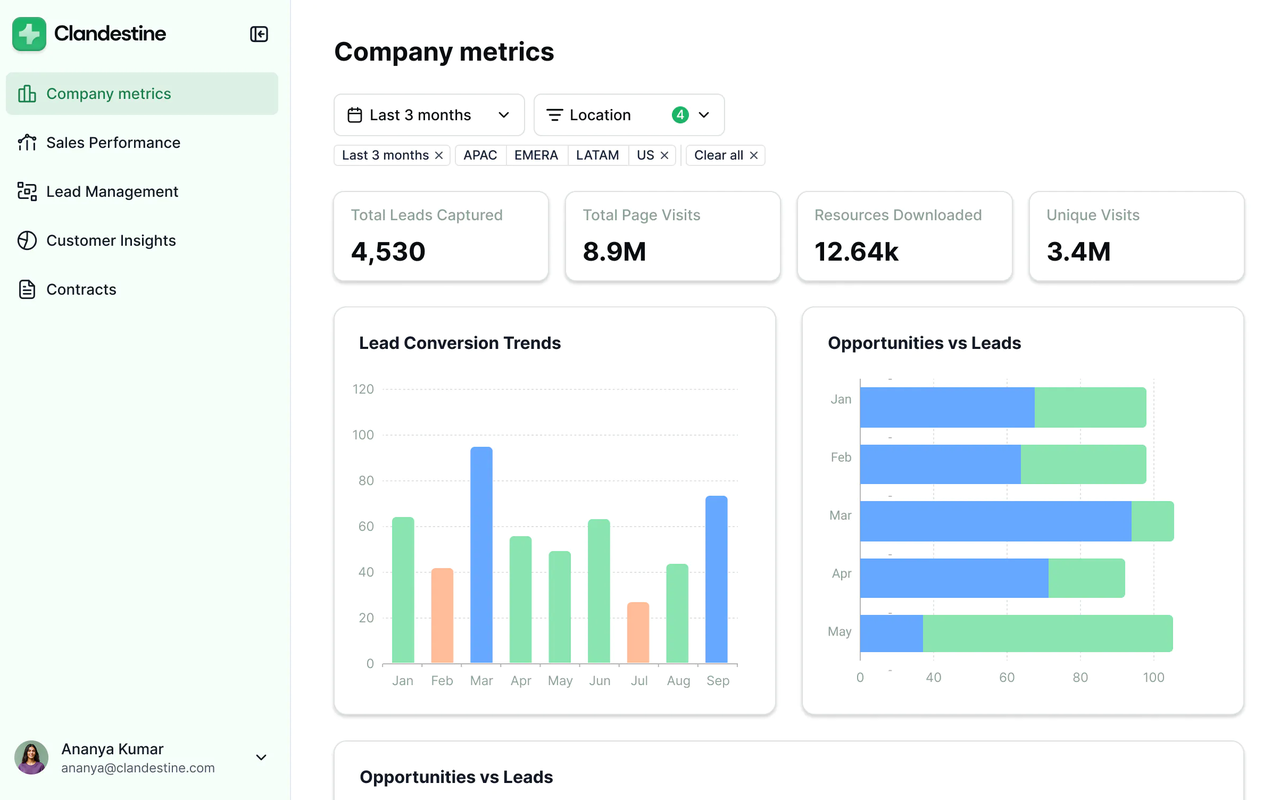
Softr sits apart from the rest of this list, and that is exactly why it belongs here. It is not a database at all. It is a no-code app builder that sits on top of Airtable or Google Sheets and turns your data into a client portal, a member directory, an internal tool, or a marketplace, without writing code.
The template library is the real product. Dozens of ready-made apps cover client portals, employee directories, booking systems, job boards, and internal dashboards, and each one can be shaped with drag and drop blocks: lists, tables, Kanban boards, calendars, forms, charts, and maps. User permissions control who sees what, so a client sees only their own projects and a manager sees everything.
The limit is that Softr is an add-on, not a replacement. You still need Airtable or Google Sheets underneath, so the database bill does not go away, and Softr adds its own subscription on top. A team that wants to leave Airtable entirely should look elsewhere on this list. But a team that wants to keep Airtable and fix its biggest weakness, the lack of a decent front end for outsiders, will find Softr is the cheapest way to do it.
Pricing is per workspace, not per user, which changes the maths completely. The Free plan costs $0 forever and covers a small app. Basic costs $19 per month billed annually, or $25 billed monthly. Pro costs $99 per month billed annually, or $119 billed monthly. Business costs $329 per month billed annually. Enterprise is custom priced. For a ten-person team, Basic at $19 a month covers five team users, so a team of ten that all need access will usually land on Pro at $99 a month. One honest note: Softr renders its price cards with JavaScript, so the dollar figures did not appear in the text of its pricing page when we checked on 9 November 2026. The figures here come from multiple secondary sources that read them from the pricing page between 30 October and 1 November 2026 and agree with each other. Do not use the older $49, $139, and $269 figures seen in some reviews, because those belong to a pre-2026 pricing structure.
What we like about Softr
- Free plan covers 5,000 records with 3 builders and 5 app users, enough to test a real portal.
- Basic raises the limits to 50,000 records with 2,500 workflow actions a month.
- Per-workspace pricing means adding viewers does not grow the bill the way per-user pricing does.
What could be better
- Basic includes only 1 builder, so a second builder costs extra.
- Softr branding removal needs Pro at $99 a month.
- You still pay for Airtable underneath, so Softr is an extra subscription, not a replacement.
9. Stackby: Best Value Airtable Alternative
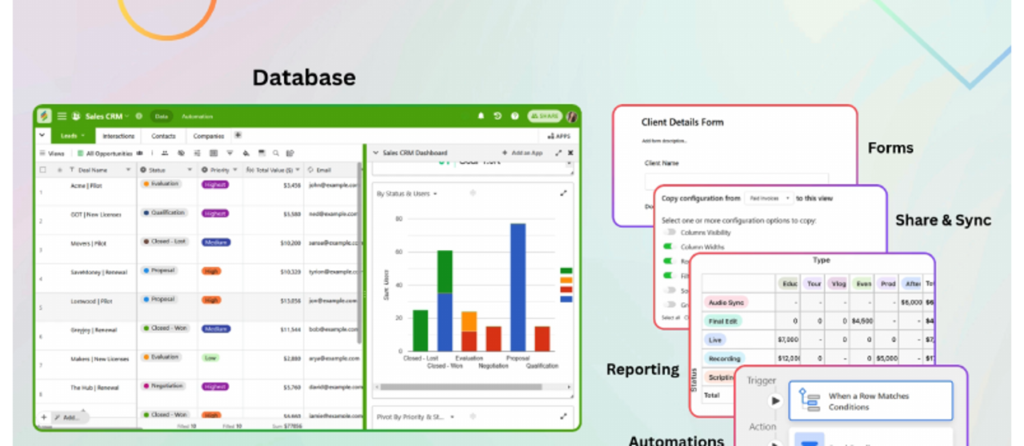
Stackby is the tool Airtable users pick when the bill is the problem and the grid is not. It looks and behaves like Airtable: stacks of tables with fields, views, forms, and automations, plus API columns that pull live data from YouTube, Google Analytics, social platforms, and dozens of other services straight into a cell.
Templates cover the common work well. Ready-made stacks exist for content calendars, CRM, project tracking, social media planning, hiring, and inventory, so a team can start from a template and shape it instead of building from a blank grid. Automations handle the routine work: reminders, status changes, and notifications run on rules, and forms turn intake into a stack row automatically. The interface is clean and fast, and a team that knows Airtable will need almost no training, because the concepts map one to one.
The limit is scale and polish. Stackby is a smaller company than Airtable, so there are fewer integrations, fewer templates, and a smaller community to ask when you get stuck. The API columns, while powerful, need a paid plan for automatic refresh, which means the free plan shows stale data unless you refresh by hand.
Pricing is the cheapest on this list by a wide margin. The Free plan costs $0 forever and covers a small team trying the tool. Economy costs $4.20 per user per month billed annually, shown on the pricing page as $149 a year for three users. Business costs $8.30 per user per month billed annually, or $299 a year for three users. Pro costs $12.50 per user per month billed annually, or $449 a year for three users. Enterprise is priced on request. For a ten-person team, Economy costs $42 a month, which is less than a quarter of Airtable Team at $200 a month. One honest note: the pricing page shows only the annual view in text form, and its statements about monthly pricing do not agree with each other, so we give no monthly figure for Stackby. Check the live figures on the Stackby pricing page before you commit.
What we like about Stackby
- Free plan covers 5 users with 20 stacks and 1,500 rows per stack.
- Economy raises the limits to 25 stacks with 7,000 rows per stack and 6 GB of attachments.
- Read-only collaborators are free, because only editors and creators are charged.
What could be better
- API columns refresh automatically only on paid plans, so free users refresh by hand.
- Economy allows only 10 column-linked API connectors, so heavy API use needs a higher tier.
- The pricing page gives no usable monthly figure, so monthly buyers must check the live page.
10. NocoDB: Best Airtable Alternative for Real Databases
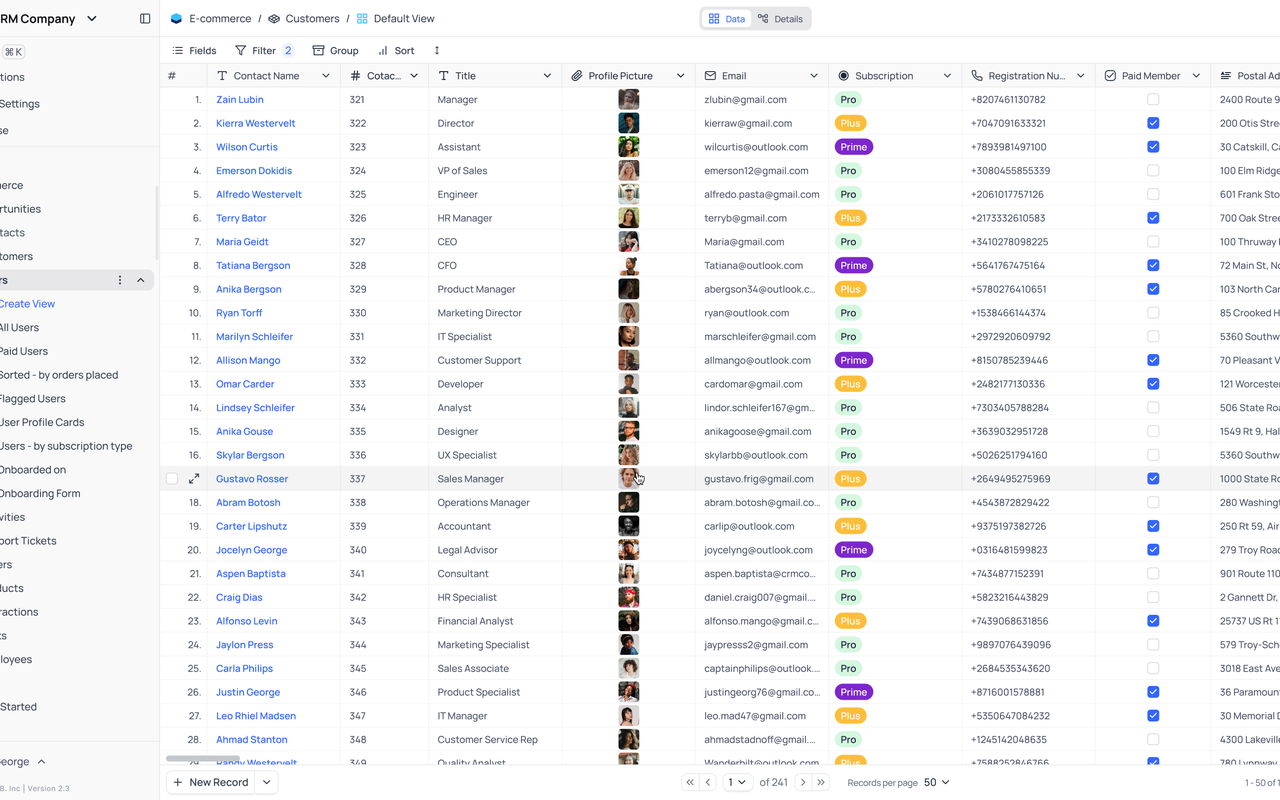
NocoDB is the tool Airtable users pick when their data already lives in a real database and they want a spreadsheet front end for it. It connects to MySQL, PostgreSQL, and other relational databases and turns them into a smart spreadsheet with grid, gallery, Kanban, form, and calendar views, plus automations, webhooks, and a REST API.
The open-source edition is the other reason teams pick NocoDB. Self-hosting is free forever, with no record cap, no storage cap, and no seat cap, which means a technical team can run it for the cost of a small server and never pay a per-user fee. The cloud version exists for teams that do not want to manage a server, and it covers the same views, automations, and interfaces.
The catch is that NocoDB is a developer tool first and a business tool second. Setting it up well needs someone comfortable with databases, and the interface is plainer than Airtable, with fewer templates and less polish. A non-technical team will need help from a developer for the first setup, and the formula support is thinner than Grist or Airtable.
Pricing is flexible. The Cloud Free plan costs $0 for up to 3 users, and the self-hosted edition is free forever with no caps. Plus costs $12 per seat per month billed annually, or $15 billed monthly. Business costs $24 per seat per month billed annually, or $30 billed monthly. Scale costs $45 per seat per month billed annually, with a 3-seat minimum, and Enterprise is custom pricing, so you need to talk to sales for a quote. There is also a flat unlimited-seats price: $108 a month billed annually for Plus, and $216 a month for Business. For a ten-person team, Plus costs $120 a month on per-seat billing, or $108 a month on the flat price, which is little more than half of Airtable Team at $200 a month. Check the live figures on the NocoDB pricing page before you commit, because the per-seat and flat prices suit different team sizes.
What we like about NocoDB
- Cloud Free covers 3 editor seats with 1,000 records and 1 GB of storage at $0.
- Plus raises the limits to 50,000 records with 20 GB of storage and 30,000 automation runs.
- Self-hosted edition is free forever with unlimited records, storage, and seats.
What could be better
- External database connections need Business, so Plus teams cannot connect their own databases.
- Formula support is thinner than Grist, with no native Python or spreadsheet-style functions.
- Setup needs a developer, because the interface assumes database knowledge.
Pricing: What You Actually Pay
Pricing is where this comparison is decided for most buyers, so it deserves a careful read. The headline price is never the whole story. A tool that costs $4 per user looks cheap until you learn that the feature you need sits on the $8 tier, and a tool that costs $15 per user looks dear until you learn that it replaces two other subscriptions. The table below gives the entry paid price for each tool, and the paragraphs after it explain the catches. Prices are US list prices checked against vendor pricing pages.
Start with the cheapest honest options. Stackby Economy at $4.20 per user per month billed annually is the lowest per-user price here, and it covers a small team well. Grist Pro at $8 and ClickUp Core at $9 sit in the same band, and each one covers a different kind of team. monday.com Basic at $9, Baserow Premium at $10, and Notion Plus at $10 sit in that band as well. Coda Pro at $12 per Doc Maker and NocoDB Plus at $12 per seat sit in the same band too. SmartSuite Team at $15 is the dearest entry price on the list, and Softr Basic at $19 a month per workspace breaks the per-user pattern entirely, because it charges for the workspace and not for each person. Airtable Team at $20 per user is dearer than every entry price here.
Three pricing traps deserve attention. First, the free plan is a trial in disguise on one tool and a real workspace on the others. SmartSuite gives you a 14-day trial and then asks you to pay, while Grist, Baserow, ClickUp, Notion, Coda, Softr, Stackby, and NocoDB give you a free plan you can run a team on. Second, the feature you need is often one tier above the entry price. Automations on Grist, databases on Coda, external database connections on NocoDB, and automations on monday.com all sit on the second tier, so read the plan comparison table before you budget, not after you buy.
Before you pick a plan, count your seats honestly, including the part-timers and the clients you invite in. A per-user price that looks small becomes a real bill at ten seats, and a per-workspace tool like Softr or a per-Maker tool like Coda starts looking very good once your team passes eight people.
One final pricing warning applies to every tool here. Vendors change prices, and the figure on the pricing page today may not be the figure next quarter. Airtable itself said in October 2026 that its plans, prices, and service offerings would not change after the Bending Spoons acquisition, and no price change had been announced by late October, but a new owner is a fair reason to check the live page before you renew. Treat any price in this article as a snapshot from 9 November 2026, not a promise. If your workflows also span many apps and you plan to automate across them, our guide to Zapier alternatives is a useful companion read, because the automation tool you pick shapes which database tool fits best.
A Worked 10-Person Team Monthly Cost Comparison
Take a ten-person team and put it on the plan each tool would actually sell it. Not the cheapest plan on the page, and not the enterprise tier, but the plan a real team of ten buys in its first year. The table below shows the monthly cost on annual billing for each tool, using the entry plan that fits a working team. Softr is flat priced per workspace, so its figure does not grow with seats, and Airtable Team is included as the baseline you are leaving. Coda is shown with all ten people as Doc Makers, which is the dearest case; most teams pay for far fewer Makers. NocoDB is shown on its flat unlimited-seats price, which beats its per-seat price at ten people.
| Tool | Plan used | Monthly cost for 10 people (annual billing) | Yearly cost |
|---|---|---|---|
| Stackby | Economy | $42 | $504 |
| Grist | Pro | $80 | $960 |
| ClickUp | Core | $90 | $1,080 |
| Softr | Pro, flat per workspace | $99 | $1,188 |
| Baserow | Premium | $100 | $1,200 |
| Notion | Plus | $100 | $1,200 |
| NocoDB | Plus, flat unlimited seats | $108 | $1,296 |
| monday.com | Standard | $120 | $1,440 |
| Coda | Pro, all 10 as Doc Makers | $120 | $1,440 |
| SmartSuite | Team | $150 | $1,800 |
| Airtable | Team (baseline) | $200 | $2,400 |
The spread is wider than most teams expect. Stackby Economy at $42 a month costs less than a quarter of Airtable Team, and Grist Pro at $80 a month costs less than half. ClickUp Core at $90, Softr Pro at $99 flat, Baserow Premium and Notion Plus at $100, and NocoDB Plus at $108 on its flat price all undercut Airtable Team at $200 a month by half or more. monday.com Standard and Coda Pro at $120 a month cost little more than half of Airtable Team, and SmartSuite Team at $150 a month is the dearest alternative here, still $50 a month cheaper than the baseline.
The yearly column is the one to show your manager. Over twelve months, Stackby Economy costs $504, Grist Pro costs $960, and ClickUp Core costs $1,080, against $2,400 for Airtable Team. But remember what the entry plan leaves out. A team that needs automations on Grist, databases on Coda, or external database connections on NocoDB will step up a tier on those tools, and the second tier is where the real comparison happens. Run the same simple maths for your own team, with the tier you actually need, before you decide.
Migration From Airtable: How to Switch Without Losing Work
Switching database tools sounds harder than it is, and the fear of losing work keeps more teams on Airtable than the price ever does. The honest answer is that migration takes an afternoon of planning and a week of running both tools side by side, and it is worth doing properly. Start by listing every live base in Airtable, with its owner, its record count, and its status, and decide which bases move and which ones are finished and can be archived. Most teams find that a third of their bases are done, and archiving them before the move saves real time.
Export comes next. Airtable lets you export a table as CSV from the view menu, and most of the tools on this list accept a CSV import that pulls tables, fields, and records across directly. Baserow, Grist, NocoDB, Stackby, and SmartSuite all take CSV, and several of them offer a direct Airtable importer that maps fields for you. Run the import on one small base first, check that the records, dates, and linked fields landed correctly, and fix the mapping before you import the rest.
Run both tools in parallel for one to two weeks. Let the team do new work in the new tool while Airtable stays open for reference, and set a clear cut-off date after which Airtable is read-only. Tell the team when the switch happens, show them where their bases live now, and give them one short training session on the new tool instead of a long manual nobody reads.
How to Choose the Right Airtable Alternative
Choose by the work, not by the feature list. A feature list will tell you that every tool on this page has grids, views, and automations, and that is true and useless. What matters is which tool makes your most common day easier. If your most common day is a project with dates that depend on each other, pick SmartSuite. If it is a content pipeline with notes and deadlines, pick Notion. If it is data-heavy tracking with reports, pick Grist or Baserow. If it is a client portal your customers log into, pick Softr. If it is a small team that needs a grid today, pick Stackby.
Then check three practical things before you pay. First, the free plan or the trial: use it for two real weeks with a real base, not a demo, and see whether the team still likes it on day fourteen. Second, the tier you actually need: open the pricing page, find the feature you cannot live without, and note which tier carries it, because that tier is your real price. Third, the exit: check that you can export your data, because a tool that locks your work in is a tool you will regret. If your team also needs a proper CRM on top of its database, our guide to the best CRM software for small business covers the options worth knowing.
Finally, involve the team in the choice. A database tool is only as good as the people who update it, and a tool the team resents is a tool with stale records and missed deadlines. Let two or three people try the top two contenders for a week, then ask them which one they would keep. Their answer is worth more than any review, including this one.
Who Should Pick Each Airtable Alternative
Pick SmartSuite if you want the closest Airtable replacement with more structure, and you are willing to pay $15 per seat per month for Team. It fits marketing teams, operations teams, and growing companies that want Gantt charts, linked records, and reporting without enterprise complexity. Pick Notion if your team lives in documents and wants data in the same place as notes, wikis, and plans. It fits content teams, product teams, and startups that document everything. Pick Baserow if you want an open-source Airtable clone and the option to self-host. It fits privacy-minded teams and technical teams that want to own their data.
Pick Grist if you want the best free plan and the strongest formulas, and you are happy to spend a few days learning a more powerful tool. It fits data teams, operations teams, and small businesses that want a real database at $0 or $8 a user. Pick ClickUp if you want the most features per dollar and you are happy to spend a week learning a bigger tool. It fits startups and small businesses that want docs, chat, and dashboards in one place. Pick monday.com if you want the most visual boards and dashboards, and you are happy to pay $12 per seat per month for Standard.
Pick Coda if your work lives in documents that need to do things, with buttons, formulas, and Packs. It fits product teams, operations teams, and anyone who plans in writing. Pick Softr if you need a client portal on top of your data and you are happy to keep Airtable underneath. Pick Stackby if you want the lowest honest price and live API columns in your grid. Pick NocoDB if your data already lives in MySQL or PostgreSQL and you want a friendly spreadsheet front end for it.
When Airtable Is Still the Right Call
Leaving Airtable is not right for every team, and this guide would be dishonest if it pretended otherwise. Airtable is still the fastest general database tool on the market, and for a team that runs straightforward tracking with clear fields and views, it is hard to beat. The interface is simpler than Grist, calmer than ClickUp, and more focused than Notion, and a team that values that calm will miss it elsewhere.
Airtable is also the right call when your team already runs on it and the pain is small. If the complaint is one missing view, check whether Team at $20 per user per month fixes it before you move ten people to a new tool. Migration costs time, training, and goodwill, and a team that moves for a small saving often finds the new tool has its own gaps. Team at $20 per user per month is fairly priced for what it covers if your record counts are modest, and its free plan is a genuine free tier for a small team, not a trial.
The moment to leave is when the pain is structural, not cosmetic. If your team needs Gantt charts, workload views, and reporting and balks at paying for them through the Business tier, or if your work is project-heavy, document-heavy, or portal-heavy in ways Airtable handles through workarounds, then the tools above are worth the move. Stay when Airtable fits and the bill is fair. Leave when the work has outgrown the tool, not when a review told you to.
Final Thoughts
Airtable alternatives are not hard to find, and the ten tools above cover every kind of team that outgrows Airtable or outprices it. The short answer is SmartSuite for most teams, Grist for the best free plan, and Stackby for the best value, and any of those three is a safe choice.
Our recommendation is practical. Shortlist two tools from this guide, use each one for two real weeks with a real base, and let the team vote. Check the tier that carries the feature you need, run the ten-person maths from the table above, and confirm the price on the live pricing page before you pay. Then migrate properly: archive the dead bases, test the import on one base, run both tools in parallel for a week, and set a cut-off date. A database tool is a home for your team’s work, and the right one is the one your team actually opens every morning.
FAQs
What is the best Airtable alternative in 2026?
SmartSuite is the best overall Airtable alternative for most teams, because it keeps Airtable’s grid habit, adds Gantt charts, linked records, and reporting, and costs $15 per seat per month on Team billed annually. Grist is the best free option, Stackby is the best value, and Baserow is the best pick for teams that want to self-host. The right answer depends on your work, so read the section that matches your team before you decide.
Is there a free alternative to Airtable?
Yes. Grist, Baserow, Notion, ClickUp, monday.com, Coda, Softr, Stackby, and NocoDB all have free plans. Grist and Stackby have the most generous free plans for a small team, with Grist offering unlimited documents at $0 and Stackby covering 5 users free. SmartSuite has no free plan, only a 14-day trial, so it is not a free alternative in the same sense.
Which Airtable alternative is cheapest for a 10-person team?
Stackby Economy is the cheapest at $42 a month, followed by Grist Pro at $80 a month, and ClickUp Core at $90 a month. Baserow Premium and Notion Plus both cost $100 a month. Airtable Team costs $200 a month for the same ten people, so most of the tools on this list save money at this team size, though Airtable Business at $450 a month is the tier a growing team usually ends up on, which makes the saving bigger still.
Did Airtable get acquired?
Yes. Bending Spoons agreed to acquire Airtable for $1.285 billion in August 2026 and closed the deal on 4 September 2026. Airtable said in October 2026 that its plans, prices, and service offerings would not change, and no price change had been announced by late October 2026. The acquisition is a fair reason to review your options, but it is not by itself a reason to leave a tool that still fits.
Can I migrate my bases from Airtable to another tool?
Yes. Airtable lets you export a table as CSV from the view menu, and most of the tools on this list accept a CSV import or offer a direct Airtable importer. Test the import on one small base first, check that records, dates, and linked fields landed correctly, and save important attachments separately, because attachments and comments move least cleanly. Run both tools in parallel for one to two weeks before you set a cut-off date.
Is SmartSuite better than Airtable?
It depends on what you value. SmartSuite is stronger, with Gantt charts, linked records, reporting dashboards, and automations on Team, and Team at $15 per seat per month costs less than Airtable Team at $20. Airtable is simpler, faster to learn, and has a larger template library and community. Teams that need plans and reports usually prefer SmartSuite. Teams that need a fast grid usually stay with Airtable.
Which Airtable alternative is best for self-hosting?
Baserow and Grist are the best self-hosted Airtable alternatives, because both are open source and both offer a free self-hosted edition. NocoDB is the other strong pick, with a free self-hosted edition that connects to MySQL and PostgreSQL. Baserow is the closest Airtable clone of the three, Grist has the strongest formulas, and NocoDB is the best choice when your data already lives in a real database.
Which Airtable alternative is best for building apps without code?
Softr is the best pick for building client portals and apps without code, because it turns an Airtable base or a Google Sheet into a portal with templates, permissions, and payments. Baserow is the other strong pick, with an app builder that turns a database into pages, forms, and dashboards. Coda is worth a look for docs that act like apps, with buttons, formulas, and Packs. Pick Softr when outsiders need to log in, and Baserow when the app should live on your own data.
Pick SmartSuite for most teams, Grist for the best free plan, Stackby for the best value
Most teams leaving Airtable should start with SmartSuite, because it keeps the grid habit they know and adds the Gantt charts, linked records, and reporting Airtable holds back, at $15 per seat per month on Team. Small teams that want a real database for free should pick Grist, and teams that want the lowest honest price should pick Stackby at $4.20 per user per month on Economy. Privacy-minded teams should pick Baserow, portal builders should pick Softr, and everyone else should match the tool to the work, then test it for two real weeks before paying.
This kind of research, applied to your growth
If you run a SaaS business, SaaS Harvest can do this kind of digging in your market and turn it into search traffic that signs up.
