

Calendly alternatives matter the moment Calendly stops fitting the way you actually book meetings. Maybe the free plan only allows one event type and you now offer three kinds of calls. Maybe a five person team just discovered that per seat pricing turns a $16 plan into an $80 monthly bill. Maybe you sell sessions and need payments, packages, or intake forms at booking, things Calendly treats as extras or skips entirely. Whatever pushed you here, the fix is rarely a more expensive Calendly plan. It is a scheduler built for your exact booking pattern, and there are ten strong ones below, from a genuinely free tool to a full AI calendar that plans your whole day.
We compared these tools the way a buyer should: against vendor pricing pages and product pages, on the same jobs. How many event types can you offer, how does team booking work, what happens when a client pays, cancels, or no-shows, and what does the bill look like for one person and for five. The short answer first: Cal.com is the best all round replacement, with a free plan that matches Standard’s event types for free. TidyCal is the cheapest long term option, with a one time payment and no monthly bill at all. Acuity Scheduling is the pick for service businesses that sell appointments, classes, and packages. The rest of this guide shows the working behind those picks, so you can match a tool to your booking pattern instead of guessing from a feature list.
Quick Picks: The Short Version
Cal.com
The strongest free plan in this list, plus proper team scheduling when you grow
Price Free, Teams from $12/user/mo billed yearly
Free plan with unlimited event types and calendar connections
TidyCal
Unlimited bookings and paid bookings on the free plan, lifetime plans from $29 once
Price Free, Individual Lifetime $29 one time
Free plan with unlimited bookings and booking types
Acuity Scheduling
Packages, classes, intake forms, and payments built for appointment businesses
Price From $16/mo billed yearly, 7-day trial, no free plan
No free plan; 7-day trial on all paid tiers
Calendly Alternatives at a Glance
| Tool | Best for | Free plan | Paid from | Team booking |
|---|---|---|---|---|
| Cal.com | Most people switching from Calendly | Yes, unlimited event types | $12/user/mo billed yearly | Round robin, collective, routing forms |
| Acuity Scheduling | Salons, coaches, clinics, classes | No, 7-day trial | $16/mo billed yearly | Up to 36 calendars on Premium |
| Doodle | Finding a time that suits a group | Yes, 1 poll and 1 booking page | $11/mo billed yearly | Team plan with admin console |
| SavvyCal | A booking page that feels effortless | Polls only, no free booking links | $10/user/mo billed yearly | Round robin and collective links |
| TidyCal | The lowest lifetime cost | Yes, unlimited bookings | $29 one time | Agency Lifetime or Pro |
| Motion | AI planning around meetings | No, 7-day trial | $19/seat/mo billed yearly (teams) | Team capacity planning on Business AI |
| YouCanBookMe | Simple branded booking pages | Yes, 1 page and 1 calendar | $9/mo ($8.10 billed yearly) | Round robin on Teams only |
| SimplyBook.me | Booking websites for service businesses | Yes, 50 bookings a month | $13.90/mo (about $11.54/mo with the 17% annual discount) | Up to 30 providers on Premium |
| Appointlet | Small teams on a tight budget | Yes, up to 5 members | $9/member/mo billed yearly | Pooled availability on Premium |
| Microsoft Bookings | Teams already on Microsoft 365 | No standalone free plan | Included in Microsoft 365 Business Standard | Shared business booking page |
Prices are US list prices checked against vendor pricing pages. SimplyBook.me lists its Basic price in dollars and its Standard and Premium prices in euros, so check the currency of each figure above. Confirm the checkout price before you buy, because vendors change plan limits and prices during the year, and older comparison posts still show retired tiers.
How We Compared These Tools
We judged every tool on the same six questions, because a scheduler lives or dies on daily use, not on a marketing page. First, how many kinds of meetings can you offer, and does the free plan cover them. Second, how does team booking work: round robin, collective meetings where everyone must attend, and pooled availability. Third, what happens around the meeting itself: reminders, buffers, cancellations, rescheduling, and no-show handling. Fourth, can clients pay at booking, and can you sell packages or recurring sessions. Fifth, how clean is the booking page for the guest, especially on a phone. Sixth, what does it cost for one person, and what does it cost for five, because a tool that looks cheap solo can turn expensive the moment a team joins.
We also paid attention to the traps that only show up after signup. A free plan that caps bookings, a team feature locked behind the top tier, a per seat price that quietly multiplies, and a payment feature that adds a platform fee on top of the card fee. Those details sit in the pricing section near the end, and in the pros and cons card under each tool, which carries data points held back from the paragraphs so each card adds something new. If you only have two minutes, read the Quick Picks, then jump to the tool that matches your situation. If you are about to pay for a team, read the pricing deep dive and the worked example before you commit.
Why People Leave Calendly, and What It Actually Costs
Calendly earned its position. It made the booking link normal, and its free plan still handles a single meeting type well. People leave for four specific reasons, and naming yours points straight at the right replacement. The free plan allows one event type and one calendar connection, so anyone offering a 15 minute intro call and a 60 minute paid session hits a wall fast. Paid plans charge per seat, so a team pays for every host, and round robin only arrives on Teams. Payments and routing sit on paid tiers too, and the bill grows with every hire. Finally, Calendly is a meeting link tool, not an appointment business tool: it has no packages, no classes with waitlists, and no intake form depth for a clinic or salon.
Calendly’s current pricing sets the baseline every alternative below is measured against. Free costs nothing, with one event type and one calendar connection. Standard costs $10 per seat a month billed yearly, or $12 billed monthly, and adds unlimited event types, more calendar connections, and payments. Teams costs $16 per seat a month billed yearly, or $20 billed monthly, and adds round robin, routing forms, and team scheduling. Enterprise starts at about $15,000 a year with a 50 seat minimum. Newer Plus tiers add AI meeting features for $8 more per seat a month. Run your own headcount against those numbers first. A solo user on Standard pays $120 a year. A five person team on Teams pays $960 a year. That second number is the one most alternatives beat, and some beat it by hundreds of dollars.
Before you switch, count your event types, your hosts, and your monthly bookings. Those three numbers decide the plan you need on every tool in this list, and they stop you paying for a team tier when a solo plan would do, or buying a cheap solo plan that breaks at ten bookings a month.
1. Cal.com: The Best All Round Calendly Alternative
Cal.com is the closest thing to a straight upgrade from Calendly, because it fixes Calendly’s biggest free plan weakness on day one. The free plan allows unlimited event types and unlimited calendar connections for one user, where Calendly Free stops at one of each. That alone covers most solo users: a 15 minute intro call, a 30 minute demo, a 60 minute consultation, and a paid session can all live on one account without paying anything. Connect Google Calendar, Outlook, or Apple Calendar, add Zoom, Google Meet, or Microsoft Teams as the meeting location, and share one link per meeting type or one personal page with all of them.
Team scheduling is where Cal.com earns its money, and the structure is clear. Teams adds round robin distribution across a sales or support pool, collective events where every required host must be free, managed event types an admin controls centrally, and routing forms that ask a lead a few questions and send them to the right person. Workflows handle reminders and follow ups, and booking analytics show which links actually convert. The interface is plainer than Calendly’s, and setup takes a little longer, because there are more options per event type. That depth is the point: a team that books demos, onboarding calls, and support sessions from one account needs those controls, and Cal.com gives them at a lower per seat price than Calendly Teams.
Cal.com is also open source, which matters for two kinds of buyers. Developers can self host it or build scheduling into their own product through its platform offering, and privacy conscious teams can keep booking data on infrastructure they control. Self hosting is not a casual weekend project, and the hosted version is the right choice for most teams, but the option exists, and no other tool in this list offers it. If you want one tool that covers solo use free, team use well, and developer use seriously, start here.
Best for: solo users who want a real free plan, and small to mid size teams that need round robin and routing without paying Calendly Teams prices.
Official site: Cal.com
What we like about Cal.com
- Teams includes 750 messaging credits per member a month, so reminders by text do not need a separate purchase at small volumes
- Organizations adds SAML SSO and SCIM provisioning, which larger teams need before IT will approve any scheduler
- The open source edition can be self hosted, giving full control over booking data and branding
What could be better
- The free plan covers one user only, so a two person team pays from the first extra seat
- Attribute based routing by territory or seniority sits on Organizations, not on Teams
- EU hosted infrastructure requires a 50 user minimum, so small European teams cannot choose it

2. Acuity Scheduling: The Best Calendly Alternative for Service Businesses
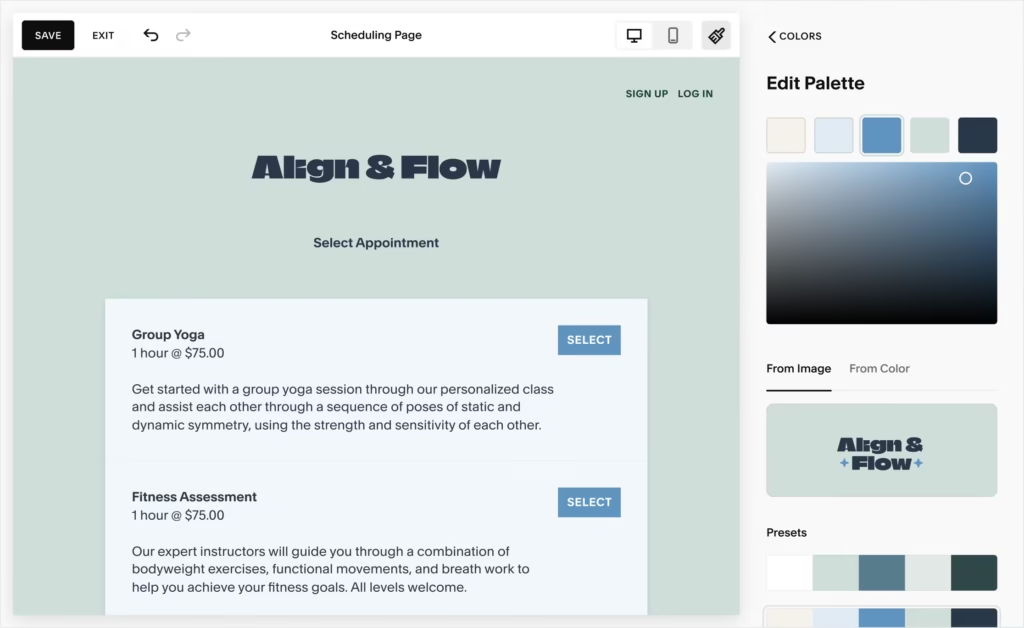
Acuity Scheduling, owned by Squarespace, is built for businesses that sell time: salons, clinics, coaches, tutors, fitness studios, and consultants who run classes and packages. Where Calendly offers a meeting link, Acuity offers a booking system. Clients pick a service, pick a staff member, answer intake questions, and pay a deposit or the full price at booking. You can sell packages of sessions, gift certificates, memberships, and subscriptions, run group classes with waitlists, and manage several staff calendars from one account. That depth is why appointment businesses that outgrow Calendly usually land here.
The intake side deserves attention, because it changes what happens before the appointment starts. Custom intake forms collect the details a clinic, coach, or salon needs up front, so the session starts with context instead of a ten minute form filling exercise. Payments run through Stripe, Square, PayPal, and Venmo, and you can require full payment, a deposit, or payment at the door. Reminders go out by email on every plan, with text reminders on higher tiers, and clients can reschedule or cancel themselves within rules you set, which cuts the back and forth that eats a front desk’s day.
The trade is price and simplicity. Acuity has no free plan, only a 7 day trial, so you pay from the start. The entry plan covers one calendar, which suits a solo practitioner, while growing practices pay for more calendars as staff join. If your business also needs bookings to flow into a sales pipeline, check how your CRM fits before you commit, and our guide to the best CRM software for small business covers the tools that pair well with a booking system like this. For a pure meeting link, Acuity is more tool than you need. For a business that lives on appointments, it is the most complete system in this list.
Best for: appointment businesses, clinics, salons, coaches, and tutors that sell sessions, classes, and packages.
Official site: Acuity Scheduling
What we like about Acuity Scheduling
- Text reminders start on the Standard tier, so a growing practice does not need the top plan to cut no-shows
- Packages, gift certificates, and memberships are built in from Standard, which turns one-off bookings into repeat revenue
- Staff calendars scale from 1 on Starter to 6 on Standard and 36 on Premium, so pricing follows headcount in clear steps
What could be better
- There is no free plan, only a 7 day trial, so you cannot run a real booking flow for free before paying
- A signed HIPAA business associate agreement is only available on Premium, not on Starter or Standard
- API access and custom CSS sit on Premium, so deeper customization waits for the top tier
3. Doodle: The Best Calendly Alternative for Group Scheduling
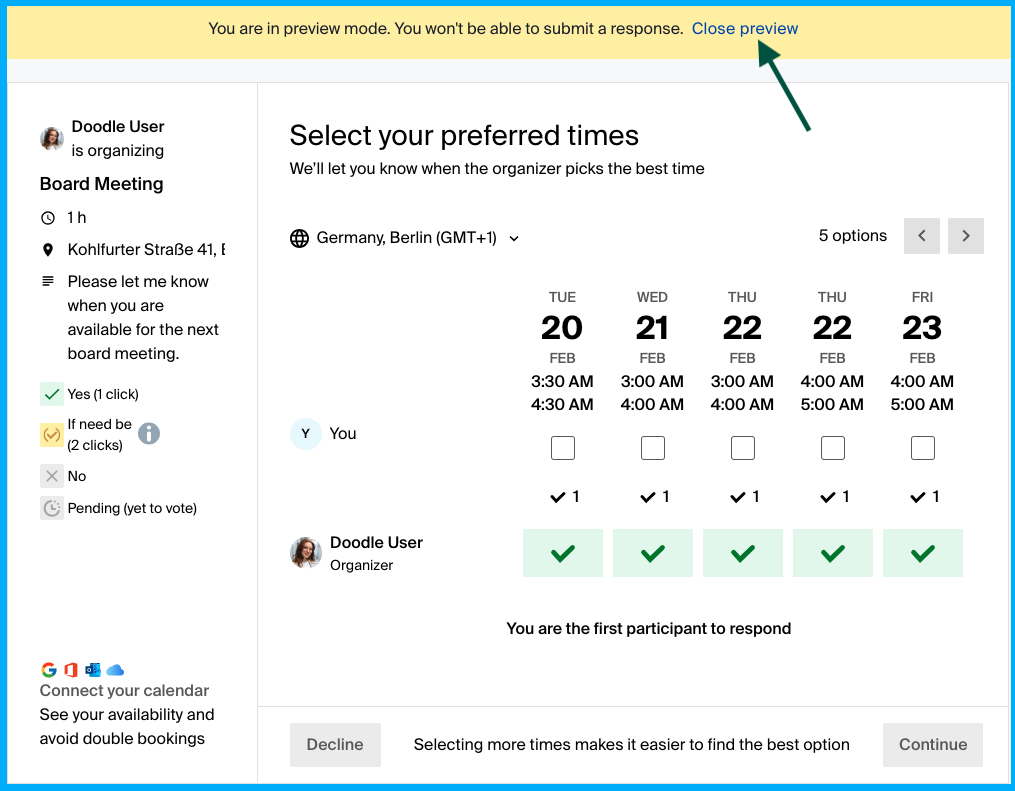
Doodle solves a different problem from the rest of this list. Calendly asks one person to pick a slot from your calendar. Doodle asks a whole group when they are free, then finds the overlap. Send a poll with a set of times, everyone votes, and the winning slot becomes the meeting. For a team offsite, a client workshop with six attendees, a board meeting, or a family event, that vote is faster than a chain of emails, and it avoids the awkward case where a Calendly link forces one person to pick a time the rest cannot make.
Doodle has grown past polls alone. It now offers booking pages and one to one links, so a solo user can run a normal scheduling link too, with Zoom, Microsoft Teams, and Webex connections on paid plans. The free plan covers one group poll, one booking page, and one one to one page, with ads shown to participants, which is fine for occasional internal use and less polished for client facing scheduling. Paid plans remove the ads and unlock unlimited polls, pages, and links, plus reminders and deadlines that nudge people who have not voted yet.
Know the limit before you buy: Doodle is poll first, not booking first. It has no round robin for a sales team, and high volume client booking, like a coaching practice taking fifty appointments a week, will fight the poll format. Each coordination round means a new poll, where a persistent booking page would just keep working. If your week is mostly group coordination with occasional one to ones, Doodle is the cheapest and simplest answer. If your week is mostly clients booking you, pick a booking first tool from this list, and use Doodle free for the occasional group vote. For the video side of those group meetings, our Zoom alternatives guide covers the meeting tools that pair with a scheduling poll.
Best for: anyone who regularly needs to find one time that suits a group, plus occasional one to one bookings.
Official site: Doodle
What we like about Doodle
- Sign-up sheets handle events where people claim a slot or a task, which a booking link cannot do
- Team plans add booking on behalf of colleagues, so an assistant can schedule for a whole department
- AI written meeting descriptions on Pro save the manual write up for recurring group sessions
What could be better
- The free plan shows ads to you and to your participants, which looks unpolished in front of clients
- There is no round robin distribution, so sales and support teams cannot rotate bookings automatically
- Each coordination round needs a new poll, unlike a persistent booking page
4. SavvyCal: The Best Calendly Alternative for a Better Booking Experience
SavvyCal is the tool to pick when the booking page itself is part of how clients judge you. Its signature idea is simple and genuinely useful: guests can overlay their own calendar on top of your availability, so they see which of your open times also fit their day, instead of guessing from a grid. That small change cuts the most common scheduling friction, the guest who picks a time, then realizes it clashes with something on their side and cancels. Ranked availability adds another thoughtful touch, letting guests rank their preferred times when no single slot is perfect.
Under that polished surface, SavvyCal covers the standard scheduling ground well. Unlimited scheduling links and calendar connections on both paid plans, collective links where several hosts must attend, round robin for team pools, meeting polls for group coordination, and workflows for reminders and follow ups. Embedding works cleanly on a website, and the pages look modern on a phone, which matters when half your bookings arrive from a link in a text message. The interface for the host is calm and fast, with fewer settings to wade through than Cal.com or Acuity, and that simplicity is a feature for solo consultants and small teams who want to set up once and forget it.
The pricing catch is clear, so check it before you fall for the design. There is no free booking plan: you can set up an account and run meeting polls for free, but your own booking links only go live on a paid plan. Paid bookings through Stripe need Premium, as do custom domains and branding removal. If you charge for sessions and want a clean branded page, budget for Premium, not Basic. If you only need a beautiful link for free meetings, Basic is enough, and the 30 day money back guarantee gives you room to test the experience with real guests.
Best for: consultants, coaches, and founders whose booking page is part of their professional image.
Official site: SavvyCal
What we like about SavvyCal
- Single-use links give each guest a private booking link that expires after one use, ideal for sensitive or one-off meetings
- Personalized links can carry a guest’s name and details, so repeat clients get a tailored page
- Nonprofits, educators, and students get 25 percent off, and the discount stacks with annual billing
What could be better
- Your own booking links need a paid plan, so there is no free way to run a live booking page
- Paid bookings through Stripe need Premium, which raises the solo price from $10 to $17 for anyone selling sessions
- Every seat on an account sits on the same plan, so you cannot mix Basic and Premium users

5. TidyCal: The Cheapest Calendly Alternative Over Time
TidyCal wins on one number that no subscription tool can match: the total you pay over three years. The free plan covers unlimited bookings and unlimited booking types, with paid bookings included, which already beats Calendly Free on every limit that matters. Individual Lifetime costs $29 once, Agency Lifetime costs $79 once for up to four people, and Pro costs $99 a year for a whole team with no per seat fee. Compare that with Calendly Standard at $120 a year for one person, and the lifetime plan pays for itself in about three months, then keeps working with no further bill.
The feature set is deliberately simpler than Acuity or Cal.com, and that simplicity suits a solo consultant, coach, or freelancer who wants reliable booking links without a learning curve. Booking types cover one to one meetings, group sessions, and collective bookings, payments run through Stripe and PayPal, and you can redirect guests to a thank you page or an upsell page after booking. Team scheduling arrives on Agency Lifetime or Pro, with round robin and collective bookings for small teams. The booking pages are clean and fast, and setup takes minutes, because there are fewer decisions to make per event type.
Read the plan details before you buy a lifetime deal, because lifetime does not mean every feature forever. Some features sit on Pro only, outside the lifetime plans, and the fine print on fees and limits varies by tier, so check the pricing page against your exact needs: how many team members, whether you need custom branding, and whether you take payments. A solo user who needs a solid booking link will be happy on Individual Lifetime. A team that needs advanced branding or the highest limits should compare Pro at $99 a year against Cal.com Teams, because $99 a year for a whole team is still a bargain, and Pro removes the platform fee that applies to Stripe bookings on the free and lifetime plans.
Best for: freelancers and small teams that hate subscriptions and want the lowest total cost.
Official site: TidyCal
What we like about TidyCal
- Paid bookings are included on the free plan, so you can charge for sessions before spending anything
- No plan charges per seat, so adding a team member does not raise the monthly bill
- Custom redirects after booking let you send guests to a thank you page, a form, or an offer
What could be better
- A 1 percent platform fee applies to Stripe bookings on the free and lifetime plans, on top of Stripe’s own charges
- Included text messages are limited and cover US and Canadian numbers only on Agency
- Lifetime plans do not include every Pro feature, so check the comparison before assuming full parity

6. Motion: The Calendly Alternative That Plans Your Whole Day
Motion is not a booking link tool with extras. It is a full work system where scheduling links are one feature inside an AI calendar, task manager, and project workspace. You give Motion your tasks, deadlines, and priorities, and it places each task into open time on your calendar, protects focus blocks, and rebuilds the plan when a meeting runs long or a new job lands. Booking links then sit inside that system: a guest picks a time, and Motion fits the meeting around the tasks already planned, instead of dropping it onto an empty grid with no sense of what else the day holds.
That depth is the reason to pay Motion’s higher price, and the reason to skip it. If your problem is only “I need a booking link,” Motion is too much tool and too much money. If your problem is “my calendar is chaos, meetings eat my deep work, and tasks slip every week,” Motion addresses the actual problem, and the booking link becomes a bonus. The workspace adds projects, docs, notes, AI chat, and a meeting notetaker, with team capacity planning, timelines, and time tracking on Business AI. For a busy founder or a small team drowning in meetings, the time saved on daily planning can justify a price that looks steep next to a $10 scheduler.
Go in with eyes open on two points. There is no free plan, only a 7 day trial, so you cannot test it slowly over a month. And AI usage is metered in monthly credits per seat, with extra credits billed on top, so heavy AI users should watch usage in the first month. Try the trial on a real working week, with real tasks and real meetings, not on a quiet test week. If the auto scheduled days feel right and the booking links work, Motion replaces a calendar app, a task app, and a scheduler in one subscription. If you only open it to share a link, cancel and pick Cal.com or TidyCal.
Best for: busy individuals and small teams whose real problem is planning the day itself.
Official site: Motion
What we like about Motion
- The AI rebuilds your whole day when a meeting moves, instead of leaving tasks stranded on a broken plan
- Pro AI includes 7,500 AI credits per seat a month, with 15,000 on Business AI, so usage limits are stated up front
- Business AI adds team capacity planning, so managers see who is overloaded before assigning more work
What could be better
- There is no free plan, and the 7 day trial requires card details up front
- A single person pays more than a team seat on the same plan, which penalizes solo buyers
- Extra AI credits are billed per 100, so heavy AI use can push the bill above the headline price

7. YouCanBookMe: The Simple, Branded Calendly Alternative
YouCanBookMe has been around since the early days of booking links, and its strength is polish without complexity. Booking pages carry your logo, your colors, and your own text, and they look professional on the first try, which matters for coaches, consultants, and health practitioners whose booking page is often the first impression. Setup follows a clear path: connect a calendar, create a booking page, set availability and buffers, add questions for the guest, and share the link. The learning curve is short, and support has a reputation for answering quickly, which counts when a booking flow breaks before a client call.
The plan structure rewards careful reading, because the headline prices you see in older guides are often the two year prepay rates, not the monthly rates. Free covers one booking page and one calendar connection, with a branded button on pages and emails. Individual adds a second calendar and page, Professional adds more calendars and pages plus workflows, analytics, and direct integrations, and Teams adds round robin and team member selection rules. Payments run through Stripe, and reminders go out by email and text, which helps with no-shows for appointment businesses that do not need Acuity’s full package system.
The weakness is team pricing. Round robin only arrives on Teams, at the highest per member price in this list’s mid range, and text reminders cost extra on every plan, including Teams. A solo user who wants a beautiful branded page will be happy on Individual or Professional. A team that needs round robin should compare YouCanBookMe Teams against Cal.com Teams and Appointlet Premium before paying, because the same five person rotation costs noticeably more here. YouCanBookMe was acquired by Capacity in early 2025, and the product has stayed stable since, but acquisitions sometimes bring price changes, so treat the current pricing page as the only reliable source.
Best for: solo professionals and small teams that want a polished branded booking page with minimal setup.
Official site: YouCanBookMe
What we like about YouCanBookMe
- Professional lets one page list several appointment types and resources, so guests choose without juggling links
- Professional can block bookings by the booker’s email address, which stops repeat spam bookings cold
- Teams includes unlimited API access, giving developers a clean route to custom integrations
What could be better
- Text reminders cost extra on every plan, even the top Teams tier
- Round robin and team member selection rules need Teams, the most expensive plan
- A 1 percent payments commission applies on top of the card processor’s own fees

8. SimplyBook.me: The Calendly Alternative With a Full Booking Website
SimplyBook.me goes further than a booking link: it gives your business a whole booking website, with a widget you can embed in your own site and a client app for repeat customers. That suits service businesses that want clients to browse services, staff, and times in one place, instead of clicking a bare link. Salons, fitness studios, medical centres, schools, and consultants all fit, and the system handles the details appointment businesses care about: deposits, cancellation fees, coupons, gift cards, memberships, and a point of sale for walk in payments.
The plan structure is built around booking volume, not seats, which changes the math in a useful way. The free plan covers 50 bookings a month for one provider. Paid plans raise the monthly booking allowance and the provider count together, and add custom features in steps: a small set on Basic, more on Standard, unlimited on Premium. That volume model suits a business with many staff but modest bookings, or a business with few staff and heavy bookings, because you pay for the allowance you use instead of a flat per seat fee. The booking website, widget, admin app, and automatic reminder emails come on every plan, so even the free tier feels complete for a side business testing online booking.
Two cautions before you commit. First, Basic is priced in dollars and higher tiers in euros, so check the currency before comparing with dollar priced tools, and check whether taxes apply in your region. Second, the custom feature system means some capabilities you expect, like a branded client app or a white label footer, arrive at specific tiers, so map your must have features to the plan table before signup, not after. For a business that wants a booking website instead of a bare link, and that values volume based pricing, SimplyBook.me is the most complete option here after Acuity. For a solo consultant who only needs a link, it is more system than the job requires.
Best for: service businesses that want a full booking website with volume based pricing.
Official site: SimplyBook.me
What we like about SimplyBook.me
- Coupons and gift cards arrive on Basic, so promotions do not wait for a higher tier
- A client app and point of sale come with Basic, which suits businesses with walk in customers
- Premium removes the platform footer for a fully white label booking page
What could be better
- Monthly booking caps apply on every plan, from 50 on Free to 2,000 on Premium, so high volume businesses must size carefully
- Custom features are capped at 3 on Basic and 8 on Standard, with unlimited only on Premium
- Prices are listed in euros, which makes direct comparison with dollar priced tools awkward

9. Appointlet: The Best Cheap Calendly Alternative for Small Teams
Appointlet is the quiet bargain of this list, and the math explains why small teams keep picking it. The free plan covers a small team with basic scheduling pages, custom intake forms, and video links from Zoom, Google Meet, Microsoft Teams, and Webex. Premium costs $9 per member a month billed yearly, which makes a five person team $45 a month, against $80 for the same five people on Calendly Teams. Over a year, that gap is $420, which is real money for a small business, and the scheduling itself covers the core jobs: shared availability, group bookings, custom forms, and automatic reminders.
Setup is fast, which is part of the appeal. Connect Google Calendar or Microsoft 365, build a scheduling page with your logo and colors, add the questions you need from guests, and share the link. Guests book, the event lands on the right calendar, and reminders go out automatically. Payments run through Stripe and PayPal on Premium, so coaches and consultants can charge at booking without a separate payment tool. The interface will not win design awards next to SavvyCal, but it is clear, quick, and hard to break, which is what a busy small team actually needs from a scheduler.
The limits are worth knowing. The free tier is a genuine free plan, not a trial, but it is sized for light use, so a busy practice will outgrow it and need Premium. Advanced automation and deeper customization are thinner here than on Cal.com or Acuity, so teams that need routing forms or package selling should look there instead. For client paperwork that follows a booking, like a signed agreement before the first session, our DocuSign alternatives guide covers the signing tools that fit alongside a simple scheduler. If your needs are straightforward and your budget is tight, Appointlet is the cheapest credible team option in this list.
Best for: small teams that want the lowest credible team price without giving up core scheduling.
Official site: Appointlet
What we like about Appointlet
- Premium adds pooled availability for teams, so guests see times when any team member is free
- Private meeting links on Premium let you share a booking page with one guest only
- Conversion tracking on Premium shows which pages and campaigns actually produce bookings
What could be better
- The free plan is capped at 25 meetings a month across the whole account, so a busy team outgrows it fast
- The free plan includes one scheduling page, which limits teams that offer several services
- Text reminders arrive through Zapier on Premium, not as a built in messaging feature

10. Microsoft Bookings: The Calendly Alternative You May Already Own
Microsoft Bookings is the only tool in this list with no price of its own, because it arrives inside Microsoft 365. If your business already pays for Microsoft 365 Business Basic, Business Standard or Business Premium, or for Teams Essentials or Teams Premium, Bookings costs nothing extra: you open it, set up a business booking page, add staff and services, and share the link. Clients pick a staff member and a time, the booking lands on the right Outlook calendar, and a Teams meeting link goes out with the confirmation. For a company that lives in Outlook and Teams, that native fit removes a subscription, a login, and a sync problem in one move.
The booking experience is solid for standard appointment work. Business hours, staff working hours, buffer times, and service durations all behave as expected, and guests can reschedule or cancel themselves. Admins manage staff lists and services centrally, which suits clinics, salons, and professional services with a stable roster. Because it sits inside your Microsoft tenant, access control follows your existing accounts, and there is no separate vendor relationship to manage for security reviews. For internal scheduling and client appointments inside a Microsoft shop, it covers the job with no new bill.
The limits are the limits of a bundled app, not a dedicated scheduler. Customization is thinner than SavvyCal or YouCanBookMe, team routing is basic compared with Cal.com or Calendly Teams, and the feature set moves at Microsoft’s pace, not at a specialist vendor’s pace. If you are not already on Microsoft 365, buying the whole suite for Bookings alone makes no sense: a dedicated scheduler costs far less. But if the suite is already on the company card, check Bookings before paying for anything else. It may already do the job, and the money saved is the entire subscription of another tool.
Best for: businesses already paying for Microsoft 365 that need straightforward staff booking.
Official site: Microsoft 365
What we like about Microsoft Bookings
- There is no extra charge when you already pay for Microsoft 365 Business Standard or Premium
- Booking data stays inside your own Microsoft tenant, which simplifies security reviews
- One business page lists staff and services together, so guests pick a person and a service in one flow
What could be better
- There is no standalone purchase, so you cannot buy Bookings without a Microsoft 365 plan
- There is no payment collection at booking, unlike Acuity, TidyCal, and SimplyBook.me
- Page customization is weaker than dedicated schedulers, with fewer branding controls

Automating What Happens After the Booking
A scheduler only books the meeting. The work after it, a CRM record, a follow up email, an invoice, a Slack message to the team, is where hours quietly disappear. Most tools in this list connect to automation platforms, and the simplest route is a booking trigger that creates or updates records elsewhere without manual copying. Cal.com, Acuity, SavvyCal, and Appointlet all offer automation connections, either native or through an integration platform, and the exact trigger set varies by plan, so check the integrations page of your chosen tool before assuming a workflow exists.
The practical setup is small: one automation for new bookings, one for cancellations, and one for no-shows. A new booking creates the CRM contact and sends the prep material. If the CRM itself is the thing you are replacing at the same time, our HubSpot alternatives guide covers cheaper CRMs that pair with any scheduler in this list. A cancellation frees the follow up task. A no-show triggers a reschedule message instead of a silent gap in the diary. If you are weighing automation tools for that handoff, our Zapier alternatives guide compares the platforms that handle it, including free and self hosted options. Keep the automation count low at first. Three reliable workflows beat fifteen fragile ones, and every workflow you add is something that can break when a vendor changes a field name.
Pricing Deep Dive: What You Actually Pay
Calendly Standard at $10 per seat a month billed yearly is the solo baseline, and Teams at $16 is the team baseline. Cal.com undercuts the team baseline at $12 per user a month billed yearly for Teams, and its free plan beats Calendly Free outright. SavvyCal Basic at $10 matches Calendly Standard on price while adding round robin, which Calendly locks behind Teams, but SavvyCal Premium at $17 is needed for paid bookings. YouCanBookMe Individual at $9 a month, or $8.10 billed yearly, is the cheapest branded solo plan, while Professional at $13, or $11.70 yearly, is the plan most solo users actually need.
Appointment businesses pay differently. Acuity runs $16, $27, and $55 a month billed yearly for Starter, Standard, and Premium, priced per account, not per seat, so a small staff does not multiply the bill. SimplyBook.me runs about $13.90 a month for Basic, with 17 percent off billed yearly, and EUR 24.90 and EUR 49.90 a month billed yearly for Standard and Premium, priced by booking volume. Doodle runs $11 a month billed yearly for Pro and $16 per user a month for Team. Appointlet Premium at $9 per member a month billed yearly is the cheapest team seat in this list. TidyCal breaks the subscription model entirely at $29 once or $79 once for teams, plus $99 a year for Pro. Motion is the premium outlier at $19 per team seat a month billed yearly for Pro AI, and Microsoft Bookings has no standalone price at all, arriving inside Microsoft 365 Business Basic from $7 per user a month billed yearly, Business Standard at $14 per user a month billed yearly, or Business Premium at $22, and in Teams Essentials and Teams Premium.
Compare annual totals, not monthly headlines. A $9 monthly price billed yearly is $108 a year, while a $12 monthly price billed monthly is $144 a year, and a $29 lifetime plan is $29 total. The billing toggle on a pricing page can hide a 20 percent difference, so always read the yearly total before you judge a tool as cheap or expensive.
Worked Example: A Five Person Team, One Year
Take a five person consultancy that needs round robin booking, branded pages, and reminders. On Calendly Teams at $16 per seat a month billed yearly, the bill is $960 a year. On Cal.com Teams at $12 per user a month billed yearly, it is $720 a year, a saving of $240, with routing forms included. On Appointlet Premium at $9 per member a month billed yearly, it is $540 a year, a saving of $420. On SavvyCal Basic at $10 per user a month billed yearly, it is $600 a year, with round robin included but paid bookings excluded. On TidyCal Pro at $99 a year for the whole team, it is $99 a year, with no per seat fee at all.
Change the situation and the ranking changes, which is why the worked example matters more than any single price. Give the same team a need for packages and intake forms, and Acuity Standard at $27 a month billed yearly, or $324 a year, becomes the cheapest fit, because the per seat tools cannot sell packages at any price. Give the team a Microsoft 365 subscription they already pay for, and Microsoft Bookings costs $0 extra, beating every paid tool. Give a solo consultant a need for paid sessions only, and TidyCal free or $29 once beats every subscription. Run your own numbers with your headcount, your booking volume, and your must have features, because those three inputs set the real bill.
Who Should Pick Which
Want the safest all round switch? Cal.com, with a free plan for solo use and team plans that undercut Calendly Teams. Hate subscriptions? TidyCal, for the lowest total cost over two or three years. Selling sessions, classes, or packages? Acuity Scheduling, with intake forms and payments at booking. Want a full booking website with volume based pricing? SimplyBook.me. Want the booking page itself to impress clients? SavvyCal. Mostly finding one time for a group? Doodle. Booking mostly solo with minimal setup? YouCanBookMe. Small team, tight budget, straightforward needs? Appointlet. Planning the whole day, not just meetings? Motion. Already paying for Microsoft 365? Microsoft Bookings, with no new bill. Need heavy sales routing plus appointment selling? No single tool here covers both, so pair a routing scheduler with Acuity or SimplyBook.me.
Switching From Calendly Without Breaking Bookings
Switching schedulers is low risk if you do it in order. First, export or note your active event types, durations, buffers, and availability rules from Calendly, because retyping them from memory is how a 15 minute buffer quietly disappears. Second, set up the new tool with the same event types and test it with a colleague before sharing any link, checking the confirmation email, the calendar event, the video link, and the cancellation flow. Third, replace links in the places that actually send bookings: email signatures, website buttons, social profiles, and proposal templates. Fourth, keep Calendly live for two weeks with a redirect note on old pages, so bookings made from an old link still reach you while the new links spread. Fifth, cancel Calendly only after a full week with zero bookings on the old links.
Two details catch people out. Availability rules differ between tools, so a buffer or a daily booking limit that existed in Calendly may need rebuilding by hand in the new tool, and it will not migrate automatically. Reminder settings differ too, so check who gets reminded, when, and by which channel, before your first real guest books. A ten minute test booking that covers booking, rescheduling, and cancelling will surface both problems before a client does.
FAQs
What is the best free Calendly alternative?
Cal.com has the strongest free plan for most people, with unlimited event types and calendar connections for one user. TidyCal is the best free option if you charge for sessions, because paid bookings are included on its free plan. Appointlet is the best free option for a small team, because its free plan covers up to five members.
Which Calendly alternative is cheapest for a team?
TidyCal Pro at $99 a year for a whole team is the cheapest team option, because it charges no per seat fee. Among per seat tools, Appointlet Premium at $9 per member a month billed yearly is the cheapest, followed by Cal.com Teams at $12. A five person team pays $99, $540, and $720 a year on those three options, against $960 on Calendly Teams.
Can I use a Calendly alternative without paying anything?
Yes, on Cal.com, TidyCal, Doodle, YouCanBookMe, SimplyBook.me, and Appointlet, all of which offer usable free plans with different limits. Acuity, SavvyCal, and Motion have no free booking plan, offering trials or money back guarantees instead. Microsoft Bookings has no standalone free plan, but costs nothing extra inside a Microsoft 365 Business Basic, Business Standard or Business Premium subscription, or a Teams Essentials or Teams Premium subscription.
Which Calendly alternative is best for round robin scheduling?
Cal.com Teams is the best value round robin option at $12 per user a month billed yearly, with routing forms included. SavvyCal Basic also includes round robin at $10 per user a month billed yearly. Appointlet Premium adds pooled availability at $9 per member a month. Calendly itself only offers round robin on Teams at $16 per seat a month.
Which Calendly alternative lets clients pay at booking?
Acuity, TidyCal, SimplyBook me, Appointlet, and YouCanBookMe all support payment at booking through Stripe or PayPal, with plan differences. SavvyCal needs Premium for paid bookings. Cal.com supports payments on its free plan through Stripe and PayPal. Doodle supports Stripe payments on Free and Professional plans too, and Microsoft Bookings has no payment collection.
Is Cal.com really free?
Yes, for one user, with unlimited event types and calendar connections, and no expiry date. Team features like round robin, routing forms, and managed event types need Teams at $12 per user a month billed yearly. The free plan is a full solo scheduler, not a trial, and it matches Standard’s event types for free.
What is the best Calendly alternative for a salon, clinic, or coaching business?
Acuity Scheduling, because it is built for appointment businesses with intake forms, packages, classes, and payments in one system. SimplyBook.me is the closest second, with a full booking website and volume based pricing. A solo coach on a tight budget can start on TidyCal free or Appointlet free and move to Acuity when packages and classes become the core of the business.
How do I switch from Calendly without losing bookings?
Set up the new tool with the same event types and availability rules, test a full booking, reschedule, and cancellation with a colleague, replace links in email signatures, websites, and templates, keep Calendly live for two weeks while old links drain, and cancel only after a full week with no bookings on the old links.
Start with Cal.com, or TidyCal if you hate subscriptions
Cal.com is the pick for most people leaving Calendly, because its free plan already matches Standard’s event types for free, and its team pricing undercuts Calendly Teams while adding routing forms. TidyCal is the pick if you want the lowest lifetime cost and never want another scheduling bill. Acuity Scheduling is the pick if you sell appointments, classes, or packages for a living. Match the tool to your booking pattern, run your headcount against the worked example, and test one real booking week before you cancel Calendly.
This kind of research, applied to your growth
If you run a SaaS business, SaaS Harvest can do this kind of digging in your market and turn it into search traffic that signs up.
