

Zoom alternatives are worth a serious look the moment your meetings keep hitting the same wall. You know the one. The call is going well, someone is mid-sentence, and the 40 minute timer on the free plan cuts everyone off. You rejoin, you lose the thread, and the meeting that should have taken an hour takes an hour and a quarter. If that sounds familiar, this guide is for you. We compare the 10 tools people actually move to in 2026, what each one costs, where its free plan stops, and which kind of team each one suits.
We compared the tools the way a buyer should. We checked current vendor pricing pages, lined up the free plans against their real limits, and looked at how each tool handles the parts of a meeting that matter every day: joining as a guest, sharing a screen, recording the call, and running a meeting with 50 people in it instead of five. The short answer first: if your team runs on Google Workspace, use Meet. If it runs on Microsoft 365, use Teams. If neither applies, read on, because the best pick then depends on your budget, your guests, and how much control you want.
Quick Picks: The Short Version
Google Meet
The simplest switch for most teams, with a free plan that beats Zoom on meeting length
Price Free, Workspace from $7/user/mo
Free plan with 100 participants and 60 minute group meetings
Microsoft Teams
Meetings, chat, files and calling in one app your company may already pay for
Price Free, Essentials from $4/user/mo, bundled from $7/user/mo
Free plan with 60 minute group meetings and 100 participants
Zoho Meeting
Real meetings for a fraction of Zoom’s price, with webinars on the same account
Price Free, paid from $1/host/mo billed annually
Free plan with 100 participants and 60 minute sessions
Zoom Alternatives at a Glance
| Tool | Best for | Free plan | Paid from |
|---|---|---|---|
| Google Meet | Google Workspace teams, browser-first meetings | Yes, 100 participants, 60 min groups | From $7/user/mo (Workspace) |
| Microsoft Teams | Microsoft 365 offices, chat plus meetings | Yes, 100 participants, 60 min groups | From $4/user/mo (Essentials) |
| Cisco Webex | Regulated industries, large meetings | Yes, 100 participants, 40 min groups | About $12 to $14.50/user/mo |
| GoTo Meeting | Small teams that want simple, reliable calls | No, 14-day trial | From $12/organizer/mo |
| Whereby | Guest-friendly browser meetings, no downloads | Yes, one room link | From $6.99/mo (Pro) |
| Jitsi Meet | Free meetings, privacy, self-hosting | Yes, fully free | Free (self-hosting costs server time) |
| Zoho Meeting | Budget teams, Zoho users, webinars | Yes, 100 participants, 60 min | From $1/host/mo |
| RingCentral Video | Replacing a desk phone system as well | Yes, with limits | From $20/user/mo (RingEX Core) |
| Discord | Communities, creators, free group calls | Yes, free voice and video | Free, Nitro from $9.99/mo |
| Livestorm | Webinars and client-facing events | Yes, 30 attendees, 20 min sessions | From around $99/mo (Pro) |
Prices are US list prices checked against vendor pricing pages. Confirm the checkout price before you buy, because several vendors repriced during 2026 and older comparison posts still show retired plans.
Why People Look for a Zoom Alternative
Start with the clock. Zoom’s free plan is generous in one way and strict in another: 100 participants, unlimited meetings, but every group meeting with three or more people ends at 40 minutes. That is fine for a quick catch-up. It is a real problem for a weekly team meeting, a client workshop, or a training session, all of which run long by nature. Paid Zoom removes the limit at $14.16 per user per month billed annually for Pro, so check first whether a tool you already own does the same job. That single check saves more money than any discount code in this guide.
Then there is the bundle effect. A company paying for Google Workspace already owns Meet, with Gmail, Calendar and Drive wrapped around it. A company paying for Microsoft 365 already owns Teams, with Outlook, Word and SharePoint wrapped around it. Adding Zoom on top means paying twice for meetings and asking staff to live in two apps. The teams that switch usually do not switch because Zoom is bad. Zoom is still the safest default for calls with strangers, because almost everyone already has an account and knows the join flow. They switch because the meeting tool inside their existing subscription is good enough, and the money is better spent elsewhere.
Some teams need control Zoom’s cloud does not offer: data staying on their own servers, or compliance paperwork their industry demands. Others need a different shape of meeting entirely: a permanent browser room clients can drop into, a community server where calls happen next to the conversation, or a webinar platform with registration pages built in. The 10 tools below cover all of those reasons, and the sections are honest about where each one falls short.
How We Chose These 10 Tools
We started from the tools that show up again and again when companies compare video platforms, then filtered hard. A tool made this list only if it is actually available to buy or use in 2026, if it runs real multi-person meetings with screen sharing and recording or a clear equivalent, and if it offers at least one thing Zoom does not: a longer free meeting, a lower price, a bundle you already pay for, self-hosting, or a genuinely different meeting shape. Two famous names failed the availability test and are excluded, with the reasons, at the end of this guide.
1. Google Meet: Best Overall Zoom Alternative
Google Meet is the easiest Zoom replacement to explain to a team, because there is almost nothing to explain. Anyone with a Google account can join from a browser, no download, no new password to remember, and the meeting link lives inside the Calendar invite everyone already opens. That is the whole appeal. Meetings start faster, guests get in with fewer steps, and recordings land in Drive where the rest of the work already lives.
The free plan is the strongest free meeting plan among the big names, and the 20 minute gap over Zoom is the reason. Groups of three or more get 60 minutes instead of 40, with up to 100 participants, and one-to-one calls run up to 24 hours. Paid plans come through Google Workspace: Starter at $7 per user per month, Standard at $14 with 150 participants and recording, Plus at $22 with 500 participants. The jump that matters most is Standard, because that is where recording, noise cancellation and breakout rooms arrive.
Meet is not the tool for everything. It has no webinar product to match Zoom Webinars or Livestorm, its large-meeting controls are simpler than Webex, and teams outside the Google world will feel the friction of an extra account. But for everyday internal meetings, client calls and classes, it is the default we would pick first. If your company already pays for Workspace, this decision is already made, and the only job left is telling the team to stop paying for Zoom as well.
Best for: Google Workspace teams and anyone who wants the simplest possible guest experience in a browser.
Official site: Google Meet
What we like about Google Meet
- Live translated captions cover dozens of languages on paid Workspace plans
- Attendance reports and polls arrive on Standard and higher, not on Starter
- Companion mode lets in-room and remote attendees join the same call cleanly
What could be better
- Cloud recording needs Standard or higher, so Starter buyers still cannot record
- There is no standalone webinar product with registration and ticketing
- Dial-in phone numbers are limited by region and plan, not included everywhere
Price: Free for personal Google accounts; Workspace Starter $7/user/mo, Standard $14/user/mo, Plus $22/user/mo. Confirm the current Workspace price at checkout, because Google repriced these tiers during 2026.

2. Microsoft Teams: Best for Microsoft 365 Teams
Microsoft Teams is not really a meeting app. It is the office itself, with meetings inside it. Chat channels, file storage, shared documents and video calls live in one window, so a meeting can start from the same place the conversation about it already happened. For a fuller comparison of chat and meetings, see our Slack vs Teams guide.
The free plan covers personal and small-team use well: group meetings up to 60 minutes with 100 participants, unlimited chat, and file sharing with limited storage. Paid access starts with Teams Essentials at $4 per user per month standalone, but most companies get Teams inside Microsoft 365, starting at $7 per user per month for Business Basic. Paid meetings run up to 30 hours with 300 participants. Copilot features, including meeting summaries, need a separate paid add-on, so budget for that on top of the base price.
The trade is weight. Teams does a lot, and on a slower machine or a small team that only wants calls, it can feel like a lot of app for a simple job. Companies that run interviews, onboarding calls and training over video often pair Teams with dedicated people software, and our HCM software guide covers that side of the stack. For a Microsoft house, though, Teams is the obvious answer, and paying for Zoom beside it is hard to justify.
Best for: companies standardized on Microsoft 365 that want meetings, chat and files under one licence.
Official site: Microsoft Teams
What we like about Microsoft Teams
- Town halls on higher plans reach up to 10,000 viewers without a separate event tool
- Shared channels let outside partners work in a channel without a full guest account
- Meeting recordings can auto-generate chapters and a searchable transcript
What could be better
- Copilot meeting summaries need a separate Copilot licence on top of the base plan
- Advanced branding and meeting protection wait for the Teams Premium add-on
- The desktop app is heavy on older machines compared with a browser-only tool
Price: Free plan available; Teams Essentials $4/user/mo standalone; bundled from $7/user/mo in Microsoft 365 Business Basic. Enterprise plans add capacity and compliance controls.
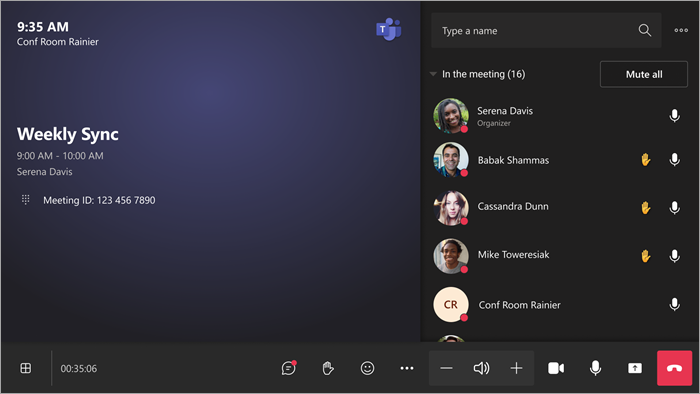
3. Cisco Webex: Best for Regulated and Large Meetings
Cisco Webex is the enterprise end of this list, and it behaves like it. The meeting quality is consistently strong, the audio holds up on weak connections, and the admin controls go further than most teams will ever need: audit logs, customer-managed encryption keys, and data residency options that matter to banks, hospitals, government offices and universities.
The free plan matches Zoom’s shape: unlimited meetings, 100 participants, 40 minute group limit, with noise cancellation included. Paid plans are quoted between about $12 and $14.50 per user per month depending on the plan on offer, with the Meet plan supporting up to 200 attendees and 24 hour meetings. Webex also covers the rooms and events around meetings: hardware for conference rooms, a contact center product, and a dedicated webinars plan for audiences from 1,000 upward. A company can standardize on one Cisco stack from the desk phone to the all-hands broadcast.
The cost is complexity and price. Webex is more app than a small team needs, setup takes longer, and the plan names and tiers confuse even experienced buyers. A five-person team will not use most of what it pays for. But for a large or regulated organization, or a team that runs meetings for hundreds of people, the reliability and the compliance story are worth the premium.
Best for: enterprises, government, healthcare and education teams with compliance or large-audience needs.
Official site: Cisco Webex
What we like about Cisco Webex
- Slido polling and Q and A are built in, so audience interaction needs no second tool
- Real-time translation is available as an add-on for multilingual meetings
- Room hardware pairs with the app, so a boardroom joins with one tap
What could be better
- Webinar pricing is sold per licence per year, which gets expensive for occasional events
- Plan names and tiers changed recently, so older guides quote retired prices
- Small teams pay for enterprise controls they will never open
Price: Free plan available; paid plans from about $12 to $14.50/user/mo depending on plan, with Meet up to 200 attendees. Webinars are priced separately per licence per year.

4. GoTo Meeting: Best Simple Option for Small Teams
GoTo Meeting is the lightest-weight major alternative on this list, and that is a compliment. There is no chat suite, no file drive, no sprawling app to learn. You get a meeting link, reliable video, screen sharing, drawing tools and mobile apps, and the call works. For a small team that holds client calls and internal meetings and wants nothing else, that simplicity is the feature. The company has been doing this longer than most of the names here, and the reliability shows.
Pricing is per organizer, not per user, which changes the maths for a small team. Professional starts at $12 per organizer per month billed annually, with up to 150 participants and unlimited meeting length. Business at $16 per organizer per month raises that to 250 participants. If only three people in a 20-person company ever host meetings, you buy three organizer seats, not twenty user seats. There is a 14-day trial, and a limited basic tier after trial on some offers, but plan on paying.
The limits are real. There is no free plan to fall back on, collaboration features like persistent chat channels are thin next to Teams, and the AI features are quieter than the big suites. Pick GoTo when your meetings are straightforward, your hosts are few, and you would rather pay a small predictable bill than manage a suite.
Best for: small teams where a few people host for many attendees and nobody wants a learning curve.
Official site: GoTo Meeting
What we like about GoTo Meeting
- Commuter mode drops video to save mobile data on the road
- Meeting locking and passcode options are on by default for private calls
- Calendar plugins for Google and Outlook put scheduling inside the tools teams already open
What could be better
- There is no free plan, so testing beyond the trial means paying
- Cloud recording storage is tighter than the suites offer on comparable tiers
- Breakout room controls are simpler than Meet or Webex on large calls
Price: Professional $12/organizer/mo billed annually (150 participants); Business $16/organizer/mo (250 participants). 14-day trial available.
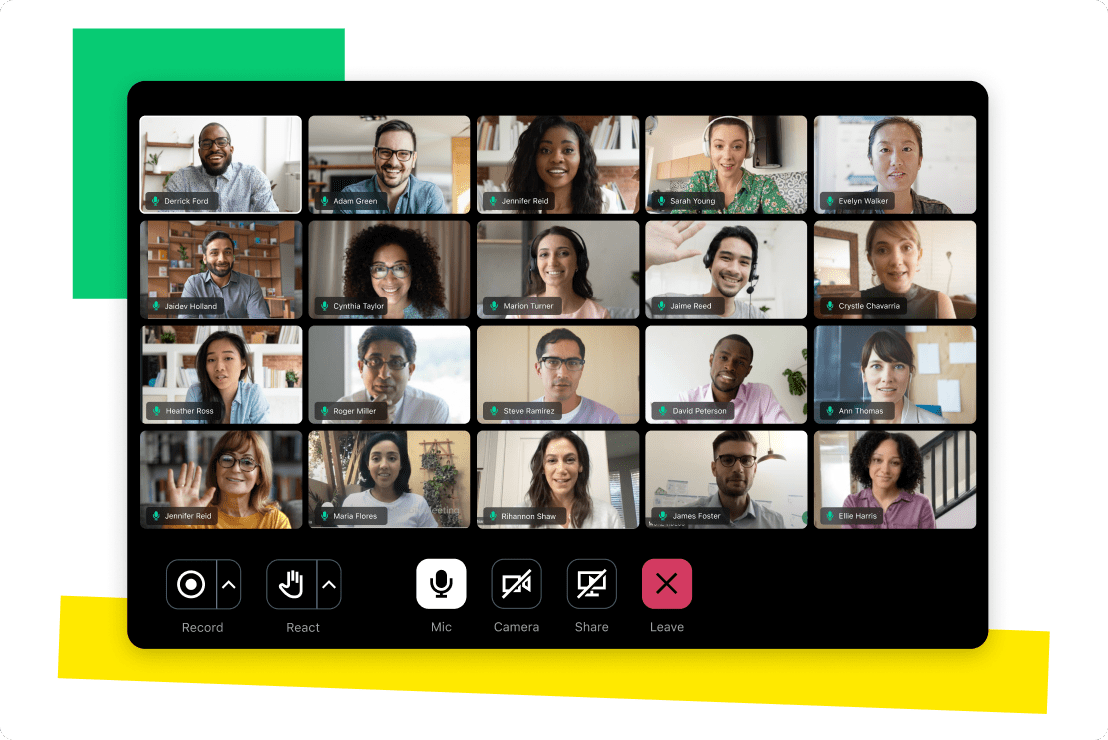
5. Whereby: Best Browser-Only Guest Experience
Whereby wins on the first 30 seconds of a meeting. Guests click a link, allow the camera, and they are in. No download, no account, no app store detour. The host gets a permanent room link, like a phone number for video, so regular clients and students can bookmark one address and return to it every week. For coaches, tutors, clinics and consultants who meet strangers all day, that low friction is worth more than any feature list. Every extra step in a join flow loses someone, and Whereby has the fewest steps here.
The free plan gives you one room link and short group meetings, which is enough to test the experience with real guests. Pro costs $6.99 per month, or $5.82 billed annually, and removes the group time limit while adding three room links, unlimited recording and custom branding. Business, from $9.99 per host per month, adds shared rooms, a custom subdomain and capacity up to 200 participants. One caution: sources disagree on the free plan’s exact group cap, so check the current free limits on the pricing page before promising a client a long free call.
Whereby is not a suite and does not pretend to be one. There is no persistent team chat, no file drive, and large internal meetings with breakout-heavy agendas fit better in Meet or Teams. But for external-facing calls where the guest’s experience decides whether the meeting happens at all, it is the strongest pick in this guide.
Best for: coaches, tutors, clinics and consultants who meet outside guests all day.
Official site: Whereby
What we like about Whereby
- Embedded rooms let you put video inside your own site or product with no separate app
- Knock and lock controls let the host approve each guest before they enter
- Background effects and noise reduction work in the browser with no install
What could be better
- The free plan allows only one room link, so a second brand or project needs Pro
- There is no team chat or file storage, so a second tool covers that work
- Support answers are slower than the big suites offer on comparable plans
Price: Free plan with one room link; Pro $6.99/mo ($5.82 billed annually); Business from $9.99/host/mo. Confirm free group limits at checkout, because published sources differ.

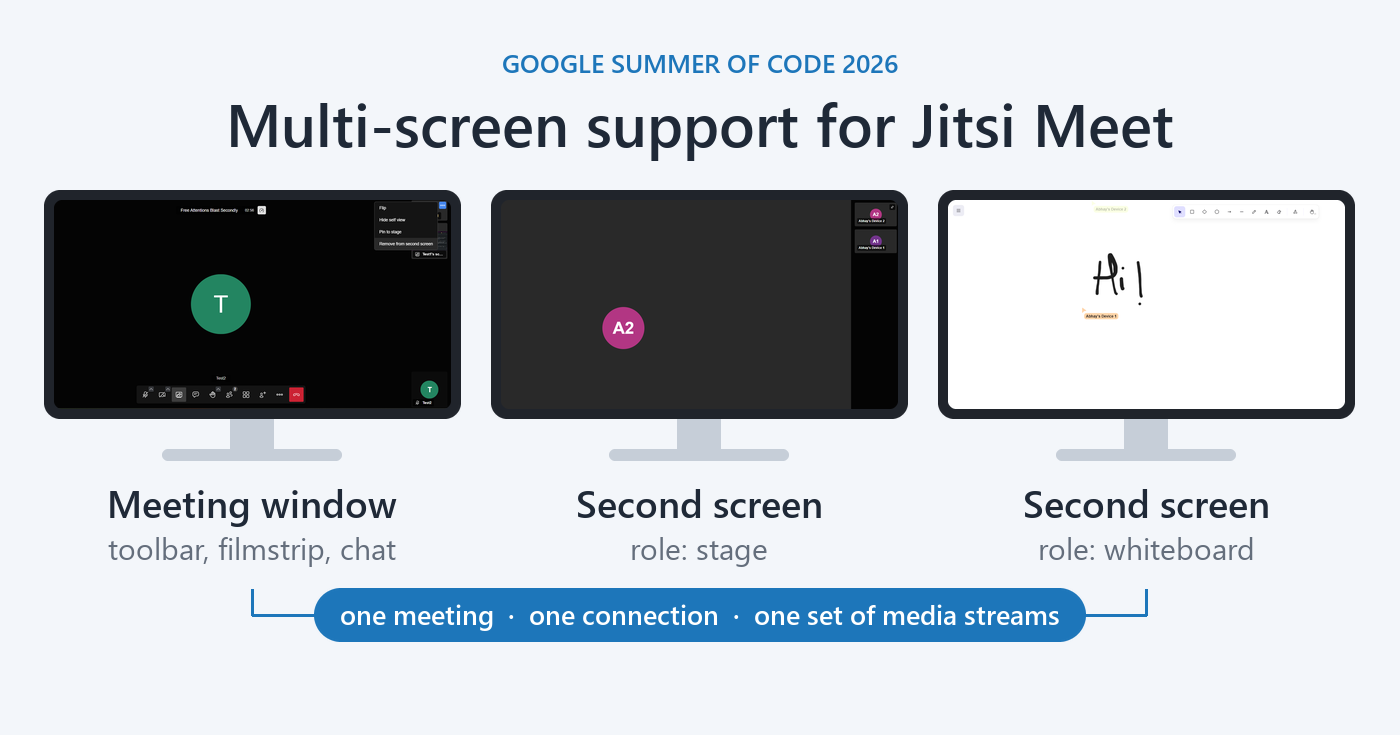
6. Jitsi Meet: Best Free and Self-Hosted Option
Jitsi Meet is the only tool on this list that is genuinely free in every direction. The public service at meet.jit.si runs meetings with no account, no time limit in practice, and no install for guests, who join from a browser. The software itself is open source, so a team with a server can host it themselves and keep every meeting on its own machines. For schools, nonprofits, community groups and privacy-minded teams, that combination is hard to beat at any price, because the price is zero.
Self-hosting is where Jitsi earns its reputation and where it asks the most of you. Running it well means a server, a domain, updates, backups and someone who notices when it breaks. The public service removes that work and is fine for internal meetings, though very large calls and heavy use will feel the difference from a paid cloud platform. In practice, meetings up to around 100 people work, and smaller meetings work very well.
What you give up is polish. Noise cancellation, AI summaries and virtual backgrounds are thinner than the paid suites, and there is no webinar product, no phone system and no admin console to match Webex. What you gain is control: no vendor account for guests, no per-seat bill, no data passing through a third-party cloud unless you choose that.
Best for: schools, nonprofits, open-source teams and anyone who wants meetings without a vendor bill or a vendor cloud.
Official site: Jitsi Meet
What we like about Jitsi Meet
- End-to-end encryption is available for smaller meetings on supported clients
- Live streaming to YouTube works from the public service without a paid tier
- Etherpad integration adds shared notes inside the meeting window
What could be better
- Self-hosting means your team owns security updates and uptime
- There is no vendor support contract on the free public service
- Mobile apps lag the desktop browser experience on older phones
Price: Free. The public service costs nothing, and self-hosting costs only server time and maintenance.
7. Zoho Meeting: Best Budget Paid Option
Zoho Meeting is the cheapest paid meeting tool in this guide by a distance, and it is not a stripped-down toy. The free plan covers 100 participants and 60 minute sessions, which already beats Zoom’s free clock. Meeting Standard starts at $1 per host per month billed annually, and Professional at $3 per host per month adds co-hosts, longer meetings and audio options. For a small business watching every subscription, the jump from free to paid here costs less than a coffee, and that changes who can afford to remove the limits.
The tool itself is browser-based and deliberately plain: schedule from Zoho Calendar or Google Calendar, share a screen, record the call, run a poll, and get on with the day. Webinars run on the same account from $8 per host per month, so a small business can run a product demo or a training session without buying a separate webinar platform. The deep advantage is for teams already inside Zoho: meetings connect with Zoho CRM, Projects and Calendar, so a sales call can land in the pipeline without manual copying.
The trade is scale and polish. Zoho Meeting will not match Webex on compliance paperwork or Teams on suite depth, and its free plan skips recording and phone integration. Audio quality draws occasional complaints in user reviews, so test it on your own connection before moving a whole team.
Best for: budget-conscious small businesses, solo professionals and teams already using Zoho apps.
Official site: Zoho Meeting
What we like about Zoho Meeting
- Webinar registration pages and email reminders are built in, not a separate product
- Moderator controls let the host mute, lock and remove participants mid-call
- Meeting analytics show attendance and engagement without an add-on
What could be better
- Recording and phone dial-in wait for paid plans
- Storage for recordings is tighter than the big suites offer
- Third-party integrations are thinner outside the Zoho ecosystem
Price: Free plan available; Meeting Standard $1/host/mo billed annually, Professional $3/host/mo; webinar plans from $8/host/mo.

8. RingCentral Video: Best When You Also Need a Phone System
RingCentral Video makes sense only when you read the whole bundle, because on video alone it costs more than Meet or Zoom. RingEX Core at $20 per user per month billed annually includes a business phone system with unlimited domestic calling, SMS and MMS, team messaging, and video with 100-plus participants. A company replacing a desk phone system, a messaging app and a meeting tool with one vendor can come out ahead, even though the single line item looks expensive. A company that only needs video should stop at Meet or Teams instead.
The video itself is solid and browser-friendly: join from a link with no download, switch a live meeting between phone and desktop with one tap, and keep the conversation going in team messaging after the call ends. The free tier of RingCentral Video covers small meetings with limits, including 50 minute groups, which is enough to test the experience. Paid tiers scale the participant count and add analytics, webinars on higher plans, and the phone features that are the real reason most buyers arrive.
The honest limit is focus. RingCentral is a phone company that does video well, not a video company, so its meeting controls and AI features trail the dedicated suites. If your team still uses desk phones, or your sales team lives on calls all day, the bundle math wins. If your phones already work fine and you only need meetings, the $20 seat buys video you could get for far less elsewhere.
Best for: businesses replacing a desk phone system, a messaging app and a meeting tool at the same time.
Official site: RingCentral Video
What we like about RingCentral Video
- Voicemail transcription and call screening come with the phone plans
- Team messaging keeps the meeting conversation alive after the call ends
- Advanced plans add call queues and analytics for support teams
What could be better
- Video alone costs more than Meet, Teams or Zoom at the same seat count
- Webinar capacity waits for higher tiers, not the entry plan
- Setup for the full phone system takes longer than a video-only tool
Price: Free video tier with limits; RingEX Core $20/user/mo billed annually, Advanced $25/user/mo, Ultra $35/user/mo. 14-day trial on premium features.

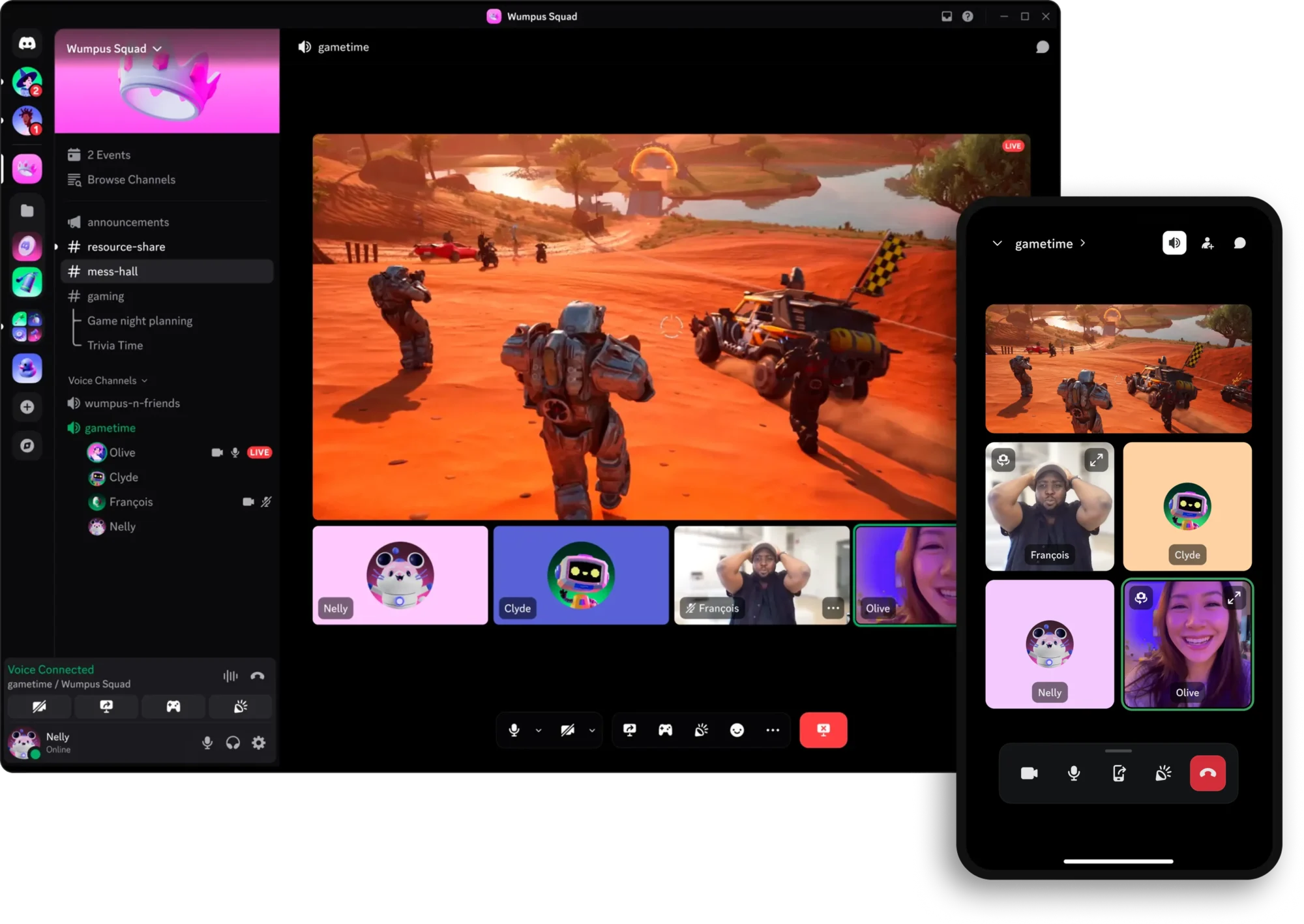
9. Discord: Best Free Option for Communities and Creators
Discord is not a business meeting tool, and that is exactly why it belongs here. For communities, creator audiences, gaming groups, study groups and open-source projects, the meeting already happens where the conversation lives. Voice channels run all day, anyone can drop in, video calls cover up to 25 people, and Go Live lets one person share a screen or a game to up to 50 viewers. There is no per-seat bill, no host licence, and no meeting link to email. People show up because they are already there.
The free plan is genuinely usable for this shape of meeting: voice channels, video calls, screen sharing and streaming at 720p and 30 frames per second. Nitro at $9.99 per month lifts streams to up to 4K at 60 frames per second and raises file upload limits, which matters for creators sharing large clips. A small creator or community manager can run a free server for years and only pay when stream quality starts to matter to the audience.
The limits are clear, and they decide the pick. Discord has no calendar invites in the business sense, no breakout rooms, no webinar registration, and no admin controls a company would want for client work. A business that sends meeting links to clients will look unprofessional running calls from a gaming server. But a community that already lives on Discord, a creator running watch parties, or a study group that meets nightly will find it freer and livelier than any business tool.
Best for: communities, creators, gaming groups and study groups that already live on Discord.
Official site: Discord
What we like about Discord
- Stage channels let a few speakers address a large listening audience
- Soundboard and custom emoji keep community calls informal and fun
- Server folders and roles organize many groups under one account
What could be better
- There is no business calendar integration or formal meeting scheduling
- Free streams cap at 720p and 30 frames per second
- Client-facing work looks less professional than a dedicated meeting link
Price: Free for voice, video and Go Live; Nitro $9.99/mo ($99.99/year) for higher stream quality and larger uploads; Nitro Basic $2.99/mo for lighter perks.
10. Livestorm: Best for Webinars and Client-Facing Events
Livestorm is the only tool on this list built for an audience first and a meeting second. Registration pages, automated reminder emails, polls, Q and A, chat and analytics are part of the product, not add-ons, and sessions run in a browser with no download for attendees. That is the shape a product launch, a sales webinar, a training course or a client demo needs. A normal meeting tool can show slides to 100 people. Livestorm turns those 100 people into registrants, attendees and follow-ups, and that difference is the whole product.
The free plan is a real trial of the workflow: up to 30 live attendees, sessions up to 20 minutes, and 30 active contacts a month, with unlimited team members. It covers a short test session, and a real launch needs a paid plan. Pro starts at around $99 per month for up to 100 attendees and sessions up to 4 hours, with larger attendee packs scaling the price. The pricing meter is attendees who actually show up, so a team with a low show-up rate pays less than it would on a flat per-licence webinar plan, while a team with a huge list pays more as it grows. Check the attendee pack maths before committing, because the jump from 100 to 500 attendees is the expensive step.
Livestorm also fits the sales workflow around the event. Registrants can flow into a CRM and a follow-up sequence, which is where a webinar earns its cost. Our CRM software for small business guide covers the systems that catch those leads. For weekly webinars, demos and training, it is the strongest dedicated pick here.
Best for: marketing, sales and training teams running regular webinars and client-facing events.
Official site: Livestorm
What we like about Livestorm
- On-demand and automated evergreen sessions run without a live host
- Custom registration forms capture the fields a sales team actually needs
- Integrations with HubSpot, Salesforce and Pipedrive push registrants straight to the pipeline
What could be better
- The 4 hour session cap rules out full-day virtual conferences
- Recordings need exporting, since there is no native video library
- Attendee pack pricing jumps steeply between 100 and 500 attendees
Price: Free plan (30 attendees, 20 minute sessions); Pro from around $99/mo (up to 100 attendees, 4 hour sessions); Business and Enterprise by quote for up to 3,000 attendees.

Pricing: What You Actually Pay
The headline prices in this guide hide three different meters, and the meter decides the bill. Most tools charge per user: every person with an account costs the monthly rate, whether they host or not. GoTo, Whereby and Zoho charge per host or organizer: only the people who run meetings pay, and guests join free. Livestorm charges per attendee: you pay for the audience that shows up. A 20-person company where only three people host meetings pays far less on a per-host meter than on a per-user meter, while a webinar team with 500 registrants can pay far more on a per-attendee meter than it expected.
Work one example through. Ten hosts running weekly meetings for a 50-person company: Zoom Pro costs about $141.60 a month billed annually. Teams inside Microsoft 365 Business Basic costs about $70 for ten users, or $350 if all 50 need licences, which is the honest catch with per-user pricing. GoTo Professional costs $120 for ten organizers. Zoho Professional costs $30 for ten hosts. Jitsi costs nothing but server time. The cheapest tool on paper is not always the cheapest for your shape, and the suite you already pay for is usually the cheapest of all, because its meeting cost is zero on top of the email bill you already pay. Dialpad, held out of the top 10, follows the same logic in reverse: it prices as a phone system with meetings attached, so it only wins when the phone is the real purchase.
Watch the second meter hiding under the first. Recording storage, webinar capacity, AI summaries and phone dial-in are often add-ons or higher-tier features, not part of the entry price. Zoom’s AI Companion is included on paid plans, Teams charges separately for Copilot summaries, and several tools gate recording behind a mid-tier plan. Add the tier you will actually need, not the entry tier, to the comparison, and the ranking changes.
Who Should Pick What
Check what you already pay for before you buy anything new.
Pick Google Meet if your week runs on Gmail and Google Calendar and you want the simplest guest experience. Pick Microsoft Teams if Microsoft 365 runs your office and you want meetings, chat and files in one place. Pick Cisco Webex if compliance, audit logs or thousand-person meetings decide the purchase. Pick GoTo Meeting if a few hosts run simple calls for a small team. Pick Whereby if outside guests struggle with downloads and you need a permanent room link. Pick Jitsi Meet if your budget is zero or your data must stay on your own servers. Pick Zoho Meeting if price is the deciding factor and you want webinars on the same account. Pick RingCentral Video if you are replacing a phone system at the same time. Pick Discord if your meetings are community calls among people already on Discord. Pick Livestorm if your meetings are really webinars with registration and follow-up.
Moving Off Zoom Without Breaking Anything
Start with an inventory, not a signup. List every recurring meeting, who hosts it, roughly how many people attend, and what breaks if the link changes. Client-facing meetings and training sessions move first in planning but last in practice: tell clients early, send the new link twice, and keep the old Zoom link alive for a week after the switch. Internal meetings can move in a day.
Rebuild the top meetings in the new tool and run both platforms side by side for at least two weeks. Watch the new tool’s limits against your real calendar: a free plan that looked fine on paper may hit its time cap on your longest weekly call. Download anything you still need before cancelling, and confirm where new recordings will live. Meeting follow-ups can be automated once the new tool is settled, and our Zapier alternatives guide covers the automation tools that connect a call to a CRM entry, a task, or a follow-up email without manual copying.
Screenshot every recurring Zoom meeting before you rebuild it, including the meeting settings, the waiting room rules and any recurring calendar invite. No platform exports a portable version of your meeting setup that a rival can import, so those screenshots are your rebuild spec. The ten minutes per meeting saves hours of guessing what the old setup actually did.
Tools We Excluded, and Why
Two famous names are missing from this list on purpose. Skype shut down for consumers in May 2025, with accounts moved to free Teams, and Skype for Business ended earlier. BlueJeans shut down in 2024, with customers pointed at Webex and Zoom. Google Hangouts is the same story in miniature: it retired and split into Meet for video and Chat for messaging, so a reader who means Hangouts means Meet. If a post you are reading recommends Skype or BlueJeans in 2026, treat its other claims with the same caution.
FAQs
What is the best free Zoom alternative?
Jitsi Meet is the strongest free option overall, with no account, no time limit in practice, and self-hosting if you want it. Google Meet is the best free option inside the big suites, with 60 minute group meetings for up to 100 people. Discord is the best free option for communities.
Which Zoom alternative is cheapest for a small team?
Zoho Meeting, at $1 per host per month billed annually for Standard and $3 for Professional. If only a few people host, per-host pricing keeps the bill tiny. If your team already pays for Google Workspace or Microsoft 365, Meet or Teams cost nothing extra, which beats even Zoho.
Can I use a Zoom alternative without downloading an app?
Yes, several. Google Meet, Whereby, Jitsi Meet and Livestorm all run fully in a browser for guests. Teams and Webex also offer browser joining, though the full apps add features. Whereby is the purest browser option, since the host’s permanent room link works with no account for guests at all.
Which Zoom alternative is best for large meetings?
Cisco Webex, with up to 200 attendees on the Meet plan and dedicated webinar plans above that. Teams town halls reach up to 10,000 viewers on higher plans. Google Meet reaches 500 on Plus and 1,000 on Enterprise.
Do Zoom alternatives offer recording?
Most do, but usually on paid plans. Meet needs Workspace Standard or higher, Teams includes recording on paid plans, Webex and GoTo include it on paid tiers, and Zoho gates it behind paid plans too. Check the tier behind the feature list before you buy for recording.
Can I keep my Zoom meetings running while I switch?
Yes, and you should. Run both tools side by side for at least two weeks, move internal meetings first, and keep the old Zoom links alive for client meetings until every regular guest has the new link.
Is there a Zoom alternative I can host myself?
Yes, Jitsi Meet. It is open source and free to self-host, so meetings and data stay on your own servers. That suits schools, nonprofits and privacy-minded teams, and it suits any team with someone comfortable running a server. The cost is maintenance time, not a licence fee.
When does it make sense to stay on Zoom?
More often than comparison posts admit. If your meetings fit the plan you already pay for, if your clients and partners all use Zoom, and if you use its AI Companion, webinars or phone features, switching buys you little. If neither applies to you, Zoom remains a fine default.
Check your bundle first, then pick Meet, Teams, or Zoho
If you already pay for Google Workspace, use Meet. If you already pay for Microsoft 365, use Teams. If you pay for neither, start with Zoho for the lowest paid bill, Jitsi for free, or Whereby for the friendliest guest experience. Run your busiest two weeks on the new tool before cancelling Zoom, and let your real calendar settle it.
This kind of research, applied to your growth
If you run a SaaS business, SaaS Harvest can do this kind of digging in your market and turn it into search traffic that signs up.
