

Jira alternatives are worth a serious look the moment Jira starts feeling like a second job. Jira is still the default issue tracker for large software teams, and it earns that spot with deep workflows, custom fields, and a marketplace that covers almost any process you can describe. But the same depth that makes it powerful makes it slow to set up, slow to learn, and expensive once your team grows past the free plan. If your team spends more time configuring Jira than shipping work, the tool has stopped serving you. My direct opinion is that most teams under 50 people will ship faster on a simpler tool, and the only teams that should stay on Jira are the ones that genuinely use its advanced planning and permissions every week. Which side are you on: a team that needs Jira’s full machinery, or a team that just needs work tracked clearly?
The reason this comparison stays relevant is that every team hits the same wall at a different size. A five-person startup finds Jira’s project setup heavy. A twenty-person product team finds its per-user price climbing faster than its headcount. A fifty-person company finds its admins spending half their week on permissions, schemes, and plugins. The tools below solve those problems in different ways. Some keep the agile structure and drop the complexity, some drop it entirely for a clean board, and two let you host the software on your own servers and pay nothing for the core product. This guide gives each tool a clear best-for and a real price, so you can shortlist in minutes.
In this guide, we checked the vendor pricing pages for every price and worked out what a 10-person team actually pays on each tool, based on vendor pricing pages, user reviews and demo videos. You will find a side-by-side table, a section on each tool, a migration section, and clear guidance on who should pick what. By the end, you should know your shortlist, your monthly cost, and your first migration step.
Quick Picks: The Short Version
Asana
Best for most teams leaving Jira that want structure, timelines, and reporting without the admin overhead.
Price From $10.99 per user per month billed annually on Starter.
Free Personal plan for up to 2 people.
Linear
Best for product and engineering teams that want fast, keyboard-first issue tracking with real sprints.
Price From $10 per user per month billed yearly on Basic.
Free plan with unlimited members, capped at 250 issues.
Plane
Best value for teams that want a modern Jira-style tracker they can host themselves, free, with no seat limit.
Price From $6 per seat per month billed annually on Pro.
Free Cloud tier up to 12 seats, plus a free self-hosted Community Edition.
Jira Alternatives at a Glance
| Tool | Best for | Free plan | Paid from |
|---|---|---|---|
| Asana | Structured team projects | Yes, up to 2 people | From $10.99/user/mo (annual) |
| Monday.com | Visual boards and workflows | Yes, up to 2 seats | From $9/seat/mo (annual) |
| ClickUp | All-in-one work hub | Yes, unlimited users | From $9/user/mo (annual) |
| Notion | Docs plus light tracking | Yes | From $10/member/mo (annual) |
| Trello | Simple kanban boards | Yes, up to 10 collaborators | From $5/user/mo (annual) |
| Linear | Fast engineering tracking | Yes, unlimited members | From $10/user/mo (yearly) |
| Wrike | Managed team projects | Yes | From $10/user/mo (annual) |
| Teamwork | Client work and agencies | Yes, up to 5 users | From $10.99/user/mo (annual) |
| OpenProject | Open-source, self-hosted | Yes, Community Edition | From 5.95 euros/user/mo |
| Plane | Open-source, modern sprints | Yes, Cloud and self-hosted | From $6/seat/mo (annual) |
Prices are US list prices checked against vendor pricing pages. OpenProject lists its prices in euros. Confirm the checkout price before you buy.
Why Teams Look for a Jira Alternative
Start with the setup tax. Jira asks you to learn its vocabulary before you can track a single task: projects, issue types, schemes, workflows, screens, and permissions all have to be configured, and a wrong choice early on is painful to undo. A new admin can spend a week getting a Jira project to behave the way the team already works. The tools in this guide mostly ask for the opposite. You create a workspace, add a project, invite the team, and start moving cards.
Then there is the price curve. Jira’s free plan covers up to 10 users, which is generous, but the paid plans charge per user and the rate changes with team size and billing term. A team that grows from 10 to 30 people sees its Jira bill grow every month, and the features that growing teams actually need, like advanced planning, cross-project views, and 24/7 support, sit on Premium at roughly double the Standard rate. Add a marketplace app or two for roadmaps, test management, or time tracking, and the real monthly cost can be far above the headline price. Several tools below charge less per seat for the same core job, and two of them charge nothing at all for self-hosted use.
The third reason is simpler: most teams do not use most of Jira. If your team runs two-week sprints, holds a standup, and ships on a board, you are using a small slice of what Jira offers. A lighter tool gives you the slice you use, in an interface your whole team will actually open. The honest test is whether your team uses Jira’s permission schemes and audit trails weekly, or whether they exist on a slide somewhere.
How We Chose These 10 Tools
We started from the tools that show up again and again when teams compare project management software, then filtered hard. A tool made this list only if it tracks real work for a team, states its price clearly, and offers at least one thing Jira does not do well: a faster setup, a lower per-seat price, self-hosting, a simpler board, or a cleaner experience for non-technical teammates. We also flagged every place where a headline price hides a second cost underneath, like a paid AI add-on or a seat minimum.
Every price in this guide was checked against the vendor’s own pricing page, and the comparison table uses annual billing rates so the tools can be compared fairly. Where a vendor prices in euros, we say so. Where a plan name changed in 2026, we use the current name and note the change, because older comparison posts still show retired plans. If a figure was uncertain, we left it out or told you to check the live page.
1. Asana: Best Overall Jira Alternative

Asana is the safest first move off Jira, and the reason is balance. It keeps the structure a team needs, projects, tasks, subtasks, assignees, due dates, dependencies, and timelines, in an interface a new hire can learn in an afternoon. A marketing team, an operations team, and a product team can all work in the same workspace without a Jira admin to translate. If you want a deeper head-to-head on the two biggest names here, our Asana vs Monday comparison works through the same choice from the other side.
Day to day, Asana is deliberately calm. You open a project, you see a list or a board or a timeline, and the work is where you expect it. Dependencies show up on the timeline so a slipped task visibly pushes the next one, forms collect incoming requests without a meeting, and rules automate the repetitive moves. The trade is depth for software teams: no native sprint planning in the Jira sense, no story points as a first-class concept, and no code integrations as deep as Jira’s. A software team that lives in sprints will find Linear or Plane a closer fit. The Personal plan is free for up to two people, and Starter runs about $110 a month for a 10-person team on annual billing. If Asana is the direction your team is leaning, compare Asana alternatives before committing.
Best for: cross-functional teams that want structured projects, timelines, and reporting without a dedicated Jira admin.
Official site: Asana
What we like about Asana
- Unlimited free guests can be added on paid plans, so clients and contractors do not consume paid seats.
- Starter includes 50,000 AI Studio credits per billing account each month, which covers everyday AI help without an add-on.
- Native time tracking arrives on Advanced, so teams that bill hours do not need a separate tool for it.
What could be better
- Paid seats above five users are sold in blocks, so a team of six pays for ten seats.
- The free Personal plan caps at two people, which makes it a trial for one person and a colleague, not a team plan.
- Timesheets and Budgets is a separate $5.99 per user per month add-on on top of the seat price. That $5.99 is the renewal price after a 12-month free period for ACM Advanced customers.
Price: Personal free for up to 2 people; Starter $10.99 per user per month billed annually ($13.49 monthly); Advanced $24.99 billed annually ($30.49 monthly); Enterprise by quote.
2. Monday.com: Best for Visual Boards and Workflows
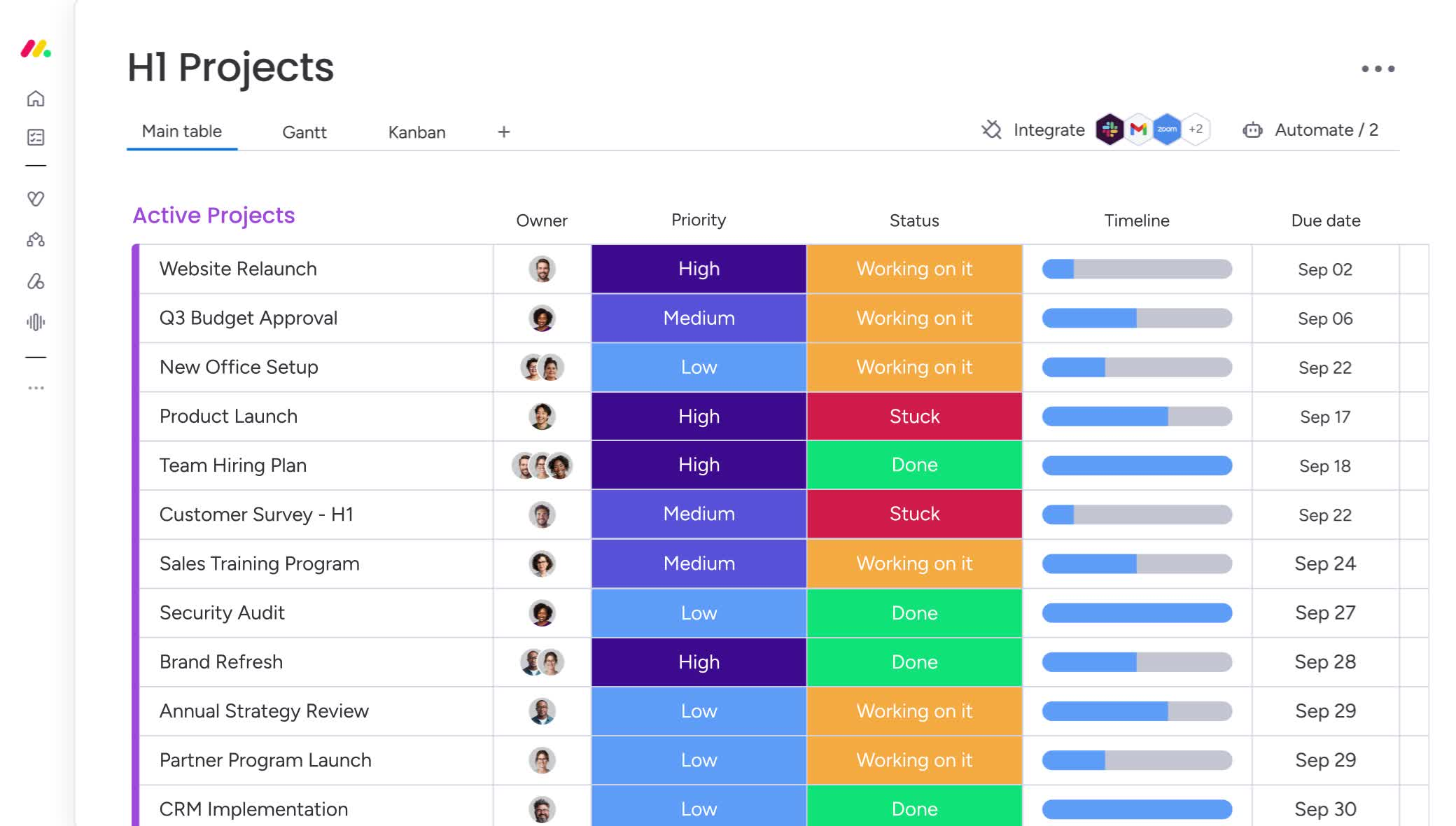
Monday.com is the most visual tool in this list, and that is both its appeal and its warning label. Everything is a board: columns for status, people, dates, and numbers, with colour everywhere and a dashboard that pulls it together. A team that thinks in tables and status colours will feel at home within minutes, and a manager who wants a live view of every project can build a dashboard from several boards without asking IT. For operations, marketing, and client-service teams, that visual style is easier to read than a Jira backlog. For a software team running sprints, it can feel like a spreadsheet wearing a project tool’s clothes.
The strength is how quickly a team can shape it. You pick a template, rename the columns, add an automation, and the board starts doing small jobs on its own. The catch is the plan ladder. The entry Basic plan has no automations and no integrations at all, which removes the two features that make Monday.com worth choosing. Standard, at $12 per seat per month billed annually, is the real starting point, and Pro at $19 adds time tracking, private boards, and far higher automation limits. Paid plans also carry a 3-seat minimum, so a two-person team pays for three seats. For a 10-person team, Standard runs $120 a month on annual billing.
Best for: operations, marketing, and client-service teams that want colourful visual boards, dashboards, and simple automations.
Official site: Monday.com
What we like about Monday.com
- Unlimited free viewers can watch boards on paid plans without taking a paid seat.
- Standard includes 250 automation actions and 250 integration actions a month, enough for a small team’s daily routines.
- A Standard dashboard can combine up to five boards, which gives managers one live view across projects.
What could be better
- Basic has no automations and no integrations, so the cheapest paid plan removes the platform’s main strengths.
- Every paid plan enforces a 3-seat minimum, so a two-person team pays for a seat nobody uses.
- New customers since May 2026 also buy a monthly AI credit bundle with their seats, which adds a second line to the bill.
Price: Free up to 2 seats; Basic $9 per seat per month billed annually ($12 monthly); Standard $12 billed annually ($14 monthly); Pro $19 billed annually ($24 monthly); Enterprise by quote. Paid plans carry a 3-seat minimum.
3. ClickUp: Best All-in-One Work Hub
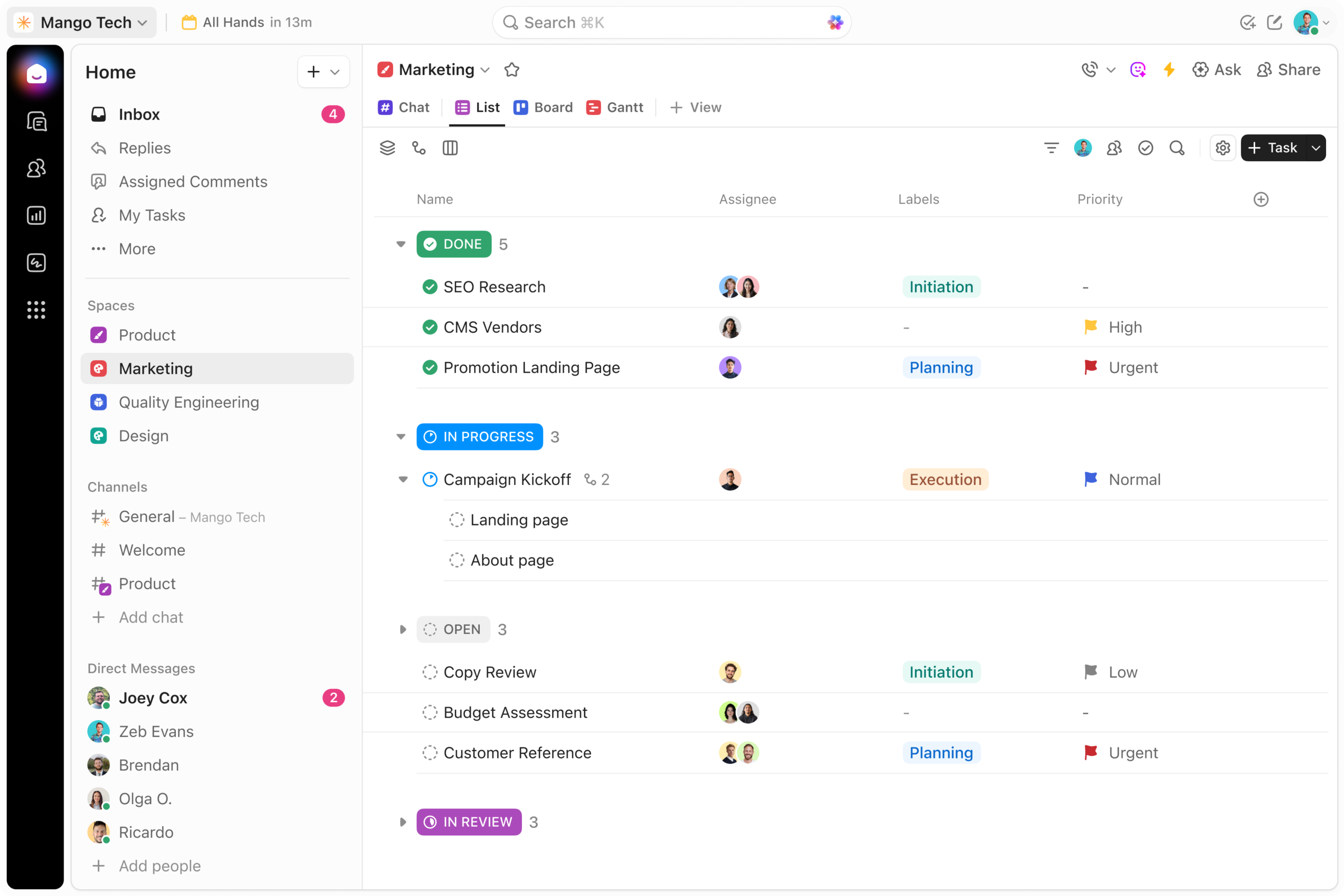
ClickUp tries to be everything, and for a small team that is exactly the appeal. Docs, whiteboards, chat, goals, time tracking, dashboards, and automations all live in one workspace, so a team can stop paying for three or four separate tools and run its week from a single login. The free plan is unusually generous, with unlimited users and unlimited tasks, which makes ClickUp the cheapest way to test a Jira replacement with a real team before spending anything. The paid plans are also the cheapest in this guide at the entry level, with Core at $9 per user per month billed annually.
The trade for all that breadth is complexity of a different kind. ClickUp has so many views, settings, and features that a new team can spend its first week deciding how to use it, and the interface can feel busy next to Linear or Trello. Sprints, custom fields, goals, and workload views cover the agile ground Jira covers. Goals sit on the Core plan, and workload management allows unlimited uses on Business and 100 uses on Core, and the free plan’s 60 MB storage cap pushes teams toward a paid plan once they attach many files. The other cost to watch is AI: AI credits and standard models are included on Core and Business, with a Max AI tier for heavier use. A 10-person team on Core pays $90 a month on annual billing, the lowest paid entry in this guide.
Best for: small and growing teams that want docs, chat, goals, and tracking in one workspace at the lowest paid price in this guide.
Official site: ClickUp
What we like about ClickUp
- The Free Forever plan has no seat limit, so a whole team can try it properly before paying.
- Core includes 1,000 automation runs a month, which covers most small-team routines.
- Paid plans include a pool of guest seats, and once that pool runs out, extra guests are billed as full member seats.
What could be better
- AI credits and standard models are included on Core and Business, with a Max AI tier for heavier use.
- Monthly billing jumps sharply, with Core rising from $9 to $12 and Business from $17 to $25 per user.
- A Business Plus tier exists but its price only appears inside a live workspace, so you cannot budget for it from the pricing page.
Price: Free Forever; Core $9 per user per month billed annually ($12 monthly); Business $17 billed annually ($25 monthly); Enterprise by quote.
4. Notion: Best for Docs Plus Light Tracking

Notion is the odd one out in this list, and that is why it belongs here. It is a docs and wiki tool first, and a task tracker second. If your team already writes specs, meeting notes, and roadmaps in Notion, adding a simple task database keeps the plan and the writing in the same place. You can link a task to the spec that describes it, view the same data as a board, a table, or a calendar, and build a lightweight project hub without opening another app. For a small team whose work is mostly writing, planning, and light coordination, that is enough.
The honest limit is that Notion is not a project management tool in the Jira sense. There are no native sprints, no burndown charts, no velocity reports, and no workload views built in. You can build approximations with databases and formulas, but you are building a tracker by hand instead of buying one. Pricing changed in 2026: Plus is $10 per member per month billed annually, and Business is $20, with the full AI suite living on Business. For a 10-person team, Plus runs $100 a month on annual billing. If you are weighing Notion against dedicated trackers, our guide to Notion alternatives covers the other side of the same decision.
Best for: small teams that already write and plan in Notion and need light task tracking in the same workspace.
Official site: Notion
What we like about Notion
- Guests are not billed, so only members count toward the seat total.
- Students and educators get the Plus plan free with a qualifying school email.
- Publishing a Notion site on your own domain costs $8 a month per domain billed annually, which is cheap for a public hub.
What could be better
- The free plan caps at 1,000 blocks the moment a second member joins, which pushes small teams to Plus quickly.
- Full AI features need the Business plan at $20 per member, double the Plus price.
- There is no native time tracking or invoicing on any tier, so billing hours needs another tool.
Price: Free; Plus $10 per member per month billed annually ($12 monthly); Business $20 billed annually ($24 monthly); Enterprise by quote.
5. Trello: Best for Simple Kanban Boards
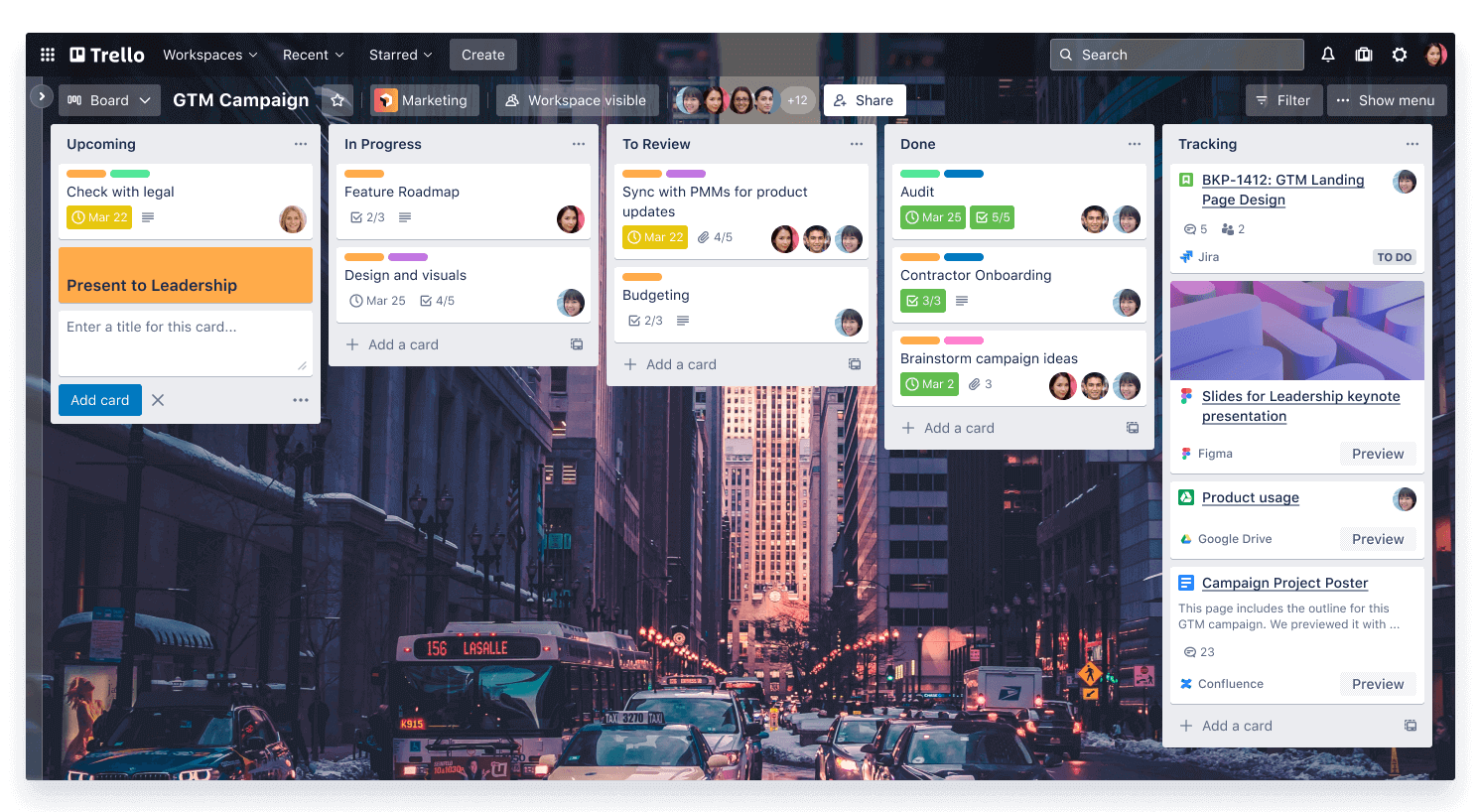
Trello is the simplest tool in this guide, and for many teams that is the whole argument. A board is a set of lists, a card is a task, and you drag the card from one list to the next. There is almost nothing to learn, nothing to configure, and nothing to administer. A team that found Jira’s setup exhausting will have a working Trello board in ten minutes. It is also the cheapest paid option here at the entry level, with Standard at $5 per user per month billed annually, and it comes from Atlassian, the same company that makes Jira.
The simplicity has a ceiling, and it arrives sooner than most teams expect. Trello has no native sprints, no story points, no workload views, and no real reporting until you reach Premium. The free plan caps a workspace at 10 collaborators and 10 open boards, which is fine for a tiny team and a wall for a growing one. Premium is $10 per user per month billed annually and adds Calendar, Timeline, Table, Dashboard, and Map views plus unlimited automation. For a 10-person team, Standard runs $50 a month and Premium $100. Trello is the right pick when the work is genuinely simple and the team wants to keep it that way.
Best for: small teams and individuals who want the fastest, cheapest kanban board with almost no learning curve.
Official site: Trello
What we like about Trello
- Standard allows 250 MB file attachments per file, so boards can carry real documents, more than links.
- Standard includes 1,000 automation runs a month, which covers routine card moves for a small team.
- Atlassian Guard is available as an add-on starting at $4 per user per month for teams that need extra security without Enterprise.
What could be better
- The free plan caps at 10 collaborators and 10 open boards per workspace, which a growing team hits fast.
- Enterprise needs a minimum of 50 seats, so a mid-size team cannot buy it at all.
- Guests on two or more boards count as billable members, so outside collaborators can quietly raise the seat count.
Price: Free up to 10 collaborators; Standard $5 per user per month billed annually ($6 monthly); Premium $10 billed annually ($12.50 monthly); Enterprise $17.50 billed annually, 50-seat minimum.
6. Linear: Best for Software Teams That Want Speed
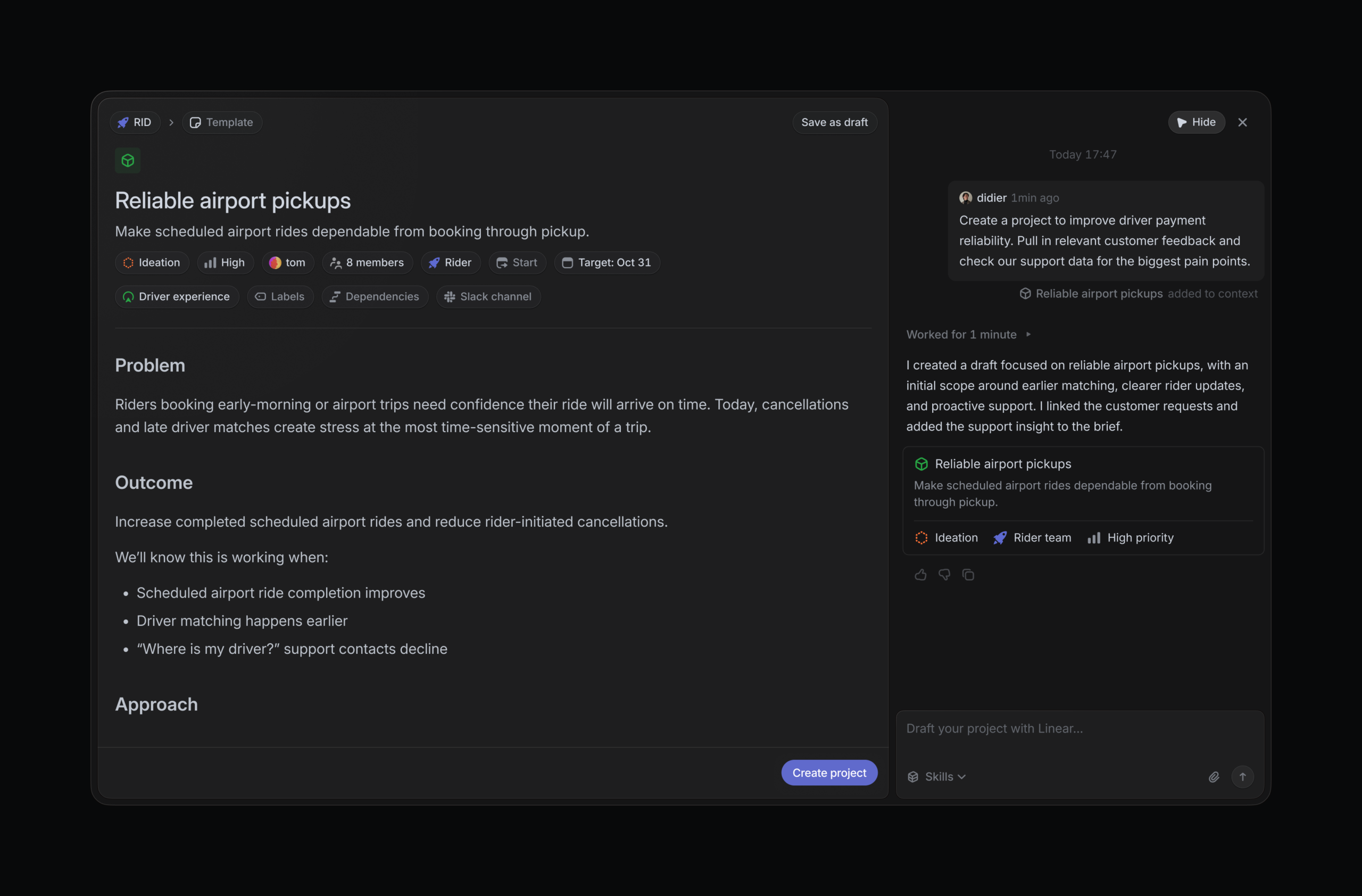
Linear is the tool software teams switch to when they are tired of Jira’s weight but still need real issue tracking. It is fast in a way you feel immediately: pages load instantly, keyboard shortcuts do most of the work, and creating an issue takes seconds. Cycles work like sprints, projects carry roadmaps, and Git integrations connect issues to pull requests so the tracker reflects what the code is doing. The interface is calm and opinionated, with few settings to argue about, which is a deliberate choice.
The opinionated design is also the limit. Linear is built for product and engineering teams. Non-technical teammates often find it sparse compared with Asana or Monday.com, and there is no marketing campaign planning, no client portal, and no general project management for other departments. If your whole company needs one tool, Linear is the wrong pick. Pricing changed in 2026: the old Standard $8 and Plus $14 plans are gone, and the current plans are Basic at $10 per user per month billed yearly and Business at $16. For a 10-person engineering team, Basic runs $100 a month and Business $160. Most growing teams will need Business for reporting and guests, so budget $16 per seat, not $10.
Best for: product and engineering teams that want fast, focused issue tracking with real sprints and minimal admin.
Official site: Linear
What we like about Linear
- The free plan allows unlimited members, so a whole engineering team can start without a seat count.
- The API allows 2,500 requests per hour per user with an API key, or 5,000 per hour per user with an OAuth app, which keeps integrations responsive at scale.
- Linear Agent chat is included on every plan, including Free, so AI help does not need a paid tier.
What could be better
- Basic caps at five teams, so a growing org hits the wall and needs Business sooner than expected.
- Guest accounts need Business and are billed as full members, so every contractor costs the same as an engineer.
- AI Loops cost about $0.07 to $0.20 per run, and they run on Free too as long as the workspace has AI credits, so heavy agent use adds a meter on top of the seat price.
Price: Free, unlimited members, 250 issues, 2 teams; Basic $10 per user per month billed yearly; Business $16 billed yearly; Enterprise custom, annual only.
7. Wrike: Best for Managed Team Projects

Wrike sits between Asana and Jira on the structure scale. It has Gantt charts, dashboards, custom fields, workflows, and approvals, and it is built for teams that run projects with formal steps and clear approval stages. A team that needs request forms, proofing, and resource planning will find those features waiting on the Business plan, and the interface is orderly enough that a project manager can run a portfolio without a Jira admin beside them. Wrike is a good fit for departments inside larger companies, where work has owners, deadlines, and approval steps.
The plan structure is the thing to understand before you buy. Team costs $10 per user per month billed annually and covers 2 to 15 users, with shareable dashboards, interactive Gantt charts, calendars, and custom fields. Business costs $25 billed annually and covers 5 to 200 users, adding request forms, proofing and approvals, time tracking, resource management, and templates. That jump from $10 to $25 is steep, and it is the plan most teams will need. Business and above are sold as annual subscriptions only. Wrike also sells subscriptions in groups of five seats up to 30 seats, so a team of 12 buys 15 seats on Team.
Best for: departments and mid-size teams that need formal project structure, approvals, proofing, and resource planning.
Official site: Wrike
What we like about Wrike
- Team covers 2 to 15 users with Gantt charts and shareable dashboards at $10 a seat, which is fair for the structure you get.
- Business includes 5 GB of storage per user, so project files stay inside the tool instead of a separate drive.
- A Whiteboard add-on is available at $15 per user per month for teams that plan visually.
What could be better
- Business and above are annual only, so there is no month-to-month option to test the higher tier.
- Subscriptions up to 30 seats are sold in groups of five, so a team of 12 pays for 15 seats.
- Team stops at 15 users, which forces a growing team onto Business at $25 a seat sooner than planned.
Price: Free; Team $10 per user per month billed annually, 2 to 15 users; Business $25 billed annually, 5 to 200 users; Pinnacle and Apex by quote. Business and above are annual only.
8. Teamwork: Best for Client Work and Agencies
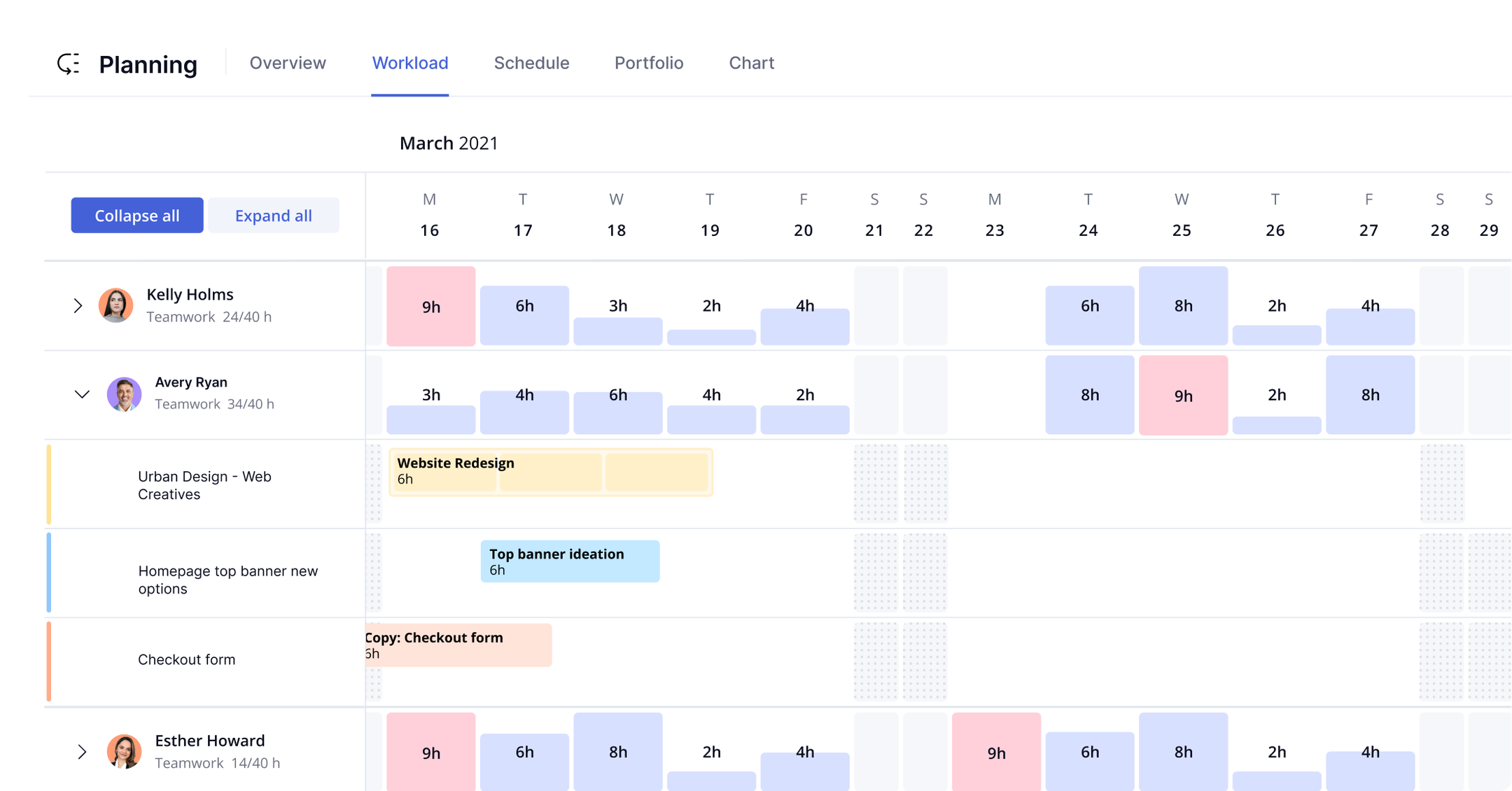
Teamwork is built for a specific kind of team, and if that is your team, it fits better than anything else in this guide. Agencies, consultancies, and client-service firms live on billable hours, project budgets, and client visibility, and Teamwork puts those numbers at the centre. Time tracked on a task flows into project profitability reports, budgets show planned versus actual spend, and workload views show who is overallocated across clients. The project templates are built for repeatable client work, so an agency can start each new engagement from a proven shape instead of a blank board.
The free plan is a genuine starting point for a small agency, covering up to five users with the project essentials. Basics costs $9.99 per user per month billed annually, or $13.99 monthly, and adds automations, intake forms, and project status reports. Accelerate costs $24.99 billed annually, or $29.99 monthly, and adds workload and capacity management, advanced budgeting, and utilization reports. The jump from Basics to Accelerate is where the agency features live, so most firms will budget for Accelerate, which puts a 10-person agency at about $250 a month on annual billing. The limits are about breadth: the integration list is thinner than Asana’s or Monday.com’s, and Desk, CRM, and Spaces are sold separately.
Best for: agencies and client-service teams that bill hours, track project budgets, and report profitability per client.
Official site: Teamwork
What we like about Teamwork
- The free plan covers up to five users, so a small agency can run real client work before paying.
- Paid plans include a 14-day free trial, which is long enough to test with a live client project.
- Accelerate includes a workload and resource planner, so managers can see overallocation before it becomes a missed deadline.
What could be better
- Optimize is priced by quote only, so the top tier cannot be budgeted from the site.
- Teamwork Desk, CRM, and Spaces are sold separately, so the full suite costs more than the project price alone.
- Monthly billing is available for teams of four or more, which leaves very small teams on annual billing only.
Price: Free up to 5 users; Basics $9.99 per user per month billed annually ($13.99 monthly, 3-user minimum); Accelerate $24.99 billed annually ($29.99 monthly, 5-user minimum); Optimize by quote.
9. OpenProject: Best Open-Source Option for Regulated Teams
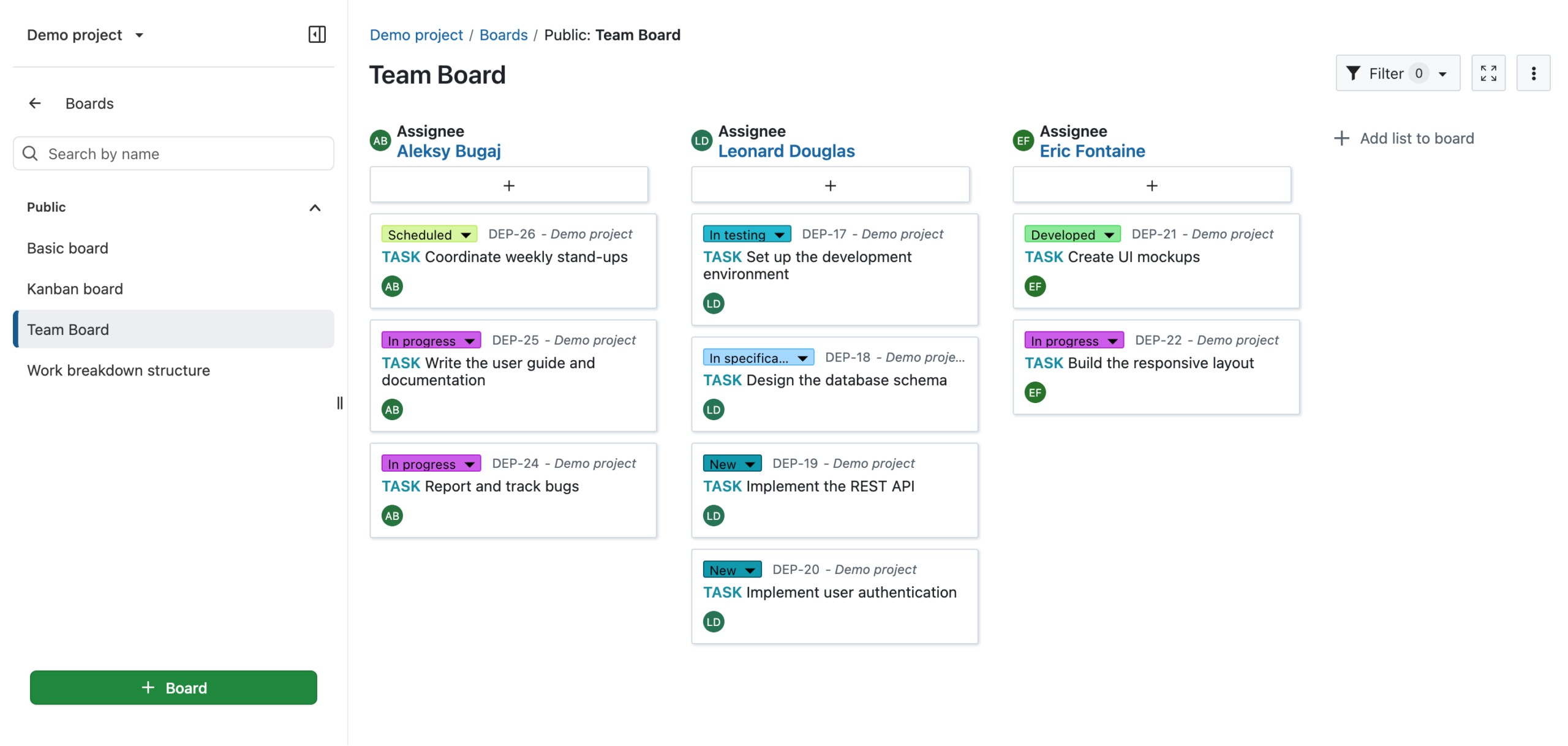
OpenProject is the most complete open-source project management suite in this guide, and it is the right pick when data control matters as much as features. The Community edition is free, self-hosted, and licensed under GPLv3, with unlimited users and projects. It covers work packages, Gantt charts, agile boards, time tracking, wikis, and calendars, which is a fuller feature set than most free plans offer. Because you host it, your project data never leaves your servers, which settles the question for teams in regulated industries and for companies with strict data residency rules.
The catch is the same as with any self-hosted tool: you own the server, the updates, the backups, and the uptime. Installing OpenProject needs a Linux server and some comfort with infrastructure, and a team without that skill should either budget for help or pick the hosted Enterprise cloud edition instead. The paid Enterprise tiers add single sign-on, two-factor authentication, baseline comparison, and vendor support, from 5.95 euros per user per month. The seat minimum is the number to watch: Enterprise Basic carries a 25-user minimum on-premises, so the smallest paid on-premises purchase is around 149 euros a month; Enterprise cloud starts at 5 users, so the smallest paid cloud purchase is 29.75 euros a month. A small non-technical team will be happier with Plane or Trello.
Best for: technical teams and regulated organisations that want a full open-source suite on their own servers.
Official site: OpenProject
What we like about OpenProject
- The Community edition is free with unlimited users and projects, which no cloud tool in this guide matches.
- Enterprise Basic starts at 5.95 euros per user per month, a low entry price for the paid features.
- A 14-day free trial of the Enterprise edition needs no credit card, so teams can test the paid features safely.
What could be better
- The smallest paid purchase is 25 seats, around 149 euros a month, whatever your team size.
- The Premium tier needs a minimum of 100 users, so smaller teams cannot buy the top features at any price.
- Installation needs Linux server experience, so a non-technical team must budget for help or choose the cloud edition.
Price: Community edition free, self-hosted, unlimited users; Enterprise from 5.95 euros per user per month (Basic, 25-user minimum); Professional 10.95 euros; Premium 15.95 euros (100-user minimum); Enterprise cloud from 5.95 euros per user per month.
10. Plane: Best Modern Open-Source Jira Replacement
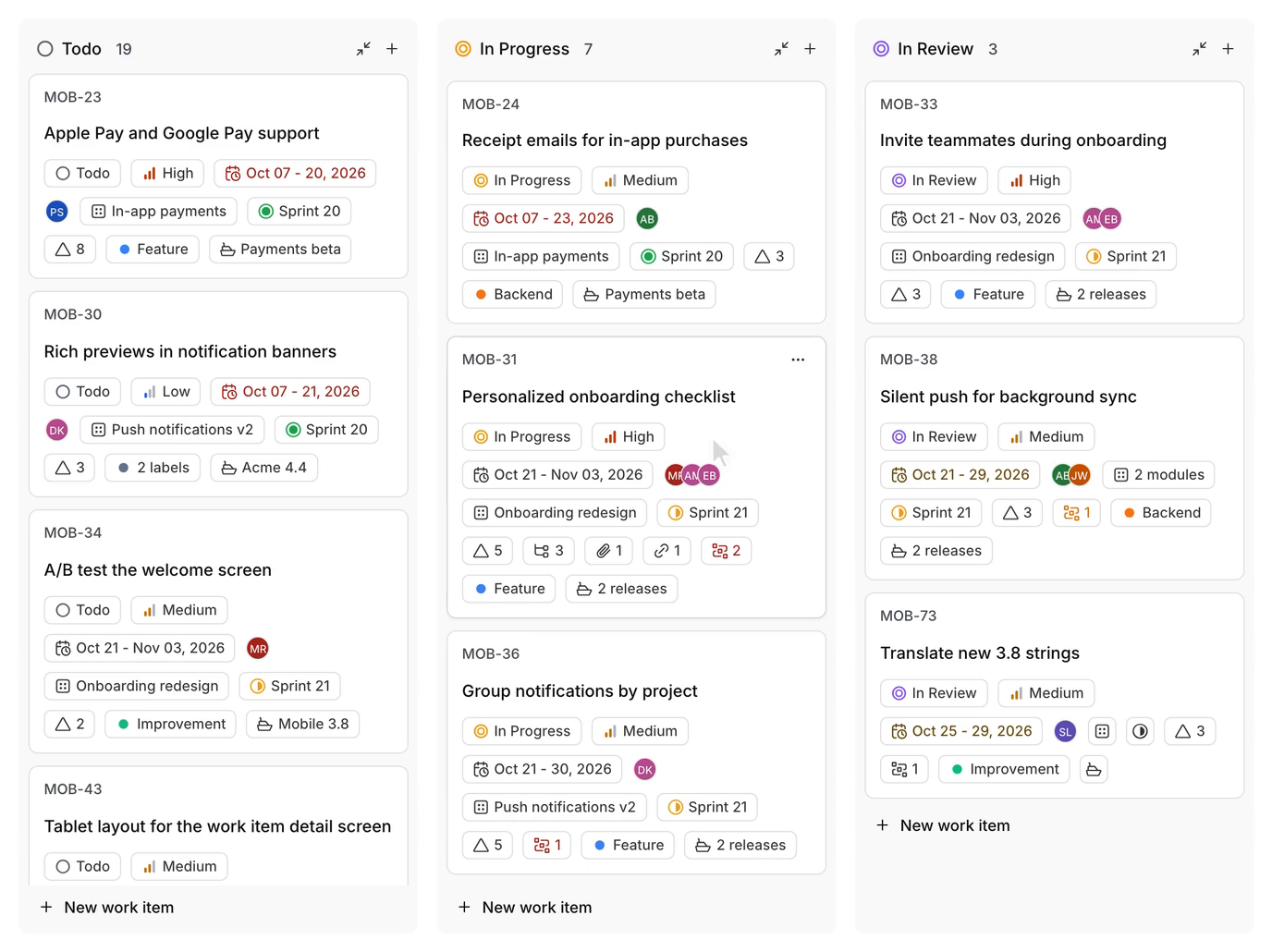
Plane is the newest tool in this guide and the closest to a modern, open-source Jira. It has the pieces software teams actually use, issues, cycles that work like sprints, modules for grouping work, estimates, intake forms, and five layouts including List, Board, Calendar, Gantt, and Spreadsheet, plus pages for docs and a built-in AI layer. The interface is clean and fast, the project structure feels familiar to anyone coming from Jira, and the open-source Community edition is free to self-host under AGPL-3.0 with no user limit.
The pricing is the most generous of the paid options here. Plane Cloud has a free tier for up to 12 seats with the core features and full API access. Pro costs $6 per seat per month billed annually, and Business costs $13 billed annually, with Enterprise Grid quoted for air-gapped deployments. A 10-person team on Pro pays $60 a month on annual billing, less than any other paid tracker in this guide except Trello Standard. The trade is maturity against modern design: the ecosystem of integrations is thinner than Jira’s or Asana’s, so a team that needs an unusual integration should verify it exists before migrating.
Best for: software teams that want a modern, Jira-style tracker they can host themselves, free, with no seat limit.
Official site: Plane
What we like about Plane
- The Cloud free tier covers up to 12 seats, so a small team can run real sprints without paying.
- Guests are free at five per paid seat, so clients and contractors do not raise the bill.
- Around 62,000 GitHub stars make it one of the most adopted open-source project tools anywhere.
What could be better
- The self-hosted Commercial edition has a 10-seat minimum for new paid purchases.
- Some third-party listings still show Pro at $8 a seat, so confirm the $6 price at checkout before budgeting.
- The integration ecosystem is thinner than Jira’s or Asana’s, so niche tools need checking before migration.
Price: Community edition free, self-hosted, unlimited users; Cloud free up to 12 seats; Pro $6 per seat per month billed annually; Business $13 billed annually; Enterprise Grid by quote.
Jira vs the Field: What You Actually Give Up
Leaving Jira is not free, and the honest version of this guide says what you lose as clearly as what you gain. Jira’s marketplace is the deepest in the category, with apps for test management, advanced roadmaps, time tracking, and compliance that no rival matches in one place. Its permission schemes let an admin control exactly who sees and edits what, and its audit trails satisfy compliance teams that need a record of every change. A company with hundreds of engineers, strict access rules, and a decade of Jira history will feel those losses. A team of twenty will mostly notice that its boards load faster and its admins have their afternoons back.
The practical losses are smaller than most teams fear. Every tool in this guide imports work from a CSV or from Jira directly, and Linear and Plane both offer dedicated Jira importers. What does not transfer cleanly is the configuration: workflows, custom fields, and automation rules are Jira-specific, so they need rebuilding. That rebuild is also the opportunity: most Jira setups carry years of accumulated fields and statuses that nobody remembers adding, and a migration forces a team to keep the five it uses and drop the rest.
The one cost that surprises teams is the Jira bill itself. Jira Standard lists from $8.48 per user per month on Atlassian’s pricing page, and Premium from $15.56, with the per-user rate varying by team size and billing term, and small teams on monthly billing seeing $9.70 and $19.60. A 10-person team on Standard pays roughly $79 to $97 a month: $97 on monthly billing at $9.70 a seat, or about $79 a month on the annual table ($950 a year for 10 users). It is close to Asana Starter and more than ClickUp Core or Plane Pro. The saving from switching is real but modest at 10 people, and it grows with the team and with marketplace apps. Run the numbers at your real headcount, including the apps you pay for. For many teams the move is about speed and simplicity, and the saving is a bonus.
Moving Off Jira Without Breaking Anything
Start with an inventory, not a signup. List every live Jira project, the people who use it, the workflows that matter, and the apps installed on top. That list is your migration order: the active product project first, the archived marketing board last. You will usually find that a handful of projects carry most of the work, and the long tail can be exported and archived instead of migrated. Keep a full export of issues, comments, and attachments before you move anything.
Rebuild the top project in the new tool and run both platforms in parallel for at least two weeks. The parallel fortnight is when you find the workflow that fires ten times more often than anyone believed, the field nobody fills in, and the report a manager actually reads. Only cancel Jira once the new platform has carried a full normal sprint, including planning, standup, and review. If your team leans on automation heavily, our Zapier alternatives guide is worth a read alongside this one, because the automation layer often needs its own migration plan too.
Screenshot every Jira workflow and automation rule before you rebuild it, including each status transition and field mapping. No platform exports a portable version of your Jira configuration that a rival can import, so those screenshots are your rebuild spec. The ten minutes per workflow saves hours of guessing what the old setup actually did.
One more migration warning applies to every tool in this guide. Free plans and free self-hosted editions are not free migrations. The time your team spends learning the new tool, rebuilding workflows, and retraining colleagues is the real cost, and it is larger than the first month’s subscription. Budget a full sprint for the move, assign one person to own it, and tell the team what will be different on day one.
How to Pick by Team and Budget
Small teams of up to 10 people should buy simplicity and price. Trello Standard at $50 a month or ClickUp Core at $90 a month covers the basics. Plane’s free Cloud tier covers up to 12 seats and costs nothing. Notion Plus at $100 a month fits teams that already write in Notion.
Growing teams of 10 to 50 people should buy structure. Asana Starter at about $110 a month for 10 people is the default for timelines, reporting, and cross-team work. Monday.com Standard at $120 a month fits visual, operations-led teams. Linear Basic at $100 a month fits engineering teams that want speed, with Business at $160 a month for reporting and guests. Wrike Team at $100 a month fits departments that need Gantt charts, with Business at $250 a month for approvals and resource planning.
Agencies and client-service firms should buy the tool that tracks money. Teamwork Accelerate at about $250 a month for 10 people ties time, budgets, and profitability together. Technical teams with data rules should buy control: OpenProject Community and Plane’s self-hosted Community edition are both free on your own server. Companies should buy governance. If your compliance team needs Jira’s audit trails and permission schemes, stay on Jira Premium.
What a 10-Person Team Actually Pays
The table below converts the headline prices into a real monthly bill for 10 people on annual billing. Jira Standard is included as the baseline, using the rate listed on Atlassian’s pricing page. OpenProject is excluded because it prices in euros and carries a 25-seat minimum on paid plans.
| Tool | Plan for 10 people | Monthly cost |
|---|---|---|
| Jira (baseline) | Standard | About $79 to $97 |
| Trello | Standard | $50 |
| Plane | Pro | $60 |
| ClickUp | Core | $90 |
| Notion | Plus | $100 |
| Wrike | Team | $100 |
| Linear | Basic | $100 |
| Asana | Starter | About $110 |
| Monday.com | Standard | $120 |
| Teamwork | Basics | About $100 |
The spread is wider than the headline prices suggest. Trello Standard costs less than half of Asana Starter for the same 10 people, and Plane Pro costs $60 against Linear Basic at $100 for a similar sprint workflow. But the cheapest tool is only cheap if it does the job. A team that buys Trello and outgrows it in three months pays twice. Pick the tool that fits the team you will be in a year, not the team you are today.
Who Should Pick What
If you take one line from this guide, take this one: buy the tool that matches the team you will be in a year, not the logo you recognize.
Pick Asana for the safest all-round replacement. Pick Monday.com for visual boards and dashboards. Pick ClickUp for the most features per dollar. Pick Notion for docs-led teams. Pick Trello for simple boards. Pick Linear for product and engineering teams. Pick Wrike for formal departments. Pick Teamwork for client work billed by the hour. Pick OpenProject for data control and open source. Pick Plane for a modern tracker you can host yourself for free.
FAQs
What is the best free Jira alternative?
Plane is the strongest free starting point for software teams, with a Cloud free tier up to 12 seats and a self-hosted Community edition with no user limit. ClickUp’s free plan is the most generous for general teams, with unlimited users and tasks. OpenProject’s Community edition is the strongest free option for regulated teams that need to host their own data.
Which Jira alternative is cheapest for a small team?
Trello Standard at $5 per user per month billed annually is the cheapest paid plan in this guide, at $50 a month for 10 people. Plane Pro at $6 a seat is next at $60 a month, and ClickUp Core at $9 a user is $90 a month. Plane’s free Cloud tier and ClickUp’s free plan cost nothing at all for a small team, though both have limits that a growing team will hit.
Can I migrate my Jira projects to another tool automatically?
Partly. Most tools in this guide import from a Jira CSV export, and Linear and Plane offer dedicated Jira importers that carry issues, comments, and attachments. What does not transfer is configuration: workflows, custom fields, and automation rules are Jira-specific and need rebuilding by hand. Migrate your busiest project first, run both tools in parallel for two weeks, and cancel Jira only after a full normal sprint on the new platform.
Which Jira alternatives can I self-host?
Plane and OpenProject. Plane’s Community edition is free under AGPL-3.0 and self-hosts on Docker or Kubernetes, with a paid Commercial edition for extra features. OpenProject’s Community edition is free under GPLv3 with unlimited users and projects, with paid Enterprise editions adding support and security features. Everything else in this guide is cloud-only, including Jira Cloud itself.
Is Linear better than Jira for software teams?
For most software teams under 50 engineers, yes. Linear is faster, easier to learn, and cheaper at the entry level, with real sprints, roadmaps, and Git integrations. Jira wins for large organisations that need deep permission schemes, audit trails, and a marketplace of specialised apps. If your team does not use those enterprise features weekly, Linear will feel like an upgrade within a week.
What is the best Jira alternative for non-technical teams?
Asana. It keeps the structure a team needs without the agile vocabulary, and a new hire can learn it in an afternoon. Monday.com is the pick for teams that think in visual boards and dashboards. Trello is the pick when the work is genuinely simple and the team wants the fastest possible start. All three are easier for non-technical teammates than Jira, and all three cost less per seat at the entry level.
Does switching away from Jira save money?
At 10 people, the saving is modest: Jira Standard lists from about $79 a month, while Trello Standard is $50, Plane Pro is $60, and ClickUp Core is $90. The saving grows with headcount and with marketplace apps, because Jira’s real cost often includes paid apps for roadmaps, test management, and time tracking. The bigger saving is usually time: less admin work and faster onboarding.
When does it make sense to stay on Jira?
More often than comparison posts admit. If your company has hundreds of engineers, strict permission and audit requirements, a large marketplace investment, and admins who know the system well, switching buys you little and costs you a migration. Move when the setup tax, the per-seat price, or the admin burden starts costing you real time or real money.
Pick Asana for most teams, Linear for engineers, Plane for value
Pick Asana for the safest all-round replacement, Linear for product and engineering teams, and Plane for a modern tracker you can host yourself for free. For the rest, the routing above holds: Monday.com for visual teams, ClickUp for the most features per dollar, Trello for simple boards, Notion for docs-led teams, Wrike for formal departments, Teamwork for client work, and OpenProject for regulated teams. Migrate your busiest project first, run both tools side by side for two weeks, and let the real usage settle it.
This kind of research, applied to your growth
If you run a SaaS business, SaaS Harvest can do this kind of digging in your market and turn it into search traffic that signs up.
