

QuickBooks vs Xero is the comparison most small business owners end up making, and in my view QuickBooks wins on depth while Xero wins on simplicity and team access. Which one fits you? The honest answer depends less on which logo you like and more on how many people touch your books, how many invoices you send, and whether payroll, inventory, or multi-currency work sits at the centre of your week.
We compared the two platforms on their current vendor pricing pages, their plan limits, and the day to day work that actually fills an owner’s calendar: sending invoices, paying bills, reconciling the bank, running payroll, tracking stock, and reading the numbers before a decision. This is not a feature checklist copied from a sales page. It is a working comparison, built around the limits that change what you pay and the workflows that change how much time bookkeeping takes.
If you run a team of three and send a steady stream of invoices, the cheapest plan on paper may not stay the cheapest plan once a fourth or fifth person needs access. If you run solo and send fewer than twenty invoices a month, the most powerful plan on the market may be money spent on capacity you never use. Keep those two tests in mind as you read, because they explain almost every recommendation that follows.
Quick Picks: The Short Version
Short on time? Start here. The detail below explains each pick, including the cases where a different plan beats the headline choice.
QuickBooks Online Plus
Best for growing businesses that need inventory, project profitability, and deeper reporting in one place.
Price $140 per month
50% off for 3 months for new customers at time of writing
Xero Growing
Best for small teams that want unlimited users, uncapped invoicing, and a lower monthly bill.
Price $59 per month
80% off for the first 3 months for new customers at time of writing
Xero Early
Best for a solo owner with modest monthly invoice and bill volume who wants full team access later without switching plans for users.
Price $27 per month
80% off for the first 3 months for new customers at time of writing
QuickBooks vs Xero at a Glance
The table below gives the shape of the contest in one view. The sections after it explain where each row matters in real work, and where a single row can change the whole decision.
| Area | QuickBooks Online | Xero |
|---|---|---|
| Pricing model | Four paid tiers plus a limited Free tier, priced by user count | Four monthly tiers, priced by volume and features |
| User limits | Simple Start 1 user, Essentials 3 users, Plus 5 users, Advanced 25 users | Unlimited users on every plan |
| Invoicing | Invoicing on all plans | Early capped at 20 invoices per month, Growing and Established uncapped |
| Bills and expenses | Bill management across plans, with depth increasing by tier | Early capped at 5 bills per month, higher plans remove the cap |
| Bank reconciliation | Bank feeds and reconciliation on all plans | Bank feeds and reconciliation on all plans |
| Inventory | Inventory tracking available on higher tiers | Inventory support is more limited than QuickBooks, with add-ons filling gaps |
| Payroll | Payroll available as a separate add-on in the US | US payroll comes through a partner such as Gusto, not native Xero payroll |
| Reporting and forecasting | Strong reporting depth, strongest on Plus and Advanced | Dashboards and reporting, with automation and project tools on higher plans |
| Multi-currency | Multi-currency support on higher tiers | Multi-currency on Established |
| Support | Support access varies by plan, with priority options higher up | Online support and help resources across plans |
How We Compared QuickBooks and Xero
We checked the vendor pricing pages for both platforms and compared plan prices, user limits, invoice and bill caps, payroll routes, inventory and project tools, reporting, and multi-currency support. Prices are US list prices checked against vendor pricing pages. Where a price had changed recently, we used the current list price and noted the change in the pricing section, because a comparison built on last year’s prices helps no one.
We judged each platform on five questions. First, what does a real business pay in year one at list prices, for a three person team and for a six person team? Second, what happens when the business grows by one person, or by twenty invoices a month? Third, how clean is the daily close: invoices out, bills paid, bank reconciled, cash position clear? Fourth, how well does the plan handle the extras that often force an upgrade, meaning payroll, stock, projects, and foreign currency? Fifth, how painful is it to leave later, if the business outgrows the first choice?
We also kept the focus on owners, not accountants alone. An accountant can make almost any system work. An owner who opens the books for twenty minutes on a Friday needs invoices that go out fast, a bank feed that matches cleanly, and a dashboard that answers one question: can we afford the next hire, the next order, or the next campaign? That test shaped the verdict at the end.
QuickBooks Online in Focus
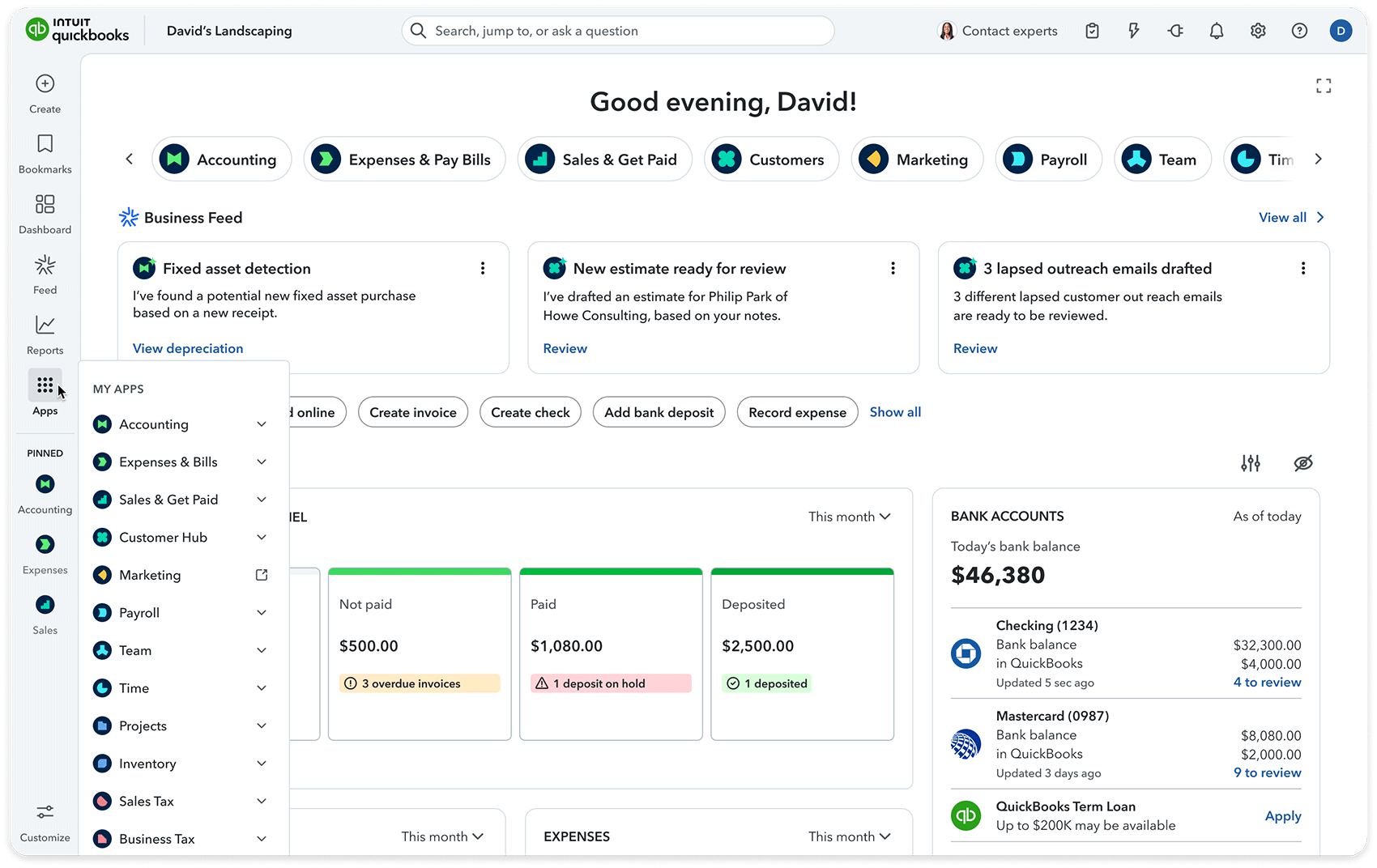
QuickBooks Online is the larger, deeper system, and it shows in the way it handles a growing business. The plan ladder is built around people, rising from a solo tier to tiers for larger teams, with the top tier covering a much larger team than the middle tiers. That structure works well while the team fits inside a tier, and it starts to pinch the moment the team grows past one. A business rarely hires its sixth bookkeeping user on a schedule that matches a software renewal, so the jump between tiers deserves more attention than the headline monthly price.
Where QuickBooks earns its price is in the middle and upper tiers. The fuller tiers add inventory and project profitability, which turns the software from a record of what happened into a tool for judging which jobs made money. The top tier adds deeper reporting for a business that needs to slice results by team, location, or project and make decisions from those slices. For a service business that bills by project, or a product business that holds stock, those two additions can matter more than any small difference in the base monthly fee.
The trade off is complexity. More depth means more settings, more reports to choose between, and more chances to set something up in a way that later needs untangling. A solo owner who only needs invoices, expenses, and a clean tax file may find QuickBooks heavier than needed. A growing team with an accountant involved, a payroll run to manage, and stock to track will usually find the depth worth it.
What we like about QuickBooks Online
- Accountant seats sit outside the staff user caps, with 2 on lower plans and 3 on Advanced, so your accountant does not consume a paid team seat.
- Advanced expands classes and locations and adds custom permissions, giving larger teams finer control over who sees and edits what.
- Many US accountants already know the system well, which can shorten setup and make year end review smoother.
What could be better
- Renewal prices for Essentials, Plus, and Advanced changed for renewals on or after August 1, 2026, so an older quote may not match the renewal bill.
- Inventory and project profitability arrive at Plus, so a business that needs either one cannot stay on the two cheapest plans.
- Simple Start allows only one user, so a second person who needs regular access already forces a move up the ladder.
Xero in Focus

Xero takes the opposite approach to team size. Team size does not change the monthly bill, so adding a bookkeeper, a co-founder, or an operations manager does not raise the subscription price. The limits that matter on Xero sit on the other side of the ledger: volume. Early caps the business at twenty invoices and five bills a month. A higher tier removes those caps and adds automation and dashboards, while the top tier adds multi-currency and project tools for a business operating across borders or running client work.
That structure suits a particular kind of business very well. A small team that sends a high volume of invoices, or a team where several people dip into the books during the week, can stay on Growing at $59 a month while a comparable QuickBooks team would already be paying for a higher tier. The interface is lighter, the learning curve is shorter, and the monthly bill stays predictable as the team grows, because headcount alone never triggers a forced upgrade.
The limit to watch is volume on Early, and the payroll route in the US. A solo owner who grows past twenty invoices a month will outgrow Early quickly, even though the user count never becomes a problem. US payroll runs through a partner such as Gusto, which works well for many businesses, but it is a separate relationship and a separate bill from the Xero subscription itself. Owners who want payroll inside the same subscription should weigh that difference before they commit.
What we like about Xero
- Unlimited users on every plan, including Early, so team growth never triggers a forced plan change on headcount alone.
- US plans bill monthly with no annual prepay option on the US page, so there is no yearly sum locked in up front.
- Established adds expense claims alongside multi-currency and project tracking, covering the extras that growing service businesses often need together.
What could be better
- Multi-currency support sits only on Established, so a business billing in foreign currency cannot stay on the two cheaper plans.
- Project tracking is an Established feature, so a Growing user who needs formal project costing must step up a tier.
- Monthly only billing means there is no annual prepay discount to bring the monthly equivalent down over a full year.
Beyond the headline features, test the ecosystem around each platform before you commit. Both systems connect to banks, payment processors, expense tools, and a wide range of business apps, and the quality of those connections shapes daily work more than a single report ever will. Check whether your bank feed connects cleanly, whether your payment provider settles into the right account without manual splitting, and whether your expense capture tool posts to the right category on the first try. A connection that needs weekly repair is a hidden cost, paid in staff time, even when the subscription price looks attractive.
Mobile access matters in the same way. Owners rarely sit at a desk to approve a bill or send an invoice while travelling. Both platforms offer mobile apps for invoicing, expense capture, and checking balances on the move, and a short trial with real tasks will show which app fits your habits. Send a test invoice from your phone, photograph a test receipt, approve a test bill, and check the dashboard after each step. The system that feels natural on a small screen is the system your team will actually keep current, and current books are the foundation of every report, forecast, and tax filing that follows.
Pricing Deep Dive: What You Actually Pay
Start with the list prices, checked on the QuickBooks pricing page and the Xero pricing page, because everything else in this section flows from them. QuickBooks Online costs $38 a month for Simple Start, $85 for Essentials, $140 for Plus, and $340 for Advanced. Xero costs $27 a month for Early, $59 for Growing, and $97 for Established, under US prices in force from October 1, 2026, up from $25, $55, and $90. Both vendors offer a new customer intro at time of writing: QuickBooks at 50% off for 3 months, Xero at 80% off the first 3 months. Intro offers lower the first bill. They do not change the ongoing price, and a business should choose on the ongoing price, not the first quarter. Xero also offers a Simple tier at $10 per month, with an introductory price of $2 per month for the first 3 months. The Xero US pricing comparison table does not state invoice or bill limits for Simple. QuickBooks also offers a Free tier at $0 per month, with 1 user, no accountant access, 2 invoices monthly (unlimited if QuickBooks Payments is enabled), the top 3 reports, 1 bank, and chat support.
Now apply those prices to a three person business. On QuickBooks, three users fit Essentials at $85 a month, which is $1,020 over a full year at list prices. If that business also needs inventory or project profitability, it needs the fuller QuickBooks tier at $140 a month, which is $1,680 a year. On Xero, the same three people fit Growing at $59 a month, which is $708 a year, with no user cap to worry about. If the business needs multi-currency or project tracking on Xero, the fuller Xero tier at $97 a month is $1,164 a year. At three users, the gap between the natural fits is $312 a year in Xero’s favour on the mid tier comparison, Essentials against Growing, and $516 a year in Xero’s favour when both businesses need the fuller feature set, Plus against Established.
The six person case is where the two pricing models pull apart sharply. Six users do not fit QuickBooks Plus, which caps at five users. The business must move to Advanced at $340 a month, which is $4,080 a year at list prices, even though it only needs one seat beyond the Plus cap. On Xero, six users still fit Growing at $59 a month, which is $708 a year, or Established at $97 a month, which is $1,164 a year, because Xero does not cap users at all. The gap between Advanced and Growing is $3,372 a year. The gap between Advanced and Established is $2,916 a year. That is not a small difference in features. It is the price of a pricing model that charges by headcount against a model that charges by volume and features.
Assumptions matter here, so here they are plainly. These are list prices with no intro discount applied, for a full twelve months, for a business whose bookkeeping users number three or six. The QuickBooks cases assume the business chooses the cheapest plan that fits its user count. The Xero cases assume the business chooses Growing for general use, or Established where multi-currency or project tracking is needed. Payroll is excluded from both sides, because QuickBooks payroll is a separate add-on and Xero US payroll runs through a partner, and neither payroll price is stated here. If payroll, stock, or foreign currency changes the plan choice, the comparison changes with it, which is why the sections below matter as much as the arithmetic above.
The lesson is simple. Count users before you count features on QuickBooks, and count invoices and bills before you count features on Xero. A three person team that will stay at three people can judge QuickBooks on its depth. A team that plans to hire its fourth, fifth, and sixth bookkeeping users in the next year should price QuickBooks Advanced from day one, even if Plus looks like today’s fit, because the jump from $140 to $340 a month arrives with the sixth user, not with a change in features.
Before you pick a plan, list every person who will open the books at least once a week, including a part time bookkeeper and an operations lead, then add one hire you expect in the next twelve months. That list, not today’s headcount, is the number to test against the QuickBooks user caps.
Invoicing, Bills, and Bank Reconciliation: The Daily Close
Daily bookkeeping lives or dies on three habits: invoices go out on time, bills get paid without duplicate entry, and the bank feed reconciles without a weekly hunt for missing transactions. Both platforms handle all three, and the difference sits in the limits and the friction around them, not in whether the feature exists at all.
On QuickBooks, invoicing is straightforward, and the plan ladder shapes how much volume and automation sit behind it. A business sending a handful of invoices a month will notice little difference between tiers. A business sending hundreds will feel the value of the higher tiers in reporting and workflow depth, and will also feel the user caps if several staff send, chase, and reconcile those invoices. Bill management follows the same pattern: the work is familiar, the depth grows with the tier, and the team size decides which tier is realistic.
On Xero, the daily close is lighter to learn, and the Early cap is the one number to respect. Twenty invoices and five bills a month is plenty for a new solo business, a consultant with a few retainer clients, or a shop with low transaction volume. It is not enough for a business sending daily invoices or paying many suppliers each week. Growing removes both caps, which is why it is the natural home for most small teams, and why the $59 price deserves more attention than the $27 headline. Bank reconciliation on both platforms benefits from a connected feed, regular matching, and a weekly habit of clearing unmatched items before they pile up. Whichever platform you choose, that weekly habit will save more time than any single feature.
For a business choosing between the two on daily work alone, ask two questions. How many invoices and bills cross the books in a busy month, not an average month? And how many people need to send, approve, or reconcile them? If the busy month breaks twenty invoices, Xero Early is out. If the team breaks five users, QuickBooks Plus is out. Those two answers narrow the field faster than any feature table.
Recurring billing is another daily close test worth running during a trial. Many service businesses live on retainers, subscriptions, or repeat orders, and a system that handles recurring invoices cleanly saves hours each month. Set up a recurring invoice, check that it sends on schedule, and confirm that payment reminders follow a tone you would be happy to send to a real client. Chasing overdue invoices is uncomfortable work, and a polite, automatic reminder sequence often recovers money faster than a manual chase at month end, because it arrives promptly and consistently.
Payment options attached to invoices matter just as much. A client who can pay from the invoice itself, by card or bank transfer, usually pays sooner than a client who must open a separate portal or arrange a manual transfer. Check the payment fees, the settlement timing, and the reconciliation behaviour for each method before you settle on a platform, because a low subscription price paired with slow settlement or messy reconciliation can cost more than it saves. The best daily close is the one where money in, money out, and bank balance agree with the least manual touching.
Payroll, Inventory, and Projects: Where the Plans Split
Payroll is the first split. QuickBooks offers payroll as an add-on in the US, so a business can run pay alongside its books, with the payroll cost sitting outside the base subscription prices quoted above. Xero takes a different route in the US, where payroll comes through a partner such as Gusto. That partner route is a normal, well used setup, and many businesses run it happily. It does mean two relationships to manage, a partner bill to track, and a payroll workflow that lives beside Xero, not inside the same subscription. A business that already uses Gusto may see no friction at all. A business that wants one vendor, one bill, and one login for books and pay will lean toward QuickBooks.
Inventory is the second split, and it favours QuickBooks for product businesses. QuickBooks inventory tracking lets a business follow stock levels, cost, and sales in the same system that records the income. Xero’s inventory support is more limited, and businesses with serious stock needs often fill the gap with an add-on. That gap is workable, and many Xero users run stock through a connected app without trouble, but it is an extra integration to set up and maintain. A service business with no stock can ignore this whole paragraph. A product business should not, because stock errors turn into tax errors, ordering errors, and customer service problems in short order.
Projects are the third split. QuickBooks project profitability on its fuller tiers answers the question every agency, consultancy, and contractor eventually asks: which jobs made money after labour, materials, and overhead? Xero project tracking on its fuller tier serves a similar purpose for client work and job costing. The practical difference is the tier at which each arrives, and the price of that tier on each platform. A five person agency on the fuller QuickBooks tier pays $140 a month for project profitability. A team of any size on the fuller Xero tier pays $97 a month for project tracking, with team size having no effect on the price. A solo consultant who bills by project and sends few invoices may sit happily on Xero Early, but should check whether project tracking matters enough to justify Established from the start.
Growth planning ties the three splits together. If your next twelve months include hiring, holding stock, or running client projects at scale, pick the platform whose plan ladder puts those features at a price you can live with at your future team size, not today’s. That is the test that keeps a business from switching systems mid year, when migration costs time and attention that should be going to customers.
Multi-entity businesses need a separate conversation before choosing either platform. A company with two brands, two locations trading separately, or a parent company with subsidiaries usually needs separate books per entity for tax and legal clarity, plus a clear way to view the group position. Inter-entity charges, shared staff costs, and loans between entities all need a consistent treatment, or the group view will mislead even when each entity book looks tidy on its own. Before committing, ask how each platform handles separate entities, whether each entity needs its own subscription, how consolidation is produced, and what your accountant charges to review a multi-entity setup.
The practical test is simple. Map your entities on paper, list the transactions that cross between them each month, and ask the vendor or your accountant to walk through one such transaction end to end in the system you are considering. If that walkthrough needs spreadsheets outside the system to produce a group view, budget that spreadsheet time in full. A business with one entity can ignore this section entirely. A business planning a second brand, a second location with separate trading, or an acquisition in the next year should not, because unwinding a single-entity setup later is far harder than setting entities up cleanly at the start.
Reporting, Cash Flow, and AI: Seeing Ahead
Reports are where accounting software either earns its keep or becomes a chore. Both platforms produce profit and loss, balance sheet, and cash flow views, and both let an owner check who owes money, what is overdue, and where cash stands this month. The difference is depth and habit. QuickBooks offers a broader report library at the upper tiers, with more ways to slice results and compare periods. Xero offers a cleaner dashboard view that suits an owner who wants the headline numbers fast and the detail only when a question arises.
Cash flow deserves its own attention, because a profitable business can still run short of cash when invoices are slow and bills land early. A useful cash flow view shows expected money in, expected money out, and the gap between them, week by week. Both platforms support that kind of forward look, and the value comes from keeping the data current: invoices entered when sent, bills entered when received, and the bank reconciled weekly. No forecast, however clever, can fix stale data. Owners who automate the intake of bills and invoices will get more from either platform than owners who batch everything at month end.
Automation is where a small integration habit pays off. Connecting the accounting system to the tools that already hold customer and sales data removes retyping and reduces errors, and a good place to start is reviewing the best CRM software for small business options that fit your sales workflow, then checking whether your chosen accounting plan syncs cleanly with that system. Similarly, if your team already leans on automation between apps, reading up on Zapier alternatives can show cheaper or simpler ways to move data between invoicing, CRM, and reporting tools without manual entry. The accounting choice and the automation choice should be made together, because a system that sits apart from the rest of the stack creates work every single week.
Artificial intelligence features in accounting software change quickly, so treat any AI claim as a prompt to test, not as a promise to trust blindly. Both vendors are adding automation that suggests categories, flags unusual transactions, and helps draft cash flow views from current data. The value of those tools depends entirely on the quality of the underlying records. Clean categories, a reconciled bank feed, and consistent invoice habits will make automation look smart. Messy, unreconciled data will make the same tools produce confident looking errors, which are worse than no suggestion at all.
Use AI features as a second pair of eyes, not as a replacement for review. Let the system suggest a category, then confirm it. Let it flag an unusual bill, then check the source document before approving. Over a few months, that habit trains both the system and the team, and the time saved grows. A business that approves every suggestion without checking will eventually pay for the mistake in a tax review or a cash flow surprise, so keep a human approval step on every automated posting that moves real money.
Who Should Pick QuickBooks?
Pick QuickBooks if your business is growing into complexity: a team that will pass five bookkeeping users, a product business holding stock, a service business billing by project, or a business that wants payroll alongside the books in the US. The depth at Plus and Advanced, the inventory and project tools, and the reporting range make it the stronger long term home for that profile, even when the monthly bill is higher. Price the plan your future team needs, not only today’s team, and the decision becomes clearer.
QuickBooks also suits a business whose accountant already works in it daily, or a business that expects to hand the books to an accountant at year end with minimal cleanup. Familiarity is not a feature on a pricing page, but it is real time saved in practice. If your accountant, bookkeeper, and operations lead all open the same system, the workflow stays in one place, and the monthly close gets shorter with each cycle.
QuickBooks also suits a business that expects complexity to arrive in stages. A consultancy that starts with simple invoicing, then adds project billing, then hires, then holds stock for a new product line, can grow inside the same system without migrating at each step. The plan ladder, for all its cost at the top end, gives a clear path upward, and the depth that feels heavy on day one becomes useful in year two. If your growth plan includes those stages, paying for depth early can be cheaper than switching systems mid growth.
Who Should Pick Xero?
Pick Xero if your team is small in headcount terms but broad in access: several people who dip into the books, a co-founder who checks cash weekly, a bookkeeper who reconciles daily, and an operations manager who sends invoices. On Xero, none of those people change the bill. That single difference can save thousands a year against a headcount priced rival, and it removes the awkward conversation about who gets a seat and who waits for a report.
Xero also suits a solo owner or a small service business with steady, moderate volume. Early works while invoice and bill counts stay low, and Growing is the natural step when volume rises, still at a price below the comparable QuickBooks mid tier. If payroll runs through a partner already, or payroll is handled elsewhere, the partner route in the US will not feel like a compromise. And if your business is still deciding how it will grow, Xero’s lower entry price and simpler setup make it an easier first system to learn on.
Xero also suits a business where the owner, not a finance team, keeps the books current. The lighter setup, the clear dashboard, and the absence of a user cap mean an owner can invite help when needed without worrying about seat costs or plan changes. A bookkeeper can step in for a busy month, a co-founder can check cash before a decision, and a part time operations lead can send invoices, all without a pricing conversation. For a small team, that freedom often matters more than the deepest report library.
Switching Later: Moving Between QuickBooks and Xero
Switching accounting software is never free, even when the new monthly price is lower. The cost sits in migration time, in relearning workflows, and in the risk of a messy opening balance if the cutover is rushed. Plan a switch at a natural boundary: a month end, a quarter end, or a financial year end, when the old books can be closed cleanly and the new system can start from a verified trial balance. Run both systems in parallel for a short overlap only if the team has the capacity to keep both current, because a half updated parallel run creates more confusion than a clean cutover with good records.
Before moving, export the essentials from the old system: chart of accounts, customer and supplier lists, open invoices and bills, bank balances, and the last closed trial balance. Check that historical invoices remain accessible after the switch, because tax and audit questions rarely respect the date you changed software. If your team uses HR or people tools alongside finance, review how those tools connect to the new system, including the HCM software landscape, so payroll, leave, and headcount data do not end up stranded in the old stack.
Migration tools and partner help exist for both directions, and a business with years of history, complex inventory, or multi-currency balances should budget for professional help instead of treating migration as a weekend task. A solo business with a simple chart of accounts and low volume can often move in a day or two, with a careful check of opening balances before the first new invoice goes out. Either way, keep the old system readable for at least a full tax year after the move, and confirm the new system produces the reports your accountant expects before you cancel the old subscription.
Final Thoughts
For most growing businesses with a team, a stock list, or project billing, QuickBooks Online Plus is the safer long term pick, and Advanced is the honest price for a team past five users. For most solo owners and small teams that value low cost, broad access, and a simpler daily close, Xero Growing is the better value, with Early as a smart start while volume stays low. The right answer is the one that still fits after your next two hires and your next busy month, not the one with the lowest first bill.
Check the live vendor pricing pages before you buy, confirm the plan fits your user count and your monthly invoice and bill volume, and test the daily workflow with real invoices during any trial. Prices are US list prices checked against vendor pricing pages, and intro offers will change the first quarter, but they will not change which system fits your business in year two.
FAQs
Is QuickBooks or Xero better for a small business?
It depends on team size and volume. QuickBooks suits growing businesses that need inventory, project profitability, and deeper reporting. Xero suits small teams that want broad access at a lower monthly price, with no user cap forcing a plan change when a new team member joins.
Which is cheaper, QuickBooks or Xero?
Xero is cheaper at comparable mid tiers. Xero Growing at $59 a month undercuts QuickBooks Essentials at $85 a month, and the gap widens sharply for larger teams, because QuickBooks charges by user count while Xero does not cap users. Intro offers lower the first three months on both platforms, but the ongoing list price is the number to compare.
How many users can use QuickBooks Online?
QuickBooks Online allows 1 user on Simple Start, 3 users on Essentials, 5 users on Plus, and 25 users on Advanced. A business that needs a sixth regular user must move to Advanced, which is why counting future hires matters before choosing a plan.
Does Xero limit how many users can access the account?
No. All Xero plans include unlimited users, so adding a bookkeeper, co-founder, or operations manager does not change the monthly subscription price. The limits to watch on Xero are invoice and bill volume on Early, not headcount.
What are the Xero Early limits?
Early caps the business at 20 invoices and 5 bills per month. Growing removes those caps, which makes Growing the natural plan for a business whose busy month passes either limit, even if the team itself is small.
Which platform handles payroll better in the US?
QuickBooks offers payroll as an add-on in the US, keeping pay alongside the books. Xero US payroll comes through a partner such as Gusto. Both routes work, but a business that wants payroll inside the same subscription will lean toward QuickBooks, while a business already using a partner payroll tool may prefer Xero.
Can I switch from QuickBooks to Xero, or from Xero to QuickBooks, later?
Yes, in both directions, with planning. Export your chart of accounts, customer and supplier lists, open invoices and bills, and closing trial balance, choose a month end or year end cutover, and verify opening balances in the new system before sending the first invoice. Complex inventory or multi-currency history may need professional migration help.
Do QuickBooks and Xero offer discounts for new customers?
Yes, at time of writing. New QuickBooks customers get 50% off for 3 months, and new Xero customers get 80% off the first 3 months. Treat those offers as a saving on the first quarter only, and judge the platform on its ongoing list price and its plan limits.
QuickBooks for depth and growth, Xero for value and team access
Choose QuickBooks Online Plus if your business needs inventory, project profitability, and reporting depth, and budget for Advanced once the team passes five users. Choose Xero Growing if you want unlimited team access, uncapped invoicing, and a lower monthly bill, with Early as a low cost start while volume stays modest. Either choice works when it matches your user count, your invoice volume, and your payroll setup.
This kind of research, applied to your growth
If you run a SaaS business, SaaS Harvest can do this kind of digging in your market and turn it into search traffic that signs up.
