
HCM software is the system that runs your workforce from hire to exit: core HR records, payroll, time off, recruiting, performance, learning, and workforce planning in one place. If you are still stitching those jobs together with spreadsheets, a payroll tool, and a separate applicant tracker, you are paying for the same employee data three times and reconciling it by hand. The short answer is simple. Small teams should buy a payroll-led tool with light HR, growing mid-market companies should buy a full HR suite with room to add modules, and large or global companies should buy an enterprise suite and budget properly for implementation.
We researched and compared the tools below the way a buyer should: we checked current vendor pricing pages, compared published prices against quote-only enterprise tools, reviewed how each tool handles core HR, payroll, time, recruiting, and talent in vendor documentation and published reviews, and looked at where each one breaks down in real use. HCM is a broad label, and vendors stretch it. Some tools on this list are true enterprise suites. Others are excellent HR and payroll platforms that cover most HCM jobs for smaller companies.
Quick Picks: The Short Version
Rippling
HR, payroll, and IT in one record, built to scale
Price From $8 per employee/mo, full stack by quote
No free trial or free plan, evaluation by demo
Gusto
The simplest payroll-led start for a small US team
Price Simple from $49/mo + $6 per employee/mo
No free plan, published pricing, self-serve signup
BambooHR
Clean core HR that a small HR team can run alone
Price Core from $10 per employee/mo
Free trial, no free plan
HCM Software at a Glance
| Tool | Best for | Free plan | Paid from |
|---|---|---|---|
| Workday HCM | Large and global enterprises | No | Quote only |
| BambooHR | Growing mid-market HR teams | No, trial only | $10 per employee/mo |
| Rippling | Scaling companies, HR plus IT | No, demo only | $8 per employee/mo |
| Gusto | Small US businesses | No | $49/mo + $6 per employee/mo |
| ADP Workforce Now | Mid-market payroll and compliance | No | Quote only |
| Paycor | Hourly and multi-location teams | No | Quote only for most buyers |
| Dayforce | Payroll, time, and talent on one system | No | Quote only |
| Oracle HCM Cloud | Enterprises running Oracle | No | Quote only |
| SAP SuccessFactors | Enterprises running SAP | No | Quote only |
| HiBob | Culture-led, multinational mid-market | No | Quote only |
Prices are US list prices checked against vendor pricing pages. Confirm the checkout price before you buy, because quote-only tools price by headcount, modules, and contract term, and published tools reprice often.
What Is HCM Software, Really?
HCM stands for human capital management. In practice it means one system of record for people, plus the workflows around them. Core HR holds employee records, job history, managers, locations, and documents. Payroll turns hours and salaries into pay, tax filings, and payslips. Time and attendance tracks hours, shifts, and time off. Recruiting and onboarding bring people in. Performance, compensation, and learning develop them. Benefits and workforce planning keep the whole picture affordable and legal.
The three acronyms confuse buyers, so here is the plain version. An HRIS is the data backbone: employee records, documents, and basic reporting. An HRMS adds daily operations on top: payroll, time, and benefits. HCM is the broadest tier: everything in an HRMS plus talent strategy, succession, workforce planning, and analytics. Every HCM tool contains an HRIS. Not every HRIS is an HCM tool. The label on the box matters less than the module list on the quote, so check that list before you sign.
The same boundary applies on the customer side: an HCM system organizes the people who work for you, while a CRM organizes the people who buy from you, so if you need both sides covered, see our guide to the best CRM software for small business.
That distinction explains the price gap on this list. A small team buying Gusto gets strong payroll and light HR for a published monthly fee. A global company buying Workday or Oracle gets planning, analytics, and multi-country compliance, plus an implementation project that can run longer than a year. The expensive mistake is buying an enterprise suite and using it as a record keeper, or buying a light HR tool and expecting it to run succession planning and global payroll.
Core Modules to Check Before You Buy
Start with core HR and employee self-service. Managers should approve time off and view their team without emailing HR. Employees should update their own details, view pay documents, and complete onboarding tasks from a phone. If self-service is weak, HR becomes the help desk for every small change, and adoption drops fast.
Then check payroll depth for your footprint. US-only payroll, multi-state tax filing, and global payroll are three different products wearing similar names. Check benefits administration, time and scheduling, and reporting in the same pass. A tool can look complete on a features page and still hand you a spreadsheet for shift differentials, overtime rules, or headcount planning. Ask for a demo using your own pay rules, not the vendor demo data.
How We Chose These 10 Tools
We started from the tools that show up again and again when companies compare HCM platforms, then filtered hard. A tool made the list only if it covers core HR plus at least two adjacent HCM jobs well: payroll, time, recruiting, performance, or workforce planning. We checked each vendor’s current pricing stance, noted where pricing is published and where it is quote-only, and flagged where payroll is an add-on, outside the base plan.
1. Workday HCM: Best for Large and Global Enterprises
Workday HCM is the enterprise default for a reason. It puts core HR, talent, payroll, time, and workforce planning on one cloud system, and it pairs that with financial management for companies that want HR and finance governed together. For a large company with thousands of employees across countries, that single governed record is the product. Reporting, audit trails, and planning all draw from the same data, which is exactly what a public company or a regulated business needs at board level.
The talent side is deep. Recruiting, onboarding, performance, compensation, learning, and succession all live inside the same system, and skills data feeds workforce planning directly. Managers get a consistent view of their team, and HR gets planning models that account for hiring, attrition, and internal moves.
The honest cost is not the subscription alone. Workday does not publish a public price list, so every deal is a negotiated quote based on headcount, modules, and term. Implementation usually needs a partner and a dedicated internal team, and it runs far longer than a small business rollout. Buy Workday when your scale, global footprint, or compliance needs justify an enterprise program. Do not buy it because the brand feels safe.
Best for:large enterprises, global employers, and public companies that need HR and finance on one governed platform.

Official site: Workday
What we like about Workday HCM
- One governed record for HR, talent, payroll, and planning
- Deep skills and workforce planning tools for large teams
- Strong audit trails and compliance controls for regulated firms
What could be better
- Global deployments commonly run 18 to 24 months from kickoff to full rollout
- Pricing uses an FSE headcount measure, so the counted headcount needs checking line by line
- Quarterly mandatory releases mean every update lands on the vendor schedule, not yours
Price: quote only, priced per employee per month by headcount, modules, and contract term.
2. BambooHR: Best for Growing Mid-Market HR Teams
BambooHR is the tool HR teams pick when they want core HR done cleanly without an enterprise project. Employee records, time off, hiring, onboarding, and reporting all sit in an interface that a small HR team can learn in days. The dashboard reads at a glance, approvals are simple, and managers can handle their own team tasks without a training course. For a company moving off spreadsheets, that ease is the whole point.
The tier structure is clear. Core covers the HRIS itself, including records, reports, workflows, hiring, and time off. Pro adds performance management, including review cycles, 360 feedback, goals, and 1:1s, plus employee community and recognition, and compensation planning with levels and bands. Elite adds salary benchmarking and deeper dashboards. That shape helps buyers: if you need performance reviews inside BambooHR, you need Pro, and there is no point paying for Elite until salary benchmarking becomes a real job.
The limits matter too. Payroll is a US-only add-on, quoted separately, and benefits administration sits alongside it, outside the base plan. Global employment runs through an employer-of-record partner, so a company hiring widely outside the US will still manage payroll elsewhere. Reporting is good for a mid-market team but thinner than an enterprise suite for complex, multi-entity analysis. Past that size, check reporting and org structure depth before you commit.
Best for:growing companies that want clean core HR, hiring, and performance in one simple system.

Official site: BambooHR
What we like about BambooHR
- Clear tiers, so you pay for performance or compensation only when you need them
- Fast to learn, with strong self-service for employees and managers
- Good hiring and onboarding flow for steady, year-round recruiting
What could be better
- 7-day trial needs no credit card, but there is no permanent free plan to live on
- Flat $250 monthly floor at 25 or fewer staff changes the maths for very small teams
- 15% off when payroll and benefits are bundled, which means the headline rate is not the full bill
Price: Core from $10 per employee per month, Pro from $17, Elite from $25, with payroll and benefits as add-ons.
3. Rippling: Best Overall for Scaling Companies
Rippling earns the top pick because it solves a problem the other tools treat as someone else job: the employee record should drive HR, payroll, and IT together. When a new hire starts, payroll, benefits, app access, and device setup can all flow from one workflow. When someone leaves, access and payroll stop together. For a scaling tech company, that coordination saves more hours than any single HR feature, and it closes security gaps that appear when IT learns about a departure days late.
The module model is the other half of the appeal. Companies start with core HR and add payroll, benefits, time, IT device management, and spend management as they grow. Global hiring runs through Rippling employer-of-record services for teams outside the home country. That shape suits a company going from 25 to 500 people, because the system grows in steps, with no rip-and-replace forced at each stage.
The trade is price predictability. The starting per-employee figure looks low, and the full bill rises as modules stack up. Buyers should get a written quote for their exact module mix, including IT and global modules, before comparing Rippling against a published-price tool like Gusto. Implementation also takes longer than a simple payroll signup, because IT provisioning and app access need setup. For a company that issues laptops, manages dozens of apps, and hires across states or countries, that setup pays for itself. For a small US-only team with no device fleet, Gusto is simpler and cheaper.
Best for:scaling and tech-forward companies that want HR, payroll, and IT on one employee record.

Official site: Rippling
What we like about Rippling
- One employee record drives HR, payroll, benefits, and IT access together
- Modular growth, so a company adds IT or global hiring only when it needs them
- Strong workflow automation for onboarding, moves, and offboarding
What could be better
- $40 monthly base fee sits underneath the per-employee modules, so the headline rate understates the bill
- Full-stack pricing is quote-based, and module stacking pushes the monthly total up fast
- Setup takes weeks, not hours, once device provisioning and app access are included
Price: from $8 per employee per month for the starting module, with full-stack pricing by quote.
4. Gusto: Best for Small US Businesses
Gusto is the simplest way for a small US business to run payroll properly. Signup is self-serve, pricing is published on the site, and payroll, tax filing, benefits, and onboarding live in one calm interface. A founder or office manager with no HR background can run a pay cycle, add a hire, and handle benefits enrollment without calling support first. That accessibility is why Gusto keeps winning small business buyers, and it is a real advantage, not a marketing line.
The tier ladder is easy to read. Simple covers full-service payroll, tax filing, and basic HR. Plus adds more HR tools, including time tracking, performance, and deeper onboarding. Premium adds dedicated support and advanced HR help. Contractor payments are handled alongside employee payroll, which suits small teams that mix staff and contractors. Benefits administration runs through Gusto as broker and admin partner, so a small team gets health, retirement, and related benefits without hiring a broker separately.
The ceiling arrives as the team grows. Reporting covers payroll and HR basics but lacks the depth for workforce analytics and headcount planning. International payroll is limited, so a team hiring employees abroad will need another provider for those hires. For a US team under that size that wants payroll done right with minimal fuss, Gusto is the easiest buy on this list.
Best for:small US businesses, startups, and local service teams that need simple, transparent payroll and HR.

Official site: Gusto
What we like about Gusto
- Published pricing and self-serve signup, no sales call needed to start
- Full-service payroll with automatic tax filing for US teams
- Benefits administration included without a separate broker search
What could be better
- Contractor-Only plan at $35 a month plus $6 per contractor is a separate bill from employee plans
- Same-day direct deposit sits on paid tiers, not as a universal default
- Phone support sits on Plus and above, so Simple buyers lean on chat and help docs
Price: Simple from $49 per month plus $6 per employee per month, Plus from $80 plus $12, Premium from $180 plus $22.
5. ADP Workforce Now: Best for Mid-Market Payroll and Compliance
ADP Workforce Now is the compliance-first choice for mid-market companies. Payroll, time, benefits, talent, and HR records run on one platform, backed by a tax and compliance engine built at enormous scale. For a company with multi-state payroll, complex tax rules, and frequent regulatory change, that depth is the point. Pay runs, filings, and reporting behave the same way every cycle, and HR gets audit-ready records without building compliance checks by hand.
The platform suits companies that value certainty over novelty. The interface is more traditional than Rippling or Gusto, and the module list is long, so buyers should scope carefully and price only the modules they will use. Talent tools, including recruiting, performance, and learning, are solid for a mid-market team, and benefits administration covers the standard US landscape.
The buying experience is the friction. ADP does not publish Workforce Now pricing, so every quote is customized by headcount, state count, and modules. That makes comparison shopping slower than with Gusto or BambooHR, and buyers should ask for a fully itemized quote, including any per-run or filing charges, before signing. Implementation also takes longer than a small business signup. For a mid-market company that treats payroll accuracy and compliance as non-negotiable, ADP remains a safe, proven pick.
Best for:mid-market companies that prioritize payroll accuracy, tax compliance, and multi-state coverage.

Official site: ADP
What we like about ADP Workforce Now
- Deep payroll and tax compliance engine for multi-state employers
- Broad module coverage from HR records through talent and benefits
- Round-the-clock support for payroll deadlines
What could be better
- ADP pays roughly 1 in 6 American workers, which shows its scale and also its enterprise weight
- Anomaly detection flags payroll errors before a run, but only once the payroll module is fully configured
- Global payroll aggregator covering 140+ countries adds a separate layer for international pay
Price: quote only. The vendor publishes no per-employee list price, so the cost is set by quotation.
6. Paycor: Best for Hourly and Multi-Location Teams
Paycor is built for companies where the workforce works shifts, not desks. Restaurants, retail chains, healthcare providers, and multi-location operators get payroll, time tracking, scheduling, hiring, and HR in one system shaped around hourly work. Shift rules, overtime, multi-location reporting, and labor cost visibility sit at the center of the product, not an afterthought on a salaried-team tool. For that buyer, Paycor feels designed for their actual week.
The hiring and talent side supports the same buyer. Recruiting, onboarding, performance, and learning help a high-turnover workforce get hired, trained, and paid with less admin per head. Analytics and reporting cover labor distribution and location performance, which is where multi-location managers live.
Pricing needs care. Smaller employers have seen published small business tiers, while larger employers are quoted individually, so two buyers can see very different numbers for the same product. Introductory rates can also rise after the first months, so budget from the steady rate and get the implementation fee as a fixed number. For an all-salaried small team with no shift complexity, Paycor is harder to justify. For an hourly, multi-location team, it is one of the strongest fits on this list.
Best for:hourly workforces, restaurants, retail, healthcare, and multi-location operators.

Official site: Paycor
What we like about Paycor
- Payroll, time, and scheduling shaped around shift and hourly work
- Strong multi-location reporting for operators running many sites
- Solid hiring, onboarding, and learning tools for high-turnover teams
What could be better
- Published small-business tiers stop at 50 employees, larger firms move to custom quotes
- On-demand pay is a separate feature to confirm on the quote, not a given on every tier
- Scheduling and time tools built for shift work add cost for teams that never schedule shifts
Price: quote only for most buyers; small-business tiers have been listed from $99 per month plus $5 per employee per month, check at checkout.
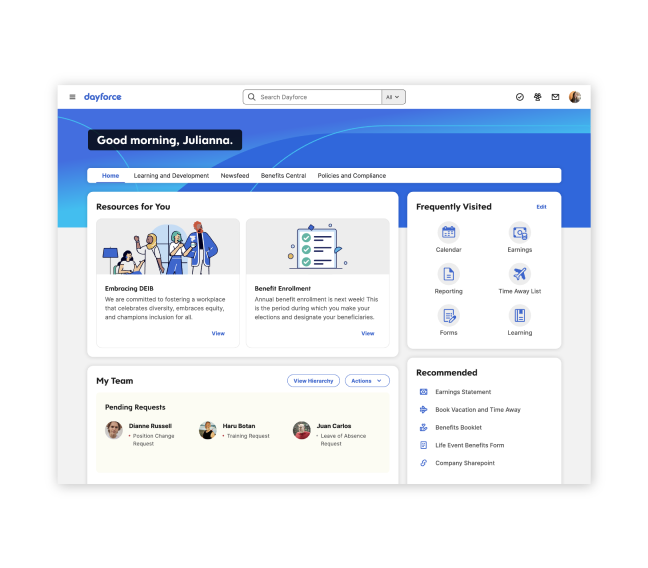
7. Dayforce: Best for Payroll, Time, and Talent on One System
Dayforce, formerly Ceridian, is the pick for companies that want payroll, workforce management, and talent managed as one continuous flow. Time data, schedules, and pay stay connected, so a late shift change or an overtime adjustment flows into pay without a separate export and re-entry step. For companies with complex pay rules, that connection removes a whole class of payroll errors and end-of-period surprises.
The suite covers the full arc: recruiting and onboarding, core HR, benefits, time and scheduling, payroll, performance, learning, and analytics. The mobile experience is strong for hourly workers, who can view schedules, request time off, and check pay from a phone.
The trade is scope and setup. Dayforce is an enterprise-scale system, and smaller HR teams can find the configuration depth overwhelming at first. Pricing is quote-only, so buyers need a scoped quote for their exact workforce shape. Implementation planning matters, especially for companies moving off separate time and payroll tools. For a mid-enterprise company with complex time and pay rules, Dayforce is a strong, unified choice. For a small salaried team, it is more system than the problem needs.
Best for:mid-enterprise companies with complex pay rules, shift work, and connected time and payroll needs.
Official site: Dayforce
What we like about Dayforce
- Time, scheduling, and pay connected in one flow, with fewer exports between tools
- Strong mobile experience for hourly and shift-based workers
- Broad suite from recruiting through learning and analytics
What could be better
- Payroll calculates continuously as time data changes, which needs clean time data to pay off
- Single database design means a weak time setup shows up directly in pay
- G2 responses put typical go-live around 7 months, so plan the rollout calendar early
Price: quote only, priced by headcount, modules, and workforce complexity; check at checkout.
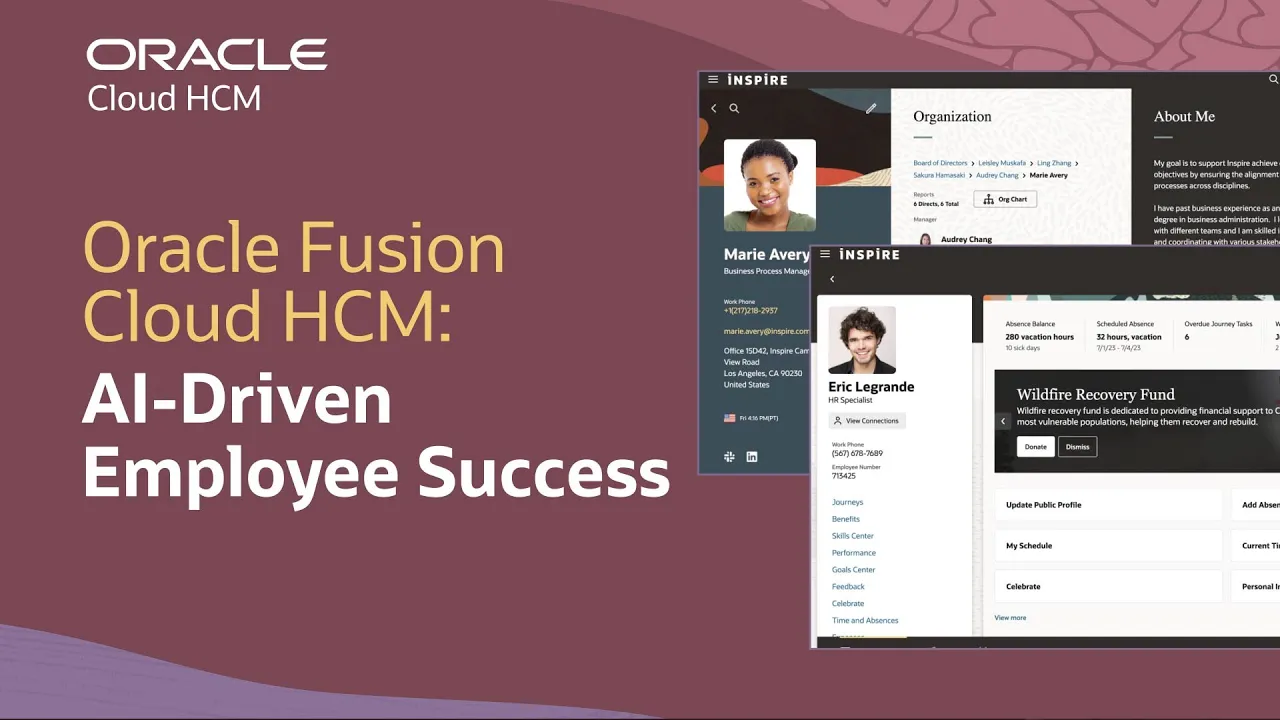
8. Oracle HCM Cloud: Best for Enterprises Running Oracle
Oracle HCM Cloud, part of Oracle Fusion Cloud, is the natural HCM choice for a company already running Oracle finance or ERP. HR, talent, payroll, and workforce planning sit in the same cloud family as finance, so people costs, budgets, and headcount planning share one data model. For a CFO-led buyer, that unified view is the argument, and it is a strong one.
The suite itself is mature. Core HR, recruiting, performance, compensation, learning, and global payroll cover the full talent lifecycle, with strong compliance coverage across countries. Reporting and analytics draw from the same cloud data as finance, which helps large companies answer headcount and cost questions without stitching reports together.
The honest warnings match the other enterprise suites. Pricing is quote-only and varies by headcount, modules, and regions. Implementation is a major program, not a signup, and it needs experienced partners and internal ownership. The user experience lags newer, simpler tools in places, so teams used to Gusto or BambooHR should expect a more enterprise feel. For a company with no Oracle footprint, Workday usually offers a simpler enterprise path.
Best for:large enterprises standardized on Oracle ERP and finance, with global payroll needs.
Official site: Oracle
What we like about Oracle HCM Cloud
- HR and finance share one cloud data model for unified people-cost reporting
- Mature talent suite with strong global payroll and compliance coverage
- Deep configurability for complex org structures and local rules
What could be better
- Quarterly releases on a customer-paced schedule still need a testing plan each cycle
- Discount flexibility, 40 to 60% below list in negotiated standalone deals, means list figures mislead
- Largest partner ecosystem in this set, which also means partner quality varies widely
Price: quote only. The vendor publishes no per-employee list price, so the cost is set by quotation.
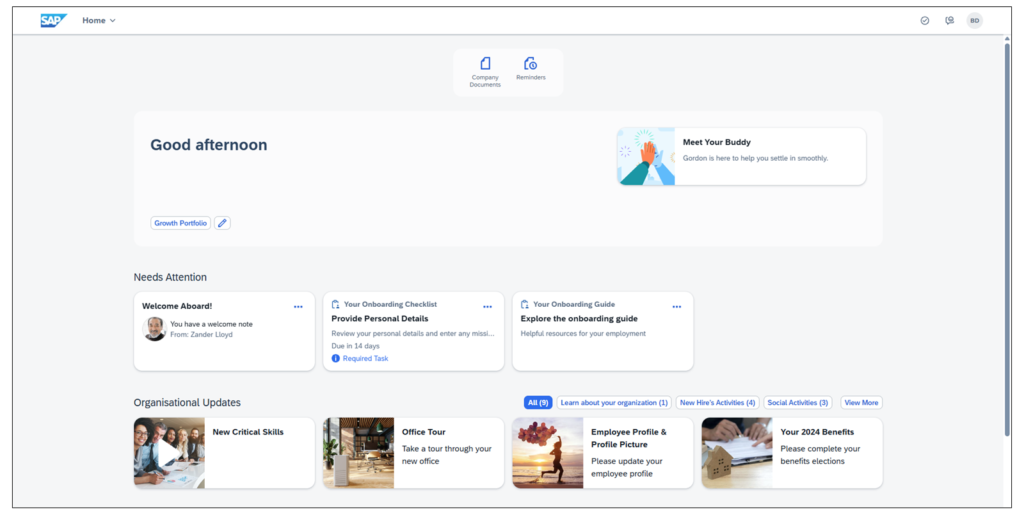
9. SAP SuccessFactors: Best for Enterprises Running SAP
SAP SuccessFactors is the HCM arm of the SAP world, and its logic mirrors Oracle: if the business runs on SAP, HR belongs in the same family. The suite covers core HR, payroll, talent management, learning, and workforce analytics, with particular strength in European labor compliance and regulated industries where SAP already dominates. For those buyers, integration with the wider SAP landscape is the deciding factor.
The talent modules are comprehensive. Recruiting, onboarding, performance and goals, succession, compensation, and learning all sit inside the suite, and workforce analytics help large employers plan hiring and internal moves across regions. Companies with works councils, complex local agreements, and multi-country structures will find the localization depth useful in ways a US-focused tool cannot match.
The catch is the module structure. SuccessFactors grew partly by acquisition, and buyers still report a patchwork feel across modules, with implementations that run long for complex global setups. Pricing is entirely quote-based and scales with modules, headcount, and regions. For everyone else, it competes with Workday and Oracle on completeness while trailing both on buying simplicity, so only choose it when the SAP connection genuinely matters.
Best for:large enterprises running SAP, especially in Europe and regulated industries.
Official site: SAP
What we like about SAP SuccessFactors
- Tight integration with the wider SAP landscape for unified people and finance data
- Comprehensive talent modules from recruiting through succession
- Strong localization for European labor rules and regulated industries
What could be better
- Employee Central as core HR hub means the core module decision shapes the whole suite
- S/4HANA tie-in rewards SAP shops and adds little for companies outside SAP
- Bi-annual releases set a slower upgrade rhythm than quarterly-release rivals
Price: quote only. The vendor publishes no per-employee list price, so the cost is set by quotation.
10. HiBob: Best for Culture-Led, Multinational Mid-Market Teams
HiBob, usually called Bob, is the HRIS for companies that treat culture as a system, not a slogan. Shoutouts, clubs, pulse surveys, and engagement data sit on top of solid multi-country HR records, so a distributed team gets both the people data and the culture layer in one place. The interface is modern and pleasant to use, which helps adoption in companies where HR software usually gets ignored after rollout week.
Under the engagement layer, Bob is a serious mid-market HRIS. Core HR, time off, onboarding, performance, compensation planning, and people analytics cover the standard HCM jobs, with configuration per country or entity for working-time rules, holiday policies, and approval chains. People analytics run deeper than most tools at this tier, with dashboards that help HR show headcount, attrition, and engagement trends without exporting to a spreadsheet.
The limits are payroll and price transparency. Bob has no native payroll for most countries and connects to payroll providers instead, so payroll stays a separate system to manage. Pricing is quote-based, with core HR plus modules added on top, so buyers should get the full module quote, instead of budgeting from a headline figure. For a multinational mid-market company that cares about engagement data, Bob is a strong shortlist pick. For a US team that wants payroll in the same bill, Gusto or Rippling fits better.
Best for:multinational mid-market companies that want culture, engagement, and people analytics in one HRIS.

Official site: HiBob
What we like about HiBob
- Modern engagement layer with shoutouts, clubs, and pulse surveys
- Strong multi-country, multi-currency, and multi-language support
- Deep people analytics and compensation planning for mid-market teams
What could be better
- No free trial, evaluation starts with a demo, so hands-on testing needs a sales step first
- UK native payroll, other countries via Payroll Hub, so payroll stays partly external
- ISO 42001 AI management certification shows the AI governance work, but module costs still stack up
Price: quote only, with third-party estimates around $8 to $12 per employee per month for core HR and $16 to $25 for fuller suites; check at checkout.
How to Choose by Company Size
Under 50 employees, keep it simple. A payroll-led tool like Gusto, or BambooHR Core if HR records matter more than payroll depth, will cover the year. Do not buy an enterprise suite for a team this size.
From 50 to 500 employees, buy for the next two years, not the next ten. Rippling suits scaling and tech-forward teams, BambooHR suits HR-led teams that want simplicity, Paycor suits hourly and multi-location teams, and HiBob suits distributed teams that care about engagement. Price the module mix you will actually use in six months, and ask each vendor what happens to the bill when headcount doubles.
Past 500 employees, or with a global footprint, shortlist the enterprise suites. Workday suits companies that want one governed platform, Oracle suits Oracle shops, SAP suits SAP shops, ADP suits compliance-led mid-market buyers moving up, and Dayforce suits complex time and pay operations. At this size, implementation quality matters as much as the feature list, so check partner references from companies your size before you sign.
Implementation: Where HCM Projects Go Wrong
Most HCM failures are data failures, not software failures. Dirty employee records, duplicate profiles, and inconsistent job titles all migrate faithfully into the new system, and then every report looks wrong. Clean the data before migration, agree one owner per field, and freeze manual spreadsheet edits during the cutover week.
Scope is the second trap. Teams buy every module, implement none of them well, and then blame the tool. Pick the three modules that must work on day one, usually core HR, payroll, and time, and schedule talent modules as a second phase with real owners. Payroll cutover timing matters too. Switching payroll providers mid-year means reconciling two sets of tax records, so the cleanest cutover is at the start of a calendar year or quarter.
Training is the third trap, and it is the cheapest to fix. Managers need a short session on approvals, time off, and team reporting. Employees need a one-page guide for self-service tasks.
Do not sign an enterprise HCM contract on the demo alone. Ask for a scoped quote with modules, headcount definition, implementation cost, and renewal terms on separate lines, then get the same breakdown from a second vendor. Quote-only tools vary widely on the same headcount, and the breakdown is where the real comparison lives.
AI Features in HCM Software
AI in HCM now means practical help, not magic. Resume screening, job description drafting, attrition risk flags, skills matching, and workforce planning models are the common uses. Workday, Oracle, and SAP pitch AI across planning and talent, while BambooHR, Rippling, and HiBob add AI assistants for HR data questions, policy answers, and reporting.
Before you pay for an AI tier, check whether it needs your data to work well and what it costs at your headcount. Some AI features sit on higher tiers or paid add-ons, so price them separately from the seat price. If you want to judge standalone AI assistants before paying for an HCM AI add-on, read our ChatGPT vs Claude guide, then compare what your HCM vendor offers against a tool you already pay for.
Pricing Summary: What You Actually Pay
A small team pays a published monthly fee. Gusto Simple starts at $49 a month plus $6 per employee, and BambooHR Core starts at $10 per employee per month, with a flat monthly floor for very small teams. Rippling starts low per employee and rises with modules, so the quote matters more than the headline rate. Everything else on this list is quote-only, which means headcount, modules, regions, and contract term set the price.
Who Should Pick What
If you take one line from this guide, take this one: match the tool to the company you are, not the company you wish you were.
Pick Workday if you are a large or global enterprise that needs one governed platform. Pick BambooHR if you are a growing team that wants clean core HR without an enterprise project. Pick Rippling if you are scaling fast and want HR, payroll, and IT on one record. Pick Gusto if you are a small US business that wants payroll done simply. Pick ADP Workforce Now if payroll compliance is your top worry. Pick Paycor if your team works shifts across locations. Pick Dayforce if time and pay rules are complex. Pick Oracle HCM Cloud if you run Oracle. Pick SAP SuccessFactors if you run SAP. Pick HiBob if you are a multinational mid-market team that cares about culture and engagement data.
FAQs
What is HCM software?
HCM software is a system that manages the full employee lifecycle in one place: core HR records, payroll, time and attendance, recruiting, onboarding, performance, learning, benefits, and workforce planning. Smaller tools may cover only part of that list, while enterprise suites cover all of it.
What is the difference between HRIS, HRMS, and HCM?
An HRIS is the data backbone for employee records. An HRMS adds daily operations like payroll, time, and benefits. HCM is the broadest tier, adding talent strategy, succession, workforce planning, and analytics on top. Check the module list on the quote, because vendors use the labels loosely.
Which HCM software is best for a small business?
Gusto is the best starting point for a small US business, because pricing is published, signup is self-serve, and payroll plus benefits work out of the box. BambooHR Core is the better pick if HR records and hiring matter more than payroll depth, with payroll added separately for US employees.
How much does HCM software cost?
Published small business pricing starts around $10 per employee per month for core HR, or around $49 a month plus $6 per employee for payroll-led plans. Mid-market and enterprise tools are mostly quote-only, plus implementation costs. Always confirm the checkout price, since modules and add-ons change the total.
Is Workday worth it for a mid-size company?
Usually no. Workday is built for large and global enterprises, with an implementation program and governance depth that a mid-size team rarely needs. Rippling, BambooHR, ADP Workforce Now, or Dayforce usually fit a mid-size company better, depending on whether the priority is scale, simplicity, compliance, or complex time and pay rules.
Can I switch HCM software later?
Yes, but plan the switch around payroll timing. Export employee records, pay history, and documents before you cancel anything, and cut over at the start of a calendar year or quarter where possible, so tax records stay clean.
Do I need payroll inside my HCM tool?
It depends on your footprint. US teams usually benefit from payroll inside the same system, because time, benefits, and pay stay connected.
Pick Rippling for scale, Gusto for small teams, Workday for enterprises
Pick Rippling if you are scaling and want HR, payroll, and IT on one record. Pick Gusto if you are a small US team that wants payroll done simply. Pick BambooHR if you want clean mid-market HR without an enterprise project. Pick Workday, Oracle, or SAP only when your scale or your existing ERP genuinely demands an enterprise suite. Start with a scoped quote, run a real pay cycle in a trial where one exists, and let a week of real use settle it.
This kind of research, applied to your growth
If you run a SaaS business, SaaS Harvest can do this kind of digging in your market and turn it into search traffic that signs up.
