
Webflow alternatives are what most designers search for the week their Webflow renewal lands, and the search usually starts with one of two complaints: the price went up, or the learning curve never quite flattened. Webflow is still a superb tool. It gives a designer real control over layout, it produces clean and fast pages, and a site built well in Webflow looks like it was coded by hand. But the bill has changed. In May 2026 Webflow merged its CMS and Business site plans into a single Premium plan, and the price for a content site is now $25 a month billed annually, while a simple site without a blog costs $15 a month on Basic. Each site needs its own site plan, and editors sit on a workspace plan on top.
My direct opinion is that most people leaving Webflow should land on Framer, because it keeps the visual, design-led way of working Webflow users love, it is faster to learn, and its paid plan starts at $10 a month. But the honest answer depends on what you build. A small business that wants a site live by Friday needs something very different from an agency managing forty client sites, and a designer building portfolios needs something different again from a founder building a web app. This guide covers ten tools so you can find the one that fits your work, your budget, and your patience for learning a new editor.
We compared these tools from their vendor pricing pages, documentation, demos and user reviews, and we worked out what a single site actually costs for a year on each one.You will find a side-by-side table, a pricing deep dive, a worked yearly cost example, a migration section, and clear guidance on who should pick each tool. One honest note: five vendors render their prices with JavaScript or region rules, so the dollar figures did not appear in the text of their pricing pages when we checked on 10 November 2026. For those five we use figures verified by multiple current sources.
One thing to know before you start comparing: there is no single best Webflow alternative, only a best one for your kind of site. A freelancer who builds marketing sites needs something very different from a shop owner who sells products, and a team that ships a web app needs something different again. The ten tools below cover that whole range, from a free builder you can publish on today to a no-code app platform that replaces developers for a first product.
Quick Picks: The Short Version
Framer
Best for most people leaving Webflow, with the same design-led canvas, a gentler learning curve, and AI that builds a first draft in minutes.
Price Free plan at $0. Basic from $10 per month billed annually.
Free plan available, with a Framer subdomain and no custom domain.
WordPress
Best free option for anyone who wants full control, with free open-source software, thousands of themes, and a plugin for almost anything.
Price Free plan at $0 on WordPress.com. Personal from $4 per month billed annually.
Free plan available, plus free self-hosted software if you bring your own hosting.
Webnode
Best value for a small business site, with the lowest honest paid price on this list and a simple editor a beginner can finish in an afternoon.
Price Free plan available. Limited from $4.50 per month billed annually.
Free plan available for a small site on a Webnode subdomain.
Webflow Alternatives at a Glance
| Tool | Best for | Free plan | Paid from (per month, annual) | Standout strength |
|---|---|---|---|---|
| Framer | Most people leaving Webflow | Yes | $10 Basic | Design-led canvas with AI site generation |
| Wix | Small business sites | Yes | $17 Light | Easiest editor with the most templates |
| Squarespace | Design-led sites and portfolios | No, 14-day trial | $19 Basic | Beautiful templates and built-in commerce |
| WordPress | Full control and blogging | Yes | $4 Personal | Open source with endless plugins |
| Wix Studio | Agencies and freelancers | Yes | $19 Basic | Responsive design system for client work |
| Duda | Client sites at scale | No, 14-day trial | $19 Basic | Client management and team tools |
| Webnode | Budget business sites | Yes | $4.50 Limited | Cheapest paid plan on this list |
| Bubble | Web apps without code | Yes | $32 Starter | Real apps with database and logic |
| Weebly | Simple starter sites and stores | Yes | $13 Personal | Simplest editor here |
| Cargo | Design portfolios | Yes | $14 Standard | Near-total layout freedom for artists |
Prices are US list prices checked against vendor pricing pages. Webflow Basic costs $15 a month billed annually and Premium costs $25 a month, so every entry price here except Bubble is cheaper than Webflow Premium. Check the live figures on each vendor pricing page before you commit, because vendors change prices and limits.
How We Compared These Webflow Alternatives
We compared these tools on the questions a working designer or small business owner asks before paying: how fast can a good site go live, what does a real year cost, how much design freedom do you get, and how easy is it to leave. Setup speed mattered, and so did the quiet costs that appear later: a feature that only exists on the tier above the one you bought, a limit on pages or CMS items that arrives mid-project, and a transaction fee that takes a cut of every sale.
Our criteria were simple and practical. First, how quickly can a non-technical person publish a good-looking site? Second, what does a real year cost for one site, counting the plan a buyer would actually pick? Third, how good is the design freedom: can you place things where you want them, or does the template fight you? Fourth, how strong are the CMS, SEO, and ecommerce tools for the kind of site you run? Fifth, how easy is it to leave?
We checked the vendor pricing pages for every price in this article. Where a price depends on your choices, for example your billing cycle, we give you the annual billing figure, andd the monthly figure beside it where the vendor shows one, so you can adjust the maths for your own site. If a figure was uncertain, we left it out or told you to check the live page.
Why People Look Beyond Webflow
Webflow earned its place. It turned visual design into a serious professional tool, and designers who build marketing sites in it often love it for years. The problems start when the bill grows, or when the work does not need everything Webflow offers. A simple business site with five pages does not need a CMS, yet the plan that carries a blog now costs $25 a month. An agency with ten client sites pays that per site, and the total adds up to real money every month. A freelancer who builds one site a quarter pays for months when nothing is being built, because the plan is per site, not per person.
Price is only half the story. Webflow is deliberately a professional tool, and that shape does not suit every builder. A small business owner who wants a site live by Friday does not want to learn breakpoints, classes, and the box model first. A founder who needs a working web app with logins and a database finds that Webflow stops at marketing pages, and the app needs building somewhere else anyway.
The May 2026 pricing change added a second question. Webflow replaced its CMS and Business site plans with one Premium plan, which is simpler to explain and cheaper than the old Business plan, but dearer than the old CMS plan, and it halved the included bandwidth for sites that used to sit on Business. The ten tools below each solve a different version of this problem. Some are cheaper. Some are simpler. Some are stronger in a different direction. None of them is Webflow with a different logo, and that is the point. The right alternative is the one that matches the site you actually build, at a price you can defend, with a learning curve you will survive. Start with the Quick Picks, then read the two or three sections that match your site, and use the worked cost example near the end to see what each one really costs for a year.
1. Framer: Best Overall Webflow Alternative
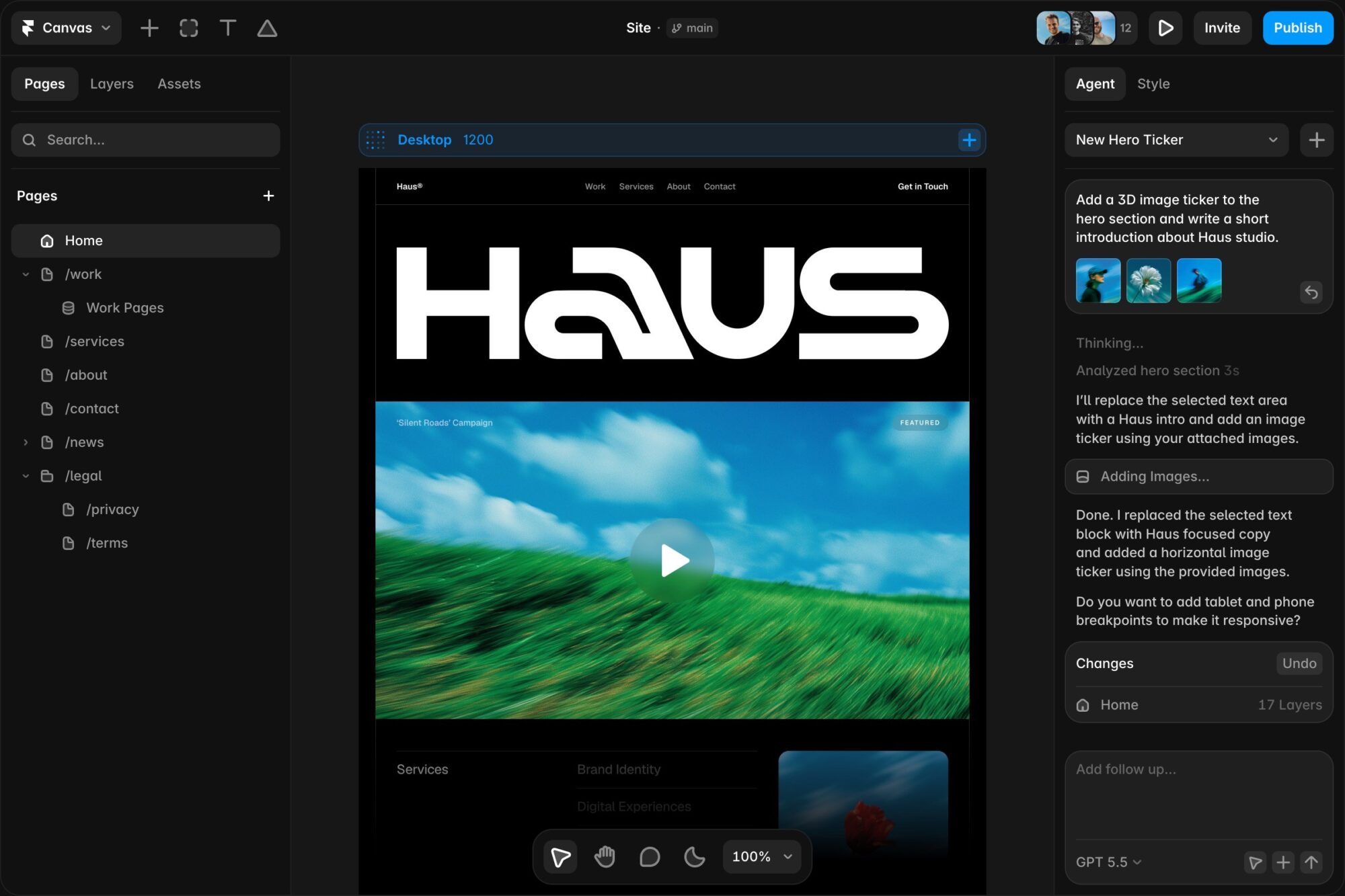
Framer is the closest thing to a straight Webflow replacement on this list, and that is why it leads it. The canvas will feel familiar to any Webflow user, with layers, frames, and breakpoints, and the design control is real: you can place elements freely, set responsive behaviour, and add scroll effects and interactions without touching code. The difference is the learning curve. Framer was built for designers who want to ship fast, so the editor is calmer, the panels are simpler, and a first site comes together in a few hours.
AI is where Framer pulls ahead of Webflow for most buyers. You can describe a site in a sentence and get a working first draft with real layout, real copy, and real images, then edit it on the canvas like any other design. The template library is strong too, with modern marketing pages, portfolios, and landing pages that look current.
The CMS covers blogs, case studies, and directories well, with collections, dynamic pages, and filtering that will feel familiar to a Webflow user. SEO controls are built in: page titles, descriptions, open graph images, redirects, and sitemaps are all there without plugins. Framer is not a general app builder, and a site that needs logins or member areas will outgrow it. Ecommerce is also thinner than on a dedicated store builder, so a shop with hundreds of products belongs elsewhere.
Pricing is the part that makes Framer an easy switch. The Free plan costs $0 and lets you design and publish on a Framer subdomain, which is enough to test the editor properly. Basic costs $10 per month billed annually, (or $15 billed monthly), and it covers a custom domain and the core features a small site needs. Pro costs $30 per month billed annually, (or $45 billed monthly), and it adds the staging, branching, and advanced hosting features a professional needs. Enterprise is custom priced. For a single site, Basic at $10 a month is two fifths (40%) of the price of Webflow Premium at $25 a month. Check the live figures on the Framer pricing page before you commit, because the AI credit allowances change with the plan.
What we like about Framer
- Free plan includes 10 CMS collections, 1,000 pages, and collaboration with up to 3 editors.
- Basic includes a free custom domain, 2 CMS collections, and 50 GB of bandwidth a month.
- Pro adds staging, branching, site redirects, and 10 CMS collections with 100 GB of bandwidth.
What could be better
- Free plan file uploads are capped at 5 MB, so large images need compressing first.
- AI credits run from 1,000 a month on Basic, so heavy AI use needs a higher tier or an add-on.
- A/B testing and advanced hosting are paid add-ons on Pro, not included features.
2. Wix: Best Webflow Alternative for Small Business
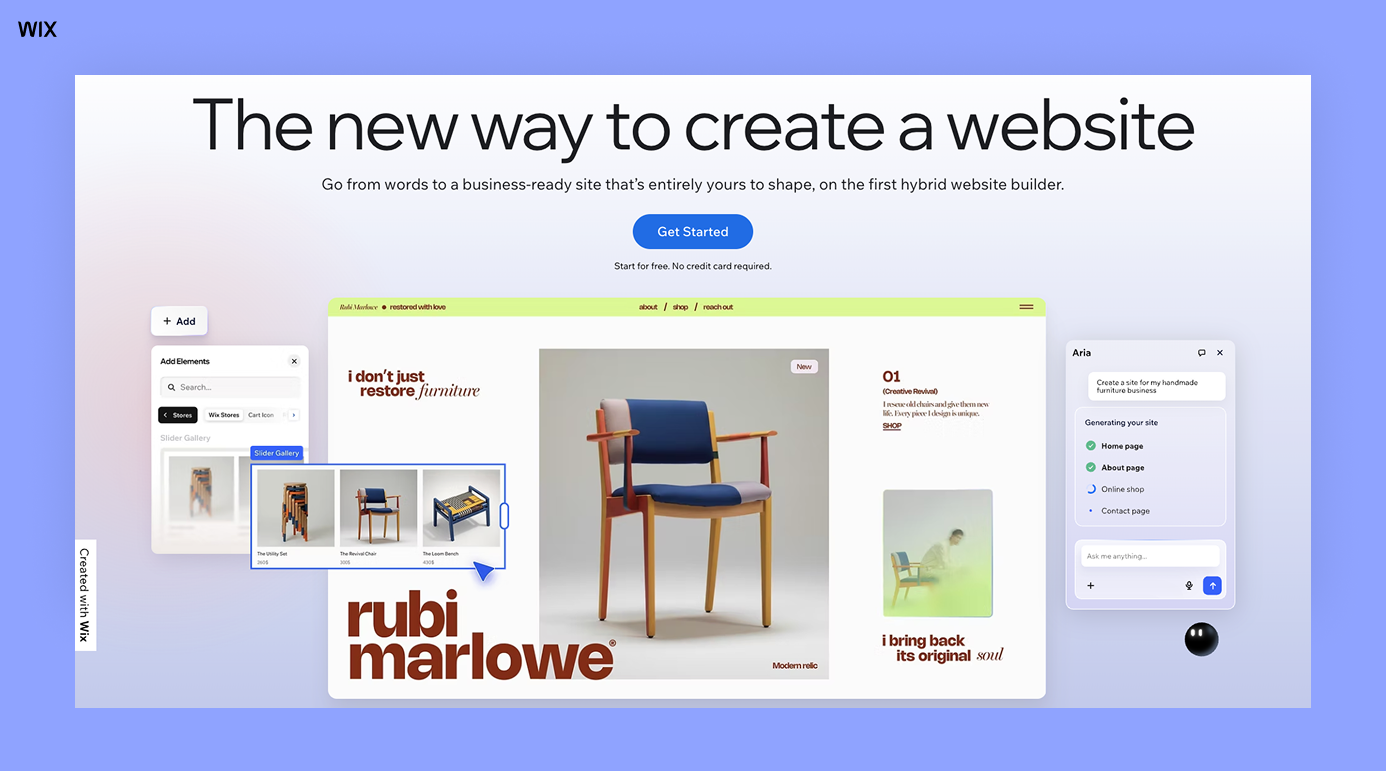
Wix is the one Webflow users pick for a site live this week, not next month. The editor is drag and drop in the plainest sense: you pick a template, you move things with the mouse, you type over the text, and you publish. There is no box model to learn and no class system to manage, which is exactly the point for a small business owner who has a shop to run and a site to keep. The template library is the biggest here, with hundreds of options across restaurants, salons, consultants, trades, and local services, and most of them look good without much editing.
AI site creation is the fastest way in. Answer a few questions about the business and Wix builds a full site with pages, copy, and images, which you then edit in the normal editor. The business tools around the site are the other reason small businesses stay: bookings, online payments, email marketing, and a simple store all live in the same dashboard, so the site and the business run in one place.
The trade-off is design freedom. Wix gives you a friendly canvas, but it is not a free canvas in the Webflow sense. Elements snap to a grid, responsive behaviour is handled for you, and a designer who wants pixel control will feel the limits quickly. SEO is solid, with page titles, descriptions, and redirects, but the site code is heavier than a Framer or Webflow page, so page speed needs more attention.
Pricing is easy to read. The Free plan costs $0 and publishes on a Wix subdomain with Wix ads, which suits a test. Light costs $17 per month billed annually (or $24 billed monthly) and covers a custom domain with a free domain for the first year. Core costs $29 per month billed annually (or $36 billed monthly) and adds payments and more storage. Business costs $39 per month billed annually (or $46 billed monthly) and is the honest starting point for a shop or a service business that takes bookings. Business Elite costs $159 per month billed annually (or $172 billed monthly) for larger stores. For a head-to-head on the two most popular easy builders, read our Wix vs Squarespace comparison. Check the live figures on the Wix pricing page before you commit, because Wix prices vary by region.
What we like about Wix
- Light includes 2 GB of storage, a free domain for 1 year, and 2 site collaborators.
- Core raises storage to 50 GB with 5 collaborators and adds payments and basic ecommerce.
- Business raises storage to 100 GB with 10 collaborators and adds standard ecommerce and bookings.
What could be better
- Light cannot accept payments, so any shop or booking needs Core or above.
- The free plan shows Wix ads and keeps the Wix subdomain, so it is a test, not a launch.
- Switching templates means rebuilding, because a Wix site cannot swap its template after launch.
3. Squarespace: Best Webflow Alternative for Design-Led Sites
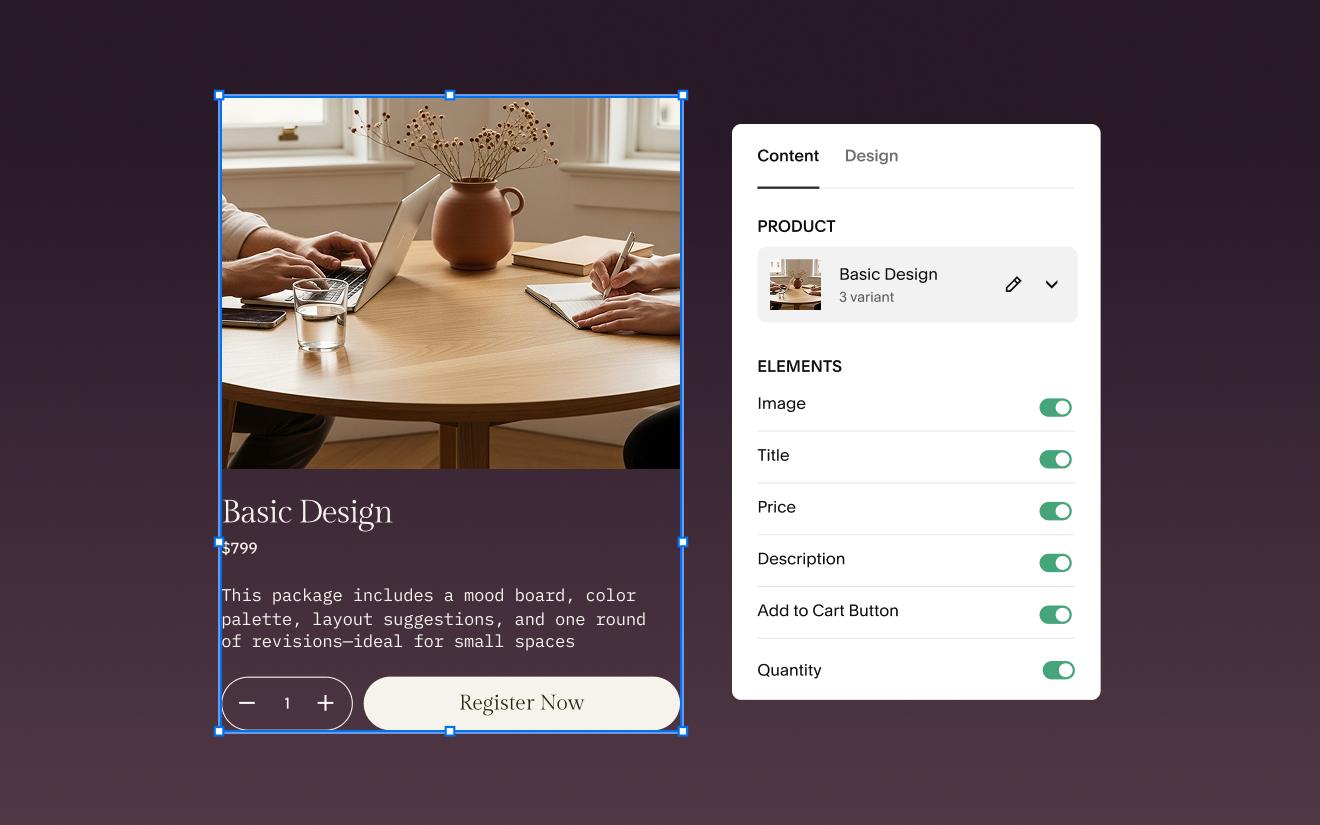
Squarespace is what Webflow users pick when the look of the site matters most and the budget allows a little more. Squarespace has the strongest templates here, with strong typography, generous spacing, and photography-led layouts that make a portfolio, a studio site, or a restaurant page look expensive with very little work. The editor works in sections and blocks, which limits how far a layout can wander, and that limit is a gift for anyone who has ever ruined a good template by moving things around.
Commerce is built in. Selling products, services, courses, and memberships all works from the same dashboard, with invoicing, shipping, tax, and discount tools included. The blogging tools are good too, with clean layouts, scheduling, and contributor roles that suit a small editorial team.
The trade-off is price and flexibility. Squarespace has no free plan, only a 14-day trial, so you pay from the start, and the entry plan is dearer than the entry plans on most of this list. The structured editor is also a limit for a designer who wants full control: you cannot place an element anywhere on the page, and custom CSS is the only way past the section system.
Pricing is clean. Basic costs $19 per month billed annually, or $25 billed monthly, and it covers a website with a free custom domain for the first year. Core costs $29 per month billed annually, or $39 billed monthly, and it is the recommended plan for a business, because it removes the store transaction fee and adds advanced analytics. Plus costs $49 per month billed annually, or $65 billed monthly, and Advanced costs $99 per month billed annually, or $139 billed monthly, for larger stores. For the full head-to-head with its closest rival, read our Wix vs Squarespace guide. Check the live figures on the Squarespace pricing page before you commit, because the annual discount is the real price. For ten cheaper ways to get the Squarespace look, see our Squarespace alternatives guide.
What we like about Squarespace
- Basic allows up to 2 contributors and includes a free custom domain for the first year.
- Core allows unlimited contributors, removes the 2% store transaction fee, and adds CSS and JavaScript editing.
- Plus cuts the digital content and memberships fee to 1% and lowers card processing to 2.7% plus 30 cents.
What could be better
- No free plan, only a 14-day trial, so every live site starts on a paid plan.
- Basic charges a 2% transaction fee on store sales and 7% on digital content and memberships.
- Advanced analytics and full CSS control need Core, so Basic is thin for a growing business.
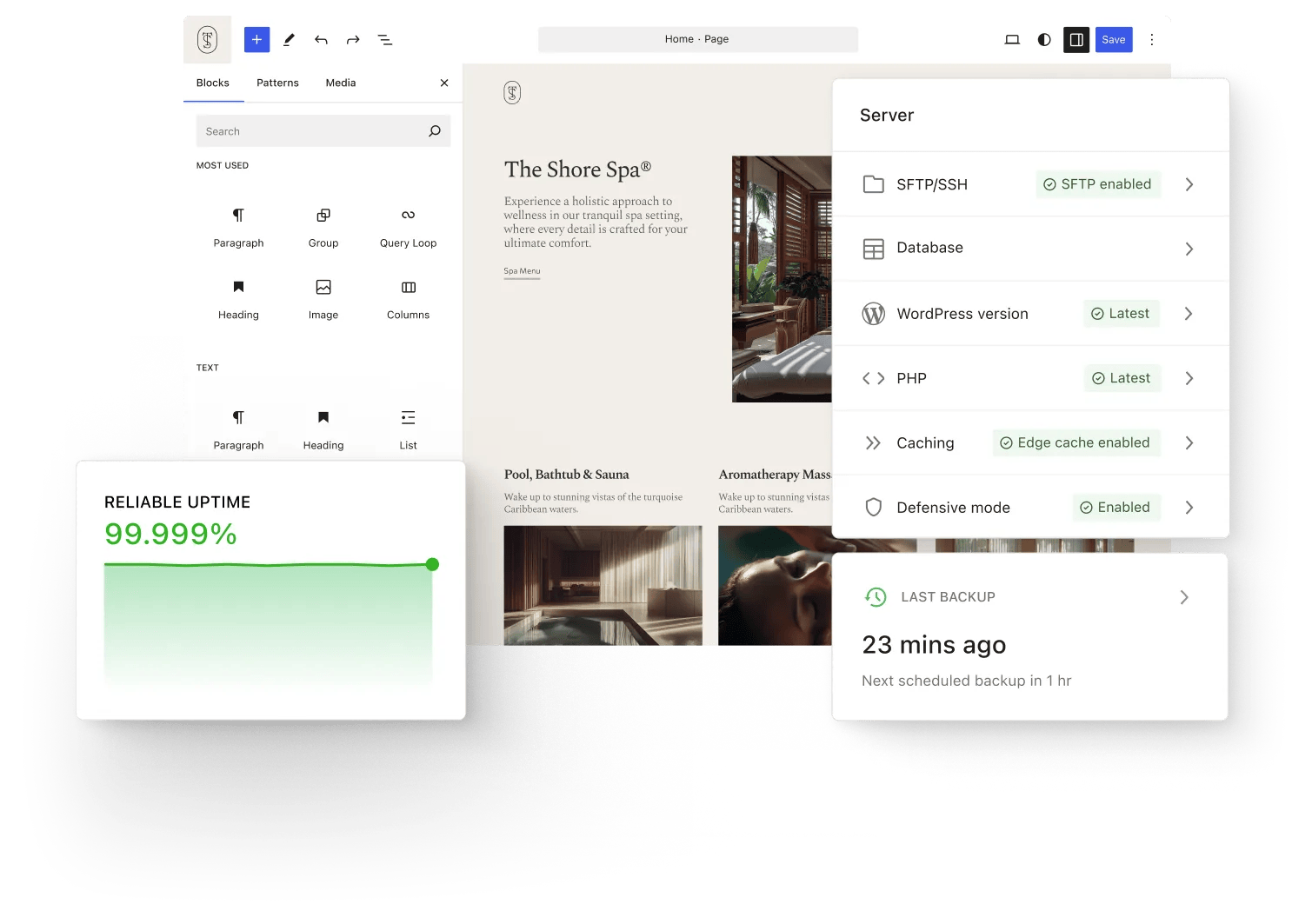
4. WordPress: Best Webflow Alternative for Full Control
WordPress is the pick for Webflow users who want to own everything: the code, the data, the hosting choice, and the future of the site. It powers more of the web than every other tool on this list combined, which means there is a theme for every kind of site, a plugin for almost every feature, and an answer to almost every question in a forum somewhere. A blog, a business site, a membership site, and a full store can all run on the same foundation, and the content stays portable in a way no closed builder can match.
There are two WordPresses, and the choice matters. WordPress.com is the hosted service, where Automattic runs the servers and you pick a plan. WordPress.org is the free open-source software, which you install on your own hosting, where the software costs nothing and you pay only for hosting and a domain. The self-hosted route is cheaper at scale and gives full control, including any theme and any plugin, but you own the updates, the backups, and the security.
The trade-off is the learning curve and the maintenance. WordPress is not a visual design tool in the Webflow sense. The block editor is good for pages and posts, but a design-led layout needs a page builder plugin or a good theme, and a beginner will spend a weekend learning before the site looks right. Security and updates are your job on self-hosted WordPress, and a site with twenty plugins needs regular attention.
Pricing is the cheapest honest route here. The Free plan on WordPress.com costs $0 and publishes on a WordPress subdomain with WordPress ads. Personal costs $4 per month billed annually, or $9 billed monthly, and it removes the ads and adds a custom domain. Premium costs $8 per month billed annually, or $18 billed monthly. Business costs $25 per month billed annually, or $40 billed monthly, and it adds staging, backups, and developer tools. Commerce costs $45 per month billed annually, or $70 billed monthly, for a full WooCommerce store. Self-hosted WordPress software is free, and decent shared hosting costs a few dollars a month on top. Check the live figures on the WordPress.com pricing page before you commit, because the first-year prices are promotional and renewals cost more.
What we like about WordPress
- Personal includes 6 GB of storage with a custom domain and plugin installation on every paid plan.
- Premium raises storage to 13 GB and adds premium themes, payments, and Google Analytics.
- Business raises storage to 50 GB and adds SFTP, staging, real-time backups, and priority support.
What could be better
- Free sites show WordPress.com ads and keep the WordPress subdomain.
- Commerce ($45) adds the managed WooCommerce extension bundle; 0% transaction fees on WooCommerce payments are already on Business ($25).
- Self-hosted sites need you to manage updates, backups, and security yourself.
5. Wix Studio: Best Webflow Alternative for Agencies
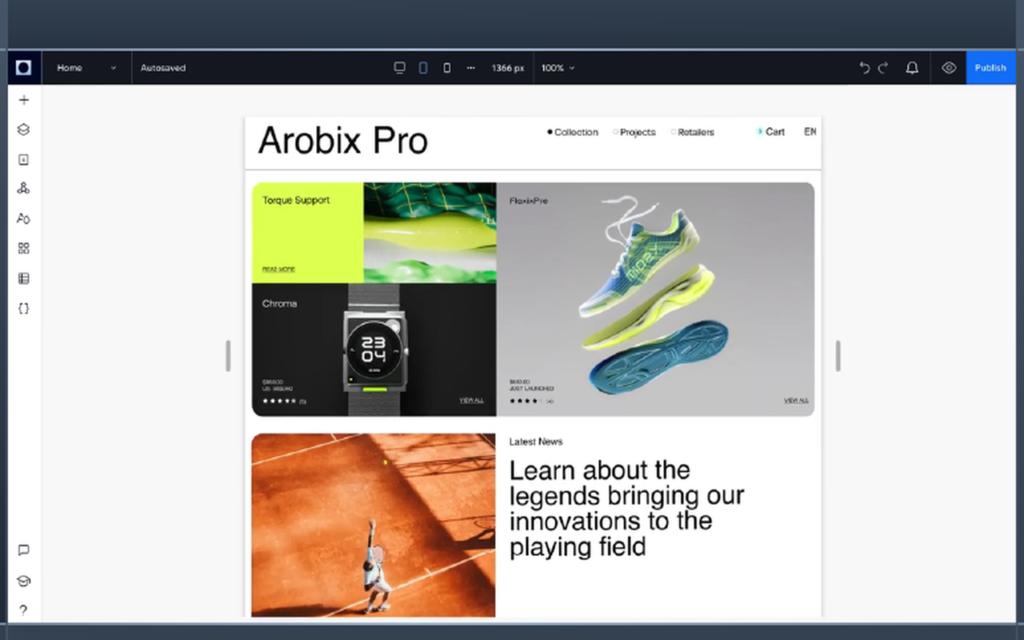
Wix Studio is where Webflow users go when the work is client work. It is Wix’s professional platform, built for agencies and freelancers who design sites for other people, and it keeps the friendly Wix core while adding the control a professional needs. The editor uses a responsive system of grids, breakpoints, and flexible containers, so a layout adapts across screen sizes on its own instead of needing a separate mobile design. That is the single biggest time saver for an agency, because every client site needs to look right on a phone, a tablet, and a desktop.
The workspace is the other reason agencies stay. All client sites, assets, subscriptions, and domains live in one dashboard, with reusable sections and components that can be shared across projects. Collaboration is built in, so a designer, a copywriter, and a client can all work in the same place with different permissions. The CMS is strong, with collections, dynamic pages, and content that can be managed by the client after handover, which is the part agencies usually have to build by hand elsewhere.
The trade-off is the learning curve and the price model. Wix Studio is a bigger editor than the classic Wix editor, and a designer moving from Webflow will need a week to learn where everything lives, including the responsive AI and the code panel. Each client site also needs its own Studio plan, and the plans are per site, so an agency with many small clients pays for every site.
Pricing follows the per-site model. The workspace is free, and you design for free until a site goes live. Basic costs $19 per month billed annually and covers a live site with a free domain for the first year. Standard costs $27 per month billed annually and is the first plan that accepts payments. Plus costs $34 per month billed annually and adds priority support and more storage. Elite costs $159 per month billed annually for larger client sites. One honest note: Wix’s own pages have not always agreed on these prices in 2026. Wix’s blog and October 2026 checks say Basic $19, Standard $27, and Plus $34, while August 2026 checks read $12, $20, and $32 from the pricing page, so check the live page before you quote a client. Check the live figures on the Wix Studio pricing page before you commit. Wix Studio shows yearly prices only.
What we like about Wix Studio
- Basic includes 1,500 CMS items, 10 GB of media storage, and 3 collaborators.
- Standard raises the limits to 4,000 CMS items and 50 GB of media with 5 collaborators, and adds payments.
- Plus raises the limits to 20,000 CMS items and 120 GB of media with 10 collaborators and priority support.
What could be better
- Basic cannot accept payments, so any client who sells needs Standard or above.
- Plans are per site, so an agency with many small clients pays for every site.
- Studio 2 is rolling out through 2026, so the editor you learn today may change soon.
6. Duda: Best Webflow Alternative for Client Work at Scale
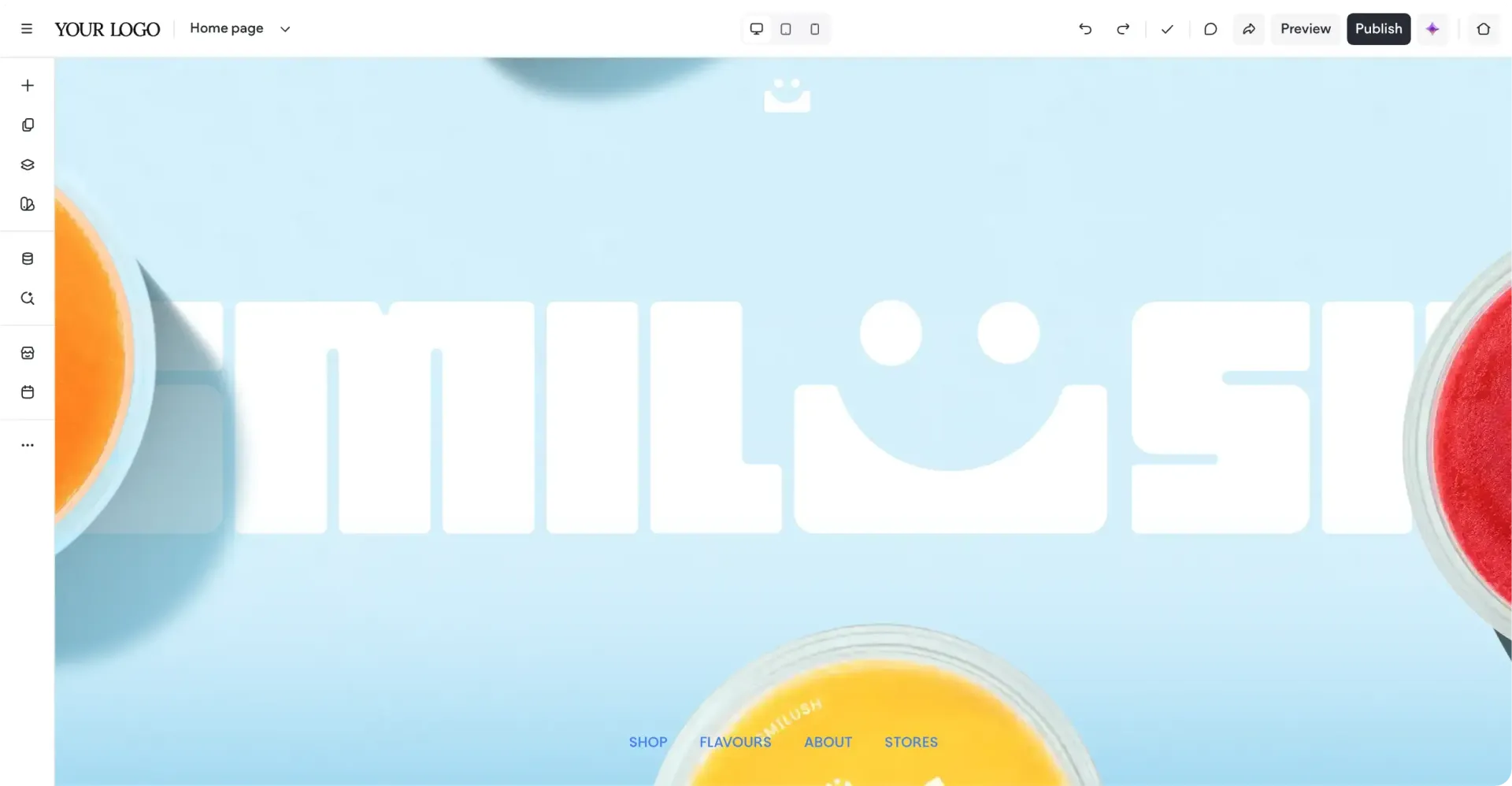
Duda is the tool Webflow users pick when the client list grows past a handful and the work becomes a repeatable system. It was built for agencies from the start, so the whole product is organised around repeatable work: a template can become a starting point for every client in a niche, widgets can be reused across sites, and a site can be handed to a client with a clean editing view that hides the design tools they should not touch.
The editor is fast and friendly, with drag and drop sections and a solid template library. Client management is where Duda earns its keep: billing, permissions, and site ownership can all be handled inside the platform, so an agency stops chasing logins across email threads.
The trade-off is that Duda is less known than Wix or Squarespace, so there are fewer templates, fewer tutorials, and fewer people to ask when you get stuck. The design freedom is also a step below Webflow: the editor is section-based, and a designer who wants unusual layouts will hit the edges of the system sooner. Ecommerce is capable for a small store but not the reason to pick Duda, and a large store belongs on a dedicated platform.
Pricing is per plan, not per site, which changes the maths for an agency. Basic costs $19 per month billed annually, or $25 billed monthly, and it covers the core building tools with a 14-day free trial. Team costs $29 per month billed annually, or $39 billed monthly. Agency costs $52 per month billed annually, or $69 billed monthly, and it is the honest starting point for a team selling sites, because it adds the client tools. White Label costs $149 per month billed annually, or $199 billed monthly. Check the live figures on the Duda pricing page before you commit, because the plan limits change with the number of sites you run.
What we like about Duda
- Basic includes 1 core project and 150 AI credits a month.
- Team raises the workspace to 3 team seats with the same 150 AI credits a month.
- Agency covers 4 core projects with client tools and priority support.
What could be better
- No free plan, only a 14-day trial, so every live site starts on a paid plan.
- Basic covers only 1 core project, so a second client site needs a higher tier or another plan.
- The template library is smaller than Wix, so niche designs need more custom work.
7. Webnode: Best Budget Webflow Alternative
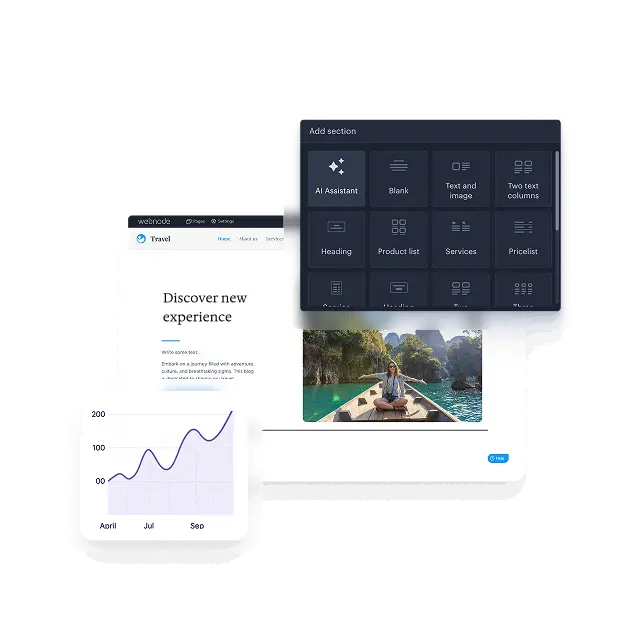
Webnode is the budget choice for Webflow users when the budget is the whole decision and the site is a simple one. It is a European builder with a long history, and its editor is one of the simplest here: pick a template, replace the text and photos, add a contact form, and publish. A beginner can finish a small business site in an afternoon, and the result looks clean, because the templates are restrained and the editor does not let you break the layout.
The free plan is genuinely usable for a first site, and the paid plans start lower than any other tool on this list. The editor covers the essentials well: pages, a blog, a small store, forms, statistics, and an AI assistant that can draft text and build a first version of the site.
The trade-off is depth. Webnode is not a design tool in the Webflow sense, and a designer who wants custom layouts will find the editor too simple. The template library is smaller than Wix, the app ecosystem is thin, and the ecommerce tools suit a small shop. The interface also shows its age in places, and the English documentation is not as polished as the bigger builders.
Pricing is the cheapest on this list by a clear margin. The Free plan costs $0 and publishes on a Webnode subdomain. Limited costs $4.50 per month billed annually, or $6 billed monthly, and it connects a custom domain. Mini costs $8.50 per month billed annually, or $10.90 billed monthly, and it adds a mailbox and a free domain for the first year. Standard costs $12.90 per month billed annually, or $18.50 billed monthly, and it is the honest starting point for a business, because it removes the Webnode branding and adds the store. Profi costs $22.90 per month billed annually, or $28.90 billed monthly. One honest note: Webnode renders its price cards with JavaScript, so the dollar figures did not appear in the text of its pricing page when we checked on 10 November 2026. The figures here come from multiple sources that read them from the pricing page in September 2026 and agree with each other. Check the live figures on the Webnode pricing page before you commit, because Webnode prices vary by region.
What we like about Webnode
- Limited covers 500 MB of storage with 1 GB of bandwidth and a custom domain connection.
- Mini raises the limits to 3 GB of storage and bandwidth with 1 email account and forms up to 5 fields.
- Standard raises the limits to 10 GB of storage and bandwidth with 20 email accounts, 5 backups, and 2 language versions.
What could be better
- Limited keeps Webnode branding and offers no email account, store, or statistics.
- Mini keeps Webnode branding too, so the brand only disappears on Standard.
- Profi is needed for unlimited language versions, site search, and unlimited backups.
8. Bubble: Best Webflow Alternative for Web Apps
Bubble is the odd one out on this list, and that is exactly why it belongs here. It is not a website builder at all. It is a no-code platform for building real web applications: marketplaces, dashboards, booking systems, directories, and internal tools, with a database, user accounts, and logic that runs when people click things. A Webflow site can show a product. A Bubble app can be the product.
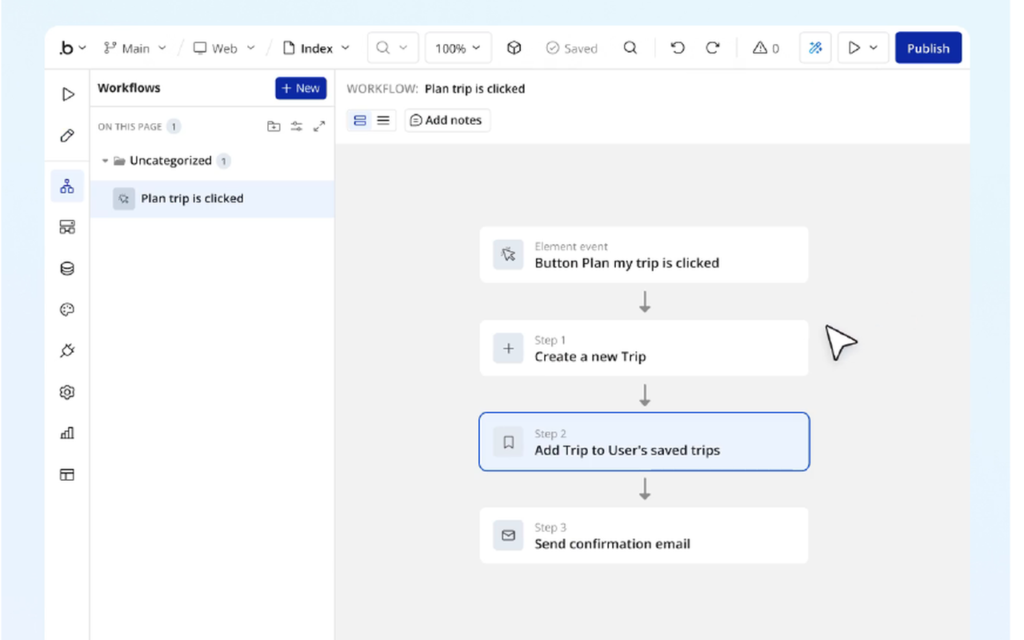
The editor is visual, with a canvas for pages, a data tab for the database, and a workflow tab where you define what happens when a user signs up, pays, or submits a form. Plugins extend it further, with payment processing, maps, charts, and API connections to other tools. The template library covers marketplaces, SaaS dashboards, and directories, so a founder can start from a working app.
The trade-off is the learning curve and the cost model. Bubble is the hardest tool on this list to learn well, because building an app needs real thought about data structure and workflows. A simple marketing site is the wrong job for Bubble, and it will feel slow and heavy for that work. The price also grows with usage, because Bubble meters compute in workload units, so a popular app costs more than a quiet one, and the bill is harder to predict than a flat site plan.
Pricing is the part to read carefully. The Free plan costs $0 and lets you build and test with Bubble branding. Starter costs $32 per month billed annually, or $39 billed monthly, and it is the first plan that runs a live app on a custom domain. Growth costs $119 per month billed annually, or $134 billed monthly. Team costs $349 per month billed annually, or $399 billed monthly. Enterprise is custom priced. One honest note: Bubble repriced Starter on 20 October 2026, from $29 to $32 a month billed annually, and the public pricing page now shows the combined web and mobile bundles first, so check the web-only figures on the live page. If your app needs to talk to other tools, our guide to Zapier alternatives is a useful companion read, because the automation tool you pick shapes which app builder fits best. Check the live figures on the Bubble pricing page before you commit, because the workload allowances change with the plan.
What we like about Bubble
- Starter includes 175,000 workload units a month and 1 app editor.
- Growth raises the allowance to 250,000 workload units with 2 editors.
- Team raises the allowance to 500,000 workload units with 5 editors.
What could be better
- Workload overages cost about $0.30 per 1,000 units, so a busy app can surprise you.
- Starter includes only 1 editor, so a second builder needs Growth.
- The learning curve is steep, and a good app needs days of learning before it feels natural.
9. Weebly: Best Simple Webflow Alternative
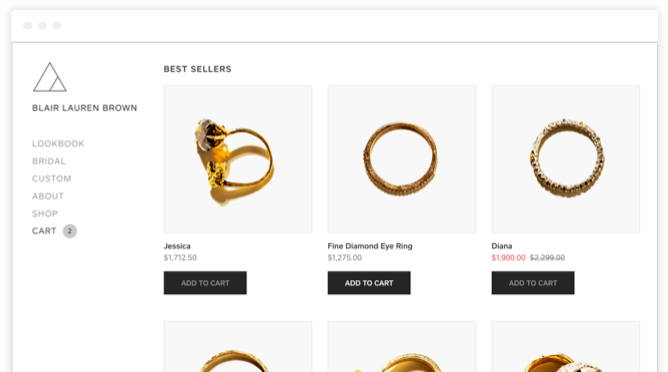
Weebly is the tool Webflow users pick when simple is the whole brief. It is the plainest builder on this list, and that is its strength. The editor is drag and drop with a small set of elements, the templates are clean and modest, and a site can be live in an hour without a tutorial. A small shop, a club, a portfolio, or a hobby site fits Weebly well, because none of those needs advanced design tools or a complex CMS.
Weebly is owned by Square, and that shows in the store tools. Selling products, taking payments, and managing orders all work through Square, which suits a small seller who already uses Square at a market stall or a counter. The editor covers the basics without fuss: pages, a blog, forms, galleries, and a simple store, all in one place, with hosting and security included.
The trade-off is that Weebly has not kept pace with the bigger builders. The template library is smaller and older, the design options are limited, and the editor has seen little new development in recent years. A designer who wants modern layouts or advanced SEO controls will feel the limits quickly, and a business that grows will usually outgrow Weebly within a year or two.
Pricing is simple. The Free plan costs $0 and publishes on a Weebly subdomain with Square ads. Personal costs $13 per month billed annually, or $16 billed monthly, and it connects a custom domain you own. Professional costs $15 per month billed annually, or $20 billed monthly. Performance costs $32 per month billed annually, or $36 billed monthly, and it adds the store features a growing seller needs. If selling is the main job of your site, compare the store builders properly in our Shopify vs WooCommerce guide before you commit to a simple builder. Check the live figures on the Weebly pricing page before you commit, because the plan names and limits have changed over the years.
What we like about Weebly
- Free plan includes 500 MB storage with free SSL security and a Weebly subdomain.
- Personal adds a custom domain.
- Professional adds a free domain for 1 year, removes Square ads, and adds advanced site stats and password protection for pages.
What could be better
- Free plan shows Square ads and keeps the Weebly subdomain.
- Performance is needed for the full store features, so serious selling costs $32 a month.
10. Cargo: Best Webflow Alternative for Design Portfolios
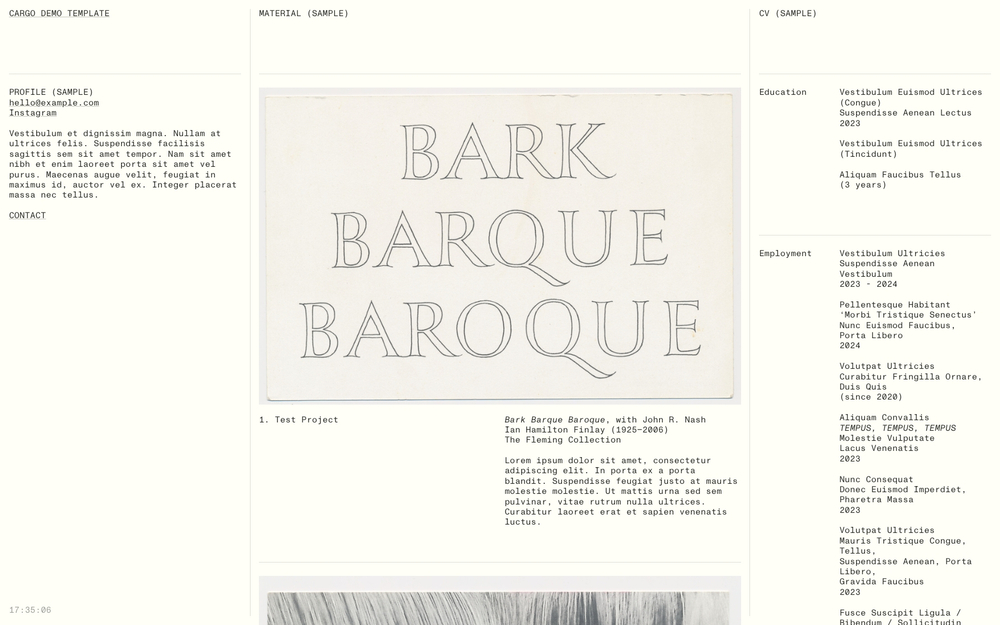
Cargo is the tool Webflow users pick when the site is a portfolio and the design is the work. It was built for designers and artists, and it shows in every part of the product: the templates are bold and unusual, the layouts break the grid on purpose, and the editor lets you place elements almost anywhere on the page. A photographer, an illustrator, a type designer, or an architecture studio can build a portfolio on Cargo that looks like a gallery wall, which is the point for people whose site is their calling card.
The editor is free-form in a way no other tool here matches. Text, images, and video can sit exactly where you put them, with custom type, overlapping layers, and unusual scrolling behaviour. Commerce is available as an add-on for designers who sell prints or editions directly from the portfolio.
The trade-off is that Cargo is a specialist tool. It is not built for business sites, blogs, or stores, and the features for those jobs are thin or missing. There is no app ecosystem, no booking system, and no serious SEO toolkit, so a business that needs those things will struggle. Cargo gives a beginner very little guidance.
Pricing is simple. The Free plan costs $0 and publishes on a Cargo subdomain with limited features. Standard costs $14 per month billed annually, or $19 billed monthly, and it covers a custom domain with the full feature set. Commerce is an add-on at $19.50 per month billed annually, or $28 billed monthly, for selling directly from the site. One honest note: Cargo’s pricing page is a small part of its site, and the dollar figures did not appear in the text we fetched on 10 November 2026. The figures here come from multiple sources that read them from the pricing page in 2026 and agree with each other. Check the live figures on the Cargo site before you commit, because the commerce add-on is priced separately from the site plan.
What we like about Cargo
- Free plan lets you build and publish on a Cargo subdomain with no time limit.
- Standard adds a custom domain with SSL and the full template and layout feature set.
- Commerce add-on covers selling prints and editions without leaving the portfolio.
What could be better
- Free plan keeps the Cargo subdomain and limits features, so a professional portfolio needs Standard.
- Commerce costs extra on top of Standard, so selling adds $19.50 a month.
- No serious blogging, booking, or business tools, so it suits portfolios and little else.
Pricing: What You Actually Pay
Pricing is where this comparison is decided for most buyers, so it deserves a careful read. The headline price is never the whole story. The table below gives the entry paid price for each tool, and the paragraphs after it explain the catches. Prices are US list prices checked against vendor pricing pages.
Start with the cheapest honest options. WordPress.com Personal at $4 per month billed annually and Webnode Limited at $4.50 are the lowest entry prices here, and both cover a small site well. Framer Basic at $10 sits in the next band, and it covers far more design freedom. Weebly Personal at $13 and Cargo Standard at $14 sit in the same band. Wix Light at $17, Squarespace Basic at $19, Wix Studio Basic at $19, and Duda Basic at $19 sit in the same band too. Bubble Starter at $32 is the dearest entry price on the list, because it sells an app platform, not a website. Webflow Basic at $15 a month is cheaper than five of these entry prices, and Webflow Premium at $25 a month is the price a content site actually pays.
Three pricing traps deserve attention. First, the free plan is a trial in disguise on two tools and a real workspace on the others. Webflow’s free plan is a staging environment, not a live site, because it cannot connect a custom domain, while Framer, Wix, WordPress.com, Wix Studio, Webnode, Bubble, Weebly, and Cargo give you a free plan you can publish on. Squarespace and Duda give you a 14-day trial and then ask you to pay. Second, the feature you need is often one tier above the entry price. Payments on Wix and Wix Studio, the store transaction fee removal on Squarespace, databases on WordPress.com Business, and the client tools on Duda all sit on the second tier, so read the plan comparison table before you budget. Third, usage can grow the bill after you buy. Bubble meters compute in workload units with overages, Webflow charges a 2% transaction fee on its standard ecommerce plan on top of Stripe’s fee, and Squarespace Basic charges 2% on store sales, so a busy site costs more than the plan price suggests.
Before you pick a plan, count your sites honestly, including the test sites and the client sites you will build this year. A per-site price that looks small becomes a real bill at five sites, and a per-account tool like Duda starts looking very good once your site count passes three.
One final pricing warning applies to every tool here. Vendors change prices, and the figure on the pricing page today may not be the figure next quarter. Webflow itself changed its plans in May 2026, merging CMS and Business into Premium, and Bubble repriced Starter in October 2026, so treat any price in this article as a snapshot from 10 November 2026, not a promise. WordPress.com first-year prices are promotional, and renewals cost more. Check the live page before you pay.
A Worked Yearly Cost Comparison: One Site for a Year
Take one site and put it on the plan a real buyer would pick in the first year. Not the cheapest plan on the page, and not the enterprise tier, but the plan that fits a working site. The table below shows the yearly cost on annual billing for each tool, using the entry paid plan. Webflow Basic and Premium are included as the baseline you are leaving. Duda is priced per account, so its figure covers the plan, and Bubble is priced for an app, not a marketing site, so its figure belongs to a different kind of project.
| Tool | Plan used | Yearly cost (annual billing) |
|---|---|---|
| WordPress.com | Personal | $48 |
| Webnode | Limited | $54 |
| Framer | Basic | $120 |
| Weebly | Personal | $156 |
| Cargo | Standard | $168 |
| Webflow | Basic (baseline) | $180 |
| Wix | Light | $204 |
| Squarespace | Basic | $228 |
| Wix Studio | Basic | $228 |
| Duda | Basic, per account | $228 |
| Webflow | Premium (baseline) | $300 |
| Bubble | Starter, web-only | $384 |
The spread is wider than most buyers expect. WordPress.com Personal at $48 a year and Webnode Limited at $54 a year cost less than a third of Webflow Basic at $180 a year. Framer Basic at $120 a year costs a third less than Webflow Basic, and little more than a third of Webflow Premium at $300 a year. Wix Light at $204, Squarespace Basic at $228, Wix Studio Basic at $228, and Duda Basic at $228 all undercut Webflow Premium, and Bubble Starter at $384 a year is the dearest figure here, because it buys an app platform.
The yearly column is the one to show your manager, or your own budget. Over twelve months, Framer Basic costs $120, Wix Light costs $204, and Squarespace Basic costs $228, against $300 for Webflow Premium. But remember what the entry plan leaves out: a site that needs payments, fee-free selling, or client tools will step up a tier, and that tier is the real price. Run the same simple maths for your own site, with the tier you actually need, before you decide.
Migration From Webflow: How to Switch Without Losing Work
Switching website builders sounds harder than it is, and the fear of losing work keeps more people on Webflow than the price ever does. The honest answer is that migration takes a weekend of planning and a week of running both sites side by side, and it is worth doing properly. Start by listing every live page on your Webflow site, with its URL, its title, and its purpose, and decide which pages move and which ones are finished and can be dropped.
Export comes next, and this is where Webflow is less generous than it looks. Webflow lets you export CMS collections as CSV from the CMS panel, and a paid plan lets you export the static code of the site, but there is no export that carries the whole site, design and content together, into another builder. Every tool on this list needs the site rebuilt in its own editor, with the content pasted in or imported from CSV where the tool supports it. Run the rebuild on one small page first, check that the text, images, and links landed correctly, and fix the layout before you rebuild the rest.
Protect your search traffic before you point the domain at the new site. Keep the same URLs where the new tool allows it, and set up 301 redirects for every URL that changes, because a redirect is what tells Google the page moved. Copy your page titles and descriptions across by hand, since those are the words Google shows, and check that the new site has a sitemap and a robots file. Run both sites in parallel for a week, with the new site on a test domain, and set a clear cut-off date after which Webflow is cancelled. Give anyone who edits the site one short training session on the new editor instead of a long manual nobody reads.
How to Choose the Right Webflow Alternative
Choose by the site, not by the feature list. A feature list will tell you that every tool on this page has templates, a CMS, and SEO controls, and that is true and useless. What matters is which tool makes your most common week easier. If your most common week is designing marketing pages, pick Framer. If it is running a small business, pick Wix or Squarespace. If it is publishing articles, pick WordPress. If it is building client sites, pick Wix Studio or Duda. If it is launching an app, pick Bubble. If it is showing design work, pick Cargo.
Then check three practical things before you pay. First, the free plan or the trial: use it for two real weeks with a real site, not a demo, and see whether you still like it on day fourteen. Second, the tier you actually need: open the pricing page, find the feature you cannot live without, and note which tier carries it, because that tier is your real price. Third, the exit: check that you can export your content, because a tool that locks your work in is a tool you will regret. If your site also needs to connect many apps together, our guide to Zapier alternatives is a useful companion read, because the automation tool you pick shapes which builder fits best.
Finally, be honest about your own patience. A builder is only as good as the person who updates it, and a tool you resent is a tool with a stale site and missed updates. Shortlist two tools from this guide, build the same landing page in each one, and keep the one that felt easier. Your answer is worth more than any review, including this one.
Who Should Pick Each Webflow Alternative
Pick Framer if you want the closest Webflow replacement with more speed, and you are willing to pay $10 a month for Basic. It fits designers, marketers, and startups that build landing pages and marketing sites. Pick Wix if you want the easiest editor and the biggest template library, and you run a small business that needs the site live fast. It fits restaurants, salons, consultants, and local services. Pick Squarespace if you want the best looking templates and built-in commerce, and you are happy to pay $19 a month for Basic. It fits portfolios, studios, and small stores that care about presentation.
Pick WordPress if you want full control and the biggest ecosystem, and you are happy to spend a weekend learning it. It fits bloggers, publishers, and anyone who wants to own their site outright. Pick Wix Studio if you build sites for clients and you want responsive design, a shared workspace, and a CMS your clients can manage. It fits agencies and freelancers. Pick Duda if you build many similar client sites and you want templates, widgets, and client tools in one account. It fits agencies that sell sites at volume.
Pick Webnode if you want the lowest honest price and a simple editor, and your site is a small business site that will not change much. It fits tradespeople, cafes, and local clubs. Pick Bubble if you are building a web app with logins, a database, and workflows, and you are willing to learn a serious tool. It fits founders launching a first product. Pick Weebly if you want the simplest editor here and your site is small. It fits hobby sites, clubs, and first stores. Pick Cargo if your site is a design portfolio and the layout is the work. It fits photographers, illustrators, and studios.
When Webflow Is Still the Right Call
Leaving Webflow is not right for every builder, and this guide would be dishonest if it pretended otherwise. Webflow is still the strongest visual design tool on the market, and for a designer who builds marketing sites with interactions, animations, and a large CMS, it is hard to beat. The editor gives more control than any tool on this list, the sites are fast, and the hosting is reliable.
Webflow is also the right call when your team already runs on it and the pain is small. If the complaint is one missing feature, check whether Premium at $25 a month fixes it before you move a whole site to a new tool. Migration costs time, training, and goodwill, and a team that moves for a small saving often finds the new tool has its own gaps. Premium at $25 a month is fairly priced for what it covers if your site uses the CMS properly, and its 20,000 CMS items and 40 collections cover far more content than most sites will ever hold.
The moment to leave is when the pain is structural, not cosmetic. If your site is a simple business site that does not need a CMS, or your work is client sites at volume, or portfolios, or a web app, then the tools above are worth the move. Stay when Webflow fits and the bill is fair. Leave when the site has outgrown the tool, not when a review told you to.
Final Thoughts
Webflow alternatives are not hard to find, and the ten tools above cover every kind of site that outgrows Webflow or outprices it. The short answer is Framer for most builders, WordPress for the best free plan, and Webnode for the best value, and any of those three is a safe choice.
Our recommendation is practical. Shortlist two tools from this guide, build the same landing page in each one, and keep the one that felt easier. Check the tier that carries the feature you need, run the yearly maths from the table above, and confirm the price on the live pricing page before you pay. Then migrate properly: list your pages, export your content, rebuild one page first, and set up your redirects. A website is a home for your work, and the right builder is the one you actually open every week.
FAQs
What is the best Webflow alternative in 2026?
Framer is the best overall Webflow alternative for most builders, because it keeps the design-led canvas Webflow users love, adds AI site generation, and costs $10 a month on Basic billed annually. WordPress is the best free option, Webnode is the best value, and Wix Studio is the best pick for agencies. The right answer depends on your site, so read the section that matches your work before you decide.
Is there a free alternative to Webflow?
Yes. Framer, Wix, WordPress.com, Wix Studio, Webnode, Bubble, Weebly, and Cargo all have free plans. WordPress and Framer have the most useful free plans for a real site. Squarespace and Duda have no free plan, only a 14-day trial. Webflow itself has a free plan, but it is a staging environment that cannot connect a custom domain.
Which Webflow alternative is cheapest for one site?
WordPress.com Personal is the cheapest at $48 a year, followed by Webnode Limited at $54 a year, and Framer Basic at $120 a year. Webflow Basic costs $180 a year and Webflow Premium costs $300 a year, so most of the tools on this list save money for a single site, though Bubble Starter at $384 a year costs more, because it buys an app platform.
Why is Webflow so expensive now?
Webflow charges per site, not per person, so every live site needs its own site plan, and editors sit on a workspace plan on top. In May 2026 Webflow merged its CMS and Business site plans into a single Premium plan at $25 a month billed annually. A simple site without a blog costs $15 a month on Basic.
Can I migrate my site from Webflow to another builder?
Yes, but expect a rebuild. Webflow lets you export CMS collections as CSV, and a paid plan lets you export the static code, but no export carries the whole site, design and content together, into another builder. Rebuild the site in the new editor, import content from CSV where the tool supports it, keep the same URLs where possible, and set up 301 redirects for every URL that changes before you point the domain at the new site.
Is Framer better than Webflow?
It depends on what you value. Framer is faster to learn, with AI site generation and a paid plan from $10 a month, and its canvas suits marketing sites and landing pages. Webflow is stronger, with deeper design control, interactions, and a larger CMS, and Premium at $25 a month covers 20,000 CMS items. Designers who ship marketing pages usually prefer Framer. Designers who need the deepest control usually stay with Webflow.
Which Webflow alternative is best for agencies?
Wix Studio and Duda are the best Webflow alternatives for agencies, because both were built for client work. Wix Studio gives you a responsive design system, a shared workspace, and a CMS clients can manage, with plans from $19 a month per site. Duda gives you reusable templates and widgets, client tools, and per-account pricing from $19 a month, which suits an agency building many similar sites.
Which Webflow alternative is best for building a web app?
Bubble is the best pick for building a web app without code, because it is a real app platform with a database, user accounts, and workflows, not a website builder. Framer and Webflow build marketing sites, while Bubble builds the product itself: marketplaces, dashboards, booking systems, and directories. Bubble Starter costs $32 a month billed annually for a live app on a custom domain, and the free plan is enough to learn the editor.
Pick Framer for most builders, WordPress for the best free plan, Webnode for the best value
Most people leaving Webflow should start with Framer, because it keeps the design-led canvas they know and adds AI site generation and a gentler learning curve, at $10 a month on Basic. Builders who want full control for free should pick WordPress, and small businesses that want the lowest honest price should pick Webnode at $4.50 a month on Limited. Agencies should pick Wix Studio or Duda, app builders should pick Bubble, and everyone else should match the tool to the site, then test it for two real weeks before paying.
This kind of research, applied to your growth
If you run a SaaS business, SaaS Harvest can do this kind of digging in your market and turn it into search traffic that signs up.
