

Squarespace alternatives are the first thing most owners search for when the renewal email lands and the price has gone up again. Squarespace is still a beautiful tool. Its templates look designed, its editor keeps pages tidy, and a new site can look premium on day one. But Basic now costs $19 a month billed annually, Core costs $29, and the plan most growing businesses need sits at $49 or $99, and every one of those plans still starts with a 14-day trial and no free plan at all. That is a lot of money for a site that mostly needs to look good, load fast, and take the occasional order.
My direct opinion is that most people leaving Squarespace should land on Wix, because it keeps the visual, drag and drop way of building and adds the freedom Squarespace holds back: a free plan to start, far more templates, and an app market that covers the gaps. If the budget is the real problem, WordPress is the honest answer, because it starts free and its cheapest paid plan costs $4 a month. If design is the whole business, Showit is the one to look at first. The right answer depends on your site, and this guide covers ten tools so you can find the one that fits your work, your budget, and your patience for setup.
We compared these tools the way a buyer would: we checked the vendor pricing pages where they showed prices, cross-checked the rest against recent published reads of the same pages, and compared the editors, templates, blogging and selling tools from vendor documentation and demos. We worked out what a typical site actually costs for a full year on each one. You will find a side-by-side table, a pricing deep dive, a worked yearly cost example, a migration section, and clear guidance on who should pick each tool.
One thing to know before you start comparing: there is no single best Squarespace alternative, only a best one for your kind of site. A photographer who needs a portfolio needs something very different from a shop owner who needs checkout, and a blogger who publishes every week needs something different again. The ten tools below cover that whole range, from a free site you can launch today to a design tool that treats every pixel as yours.
Quick Picks: The Short Version
Wix
Best for most people leaving Squarespace, with a free plan, a freeform editor, and room to grow into bookings, events, and a store.
Price Free plan, paid from $17 per month billed annually.
Free plan with Wix branding, no card needed to start.
WordPress
Best free option for anyone who wants full control and the biggest theme and plugin library, at the lowest paid price on this list.
Price Free plan, paid from $4 per month billed annually.
Free plan on a wordpress.com address, no card needed to start.
Hostinger Website Builder
Best value for a small business site, with an AI builder, hosting, and a free domain in the cheapest plan here.
Price From $1.99 per month on an introductory term, renewing at $10.99 per month.
No free plan, 30-day money-back guarantee.
Squarespace Alternatives at a Glance
| Tool | Best for | Free plan | Paid from (per month, annual) | Standout strength |
|---|---|---|---|---|
| Wix | Most people leaving Squarespace | Yes | $17 Light | Freeform editor and 2,000+ templates |
| WordPress | Free start and full control | Yes | $4 Personal | The biggest theme and plugin library |
| Webflow | Design control | Yes, Starter | $15 Basic | Visual editing with real CSS control |
| Shopify | A full online store | No, 3-day trial | $29 Basic | The deepest selling toolkit on this list |
| Hostinger Website Builder | Lowest honest price | No | $1.99 intro Premium | AI builder plus hosting in one cheap plan |
| Weebly | The simplest switch | Yes | $13 Personal | The easiest editor on this list |
| Duda | Agencies and client sites | No, 14-day trial | $19 Basic | Client management built in |
| GoDaddy Website Builder | The fastest AI-built start | Yes | $9.99 intro Basic | Airo builds a site from a chat |
| Framer | Designer-led marketing sites | Yes | $10 Basic | Animation and polish without code |
| Showit | Creatives and portfolios | No, 14-day trial | $22 Showit | Total design freedom for visual brands |
Prices are US list prices checked against vendor pricing pages. Hostinger and GoDaddy figures are introductory prices, and both renew higher. Framer charges per site, not per account. Duda charges per account, not per site.
How We Compared These Squarespace Alternatives
We compared these tools the way a buyer would: first setup, first-year cost including the renewal price, design tools, blogging and selling, and how easy it is to leave. Setup speed mattered, and so did the quiet costs that appear later: a transaction fee that arrives with the first sale, a feature that only exists on the tier above the one you bought, and a template that cannot change once you have built on it.
Our criteria were simple and practical. First, how quickly can a non-technical person build a site that looks good? Second, what does a real year cost, counting the plan a small business would actually buy and the renewal price after the intro offer ends? Third, how good are the design tools: templates, layout freedom, and mobile behaviour? Fourth, how well does the tool handle blogging and selling, the two jobs most Squarespace sites do? Fifth, what happens when you want to leave: can you export your content, or does the platform lock your design in?
We checked the vendor pricing pages for every price they showed, and said so in the text where a price came from another published read instead. Where a price depends on your choices, for example your billing term or your visitor count, we give you the annual billing figure and note the monthly figure beside it, so you can adjust the maths for your own site. Where a price was uncertain we said so in the text, and you should still confirm the live price before you pay.
Why People Look Beyond Squarespace
Squarespace earned its place. It turned website building into something a non-designer could do well, and creative businesses that need a beautiful site often love it for years. The problems start when the bill grows, or when the business needs something the platform does not do well. Basic at $19 a month billed annually is the cheapest plan, and it charges a 2% fee on every online store sale and a 7% fee on digital products and memberships. Core at $29 a month drops the store fee to 0% but still takes 5% of digital and membership sales. Plus at $49 a month takes 1%, and only Advanced at $99 a month takes 0% of everything.
Price is only half the story. Squarespace is deliberately a guided builder, and that shape does not suit every owner. The template library is small and curated, around 180 templates, and while every one of them looks good, you will not find a starting point for every kind of business. The editor is also narrower than a freeform tool: you work inside a grid, and a section can only move where the grid allows it. That is the trade for consistency, and for many owners it is a good one, but it is a trade.
The ownership question adds a second reason to look around. Squarespace went private in late 2024 after its acquisition by Permira, and a change of owner is a fair reason to review your options while you still have time to choose calmly. The ten tools below each solve a different version of this problem. Some are stronger. Some are cheaper. Some are simpler in a different way. None of them is Squarespace with a different logo, and that is the point. The right alternative is the one that matches the site you actually run, at a price you can defend in a budget meeting, with an editor your team will actually open. Start with the Quick Picks, then read the two or three sections that match your site, and use the worked yearly cost example near the end to see what each one really costs over twelve months.
1. Wix: Best Overall Squarespace Alternative
Wix is the closest thing to a straight Squarespace replacement on this list, and that is why it leads it. The editor is freeform, which means you can put an element exactly where you want it, and the template library is enormous, with more than 2,000 templates across every industry you can name. A restaurant, a coach, a photographer, and a plumber will each find a starting point close to their vision, and the AI builder can draft a whole site from a few answers before you touch a single setting. Where Squarespace guides you, Wix gets out of the way, and for owners who know what they want their site to look like, that freedom is the whole point.
The app market is the other reason Wix wins on range. Bookings, restaurants, events, memberships, email marketing, and a full store all live in the same dashboard, so a business that starts as a simple site can add revenue without moving platforms. The blog is solid, with categories, scheduling, and an RSS feed, and the SEO tools cover the basics well. Support runs around the clock by chat, and you can book a callback when a chat thread is not enough.
The catch is responsibility. Nobody stops you from building a page that looks crowded, and the mobile view needs its own pass, because freeform placement does not always translate neatly to a phone screen. Wix gives you a separate mobile editor for that, which is genuinely useful, and it is also a second job. Classic templates lock once published, so a redesign means a rebuild, and that catches owners who pick a template in a hurry.
Cost-wise, it is easy to read and hard to complain about at the entry. The Free plan costs $0 and keeps a site live indefinitely, with Wix branding and a Wix address. Light costs $17 a month billed annually and connects a custom domain. Core costs $29 a month billed annually and adds payments, basic ecommerce, and scheduling, which makes it the plan most small businesses buy. Business Elite costs $159 a month billed annually and adds unlimited storage and advanced ecommerce. Wix takes no store fee of its own, though payment processor fees still apply. For a head-to-head on the two platforms, read our Wix vs Squarespace guide, which compares them page by page. Check the live figures on the Wix plans page before you commit, because the plan names and prices change with promotions.

What we like about Wix
- Light includes 2 GB of storage, Core raises it to 50 GB, and Business brings 100 GB, so storage grows with the plan.
- Light allows 2 site collaborators, Core allows 5, and Business allows 10, so a small team can work together without an upgrade.
- Every paid plan carries a 14-day money-back guarantee, so you can try a tier and step back if it does not fit.
What could be better
- Classic templates lock once published, so a redesign means rebuilding the site from scratch.
- Mobile layouts need a separate editing pass, because freeform placement does not always translate to a phone screen.
- Paid apps from the app market can quietly raise the monthly bill above the plan price.
2. WordPress: Best Free Squarespace Alternative
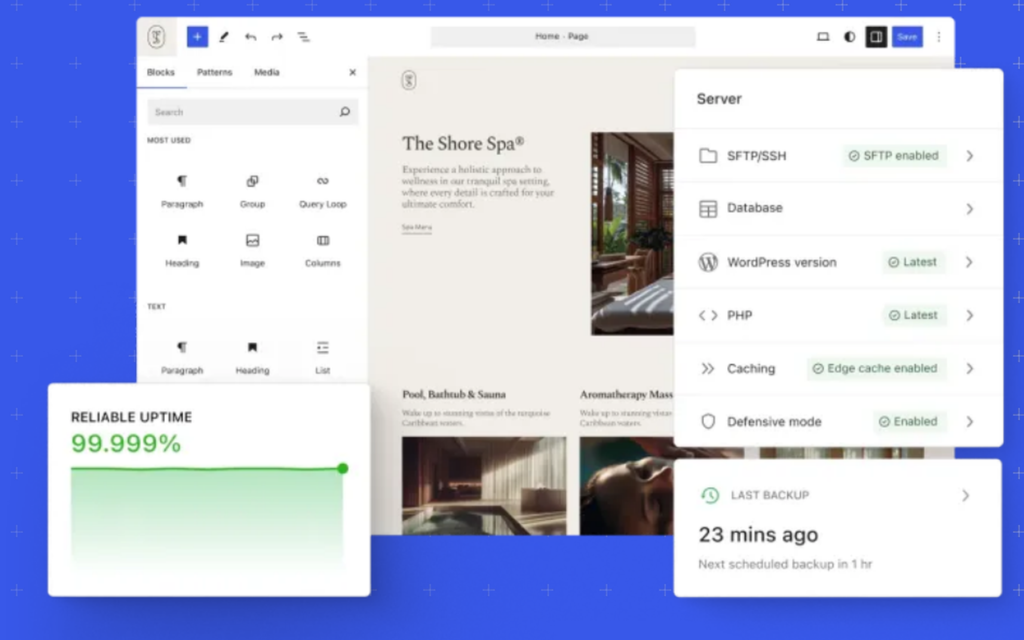
WordPress is the odd one out on this list, and that is exactly why it belongs here. It is not a website builder in the Squarespace sense. It is the platform that runs more of the web than any other, and WordPress.com is its hosted version, where the hosting, security, and updates are handled for you. A blog, a business site, a portfolio, or a store can all run on it, and the library of themes and plugins is bigger than every other tool on this list combined. If you want a specific feature, someone has almost certainly built it already, and you can install it with a few clicks.
The free plan is the real reason WordPress leads on value. It costs $0, it stays live indefinitely, and it is a genuine place to run a small site, not a countdown. The catch is the address: a free site lives on a wordpress.com subdomain and shows WordPress.com ads to visitors. The first paid plan fixes both problems for very little money, and since April 2026 every paid plan includes plugin installation, which used to be the reason people paid for the dearer Business tier. That change alone makes WordPress the cheapest serious Squarespace alternative here.
The weak spot is the learning curve and the look. WordPress does not hand you a finished design the way Squarespace does. You pick a theme, you shape it with the block editor, and you make a hundred small decisions that Squarespace makes for you. A beginner will spend a weekend learning how themes, blocks, and plugins fit together before the site feels natural. But once the setup is done, WordPress bends further than any other tool here, and nobody can take your content away, because the export tools are open and standard.
Cost-wise, this is the cheapest honest pricing here. The Free plan costs $0. Personal costs $4 a month billed annually, or $9 billed monthly. Premium costs $8 a month billed annually, or $18 billed monthly. Business costs $25 a month billed annually, or $40 billed monthly. Commerce costs $45 a month billed annually, or $70 billed monthly. Paid annual plans include a custom domain free for the first year. One honest note: the WordPress.com dollar figures are in the pricing page HTML (Personal $4, Premium $8, Business $25, Commerce $45 billed annually); only the renewal prices are JavaScript placeholders. Check the live figures on the WordPress.com pricing page before you commit, because the renewal prices run higher than the first-year figures.
What we like about WordPress
- The Free plan includes 1 GB of storage, Personal raises it to 6 GB, and Premium to 13 GB, with 50 GB on Business and Commerce.
- Every paid plan now includes plugin installation, with access to more than 50,000 plugins from the Personal tier up.
- All paid annual plans include a custom domain free for the first year.
What could be better
- Free sites show WordPress.com ads to visitors and cannot use a custom domain.
- Payment fees apply on top of Stripe: 10% on Free, 8% on Personal, 4% on Premium, and 2% on Business, with 0% only on Commerce.
- Free plan support is limited to community forums and basic help, with no direct expert support.
3. Webflow: Best Squarespace Alternative for Design Control
Webflow is the tool Squarespace users pick when the design is the job. It is a visual builder that works like a design tool and writes clean code underneath, so a designer can control spacing, typography, breakpoints, and interactions without writing CSS by hand. Animations, scroll effects, and custom layouts that Squarespace would never allow are ordinary work in Webflow, and the finished site is fast, because the code it produces is lean. Marketing teams and design-led studios use it for landing pages and company sites where every section has to look deliberate.
The CMS is the other reason Webflow earns its place. Collections work like a real database, so a blog, a case study library, or a job board can pull from the same content and display it in different layouts. The editor lets clients change text and images without touching the design, which is the part agencies care about most. If the price is what pushes you away rather than the editor, our Webflow alternatives guide compares ten tools that keep most of the design control for less money.
The downside is the learning curve and the price model. Webflow is the hardest tool on this list to learn well, because it assumes you understand how the web works: boxes, classes, and breakpoints. A beginner will spend a week learning before the tool feels natural, and a business owner who just wants a simple site will find it slow going. Pricing is also per site, not per account, so each website you build gets its own plan and its own bill.
Pricing changed in 2026, so read it carefully. The Starter plan costs $0 and suits a site you are still building, on a webflow.io address. Basic costs $15 a month billed annually and covers a simple site with a custom domain. Premium costs $25 a month billed annually and adds the CMS, site search, and form file uploads. That Premium tier is new, and it replaces the old CMS plan, which cost $23 a month, so older guides that quote $23 are out of date. For selling, Ecommerce Standard costs $29 a month billed annually, Plus costs $74, and Advanced costs $212. Check the live figures on the Webflow pricing page before you commit, because the plan structure changed recently and older reviews still quote the retired tiers.

What we like about Webflow
- Starter includes 2 static pages with 1 GB of bandwidth, and Basic raises it to 300 static pages with 10 GB of bandwidth.
- Starter allows 50 form submissions, while Basic allows unlimited form submissions with password protection.
- Premium adds the CMS with site search, form file upload, and code components for richer sites.
What could be better
- Workspace seats cost extra, with a full seat at $39 a month billed annually, so team editing adds up fast.
- Localization is a paid add-on from $9 a month, so a multilingual site costs more than the plan price.
- The learning curve is the steepest on this list, and a beginner will need a week before the tool feels natural.
4. Shopify: Best Squarespace Alternative for a Full Online Store
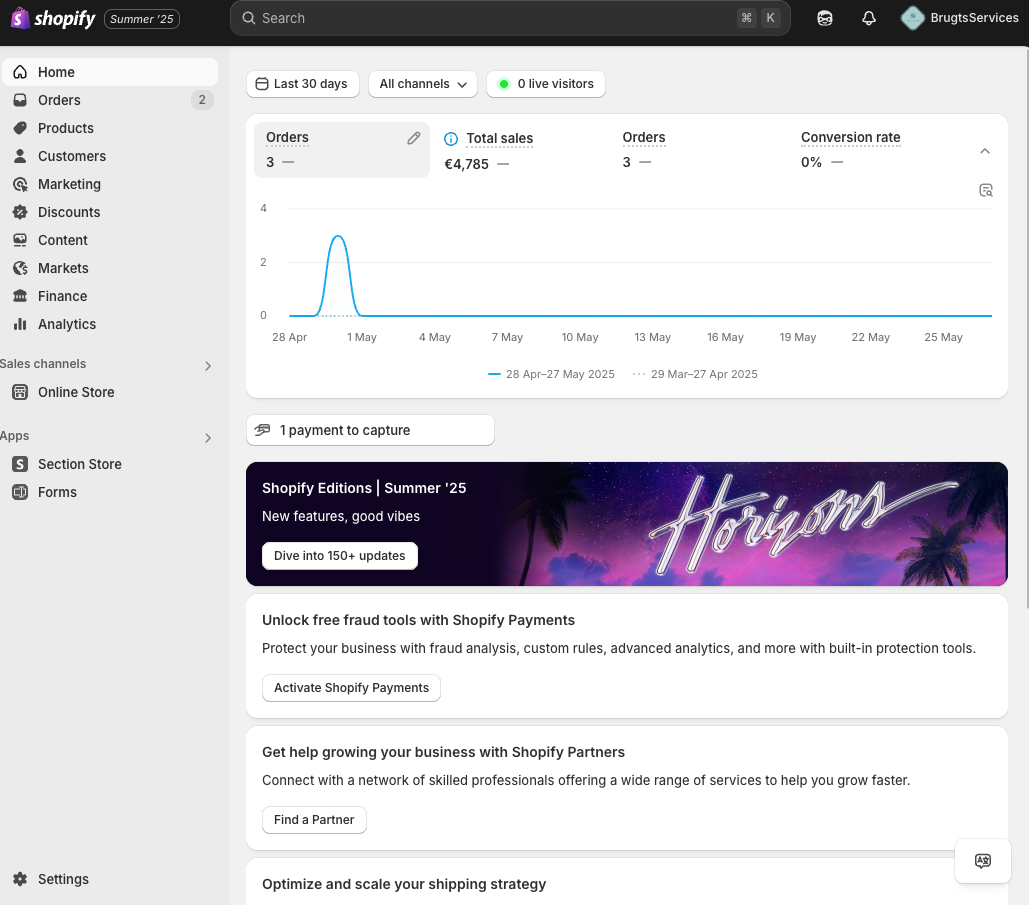
Shopify is the tool Squarespace users pick when the store stops being a side job and becomes the business. Squarespace handles a small catalogue well, but a shop with hundreds of products, multiple sales channels, and real order volume will outgrow it. Shopify is built for exactly that work: products, inventory, discounts, abandoned checkout recovery, and a checkout Shopify says converts better than other hosted platforms, with a published 15% average uplift figure. It also sells everywhere at once, with the same inventory feeding the online store, social channels, marketplaces, and a physical point of sale.
The app ecosystem is the other reason Shopify wins on selling. Thousands of apps cover subscriptions, loyalty, reviews, shipping, accounting, and print on demand, so a shop can add almost any capability without changing platforms. The theme store is smaller and more commercial than Squarespace, with free themes that are clean and paid themes that are built to sell.
The compromise is that Shopify is a shop first and a website second. The blogging tools are basic, the page builder is thinner than Wix or Webflow, and a content-heavy site will feel constrained. The monthly price is also only the start: the apps a real shop needs can add $50 to $200 a month on top of the plan. A business that mostly needs a beautiful brochure site with a small shop attached will pay for selling power it never uses.
The price picture is simple to read. Basic costs $29 a month billed annually, or $39 billed monthly, and it covers an online store with unlimited products, the best-converting checkout, and selling on social and marketplaces. Grow costs $89 a month billed annually ($105 billed monthly), and Advanced costs $359 a month billed annually ($399 billed monthly), with lower card rates and more staff accounts and reports at each step. Card rates on Basic start at 2.9% plus 30 cents for online payments through Shopify Payments. If your shop is outgrowing Squarespace, our guide to Shopify alternatives covers the platforms worth knowing, and our Shopify vs WooCommerce comparison is the right next read if you are weighing a self-hosted store. Check the live figures on the Shopify pricing page before you commit.
What we like about Shopify
- Basic includes 10 inventory locations, so a shop with a warehouse and a retail counter can track stock in both places.
- Shopify pays 1% back on all sales up to $5,000 on the Basic plan, which softens the monthly bill for a new shop.
- Basic includes more than 200 real-time reports plus custom analytics, which is far deeper reporting than Squarespace offers.
What could be better
- A 2% third-party transaction fee applies on Basic when you use a payment provider other than Shopify Payments.
- Paid themes cost $100 to $500 as a one-off purchase, on top of the monthly plan.
- POS Pro costs $89 a month per location, so selling in person is an extra bill, not part of the plan.
5. Hostinger Website Builder: Best Value Squarespace Alternative
Hostinger Website Builder is the tool Squarespace users pick when the bill is the problem and the site is simple. It is the cheapest builder on this list by a wide margin, and it is not a stripped-down free toy: the AI builder drafts a whole site from a short description, the drag and drop editor refines it, and the plan includes hosting, a free domain for a year, and ecommerce with 0% transaction fees. A small business that needs a clean site, a contact form, and a handful of products can launch on Hostinger for less than the cost of a lunch each month.
The template library is the pleasant surprise. More than 900 designer-made templates cover portfolios, business showcases, online stores, blogs, and link-in-bio pages, and the AI tools extend beyond the first draft: an AI writer for page copy, an AI logo maker, and an AI SEO assistant.
Where it loses ground is the introductory price and the depth. The headline price only applies to a long first term, and the renewal price is several times higher, so the second year costs far more than the first. The builder is also simpler than Wix or Squarespace: fewer design controls, fewer integrations, and less room to grow into a complex site.
The price picture needs reading in full, because the intro and renewal prices are very different. Premium costs $1.99 a month on an introductory 48-month term, and it renews at $10.99 a month for the same term. Unlimited costs $2.79 a month on the introductory term, and it renews at $16.99 a month. Cloud Startup costs $7.99 a month on the introductory term, and it renews at $25.99 a month. All plans are paid upfront, and the monthly rate is the total divided by the months in the term. Support runs around the clock. Check the live figures on the Hostinger website builder page before you commit, because the promotional prices change with the season, and the Black Friday figures we checked will not be there forever.

What we like about Hostinger
- Premium covers up to 3 websites, so a second project does not need a second subscription.
- Premium includes 2 mailboxes per website free for 1 year, with unlimited mailboxes on the Unlimited plan.
- Premium includes 250 AI credits a month, and Unlimited includes 500, with both doubled during the Black Friday promotion we checked.
What could be better
- The $1.99 intro price needs a 48-month term paid upfront, and the renewal jumps to $10.99 a month.
- There is no free plan, only a 30-day money-back guarantee, so you pay before you can try the real product.
- The builder is simpler than Wix or Squarespace, with fewer design controls and fewer integrations for growing businesses.
6. Weebly: Best Squarespace Alternative for Simple Sites
Weebly is the tool Squarespace users pick when they want the easiest possible switch. It is owned by Square, and it shows: the editor is a simple drag and drop canvas, the element palette is short and plain, and a first site can be live in an afternoon with no learning curve at all. A small business that needs a few pages, a contact form, and a small shop will find everything in one place, and nothing will ask for a decision it does not understand. For owners who found Squarespace fiddly, Weebly feels like a relief.
The store is the quiet strength. Weebly is a Square product, so selling connects naturally to Square payments, in-store pickup, gift cards, and inventory, and the paid plans include unlimited items, item options, and coupons. A cafe, a craft seller, or a local shop that already uses Square for card payments will find Weebly fits the way it already works.
The trade is that Weebly is a shrinking platform. Square has put its energy into Square Online, and Weebly gets fewer new features than it used to, which is why so many comparison sites now warn against starting a new site on it. The templates are older and fewer than Wix or Squarespace, and there is no AI builder.
Pricing is friendly and simple. The Free plan costs $0 and covers basic use, with Square ads and a Weebly address. Personal costs $13 a month billed annually, or $16 billed monthly, and connects a custom domain. Professional costs $15 a month billed annually, or $20 billed monthly, and adds more customization and phone support. Performance costs $32 a month billed annually, or $36 billed monthly, and adds the full ecommerce toolkit. Storage is 500 MB on Free, and unlimited from Professional up. Check the live figures on the Weebly pricing page before you commit, because Square changes the plan names and prices from time to time.

What we like about Weebly
- Free plan costs $0 with 500 MB storage, so a small site can run free without a trial clock.
- Paid plans include Square gift cards, in-store pickup, and automatic tax calculation for sellers.
- Performance adds abandoned cart emails and advanced ecommerce insights for growing shops.
What could be better
- Personal lacks advanced site stats, so basic reporting needs the Professional tier.
- Phone support starts on Professional, so Personal buyers get chat and email only.
- There is no AI builder, and the template library is older and smaller than Wix or Squarespace.
7. Duda: Best Squarespace Alternative for Agencies and Client Work
Duda is the tool Squarespace users pick when they build sites for other people. It is made for agencies, freelancers, and small teams that manage many client sites, and that focus shows in every part of the product: client accounts, team seats, white-label editing, reusable sections and templates, and a dashboard that shows all your sites at once. A freelancer who builds five restaurant sites a year will save hours on every one of them, because the second site reuses the work of the first.
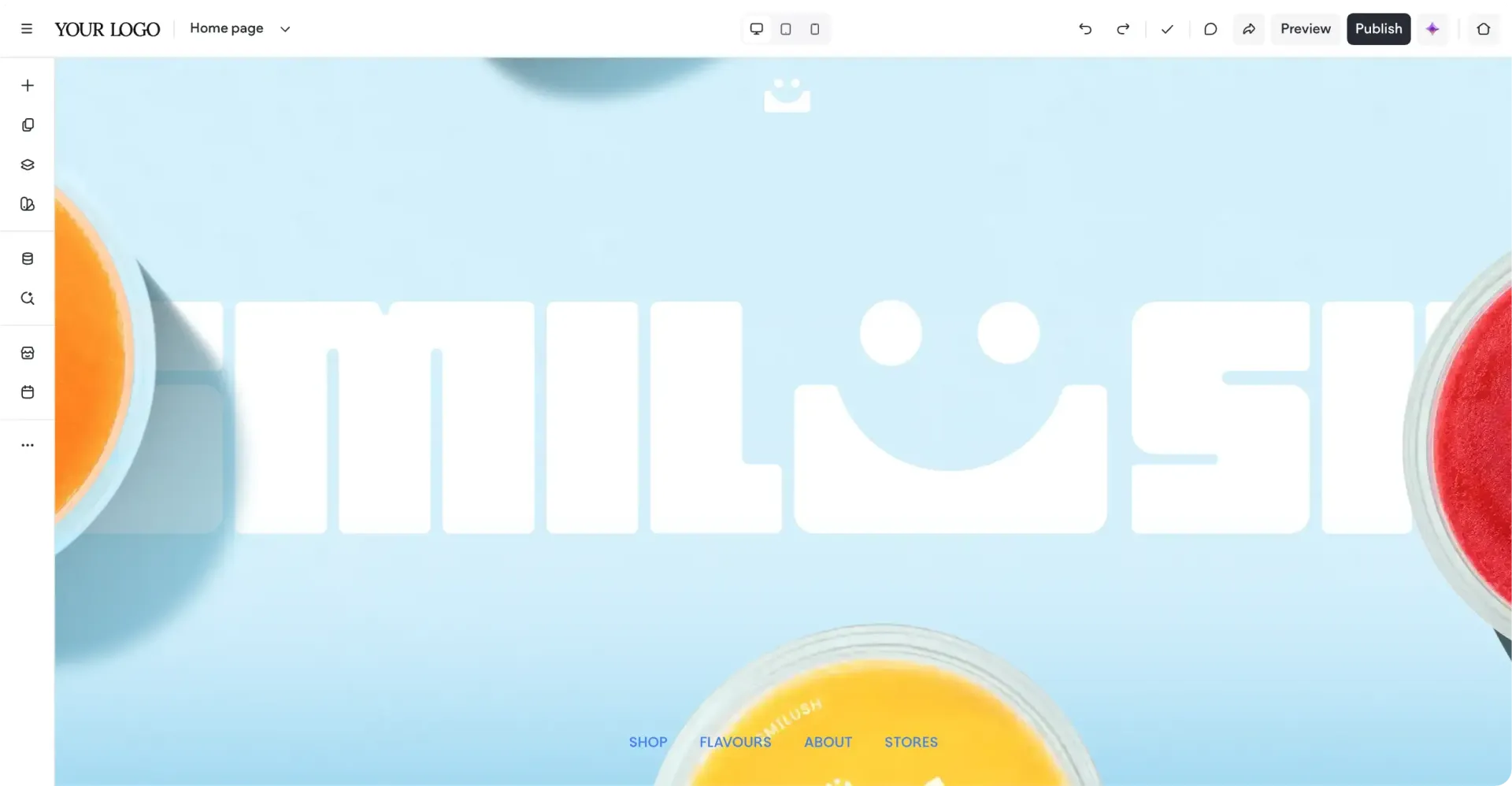
The editor is strong in its own right. It is a drag and drop builder with real responsive controls, so a site can be tuned separately for desktop, tablet, and phone, and the template library covers the industries agencies serve most: restaurants, law firms, real estate, health, and local services.
The trade is the price model and the audience. Duda charges per account, not per site, and the plans include a set number of site subscriptions, so a single-site owner pays an agency price for a single site. Ecommerce and bookings are paid upgrades on top of the plan, which means the real cost of a shop is higher than the headline price.
Pricing is per account, with sites included. Basic costs $19 a month billed annually, or $25 billed monthly, and includes 1 site. Team costs $29 a month billed annually, or $39 billed monthly, and includes 1 site with 3 team seats. Agency costs $52 a month billed annually, or $69 billed monthly, and includes 4 sites with 6 team seats. White Label costs $149 a month billed annually, or $199 billed monthly, and includes 4 sites with white-label client access. There is a 14-day free trial, and support runs by email on Basic and by chat on Agency and above. If your agency also needs a proper way to track clients, our guide to the best CRM software for small business is a useful companion read. Check the live figures on the Duda pricing page before you commit.
What we like about Duda
- Every plan includes 150 monthly AI credits, so AI generation is part of the product, not an add-on.
- Every site allows up to 1,000 pages with unlimited form submissions, so a large client site fits on any tier.
- Hosting includes unlimited storage and bandwidth with AWS hosting and a 99.5% uptime guarantee.
What could be better
- Ecommerce and bookings are paid upgrades, so the real cost of a shop is higher than the plan price.
- Basic includes only 1 site subscription, so a second client site costs extra.
- There is no free plan, only a 14-day trial, so you cannot run a client site free before paying.
8. GoDaddy Website Builder: Best Squarespace Alternative for a Fast AI-Built Start
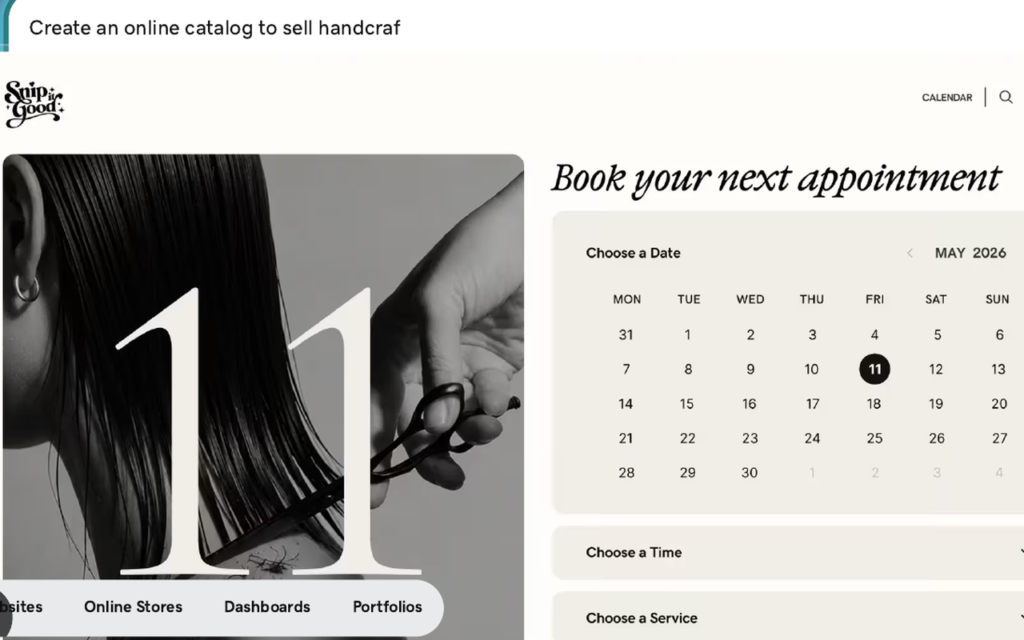
GoDaddy Website Builder is the tool Squarespace users pick when they want a site live this afternoon. The 2026 version is built around Airo, GoDaddy’s AI builder, which turns a short conversation about your business into a full site, with pages, copy, images, and a working store, booking system, or portfolio, in minutes. You describe the business, Airo drafts the site, and you refine it by chatting back. For an owner who has been putting off a website for months, that first draft is the whole product.
The GoDaddy ecosystem is the other reason it fits small businesses. Domains, hosting, email, payments, and marketing live under one account, so a business that already buys its domain from GoDaddy can add a site without learning a new company. The free plan lets you start without a card, and the paid plans add a custom domain, appointment booking, and a full store.
The trade is the renewal price and the design depth. GoDaddy’s introductory prices look cheap, and the renewal prices are nearly double, so the second year costs far more than the first. The design controls are also simpler than Squarespace: Airo builds fast, but shaping the result into something distinctive takes patience.
Pricing is introductory first, renewal second, and both matter. The Free plan costs $0, with GoDaddy branding. A custom domain can be connected to a free site. Basic costs $9.99 a month on introductory annual billing, and it renews at $16.99 a month. Premium costs $14.99 a month on introductory annual billing, and it renews at $29.99 a month. Commerce costs $20.99 a month on introductory annual billing, and it renews at $34.99 a month. GoDaddy Payments charges 2.7% plus 30 cents per online transaction. One honest note: the GoDaddy builder page did not render prices in our text check on 10 November 2026, so the figures here come from multiple 2026 reviews that read them from the same page and agree with each other. Check the live figures at checkout before you commit, because GoDaddy adjusts its promotions often.
What we like about GoDaddy
- Free plan includes 50 AI credits a month with no credit card required, so you can try the AI builder before paying.
- Commerce carries a 0% online-store transaction fee from GoDaddy, with only the payment processing fee on top.
- Every plan includes hosting and SSL, with no separate hosting bill to manage.
What could be better
- Renewal prices nearly double the intro prices, so Basic goes from $9.99 to $16.99 a month in year two.
- Domain privacy and business email are billed separately, so the running total drifts past the sticker price.
- The free plan shows GoDaddy ads, so it is for testing, not for a real business. A custom domain can be connected to a free site, per GoDaddy’s own FAQ.
9. Framer: Best Squarespace Alternative for Designer-Led Marketing Sites
Framer is the tool Squarespace users pick when the site has to feel alive. It started as a prototyping tool for designers, and it still shows: animations, scroll effects, hover states, and page transitions are first-class features, not add-ons, and a Framer site can look and move like a product a design agency built. The templates are modern and sharp, the CMS handles blogs and case studies, and the AI tools can draft a site from a prompt and then let you refine every detail visually.
The speed is the other reason Framer earns its place. Sites publish to a global CDN and Framer aims for strong Core Web Vitals scores out of the box, and the editor is fast enough that a designer can build a landing page in an afternoon. The free plan is genuinely useful: it publishes live sites on a Framer subdomain, so a designer can test ideas and share work before paying anything.
The trade is the price model and the missing store. Framer charges per site, not per account, so a portfolio plus a separate marketing site means two plans, not one, and the bill grows with every site you run. There is no native ecommerce, so selling needs a third-party integration, which rules it out for a shop.
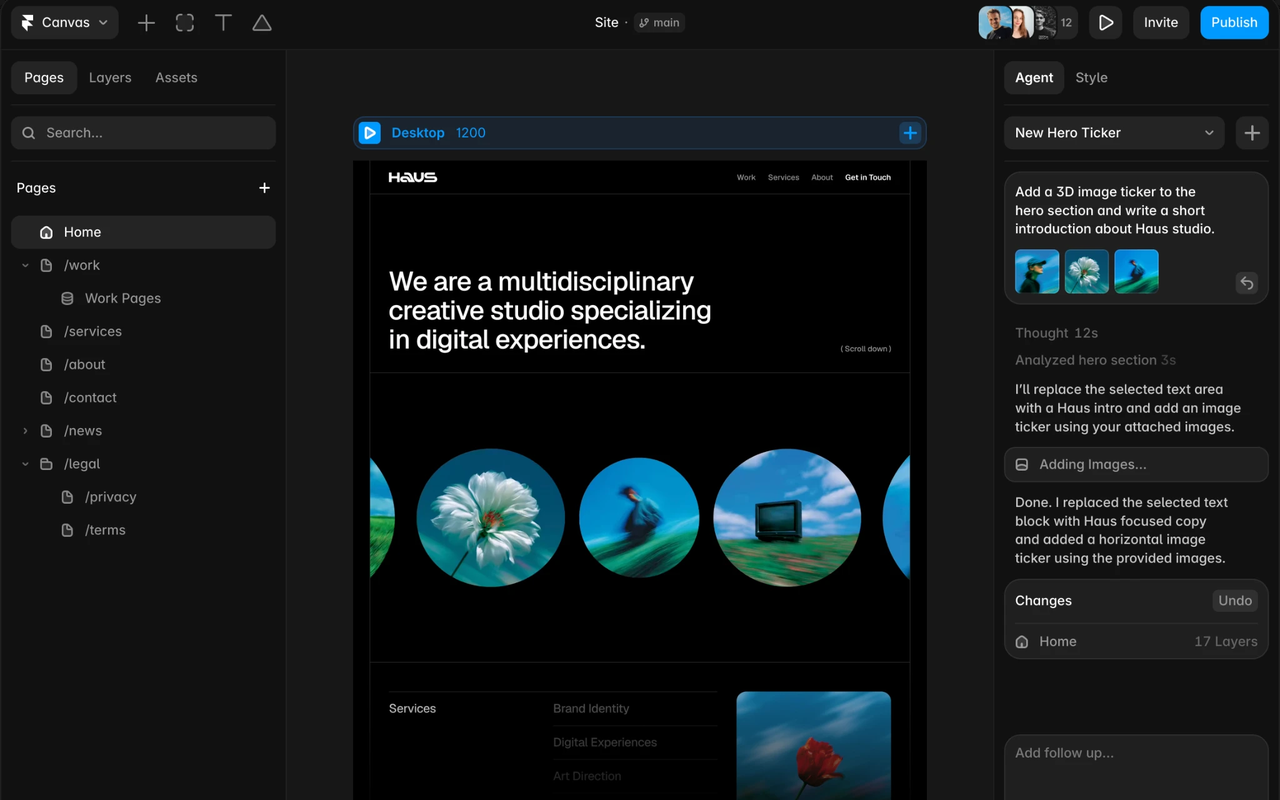
Pricing is per site, and it changed in 2026, so read it carefully. The Free plan costs $0 and publishes live sites on a Framer subdomain. Basic costs $10 a month billed annually ($15 billed monthly) and adds a custom domain, 2 CMS collections, 30 pages and 50 GB. Pro costs $30 a month billed annually ($45 billed monthly) and adds 10 CMS collections, 150 pages (up to 700 with paid add-ons), 100 GB, staging, and advanced analytics. One honest note: the Framer dollar figures are in the pricing page HTML (Free $0, Basic $10, Pro $30 billed annually). Check the live figures on the Framer pricing page before you commit.
What we like about Framer
- Free plan includes 10 CMS collections with 1,000 pages and a free locale to try, so a real site can be tested before paying.
- Workspaces without a subscription receive 500 AI credits to try Agents, which is generous for a free tier.
- Free plan supports collaboration with up to 3 editors, so a small team can build together without paying.
What could be better
- Pricing is per site, so a portfolio plus a marketing site means two plans and two bills.
- There is no native ecommerce, so selling online needs a third-party integration.
- Extra editors are billed per seat, so team editing adds up on top of the site plan.
10. Showit: Best Squarespace Alternative for Creatives and Portfolios
Showit is the tool Squarespace users pick when design freedom is the whole decision. It gives you a blank canvas and total control: drag anything anywhere, layer text over images, break the grid, and build a site that looks like nothing else on the internet. Photographers, wedding planners, designers, and coaches use it for exactly that reason, and the template market around it is one of the strongest in the industry, with hundreds of designer-made templates that can be bought and reshaped. If Squarespace felt like a beautiful cage, Showit is the open field.
The blog is the clever part. Showit handles the design, and WordPress handles the blog, so you get the design freedom of a drag and drop builder with the blogging power and SEO strength of WordPress underneath. The Basic Starter Blog plan runs your blog on WordPress with pre-installed plugins, and the Advanced Blog plan opens the full plugin library, with unlimited WordPress users and a free migration from WordPress or Squarespace.
The trade is the price and the missing store. Showit costs more than Squarespace for a comparable site, and the base plan has no blog at all, so blogging starts at the second tier. There is no native ecommerce, so selling needs a full Shopify plan (Basic $29 a month billed annually) or another selling tool.
Pricing is simple once you understand the blog split. Showit costs $22 a month billed annually, or $27 billed monthly, and it covers the website builder with no blog. Showit and Basic Starter Blog costs $27 a month billed annually, or $34 billed monthly, and it adds a WordPress blog with a monthly visit cap. Showit and Advanced Blog costs $39 a month billed annually, or $49 billed monthly, and it adds unlimited WordPress users, custom plugins, and a free migration. High-traffic blog plans run from $63 a month for 100,000 visits. If you work with design assets regularly, our guide to Canva alternatives pairs well with Showit when you need graphics that match your templates. Check the live figures on the Showit pricing page before you commit.

What we like about Showit
- Every plan includes 20 GB of media storage with a secure certificate, so a photo-heavy portfolio fits on any tier.
- Advanced Blog backs up your design every 10 minutes and stores those backups for 7 days.
- Advanced Blog includes a free blog migration from WordPress or Squarespace with a 4-day turnaround.
What could be better
- There is no native ecommerce, so selling needs a full Shopify plan (Basic $29 a month billed annually) or another selling tool.
- Basic Starter Blog caps the blog at 10,000 visits a month, so a growing blog must upgrade.
- There is no free plan, only a 14-day trial, and the trial cannot connect a domain or use blog features.
Pricing: What You Actually Pay
Pricing is where this comparison is decided for most buyers, so it deserves a careful read. The headline price is never the whole story. A tool that costs $2 a month looks cheap until you learn that the price only applies to a four-year term and renews at $11, and a tool that costs $29 a month looks dear until you learn that it replaces two other subscriptions.
Start with the cheapest honest options. WordPress.com Personal at $4 a month billed annually is the lowest real paid price here, and it covers a small site well. Hostinger Premium at $1.99 a month looks cheaper, but that is an introductory price on a 48-month term, and it renews at $10.99 a month, so WordPress is the cheaper honest price after year one. Framer Basic at $10 a month and GoDaddy Basic at $9.99 a month sit in the same band, and GoDaddy also renews far higher, at $16.99 a month. Weebly Personal at $13 a month, Webflow Basic at $15 a month, Wix Light at $17 a month, and Duda Basic at $19 a month sit in the same band too. Showit at $22 a month is the dearest entry price for a non-selling site, and Shopify Basic at $29 a month is the dearest entry price on the list, because it is a shop, not a brochure site.
Three pricing traps deserve attention. First, the introductory price is a first-year price on two tools and a first-term price on one more. Hostinger Premium renews at $10.99 a month, GoDaddy Basic renews at $16.99 a month, and WordPress.com Personal renews higher than its $4 first-year figure, so always read the renewal line before you budget. Second, the fee you pay on every sale is often bigger than the plan price. Squarespace takes 2% of store sales and 7% of digital and membership sales on Basic, and GoDaddy Payments takes 2.7% plus 30 cents per sale, so a shop doing $2,000 a month in sales pays $40 to $54 a month in fees alone. Third, the feature you need is often one tier above the entry price. Selling on Squarespace needs Core to drop the store fee, blogging on Showit needs the second tier, and a CMS on Webflow needs Premium, so read the plan comparison table before you budget, not after you buy.
Before you pick a plan, write down the renewal price next to the intro price, and add the sales fees for a normal month. A plan that looks cheap at $2 a month can cost $11 a month in year two.
One final pricing warning applies to every tool here. Vendors change prices, and the figure on the pricing page today may not be the figure next quarter. Squarespace itself moved from its old Personal and Business plan names to Basic, Core, Plus, and Advanced, and Webflow replaced its CMS plan with Premium in 2026, so older guides quote retired tiers and retired prices. Treat any price in this article as a snapshot from 10 November 2026, not a promise. If your workflows also span many apps and you plan to automate across them, our guide to Zapier alternatives is a useful companion read, because the automation tool you pick shapes which website builder fits best.
A Worked Yearly Cost Comparison
Take a small business site and put it on the plan each tool would actually sell it. Not the cheapest plan on the page, and not the enterprise tier, but the plan a real small business buys in its first year. The table below shows the first-year cost on annual billing for each tool, and the renewal cost after the intro offer ends. Squarespace Basic is included as the baseline you are leaving.
| Tool | Plan used | First-year cost | Renews at (per year) |
|---|---|---|---|
| Hostinger Website Builder | Premium, intro 48-month term | $24 | $132 |
| WordPress | Personal | $48 | $60 |
| GoDaddy Website Builder | Basic, intro annual | $120 | $204 |
| Framer | Basic | $120 | $120 |
| Weebly | Personal | $156 | $156 |
| Webflow | Basic | $180 | $180 |
| Wix | Light | $204 | $204 |
| Squarespace | Basic (baseline) | $228 | $228 |
| Duda | Basic | $228 | $228 |
| Showit | Showit, no blog | $264 | $264 |
| Shopify | Basic | $348 | $348 |
The spread is wider than most owners expect. Hostinger Premium at $24 in year one costs about a tenth of Squarespace Basic at $228, and WordPress Personal at $48 costs about a fifth, though both renew higher, at $132 and $60 a year. GoDaddy Basic at $120 in year one renews at $204, which is close to Wix Light at $204 a year. Framer Basic at $120 a year and Weebly Personal at $156 a year both undercut Squarespace Basic by a clear margin. Duda Basic at $228 a year matches Squarespace Basic, Showit at $264 a year costs $36 more, and Shopify Basic at $348 a year costs $120 more, which is fair for a shop and too much for a brochure site.
The yearly column is the one to show your manager, but remember what the entry plan leaves out. A site that needs to sell on Squarespace will step up to Core at $348 a year to drop the 2% store fee, and a site that needs a blog on Showit will step up to Basic Starter Blog at $324 a year. Run the same simple maths for your own site, with the tier you actually need, before you decide.
Migration From Squarespace: How to Switch Without Losing Work
Switching website builders sounds harder than it is, and the fear of losing work keeps more owners on Squarespace than the price ever does. The honest answer is that migration takes an afternoon of planning and a week of running both sites side by side, and it is worth doing properly. Start by listing every page on your Squarespace site, with its URL and its purpose, and decide which pages move and which ones are finished and can be archived. Most sites find that a third of their pages are old news or old offers, and archiving them before the move saves real time.
Export comes next. Squarespace lets you export blog posts as a WordPress XML file from the settings menu, and most of the tools on this list accept that file or a CSV import that pulls pages and posts across. WordPress takes the XML file directly, which is why it is the smoothest move for a blog-heavy site. Images and galleries move least cleanly, so save your original image files separately before you start, and check that every image landed on the new site before you switch the domain over.
Run both sites in parallel for one to two weeks. Build the new site on a temporary address, check every page on desktop and on a phone, and set up redirects for any URL that changes, because a moved page without a redirect loses its search ranking. Then point the domain at the new site, keep Squarespace open for reference for a month, and set a clear date after which the old site is cancelled.
How to Choose the Right Squarespace Alternative
Choose by the site, not by the feature list. A feature list will tell you that every tool on this page has templates, blogs, and stores, and that is true and useless. What matters is which tool makes your most common day easier. If your most common day is updating a portfolio with new work, pick Showit or Framer. If it is publishing a blog post every week, pick WordPress or Webflow. If it is fulfilling orders, pick Shopify. If it is a local business site that just needs to look good and take enquiries, pick Wix or Hostinger.
Then check three practical things before you pay. First, the free plan or the trial: use it for two real weeks with a real site, not a demo, and see whether you still like it on day fourteen. Second, the tier you actually need: open the pricing page, find the feature you cannot live without, and note which tier carries it, because that tier is your real price. Third, the exit: check that you can export your content, because a tool that locks your work in is a tool you will regret.
Finally, involve the people who will update the site. A website builder is only as good as the person who opens it, and a tool your team resents is a tool with stale pages and missed updates. Let two people try the top two contenders for a week, then ask them which one they would keep. Their answer is worth more than any review, including this one.
Who Should Pick Each Squarespace Alternative
Pick Wix if you want the closest Squarespace replacement with more freedom, and you are happy to pay $17 a month for Light or $29 a month for Core. It fits service businesses, local companies, and anyone who wants a free plan to start. Pick WordPress if you want the cheapest serious option and the biggest library of themes and plugins, and you are happy to spend a weekend learning how it fits together.
Pick Webflow if design control is the job and you are happy to pay $15 a month for Basic or $25 a month for Premium. It fits design-led studios and marketing teams whose site is the pitch. Pick Shopify if you run a real store and you are happy to pay $29 a month for Basic. Pick Hostinger if you want the lowest first-year price and you are happy to pay more when it renews.
Pick Weebly if you want the simplest editor here and you already use Square. Pick Duda if you build sites for clients and you are happy to pay $19 a month per account. Pick GoDaddy if you want a site live today and you trust an AI builder to draft it. Pick Framer if you want a site that moves and feels designed, and you are happy to pay $10 a month per site. Pick Showit if your brand lives or dies on how it looks and you are happy to pay $22 a month without a blog.
When Squarespace Is Still the Right Call
Leaving Squarespace is not right for every owner, and this guide would be dishonest if it pretended otherwise. Squarespace is still the fastest way to a beautiful site, and for a creative business that needs a portfolio, a blog, and a small shop in one place, it is hard to beat.
Squarespace is also the right call when your site already runs on it and the pain is small. If the complaint is one missing feature, check whether Core at $29 a month fixes it before you move a whole site to a new platform. Migration costs time, redirects, and goodwill, and a business that moves for a small saving often finds the new tool has its own gaps.
The moment to leave is when the pain is structural, not cosmetic. If your shop has outgrown a 2% fee on every sale, or your work needs layout freedom Squarespace will not give you, or your blog needs WordPress-level power, then the tools above are worth the move. Stay when Squarespace fits and the bill is fair. Leave when the site has outgrown the tool, not when a review told you to.
Final Thoughts
Squarespace alternatives are not hard to find, and the ten tools above cover every kind of owner who outgrows Squarespace or outprices it. The short answer is Wix for most people, WordPress for the best free plan, and Hostinger for the best value, and any of those three is a safe choice.
Our recommendation is practical. Shortlist two tools from this guide, use each one for two real weeks with a real site, and let the people who will update it vote. Check the tier that carries the feature you need, run the yearly maths from the table above, and confirm the price on the live pricing page before you pay, including the renewal price. Then migrate properly: archive the dead pages, test the import on one section, run both sites in parallel for a week, and set up redirects.
FAQs
What is the best Squarespace alternative in 2026?
Wix is the best overall Squarespace alternative for most people, because it keeps the visual way of building, adds a free plan and far more templates, and costs $17 a month on Light billed annually. WordPress is the best free option, Hostinger is the best value, and Showit is the best pick for creatives who want total design freedom.
Is there a free alternative to Squarespace?
Yes. Wix, WordPress, Webflow, Weebly, GoDaddy, and Framer all have free plans. WordPress and Wix have the most useful free plans for a real site, with WordPress starting at $0 on a wordpress.com address and Wix starting at $0 with Wix branding. Squarespace has no free plan, only a 14-day trial. Hostinger, Duda, Shopify, and Showit have no free plan either, though Hostinger and Duda offer money-back guarantees or trials.
Which Squarespace alternative is cheapest?
WordPress.com Personal is the cheapest honest paid plan at $4 a month billed annually, or $48 a year. Hostinger Premium looks cheaper at $1.99 a month, but that is an introductory price on a 48-month term, and it renews at $10.99 a month, or $132 a year. GoDaddy Basic costs $120 in year one and renews at $204 a year, and Framer Basic costs $120 a year with no intro games. Squarespace Basic costs $228 a year, so most of the tools on this list save money, though Shopify Basic at $348 a year costs more, because it is a shop.
Can I migrate my site from Squarespace to another platform?
Yes. Squarespace lets you export blog posts as a WordPress XML file, and WordPress takes that file directly, which makes it the smoothest move for a blog-heavy site. Wix, Webflow, and Duda offer import tools or guided migration. Save your original image files separately, because images and galleries move least cleanly, and set up redirects for any URL that changes, because a moved page without a redirect loses its search ranking.
Is Wix better than Squarespace?
It depends on what you value. Wix is stronger on freedom, with a freeform editor, more than 2,000 templates, a free plan, and an app market that covers bookings, events, and memberships, and Light at $17 a month costs less than Squarespace Basic at $19 a month. Squarespace is stronger on polish, with a curated template library and an editor that keeps pages consistent without effort.
Which Squarespace alternative is best for photographers?
Showit is the best pick for photographers, because it gives total design freedom for portfolios and a template market built for visual brands, with a WordPress blog underneath on the blog plans. Framer is the other strong pick, with animation and polish that make a portfolio feel alive, and Wix is the practical pick, with a free plan and hundreds of photography templates.
Which Squarespace alternative is best for an online store?
Shopify is the best pick for an online store, because it is built for selling, with the strongest checkout, the deepest reporting, and thousands of selling apps, at $29 a month on Basic billed annually. Wix is the best pick for a small shop attached to a business site, with Core at $29 a month and no store fee of its own.
Does Squarespace still have a free trial?
Yes. Squarespace offers a 14-day free trial on every plan, with no credit card required to start, and no free plan beyond that trial. Basic costs $19 a month billed annually after the trial, Core costs $29, Plus costs $49, and Advanced costs $99. If you need a free plan that stays live indefinitely, Wix, WordPress, Webflow, Weebly, GoDaddy, and Framer all offer one, though each of them carries branding or limits on the free tier.
Pick Wix for most people, WordPress for the best free plan, Hostinger for the best value
Most people leaving Squarespace should start with Wix, because it keeps the visual way of building and adds the freedom Squarespace holds back, with a free plan and paid plans from $17 a month on Light. Owners who want a real site for free should pick WordPress, and owners who want the lowest first-year price should pick Hostinger at $1.99 a month on its introductory term. Creatives who want total design freedom should pick Showit, and shops should pick Shopify.
This kind of research, applied to your growth
If you run a SaaS business, SaaS Harvest can do this kind of digging in your market and turn it into search traffic that signs up.
